
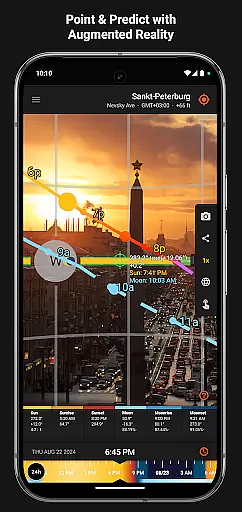
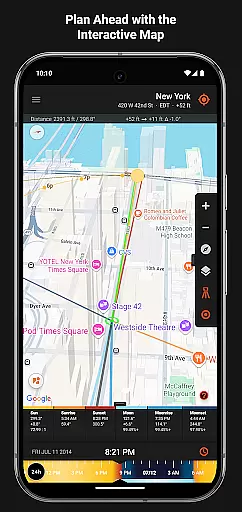
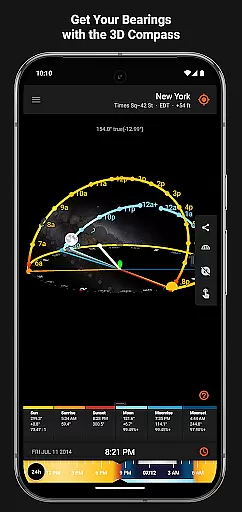
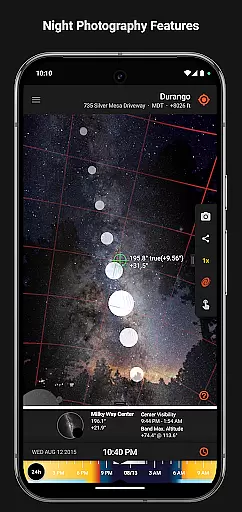

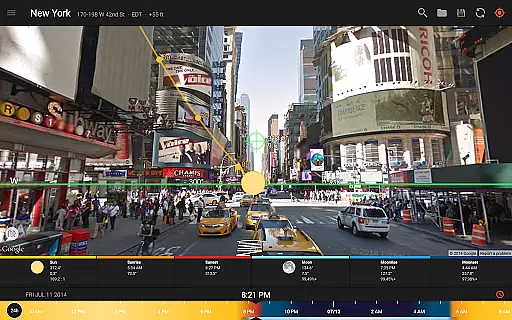
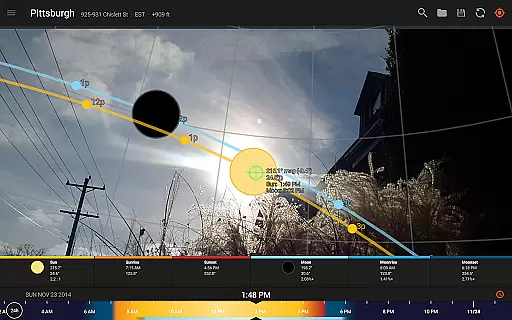
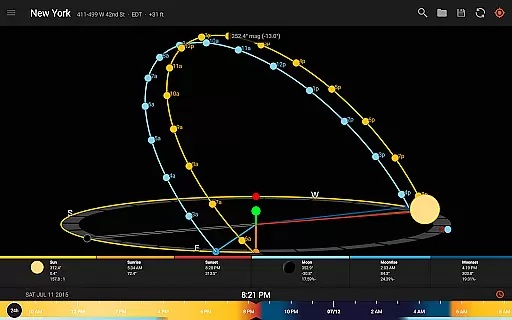
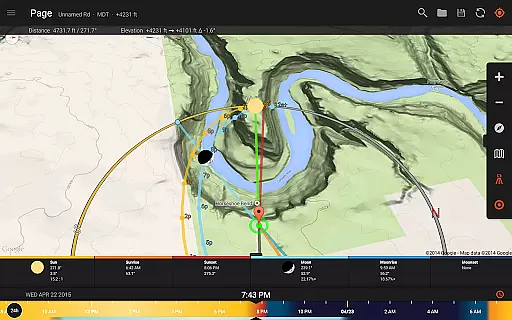
Sun Surveyor is an advanced photography planning tool that empowers users to predict and visualize the positions of the sun, moon, and Milky Way. Designed for photographers, filmmakers, and solar industry professionals, this app provides precise data on sunrise, sunset, moon phases, golden hour, and more. With its augmented reality projections, interactive map, and 3D compass, Sun Surveyor helps users scout locations, plan shoots, and optimize natural lighting conditions.
Whether you're capturing the perfect shot or analyzing sunlight patterns for architectural projects, Sun Surveyor offers a wealth of features tailored to enhance your workflow. From predicting super moons to calculating shadow lengths, this app ensures you're always prepared for optimal results.
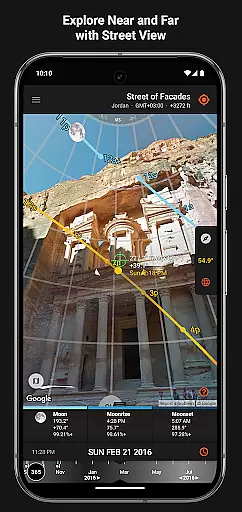
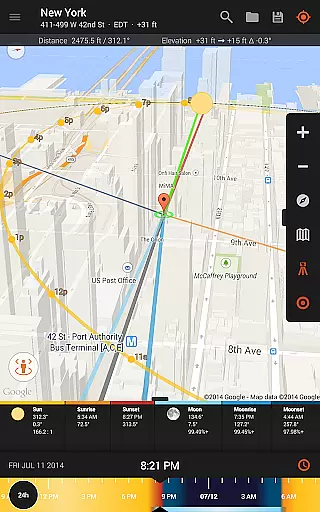
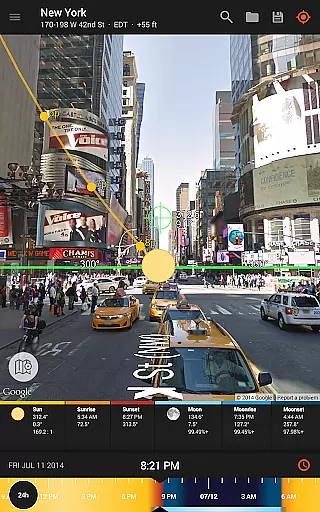
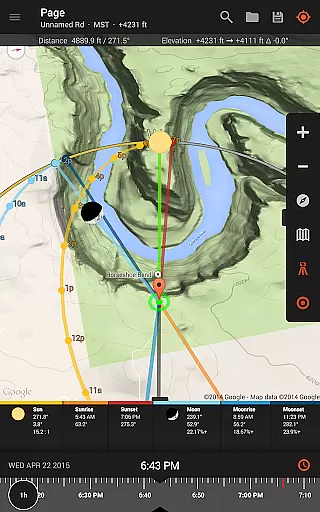
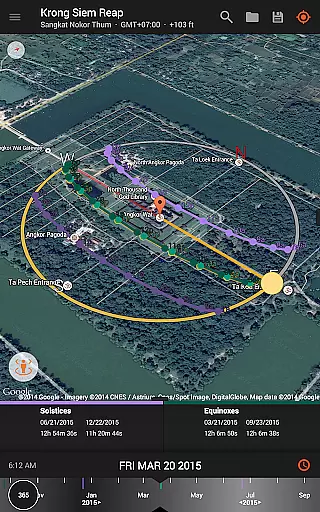
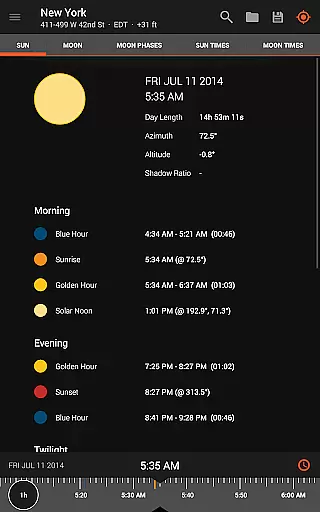
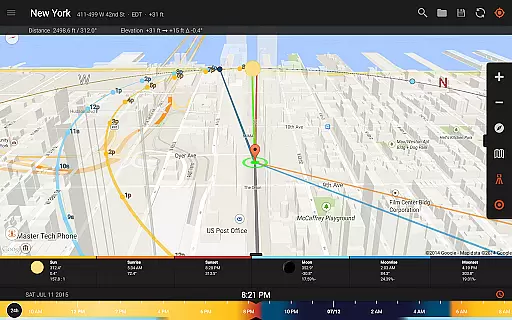
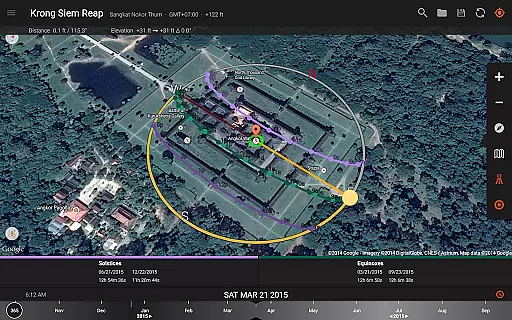
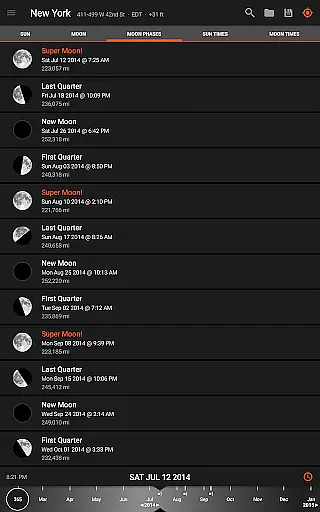
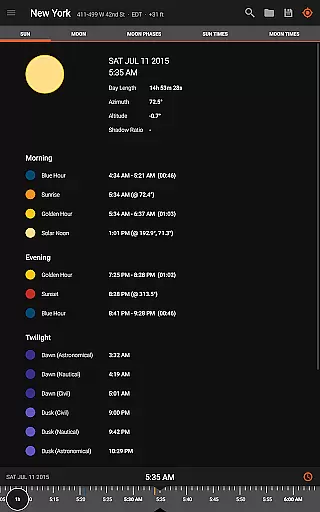
Sun Surveyor stands out with its comprehensive suite of tools designed for precision and convenience. The Live Camera View overlays sun and moon paths in real-time, allowing users to pinpoint exact positions in the sky. The Interactive Map integrates Street View for detailed location scouting, while the Ephemeris provides accurate timing for golden hour, blue hour, and twilight periods.
For professionals in the solar industry, the app offers insights into seasonal sunlight quality, potential shading, and obstruction analysis. Additional features include Photo Opportunities for creative inspiration, a Visual Time Machine for quick light previews, and offline functionality for remote use. With widgets, magnetic declination compensation, and support for Google Earth files, Sun Surveyor delivers unmatched versatility for both creative and technical applications.
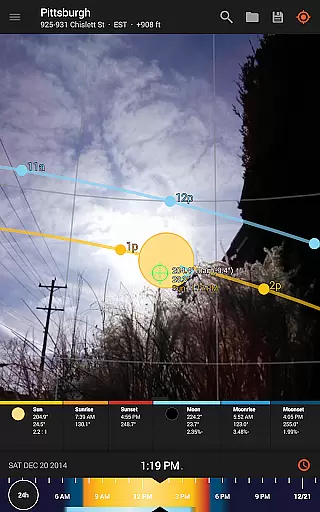
Real-time capture and preview functionality is essential for photographers and filmmakers who need to plan their shots with precision. Sun Surveyor excels in this area by offering a Live Camera View that provides augmented reality projections of the sun and moon paths.
This feature allows users to pinpoint the exact time the sun or moon will be at a specific location in the sky, which is crucial for capturing the perfect shot. The app's ability to predict and plan for golden hour, blue hour, and every sunrise, sunset, moonrise, and moonset ensures that users are always ready for the best lighting conditions.
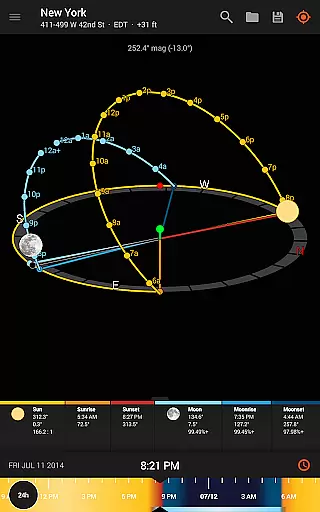
Additionally, the 3D Compass and detailed Ephemeris provide a wealth of information about the sun and moon, empowering users with the knowledge to scout the best locations effectively. This level of detail and real-time data ensures that photographers and filmmakers can plan their shoots with confidence, knowing they have the most accurate information at their fingertips.
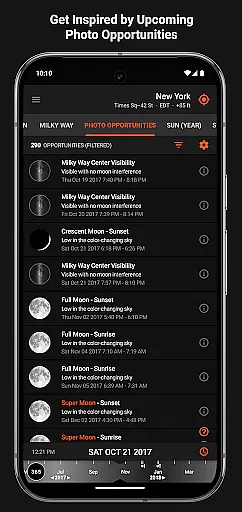
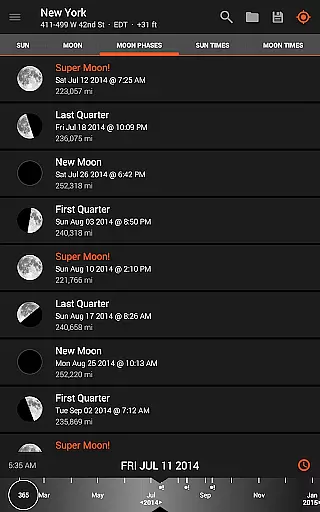
While Sun Surveyor does not focus on AI beauty enhancements typical in portrait photography apps, it offers unique features that enhance natural beauty through precise planning and positioning. The app's Photo Opportunities feature is an interactive listing of critical times that inspire and generate shot ideas, such as the full moon looming low in the sky during magic hour.
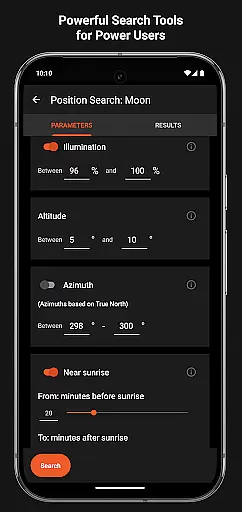
The Position Search tool is another powerful feature that allows users to search for sun, moon, and milky way center positions within various constraints. This meticulous planning ensures that users can capture scenes with natural beauty and minimal post-processing.
Moreover, Sun Surveyor's ability to create images of the summer and winter Solstice & Equinox paths for a site helps professionals like architects and real estate agents showcase properties in their best natural light. By understanding potential shade and obstructions, users can ensure that their compositions highlight the natural beauty of any location without relying on artificial enhancements.
Accurate sun positioning
Augmented reality views
Offline functionality
Detailed ephemeris data
Interactive map integration
Compass dependency
Complex for beginners
Premium price tag
Limited free features
Device compatibility issues

Find time and duration of different sunlight phases at any location
 4.90
4.90
Photobooth mini FULL app will allow you to add more fun to your parties
4.00
AI photo editor with hair editor, retouch tools, hair color changer & filters!
4.50
Automatically backup your photos and videos to computer, NAS and Cloud services
4.60
Catch sunlight, sunrise sunset times and sun phases with the AR sun tracker.
4.10
Welcome to ProShot, the most powerful camera app on Android.
4.20
Solocator stamps photos you take with GPS location, Compass Direction, Date/Time
3.80
Discover How to Plan any Sun, Moon and Milky Way Photo You Imagine in Seconds
4.70
Try an anime version, cartoon yourself, and generate AI hug or aging videos!
3.70
AI Photo Editor with 100+ Filters, Effects! Remove BG, Retouch & Photo Enhancer.
4.80
See your baby AI baby face generator AI baby maker Face generator babymaker fun!
4.70
Easily create custom gifts, cards, photo books & more on the Shutterfly app!
4.60
Create collages easily! Nice pic collage maker & background eraser for Instagram
4.50
AI portrait generator and polaroid AI selfie, fun AI generated AI photo creator!
4.30
Virtual makeup, hair filters & body tuner—edit from face to full body!
4.20
Create AI Photos, Improve and restore quality of blurry, old or damaged pics.
4.20
Gallery Slideshow is slideshow maker app for slideshow from your gallery photos.
3.90
GCamera allows all GCam features on all phone models! Better photos with GCamera
3.30
Long exposure camera with computational photography
2.60


User Reviews