

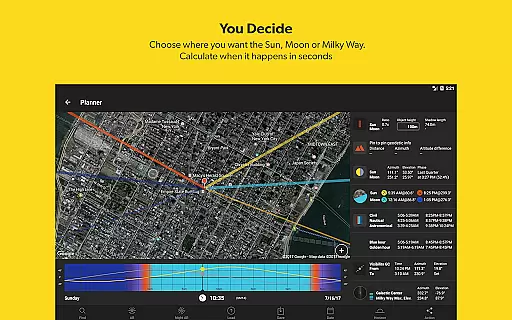


PhotoPills is a comprehensive photography planning tool designed to unlock creative potential in capturing Sun, Moon, and Milky Way scenes. This app provides photographers with the ability to transform imaginative concepts into real photographs, offering features like 2D map-centric planning, augmented reality for precise alignments, and detailed celestial information.
The app caters to various photography enthusiasts, from landscape photographers to those capturing significant events such as weddings. With functionalities including photo plans management, location scouting, and key astronomical data, PhotoPills serves as an all-in-one assistant that enhances artistic storytelling through innovative photographic opportunities.
Endorsed by renowned photographers, PhotoPills simplifies complex calculations needed for perfect shots, ensuring users can efficiently plan their shoots and execute them with precision. Its intuitive interface allows users to imagine, plan, and shoot legendary photos while providing essential tools for composition and timing.
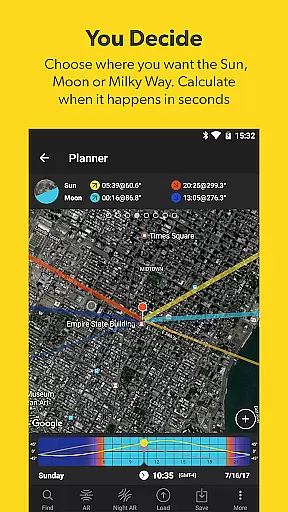
PhotoPills stands out with its unique set of features tailored for meticulous photo planning. The app includes a 2D Map-Centric Planner for Sun, Moon, and Milky Way alignments, alongside an Augmented Reality feature that aids in visualizing these elements within your frame—though it relies on device compatibility for full functionality.
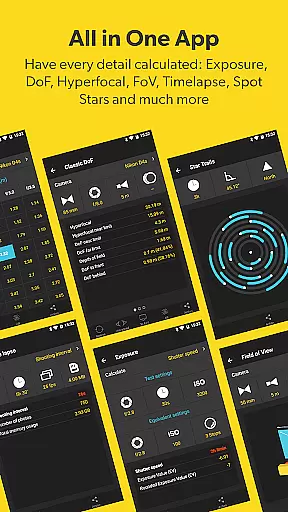
Additional tools consist of a Photo Plans Manager, Location Scouting Tool, and calculators for long exposure, timelapse, spot stars, star trails, hyperfocal table, depth of field (DoF), and field of view (FoV). Widgets provide quick access to daily Sun, Moon, and Milky Way information, enhancing the photographer's ability to prepare effectively.
By integrating educational resources such as How-To articles and direct support options, PhotoPills not only assists in planning but also empowers photographers to capture their envisioned shots accurately. This holistic approach ensures users have everything they need at their fingertips for successful photography outings.
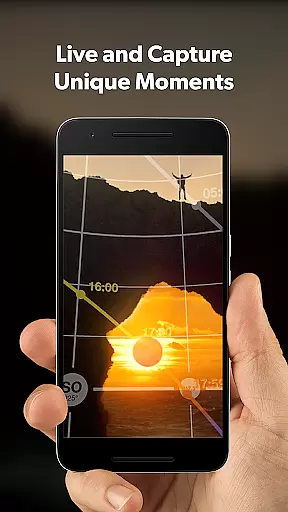
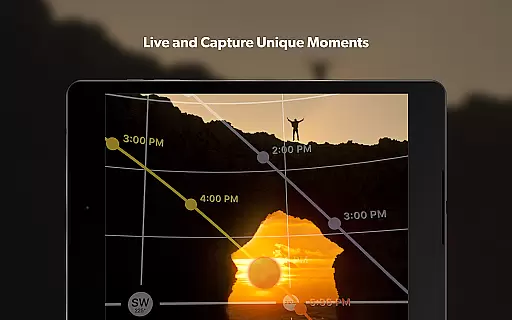
Real-time capture and preview functionality is essential for photographers who need to ensure their shot is perfect before pressing the shutter. PhotoPills offers this feature by providing users with precise planning tools that allow them to visualize their shots in advance.
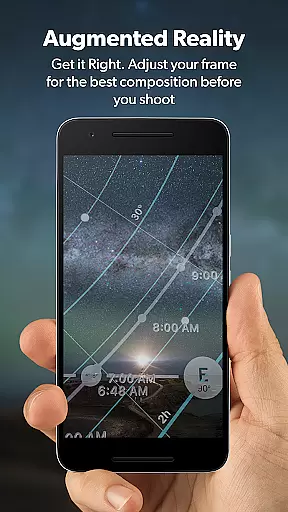
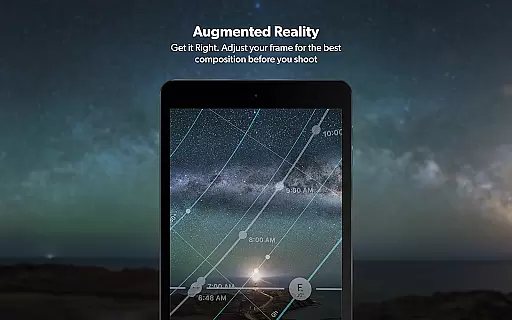
The app's 3D Augmented Reality views enable photographers to see exactly where the Sun, Moon, and Milky Way will be positioned at any given time. This allows for meticulous composition adjustments, ensuring that celestial bodies align perfectly within the frame as envisioned.
By utilizing the app's augmented reality features, users can explore different shooting locations and times without leaving their home. This saves valuable time and resources while guaranteeing that when they arrive at a location, they know precisely what to expect and how to set up their equipment for the best possible shot.
Ultimately, PhotoPills empowers photographers to turn imagined scenes into reality with confidence. The ability to plan and preview shots down to the smallest detail means never missing an unmissable scene again, resulting in truly legendary photographs every time.
While PhotoPills does not focus on AI beauty enhancements typical of portrait or selfie apps, it excels in enhancing the natural beauty of landscapes and celestial events through precise planning and augmented reality tools.
The app provides comprehensive information on sunrise and sunset times, moon phases, and the position of the Milky Way. This data allows photographers to plan shoots during moments of optimal natural lighting and celestial alignment, elevating the inherent beauty of their subjects.
PhotoPills' augmented reality toolset includes Depth of Field (DoF) and Field of View (FoV) calculators, which help photographers compose shots that maximize the natural aesthetics of a scene. These tools ensure that every element, from foreground to background, is captured in stunning clarity and detail.
By focusing on the natural enhancement of photographic subjects rather than artificial alterations, PhotoPills maintains authenticity in photography. This approach not only preserves the integrity of the image but also enhances the photographer's ability to capture breathtakingly beautiful and genuine moments.
User-friendly interface
Comprehensive planning tools
Augmented reality views
In-depth celestial data
Educational resources included
AR requires compass
Premium price point
Complex for beginners
Occasional bugs reported
Heavy reliance on device specs

Photo editor: AI filters, photo enhancer, pic collage maker, AI art generator.
 4.80
4.80
Transform photos into videos! Create realistic or anime-style images easily!
4.50
Cartoon and artistic effects for your photos and videos
4.70
Add a dreamy vibe to your selfies and videos with soft style filters
4.3
Unblur, enhance & restore photos with powerful AI photo enhancer tools.
4.60
Professional camera app that brings DSLR manual photography controls to Android.
4.20
Unlock the full potential of your DJI drone with Litchi
4.50
Welcome to ProShot, the most powerful camera app on Android.
4.20
Your Family Calendar + Photos. Manage your Skylight Calendar and Skylight Frame.
4.40
A collection of tools and reference tables for DPs, ACs, DITs and Operators.
4.70
The original Rarevision VHS look seen everywhere!
4.70
Light-weight Media Gallery app for Android made with Jetpack Compose
4.60
Edit like a pro with Hypic. Apply filters, AI effects, & magic touch.
4.40
AI portrait generator and polaroid AI selfie, fun AI generated AI photo creator!
4.30
[3DSteroid Pro] is a stereoscopic application for Android.
4.30
The #1 app for B&W film developing featuring an advanced darkroom timer.
4.10
Transform Photos: Edit, Beautify and Craft Memories & Make Collages!
4.10
Perfect photos with body shaping, BG changer and object remover.
3.70
Create amazing frames with up to five photos. Rounded corners, effects and more!
3.60


User Reviews