
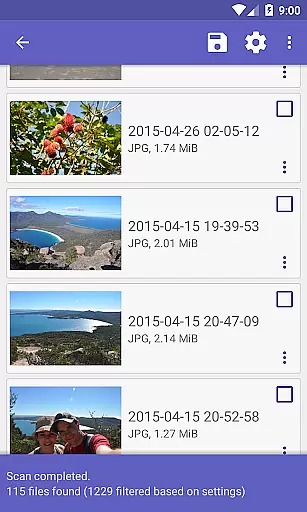
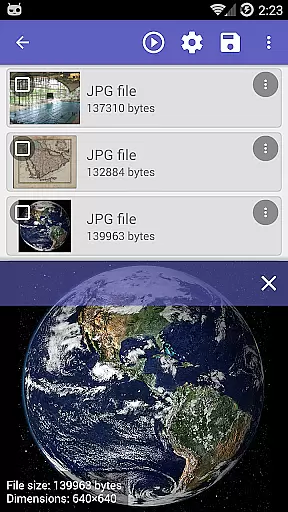
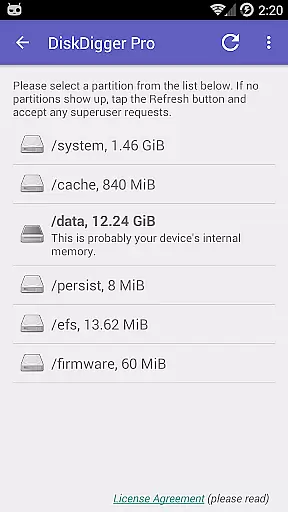
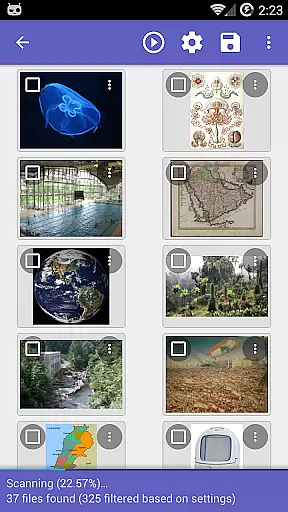
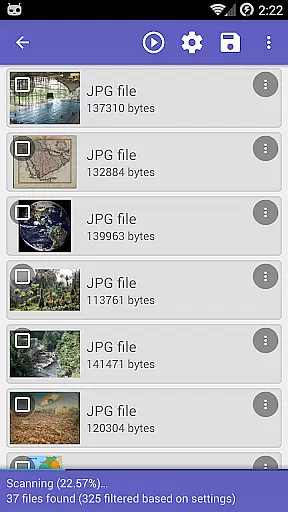
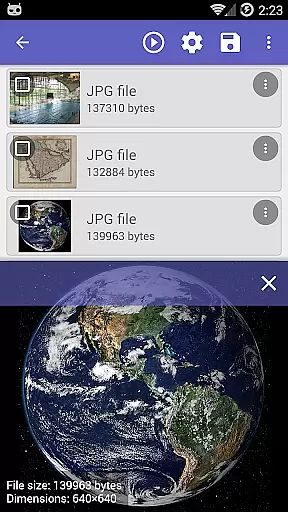
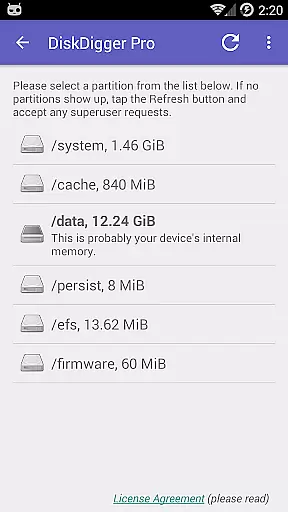
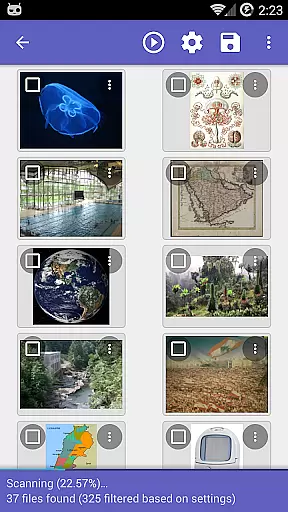
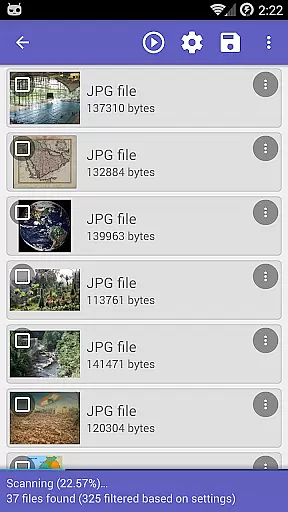
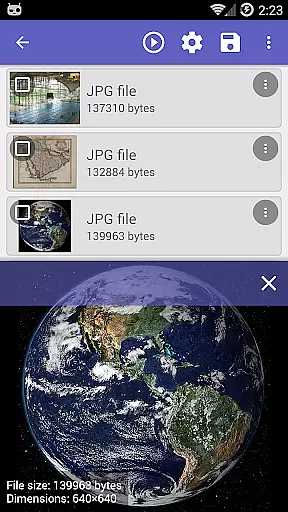
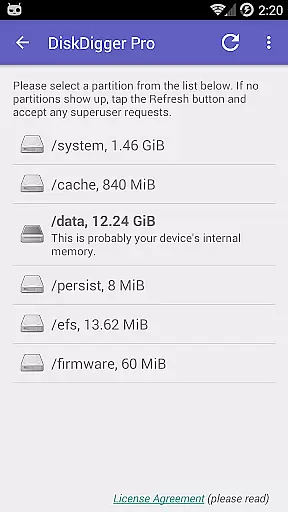
DiskDigger Pro file recovery is a powerful tool designed for rooted Android devices, enabling users to recover lost files including photos, documents, videos, and music. With its advanced scanning capabilities, the app can retrieve deleted files even from reformatted memory cards.
While non-rooted devices have limited functionality, primarily recovering lower-resolution photos and videos, rooted devices can access comprehensive scans of internal memory. The app also provides options to permanently delete unnecessary files and wipe free space, ensuring deleted files remain unrecoverable.
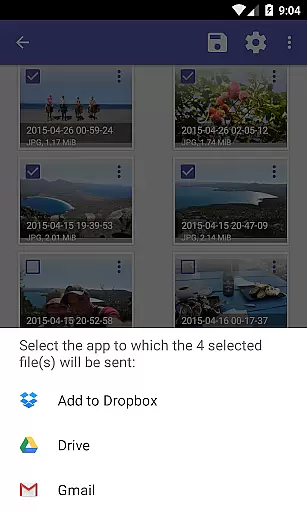
This application is particularly useful for individuals who need to restore accidentally deleted files or prevent sensitive data from being recovered. Its ability to upload recovered files to cloud services like Google Drive and Dropbox adds extra convenience for users.
DiskDigger Pro stands out with its robust data recovery features tailored for rooted Android devices. It supports a wide array of file types including JPG, PNG, MP4, DOCX, PDF, and more, making it versatile for various recovery needs. The app's deep scanning technology ensures that even files deleted from reformatted memory cards can be retrieved.
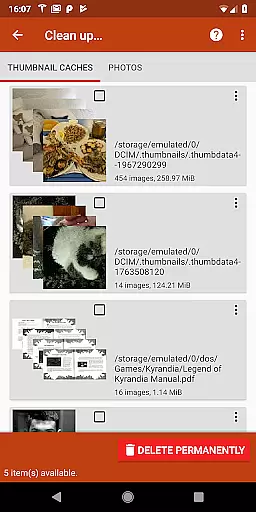
In addition to recovery, DiskDigger Pro offers tools for managing deleted data. Users can utilize the 'Clean up' feature to remove unwanted items permanently, while the 'Wipe free space' option helps in erasing residual free space, thus preventing future data recovery. These features are crucial for maintaining device security and performance.
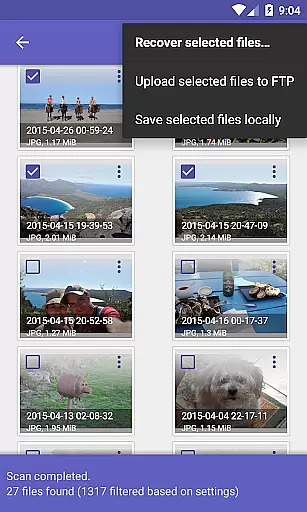
The app also facilitates easy sharing and storage of recovered files. Users can upload files directly to cloud services such as Google Drive and Dropbox, send them via email, or save them to a local folder. This flexibility in handling recovered data enhances user experience and accessibility.
DiskDigger Pro specializes in recovering lost files, including photos, documents, videos, and music from memory cards or internal storage. Its core functionality is designed to handle various data loss scenarios, whether accidental deletion or memory card reformatting.
The app employs advanced scanning algorithms that ensure accurate detection of recoverable files. For rooted devices, it offers comprehensive scanning capabilities, while non-rooted devices benefit from a limited scan for photos and videos. This dual approach ensures maximum effectiveness regardless of device permissions.
Users can expect reliable recovery of multiple file formats, including JPG, PNG, MP4, PDF, DOCX, and more. The app's ability to restore different file types demonstrates its versatility and commitment to meeting diverse user needs.
By providing options to upload recovered files to cloud services like Google Drive and Dropbox, DiskDigger Pro enhances its practical value. These features not only ensure successful recovery but also facilitate easy file management and sharing.
The interface of DiskDigger Pro is designed to simplify the complex process of data recovery. It presents a straightforward layout where users can initiate scans with minimal steps, making the recovery process accessible even to non-technical users.
After completing a scan, the app provides a 'Clean up' feature that allows users to permanently delete unnecessary items. This experimental option adds an extra layer of user control over their data, contributing to a clutter-free storage environment.
Additionally, DiskDigger Pro includes a 'Wipe free space' function, enabling users to erase remaining free space on their device. This ensures previously deleted files cannot be recovered, enhancing privacy protection through an intuitive interface.
Overall, the app balances powerful functionality with an easy-to-navigate design. By maintaining clear instructions and logical feature placement, DiskDigger Pro delivers an intuitive user experience that supports both novice and advanced users in managing their digital content effectively.
Powerful recovery
Versatile file support
Secure deletion
Cloud integration
User-friendly interface
Limited on non-rooted
Rooting required
Basic cleanup only
No instant preview
Complex for beginners

 4.50
4.50
A powerful, easy-to-use flight computer on your phone or tablet!
3.80
Just swipe the edge to do something!
4.40
Use your phone as a webcam on your computer over WiFi or USB.
4.40
Save any video in HD - paste the link, download fast and watch offline.
4.4
An open-source APK explorer for Android!
4.10
Amateur Radio app for APRS: Track friends, exchange messages, get tactical info.
3.90
Fun lie-detection pranks for friends and parties.
3.80
Clean up your phone, find files, play media, and share files offline
4.50
The one-and-only remote control for PC, Mac, and Linux
4.70
Game Booster, GFX Tool is now compatible with newer game update
4.50
Fluid navigation gestures for all of us!
4.30
App that Recover your pictures, videos or files after you delete them.
4.20
VESC Tool can monitor and configure VESC-compatible devices over BLE and Wifi
4.20
Automate everything from settings to photos, SMS to speech. ADC2 prize winner.
4.10
Create your own custom widget with endless possibilities
3.90
A recovery soft,it features photo recovery, video recovery, file recovery.
3.40
Transfer Files, APK from Phone to Watch & Install.
4.3
Unlock your Essential Key. Create custom shortcuts to your favorite apps!
4.1


User Reviews