
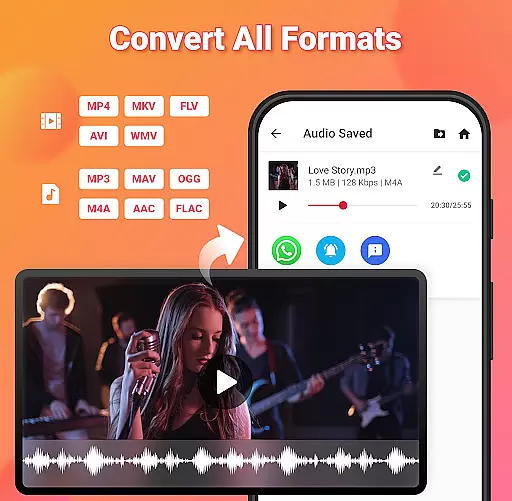
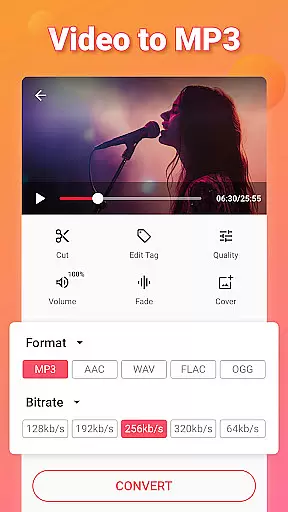
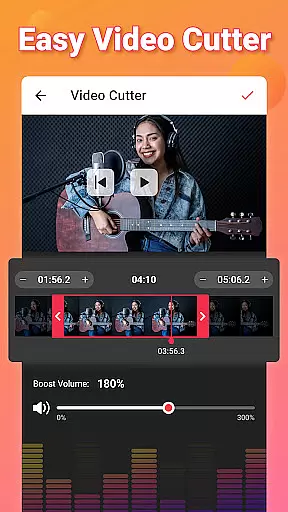
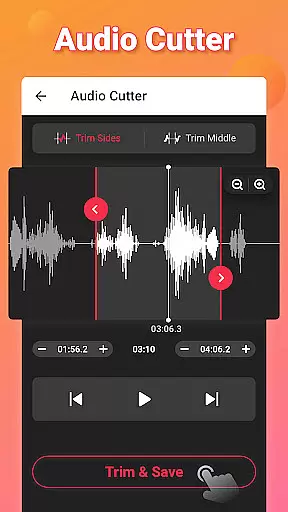
Video to MP3 is a versatile media converter tool that allows users to convert video files to high-quality audio formats. With support for multiple file types including MP4, MKV, AVI, and more, this app makes it easy to extract music from videos in just a few seconds. The intuitive interface provides quick access to essential features like trimming, cutting, and merging audio tracks.
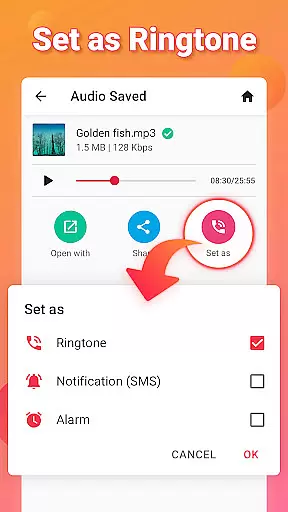
Beyond basic conversion, Video to MP3 offers advanced editing capabilities such as sound boosting, fade effects, and bitrate adjustment. Users can customize their audio files with metadata tags and even create personalized ringtones. Whether you're looking to convert MOV to MP4 or M4A to MP3, this all-in-one solution delivers professional-grade results without any cost.
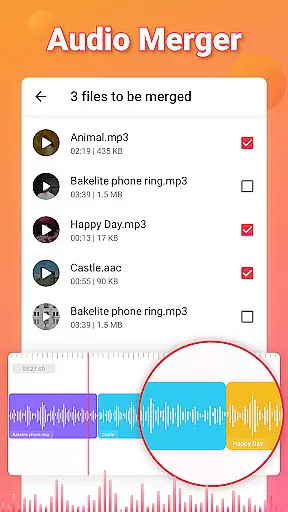
The Video to MP3 app stands out with its comprehensive feature set designed for both casual users and audio enthusiasts. It supports batch processing of up to 15 videos simultaneously, making it ideal for large conversion tasks. The built-in video trimmer and cutter allow precise editing of clips before conversion, while the audio merger combines multiple tracks into one seamless file.
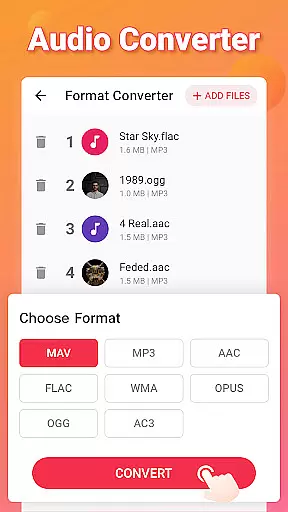
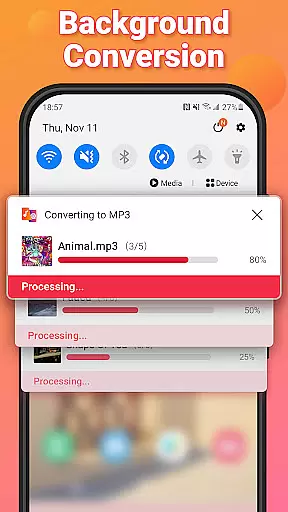
Advanced format conversion capabilities enable seamless transitions between various video and audio formats. Users can adjust output settings including bitrate options ranging from 32kb/s to 320kb/s, ensuring optimal quality for different devices. Additional features like background conversion and fade effects provide extra flexibility for creative projects, while the ringtone maker function lets users personalize their mobile devices with custom sounds.
Video to MP3 stands out with its extensive video format compatibility, ensuring users can convert nearly any video file to audio seamlessly. The app supports a wide array of video formats including MP4, MKV, FLV, AVI, and WMV, making it versatile for various user needs.
This broad compatibility is crucial for users who work with different video sources or have specific format requirements. By supporting popular formats like MOV to MP4 and MKV to MP4 conversions, the app ensures that users won't face limitations due to format incompatibility.
The application's ability to handle diverse video formats not only simplifies the conversion process but also enhances accessibility. Users can easily extract high-quality audio from videos regardless of their original format, streamlining workflows for content creators, educators, and casual users alike.
Moreover, this comprehensive format support future-proofs the app as video technology evolves. Whether users need to convert legacy formats or emerging standards, Video to MP3 maintains its relevance and utility in the ever-changing digital landscape.
Beyond basic conversion, Video to MP3 incorporates advanced AI-powered editing features that elevate the user experience. The app's intelligent algorithms enable precise cutting and trimming of both video and audio files, allowing users to extract exact segments they need with minimal effort.
These AI-driven capabilities extend to audio enhancement features such as Sound Boost, which automatically optimizes audio levels. The app also includes smart fade-in and fade-out effects, creating professional-quality audio transitions without requiring technical expertise.
The integration of AI extends to batch processing and background conversion, where intelligent resource management ensures efficient processing of multiple files simultaneously. This feature saves users significant time when working on large projects or managing extensive media libraries.
Furthermore, the app's AI-powered tools assist in metadata management, enabling users to edit tags including Title, Album, Artist, and Genre with intelligent suggestions and auto-completion. These sophisticated editing features make complex tasks accessible to users of all skill levels.
User-friendly interface
Batch conversion support
High-quality audio output
Comprehensive format compatibility
Free to use
Limited advanced editing tools
No cloud integration
Occasional ads
Basic UI design
Large file size

Fast, private downloading, video saving, social media
 4.50
4.50
Client application for NextPVR software
3.00
Powerful, professional, versatile teleprompter. Developed by an active film crew
4.00
Stream high quality video from your camera over NDI protocol
4.0
AirMirror is Receiver for Screen Mirroring and Casting from Apple Devices.
3.60
An easy-to-use and all-round screen recorder with audio
4.80
Video Downloader, Multiple Resolution Options, Video Player
4.50
Flud is a simple and beautiful BitTorrent client for Android.
4.80
Video&Drama Player All Format is a HD video player, music player
3.00
GENRAL PRO - General Pro is the best video player that fully supports all formats.
4.70
Download website videos fast&privacy
4.40
Turn your phone into a wireless camera!
4.20
Live TV, anywhere in your home
3.80
Livestream, news, & gaming content. Watch, chat, and upload. Join Rumble today!
3.80
Connect EasyCap or UVC devices for recording and broadcast video/audio stream
3.60
This app is an emulator of some specific IPTV boxes
3.50
Download videos easily & play them all in one smart, powerful video manager.
3.40
A full editing room to accompany your Insta360 cameras and handheld gimbals.
3.30
You can play SWF format file!
2.50


User Reviews