



Fast Downloader - Video Player is a versatile tool designed for users who need to download and manage videos from various websites and social media platforms. The app's core functionality revolves around its powerful video downloading capabilities, allowing users to save videos in multiple formats and resolutions. This ensures that content can be enjoyed offline without worrying about internet connectivity.
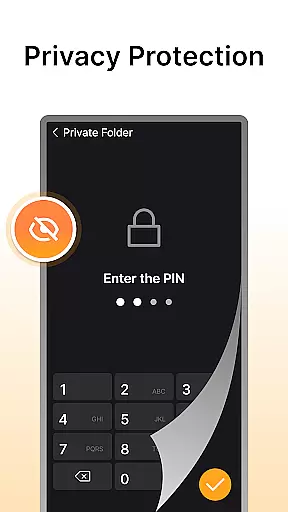
In addition to downloading, the app features a built-in video player that supports multiple formats, providing a seamless viewing experience. Privacy protection is another key feature, with password-protected private storage ensuring downloaded videos remain secure. Whether you're looking to save videos for offline viewing or protect your content, Fast Downloader - Video Player offers a comprehensive solution for all your video downloading needs.
Fast Downloader - Video Player stands out with its diverse set of features tailored to enhance user experience. One of the standout features is the multi-resolution support, which allows users to choose the video quality that best suits their needs. From standard definition to high-definition, users can download videos in the resolution that works best for their devices.
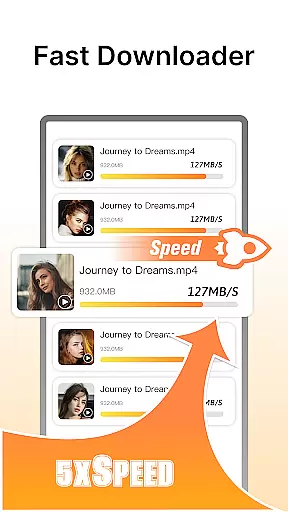
The app also includes a fast downloading engine, ensuring that videos are downloaded quickly and efficiently. This saves users time and effort, especially when dealing with large files. Additionally, the built-in video player eliminates the need for third-party applications, as it supports various video formats natively. With privacy protection features like password-secured storage, users can rest assured that their downloaded content remains private and secure.
Video format compatibility is a crucial feature for any video player and editor, ensuring that users can enjoy videos in various formats without the need for conversion. Fast Downloader - Video Player excels in this area by supporting multiple video formats, making it versatile for different user needs.
The app's multi-format support extends to both websites and social media platforms, allowing users to download and play videos from diverse sources effortlessly. Whether you're downloading standard definition or HD videos, the app ensures seamless playback without requiring third-party players.
With Fast Downloader - Video Player, users benefit from an all-in-one solution that eliminates the hassle of format incompatibility. This means more time enjoying content and less time troubleshooting playback issues, enhancing the overall user experience.
AI-powered editing features are transforming how users interact with video content, offering smart tools that simplify the editing process. Fast Downloader - Video Player incorporates advanced AI technology to provide users with intuitive editing capabilities that enhance their video management experience.
The built-in privacy protection mode is an example of AI at work, intelligently safeguarding downloaded videos with password protection. Additionally, the app's fast download speeds are powered by AI algorithms that optimize the downloading process, ensuring efficiency and reliability.
By leveraging AI-powered features, Fast Downloader - Video Player not only streamlines video downloads but also offers intelligent solutions for managing and protecting content. Users can expect a smarter, more efficient way to handle their video files while maintaining privacy and security.
User-friendly interface
Multi-resolution downloads
Fast download speeds
Built-in video player
Privacy protection
Limited to video content
No cloud integration
Ads in free version
Occasional bugs
Requires manual updates

AirMirror is Receiver for Screen Mirroring and Casting from Apple Devices.
 3.60
3.60
High-Quality USB Camera Viewer & HDMI Display
4.70
Fast & easy HD video downloader for all formats, support 4K playback & download.
4.60
All in one multi protocols stream receiver for AirPlay, Cast and DLNA.
3.60
#1 Torrent App on Android ** No Ads Ever + Battery Saver **
4.80
Fast private browser with secure, seamless access & supported video downloads!
4.00
Create, Publish & Maximize
4.70
Photo editor & video maker with music and slideshows.
4.10
Make videos you’re proud to share with Edits, a video editor for creators.
4.70
Search & download videos from net with all video downloader, auto-detect & safe.
4.60
Fast & Private HD Video Downloader with Built-in Proxy Browser and Video Player.
4.50
KMPlayer Plus (Divx Codec) officially support Divx codec.
4.30
Your media, on your terms.
4.10
IPTV-Smarters Player Pro M3U - Watch Live Stream TV Channels with Chromecast
4.00
Stream Web Videos to Chromecast, Samsung, LG, Sony, Roku, Fire TV, DLNA + more
4.00
HD video & music player - All format support with floating & PIP mode!
3.80
Live TV, anywhere in your home
3.80
Download videos easily & play them all in one smart, powerful video manager.
3.40
You can play SWF format file!
2.50


User Reviews