
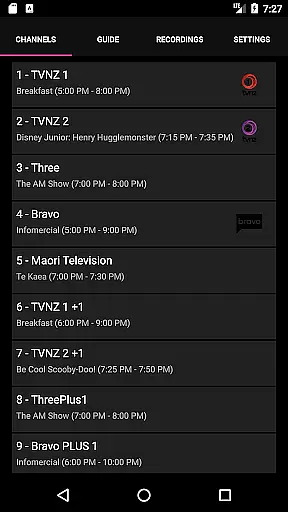
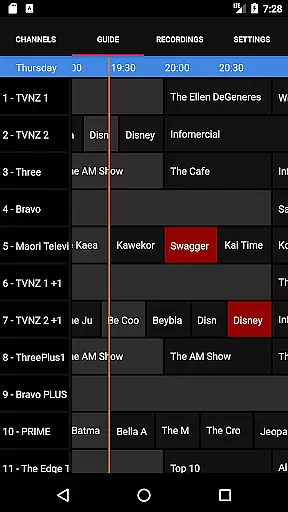
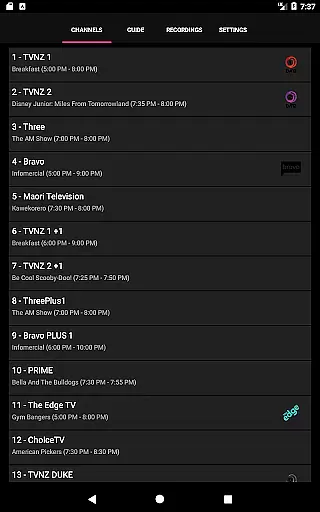
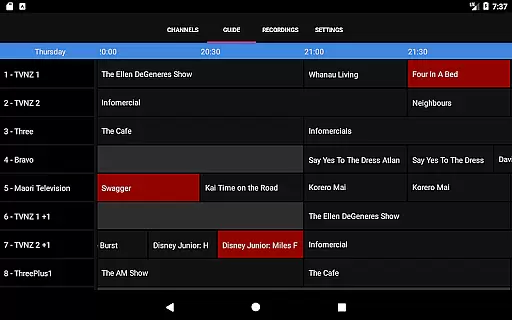
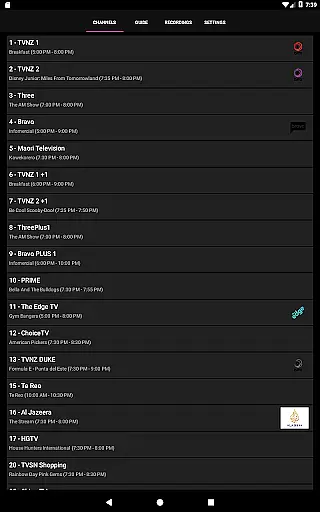
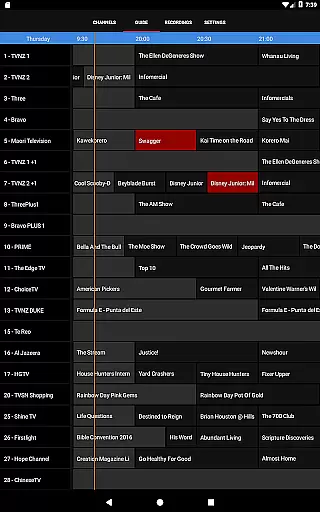
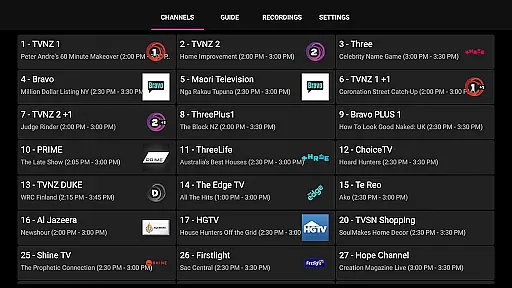
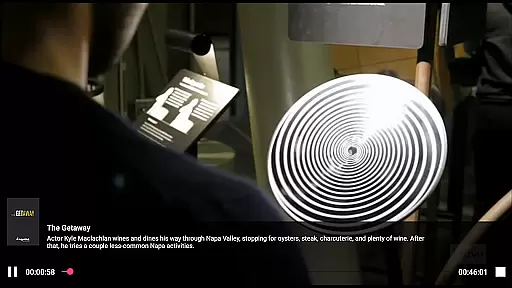
NextPVR is a versatile client application designed for users who already have the NextPVR software installed on their network. This app allows you to seamlessly interact with your media center, providing access to live TV streaming, an intuitive TV guide, and recording management. With support for various video capture sources including ATSC, DVB, and Analog TV tuners, it transforms your Windows PC into a powerful media hub.
The app's core functionality lies in its ability to remotely control and manage your NextPVR setup. Whether you want to schedule recordings, browse through available channels, or watch previously recorded content, this app provides a user-friendly interface that works across different devices. Ideal for home entertainment systems, NextPVR ensures you never miss your favorite shows while offering flexibility and ease of use.
NextPVR offers a comprehensive set of features tailored for managing your television experience right from your mobile device. One standout feature is the ability to stream live TV directly to your phone or tablet, allowing you to stay connected to your media library no matter where you are within your home network. The integrated TV guide provides a clear overview of upcoming programs, making it easy to plan what to watch next.
In addition to live TV, the app excels in recording management. Users can create, edit, and delete recording schedules with just a few taps, ensuring they never miss important broadcasts. Playback controls for recorded content offer smooth navigation and viewing experiences. Furthermore, the app supports multiple video capture sources, giving users flexibility in how they receive and view their content. These robust features make NextPVR an essential tool for anyone looking to enhance their home entertainment system.
Video format compatibility is a crucial feature for any video player, ensuring that users can enjoy content in various formats without technical hindrances. NextPVR stands out by supporting a wide array of video codecs and containers, making it versatile for different user needs.
The app facilitates seamless playback of both common and high-definition video formats. This includes but is not limited to MP4, AVI, MKV, and MOV files, which are frequently used in digital media. Such extensive support allows users to access their media library without the need for prior conversion, thus saving time and preserving video quality.
For users, this means an uninterrupted entertainment experience. Whether streaming from online sources or playing locally stored files, compatibility ensures that content loads quickly and plays smoothly. This flexibility empowers users to curate diverse media libraries with confidence in consistent playback performance.
AI-powered editing features represent the cutting-edge intersection of artificial intelligence and video editing, providing tools that enhance productivity and creativity. While primarily known as a robust video player, NextPVR incorporates intelligent functionalities that simplify complex editing tasks, appealing to both amateur enthusiasts and professional editors.
Among these features, automated scene detection and smart trimming stand out. These tools utilize AI algorithms to analyze video content, identifying optimal cut points and suggesting edits that maintain narrative flow. Additionally, intelligent color correction adjusts hues and contrasts dynamically, ensuring visual consistency across clips.
Users benefit from streamlined workflows and enhanced creative control. By reducing manual effort, these AI-driven capabilities allow creators to focus on storytelling and aesthetic expression. As a result, even those new to video editing can achieve polished outcomes efficiently, expanding their creative possibilities within an intuitive interface.
User-friendly interface
Comprehensive TV guide
Flexible recording options
Supports multiple tuners
Seamless remote access
Requires separate software installation
Limited to home network usage
No built-in tuner support
Dependent on PC performance
Complex initial setup

The smartest M3U IPTV Player your playlists have ever seen.
 4.4
4.4
IPTV-Smarters Player Pro M3U - Watch Live Stream TV Channels with Chromecast
4.00
Cast to Chromecast, Xbox, Fire Stick, Roku, DLNA, Smart TV & No Feature Limited!
4.50
Full HD Video mp3 Player, MP4 player play 1080p, File manager, Video Downloader
4.40
HD video maker with no watermark, no ads & vlog maker with music, PIP, text
4.50
Powerful HD video player with support for all formats & subtitles.
4.0
AirMirror is Receiver for Screen Mirroring and Casting from Apple Devices.
3.60
1)AirPlay/DLNA Mirroring/Streaming, up to 4 connections; 2)Samba/NAS/DMS Player.
4.00
All in one HD video downloader & player for multiple formats with full privacy
4.70
GENRAL PRO - General Pro is the best video player that fully supports all formats.
4.70
Video Player - Unlimited features, 30 days money back guarantee.
4.60
VLC Remote lets you control your VLC Media Player on Mac, PC or Linux.
4.60
Add date and time watermark to photos and videos
4.50
KineMaster, Your Ultimate Video Editor!
4.40
Web Browser for LG TV to stream webvideos, online movies and livestreams in HD
4.20
Fast private browser with secure, seamless access & supported video downloads!
4.00
Online Videos Player
3.90
The essential companion to your Blue Iris PC software
2.50
Stream high quality video from your camera over NDI protocol
4.1


User Reviews