
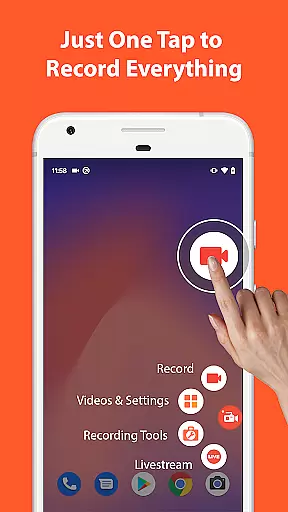

AZ Screen Recorder is a versatile screen recording app that allows users to capture high-quality videos with audio. The app offers multiple features including screen recording, video editing, live streaming, and image editing capabilities.
With its user-friendly interface, AZ Screen Recorder provides an effortless experience for creating gameplay videos, recording video calls, or capturing content that cannot be downloaded. It supports various resolutions from HD to 4K and different frame rates, making it suitable for both casual users and gamers alike.
The app's functionality extends beyond just recording; it also includes tools for trimming, merging, adding subtitles, and compressing videos. Additionally, users can take screenshots and edit images directly within the app, enhancing its utility as a comprehensive multimedia tool.
AZ Screen Recorder stands out with its extensive feature set tailored for diverse recording needs. One of its core functionalities is the ability to record screens with either microphone audio or internal system sounds, providing flexibility in capturing content.
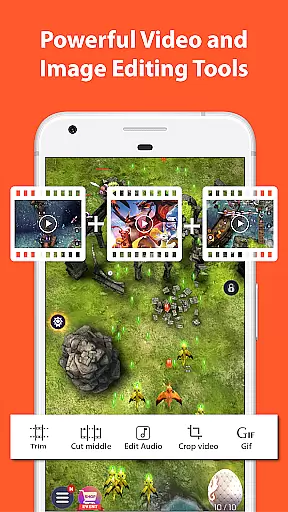
Beyond basic recording, the app integrates a robust video editor that enables users to trim clips, remove unwanted sections, merge multiple videos, add background music, insert subtitles, extract frames, crop, rotate, and compress files. These features ensure that users can refine their recordings without needing additional software.
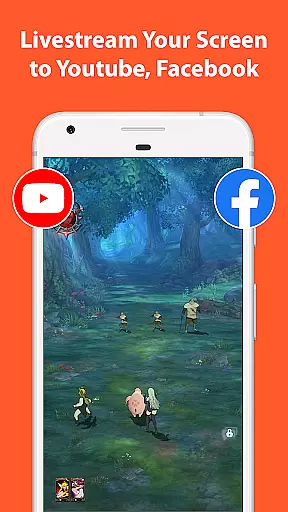
For those interested in sharing their content live, AZ Screen Recorder facilitates broadcasting to platforms like YouTube and Facebook. Users can stream their device's screen along with audio and even display their face via a floating window during live sessions. This combination of powerful recording, editing, and streaming options makes the app a valuable tool for content creators.
Video format compatibility is a crucial feature for any video recording and editing application. AZ Screen Recorder excels in this area by supporting a wide range of video formats, ensuring that users can record, edit, and share videos without worrying about format restrictions.
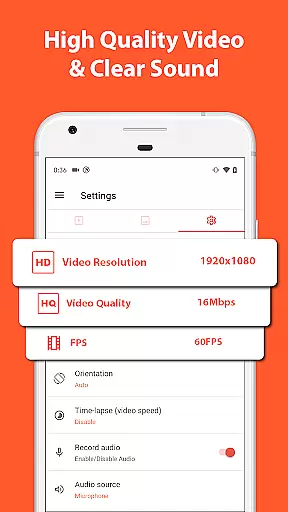
The app allows screen recording in various resolutions including HD, FullHD, 2K, and even 4K for select devices. This flexibility enables users to choose the best resolution for their specific needs, whether it's for high-quality gaming footage or detailed tutorial videos.
Besides resolution options, the app also supports different frame rates such as 24fps, 30fps, and 60fps. This versatility ensures smooth video playback and accommodates diverse user preferences and device capabilities.
By offering extensive video format compatibility, AZ Screen Recorder empowers users to create content that meets professional standards while maintaining ease of sharing across multiple platforms and devices.
AI-powered editing features are revolutionizing how users enhance their video content. AZ Screen Recorder incorporates advanced AI technology to provide users with powerful tools that simplify the video editing process while delivering professional-quality results.
The app's AI capabilities include automated video trimming, where the software intelligently identifies and removes unnecessary parts of recordings. This feature saves users significant time and effort in post-production while maintaining the essential elements of their content.
Another impressive AI-powered feature is the automatic subtitle generation. The app can analyze audio tracks and generate accurate subtitles, making content more accessible and engaging for wider audiences across different platforms.
These intelligent editing tools, combined with traditional manual controls, create a comprehensive editing suite that caters to both casual users and professional content creators, enhancing overall productivity and creative possibilities.
User-friendly interface
High-quality video output
No watermark on videos
Flexible audio recording options
Comprehensive video editing suite
Limited advanced features in free version
Some features require specific Android versions
Occasional performance issues on older devices
Ads present in free version
Advanced settings may overwhelm beginners

Video player, file manager for all formats, 4K/HD media player supports subtitle
 4.30
4.30
Your media, on your terms.
4.10
Create & edit videos with AI
4.30
Create photo video with music & template. AI video maker for stunning slideshow.
4.60
KMPlayer Plus (Divx Codec) officially support Divx codec.
4.30
IPTV Player - Watch live TV from m3m & m3u8 playlist, stream IPTV on mobile
3.30
Fast & Private Video Downloader App. Save all videos easily from the Internet.
4.40
AI Video Editor:AI Music, Text to Video,Text to Speech,Auto Caption,Video Effect
4.00
Manage your YouTube channel on the go
4.40
Flud is a simple and beautiful BitTorrent client for Android.
4.80
HD Video player all format, HD Videos, Cast & Subtitle. No annoying ads.
4.60
Video Player - Unlimited features, 30 days money back guarantee.
4.60
?100% FREE! Download & save videos? safely in this app. All formats supported.
4.60
Browser + Remote for Roku to stream webvideos, online movies and livestreams
4.60
AirMirror Receiver - Screen mirroring/cast web videos to Android TV by AirPlay.
4.40
Download website videos fast&privacy
4.40
Browser for Fire TV to stream webvideos, online movies, livestreams in HD
4.40
This app was created to edit the metadata of music files.
4.20
Powerful video player with advanced hardware acceleration and subtitle supports
4.20


User Reviews