
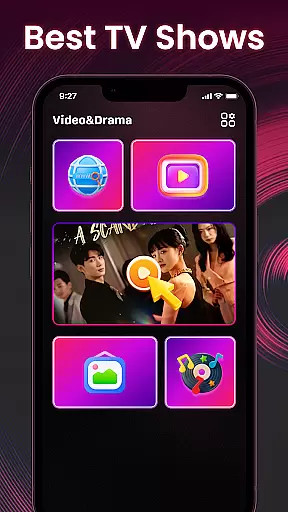

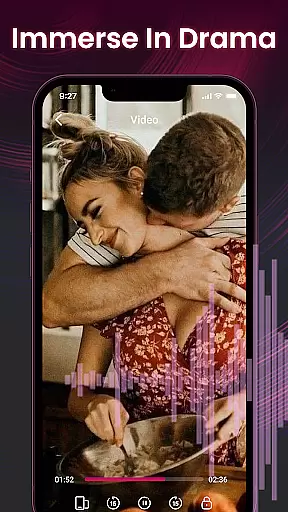
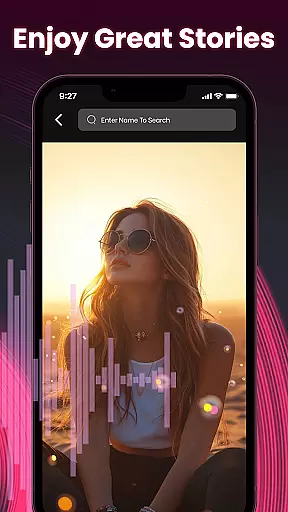
Video&Drama Player All Format is a versatile media player designed for both video and music enthusiasts. The app allows users to adjust video playback speed, making it ideal for various viewing preferences. Additionally, the music player supports adding favorite tracks, creating personalized playlists. Beyond media playback, the app offers a private browser for discreet online content searching, as well as a collection of high-definition wallpapers for personalization.
This comprehensive application caters to users who seek an all-in-one solution for their entertainment needs. Whether you want to watch videos at custom speeds or enjoy your favorite tunes with easy access, this app provides a seamless experience across Android devices. Its privacy-focused features ensure that users can browse securely while enjoying additional perks like HD wallpapers.
Video&Drama Player All Format stands out with its diverse feature set tailored for multimedia consumption. The video player not only handles multiple formats but also includes adjustable playback speed functionality, allowing users to learn or relax at their preferred pace. The integrated music player lets users mark songs as favorites, simplifying playlist management.
In addition to its core media capabilities, the app provides a privacy browser that enables anonymous web searches without leaving digital footprints. Users can also explore and download high-definition wallpapers directly through the app interface. With history tracking for both video and music playback, users can easily resume where they left off, ensuring a smooth and customized entertainment experience on Android devices.
Video format compatibility is a crucial feature for any video player application. It ensures that users can play videos in various formats without the need for conversion or additional software.
Video&Drama Player All Format supports an extensive range of video formats, allowing users to enjoy their media content seamlessly. Whether it's MP4, AVI, MKV, or other popular formats, this app provides reliable playback performance.
The benefit to users is the convenience and flexibility to play videos from different sources without worrying about format restrictions. This makes the app suitable for both casual viewers and professionals who work with multiple video formats.
By offering broad format support, Video&Drama Player All Format establishes itself as a versatile tool for video playback needs.
AI-powered editing features are revolutionizing how users interact with their video content. These intelligent tools assist in enhancing video quality, applying effects, and automating edits based on content analysis.
While Video&Drama Player All Format primarily focuses on playback, its potential AI-powered features could include smart tagging of video content, automatic generation of highlights, and optimized playback settings based on content type.
Users would benefit from time-saving automated processes and enhanced viewing experiences through these intelligent features. The app could automatically adjust settings for optimal playback or help organize video libraries more efficiently.
Although currently focused on playback, the integration of AI-powered editing features could significantly enhance the app's value proposition in future updates.
User-friendly interface
Customizable video speed
Private browsing mode
HD wallpaper gallery
Playlist management
Limited format support
No offline downloads
Ads in free version
Occasional bugs
High storage use

Fast, private downloading, video saving, social media
 4.50
4.50
A Quick and Pro Video Editor
4.70
AirMirror is Receiver for Screen Mirroring and Casting from Apple Devices.
3.60
Pro video editor app for Instagram, edit video with song, AI, effect & slowmo.
4.80
IPTV Player - Watch live TV from m3m & m3u8 playlist, stream IPTV on mobile
3.30
Mix with Virtual DJ directly from your phone or tablet !
3.10
Browser for Sony TV to stream web videos, online movies and live tv
3.20
Screen recorder with audio to take live videos & Screenshot in high quality!
4.70
Video player with 4K & 1080P support, popup play, background play and subtitle.
4.20
Tik & Story Saver-Download ALL social media videos, photos & reels no watermark.
4.80
A Simple app to download Video & Music from the Internet.
4.70
Watch a large amount of high-definition short drama content
4.60
Cast movies, tv shows and live streams to Chromecast, Roku, DLNA, Fire TV & more
4.60
Add date and time watermark to photos and videos
4.50
This app was created to edit the metadata of music files.
4.20
Connect 2 UVC devices for recording and broadcast video/audio stream
3.90
A full editing room to accompany your Insta360 cameras and handheld gimbals.
3.30
Stream high quality video from your camera over NDI protocol
4.1
Powerful HD video player with support for all formats & subtitles.
4.5


User Reviews