
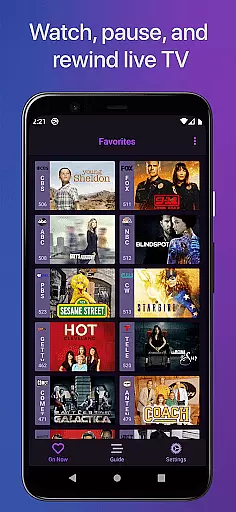
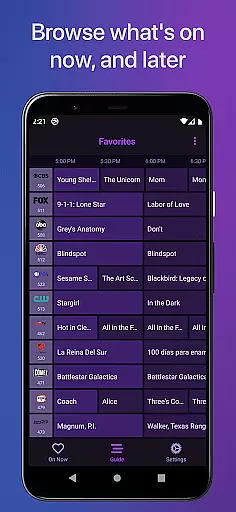
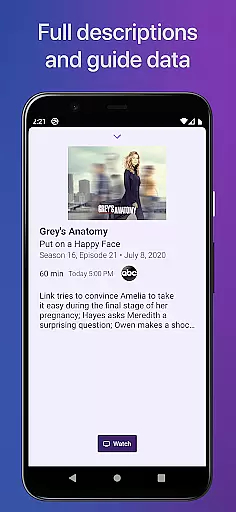
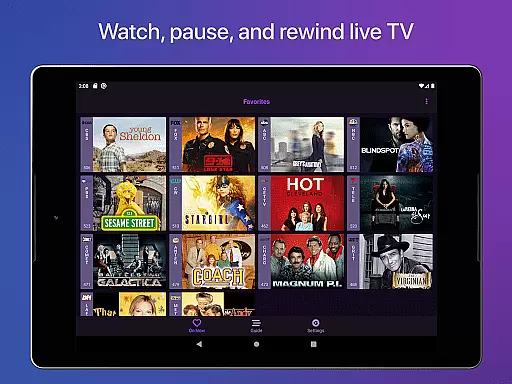
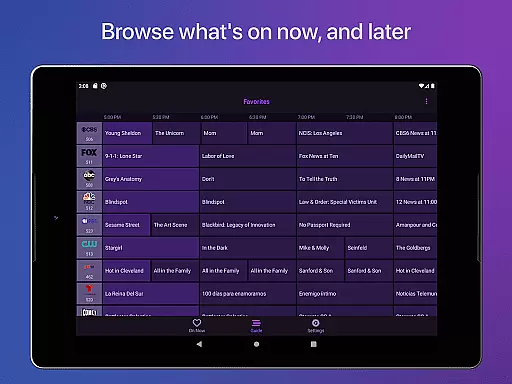
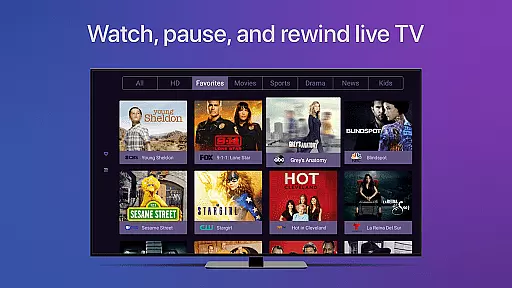
Channels for HDHomeRun is a premier live TV streaming application designed specifically for Android users who own an HDHomeRun networked TV tuner. This app allows you to seamlessly integrate live television into your digital lifestyle, offering the ability to play, pause, and rewind both local and cable TV directly on your device. With its intuitive interface and advanced features such as full HD streaming, 5.1 surround sound, and closed captioning, Channels bridges the gap between traditional TV viewing and modern streaming services.
The true power of Channels lies in its versatility and convenience. Whether you're looking to stay updated with local news, enjoy primetime television, or catch live sports events, this app delivers content right to your Android device without the need to switch inputs. By simply connecting your HDHomeRun tuner to your home network, Channels enables you to watch live TV anywhere in your house, effectively replacing multiple cable boxes with a single, efficient solution.
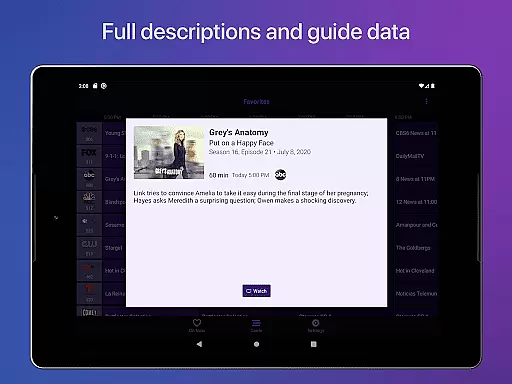
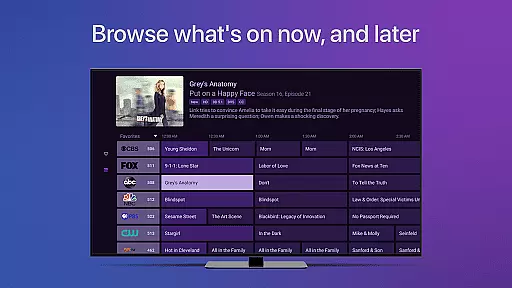
One of the standout features of Channels for HDHomeRun is its comprehensive set of functionalities that cater to diverse user needs. The app provides a full grid guide and guide data, ensuring you never miss your favorite shows. It supports advanced streaming capabilities like Full HD and 5.1 Surround Sound, delivering a premium audiovisual experience. Additionally, the inclusion of closed captioning and full VoiceOver support makes it accessible to a wider audience, including those with hearing impairments.
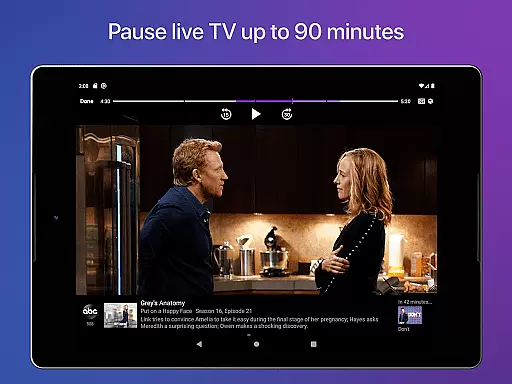
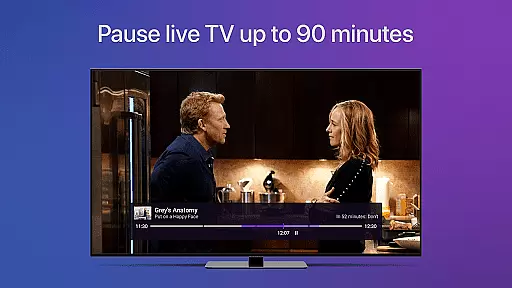
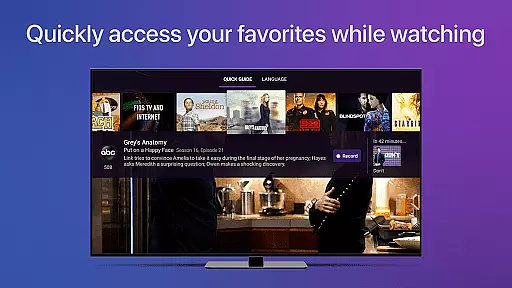
Channels also offers practical features that enhance user interaction and personalization. You can favorite channels for quick access, jump back to the last viewed channel effortlessly, and even manage your HDHomeRun devices directly from the app. The live TV buffer feature allows up to 90 minutes of playback flexibility, while the Quick Guide lets you browse other channels without interrupting your current view. These thoughtful additions make Channels not just a tool for watching TV, but a complete entertainment management system.
Video format compatibility is a crucial feature for any video player, ensuring that users can enjoy content in various formats without technical barriers. Channels for HDHomeRun excels in this area by supporting multiple streaming standards and resolutions.
The app allows Full HD streaming, provided there's sufficient bandwidth, and handles 5.1 Surround Sound, offering an immersive audio experience. It also supports closed captioning, making it accessible to viewers who rely on subtitles.
Channels works seamlessly with HDHomeRun devices, which means you can watch live TV in high quality across different channels. The app automatically discovers available HDHomeRun tuners on your network, simplifying the setup process.
By supporting a wide range of video formats and features like DRM-protected streams (though currently not supported), Channels ensures that users can enjoy their favorite shows and live events without worrying about format restrictions.
While Channels for HDHomeRun focuses primarily on live TV streaming, its AI-powered features enhance the overall user experience by providing smart functionalities that simplify navigation and personalization.
The app includes an Auto Discovery feature that automatically detects HDHomeRun devices on your network, streamlining the initial setup. Additionally, the channel favoriting system lets users mark their preferred channels, creating a personalized viewing list.
Although Channels doesn't offer traditional video editing capabilities, its intelligent buffer system allows users to pause, rewind, and fast forward live TV. This feature effectively acts as a mini-DVR, enabling viewers to manage live content as if they were editing it.
These AI-driven enhancements make Channels a versatile tool for managing and enjoying live television, adapting to individual preferences and viewing habits while maintaining ease of use.
User-friendly interface
High-quality streaming
Comprehensive accessibility options
Efficient DVR management
Wide device compatibility
Requires HDHomeRun tuner
No DRM stream support
Network dependency
Limited remote access
Subscription needed for DVR

Photo and Music Video Creator into Stunning Videos—Effortlessly
 4.40
4.40
KineMaster, Your Ultimate Video Editor!
4.40
Capture images & record videos for USB Camera, Webcam, Microscopes, Endoscopes
3.80
High-Quality USB Camera Viewer & HDMI Display
4.70
An easy-to-use and all-round screen recorder with audio
4.80
Play and download HD videos from all sources — fast, simple, and all-in-one.
4.3
Download videos and play them offline
4.70
Viddo: Generate Action Figure, AI Anime, AI kiss, AI hug Video from image & text
4.40
VLC for Android is the best open source video and music player, fast and easy!
4.10
#1 Torrent App on Android ** No Ads Ever + Battery Saver **
4.80
HD Video player all format, HD Videos, Cast & Subtitle. No annoying ads.
4.60
Snaptubè Video Downloader app allows to download videos and music in Snaptube. .
4.60
Support 1000+ Video Format, Subtitle Download, mp3 & Background Play, Cast On TV
4.60
HD video maker with no watermark, no ads & vlog maker with music, PIP, text
4.50
This app was created to edit the metadata of music files.
4.20
Fast private browser with secure, seamless access & supported video downloads!
4.00
HD video & music player - All format support with floating & PIP mode!
3.80
Client application for NextPVR software
3.00
You can play SWF format file!
2.50


User Reviews