
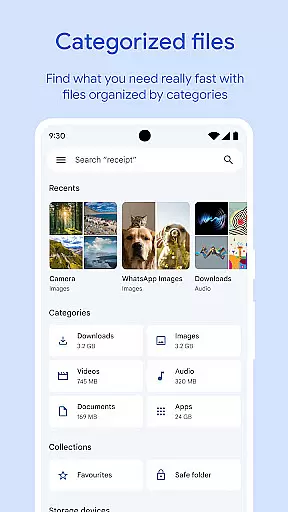
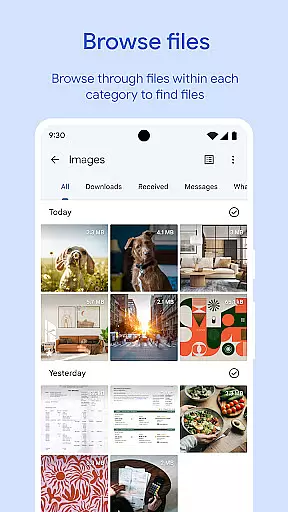
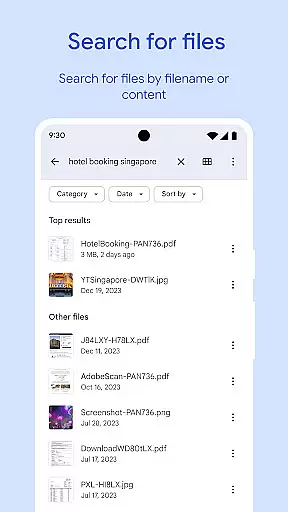
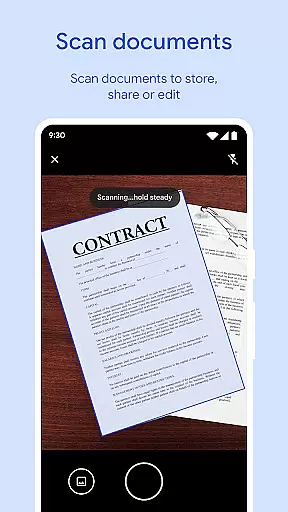
Files by Google is a powerful file management tool designed to help users efficiently organize, secure, and optimize their mobile device storage. The app offers cleaning recommendations to free up space, advanced search features for faster file discovery, and offline file sharing capabilities with Quick Share.
In addition to its core functionalities, Files by Google provides cloud backup options, secure file protection through PIN or pattern locks, and smart recommendations that improve over time. Whether you need to manage media files, documents, or app data, this tool ensures a seamless experience across Android and Chromebook devices.
With its intuitive interface and efficient performance (using less than 20 MB of storage), Files by Google is an essential utility for anyone looking to maintain a clutter-free device while enjoying features like playback speed controls for media and end-to-end encrypted file transfers.
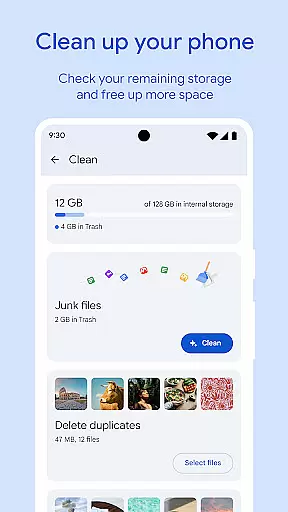
One of the standout features of Files by Google is its ability to recommend cleaning actions tailored to your device's storage needs. It identifies old photos from chat apps, duplicate files, and cached data that can be removed to free up valuable space on your device, SD card, or USB drive.
The app also excels in file discovery and organization. Its robust search functionality allows users to quickly locate specific files such as GIFs, videos, or documents. Sorting options by size help users understand which files are consuming the most space, enabling smarter storage decisions.
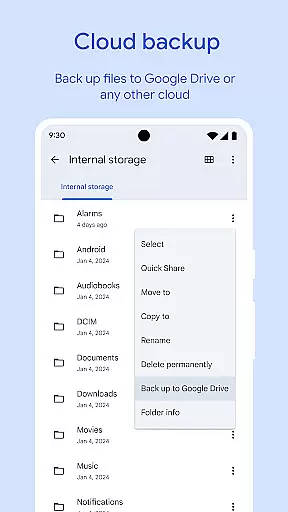
Another key feature is Quick Share, which facilitates fast and secure offline file sharing between Android and Chromebook devices at speeds of up to 480 Mbps. All transfers are protected by end-to-end encryption, ensuring privacy. Additionally, the app supports cloud backups to Google Drive or other services, further enhancing convenience and security.
Files by Google excels in providing accurate and effective core functions that cater to users' file management needs. The app offers precise recommendations for freeing up space by identifying old photos, duplicate files, and cache data. This targeted approach ensures users can efficiently manage their device storage without wasting time on irrelevant suggestions.
The search and browsing functionality is designed for speed and accuracy. Users can quickly locate specific files through an intelligent search feature that supports filtering by file type and size. This systematic organization allows users to understand their storage usage patterns and make informed decisions about managing their digital content.
When it comes to file sharing, the app maintains exceptional accuracy in establishing secure connections between devices. The Quick Share feature enables transfers at speeds up to 480 Mbps with end-to-end encryption, guaranteeing both performance and security. These technical capabilities demonstrate the app's commitment to delivering reliable and effective file management solutions.
Furthermore, the app's backup functionality ensures files are accurately copied to cloud storage or external devices without data loss or corruption. This comprehensive approach to file management establishes Files by Google as a trustworthy tool for maintaining an organized and efficient digital environment.
The interface design of Files by Google prioritizes simplicity and intuitive navigation, making file management accessible to users of all technical backgrounds. The main dashboard presents essential information such as storage usage and cleaning recommendations in a clear, visual format that requires minimal learning curve.
Functionality is streamlined through logical categorization of files into photos, videos, documents, and apps. This straightforward organization eliminates confusion and enables users to find what they need quickly. The search feature operates with natural language processing, allowing users to describe what they're looking for in plain terms rather than requiring technical syntax.
Interactive elements follow established mobile design conventions, with familiar icons and gestures that reduce the need for user training. Important actions like file deletion or movement are confirmed through simple dialogues, preventing accidental operations while maintaining workflow efficiency.
The app maintains consistency across its various features, from file browsing to media playback controls. This uniformity in design language helps users build confidence as they explore different functions, knowing that similar actions will produce predictable results throughout the application.
User-friendly interface
Efficient storage optimization
Fast offline file sharing
Advanced media playback controls
Smart personalized recommendations
Limited iOS compatibility
No built-in antivirus
Requires Google account
Occasional bugs reported
Offline mode has limitations

Extremely fast, secure, and protects your privacy
 4.80
4.80
Complete kernel toolbox with features to manage and tweak your rooted device
4.30
Enjoy smooth gameplay with Game Booster
4.90
card-reader app
2.20
VESC Tool can monitor and configure VESC-compatible devices over BLE and Wifi
4.20
Mirror your screen to Fire TV - Super fast and simple
4.40
The Ultimate Flex Drivers Utility App - Convenient Tapping & Block Filters
4.70
A simple app to back up and restore SMS & MMS messages and call logs.
4.10
The ideal app to be the digital eye of your family
3.40
Small and simple app to Verify Root Access and BusyBox Install!
4.70
NFC Tools can read and write NFC tags.
4.70
Keep track of your Palia friendships, tasks, and inventory with Palia Notebook
4.60
Play your X-Box games remotely in 1080p with any controller and zero latency
4.60
Game Booster, GFX Tool is now compatible with newer game update
4.50
An open-source APK explorer for Android!
4.10
Create your own live wallpaper or check out thousands already made presets
3.90
Smart and comfortable browsing experience.
3.80
Clean the junk files on your device
3.40
Unlock your Essential Key. Create custom shortcuts to your favorite apps!
4.3


User Reviews