
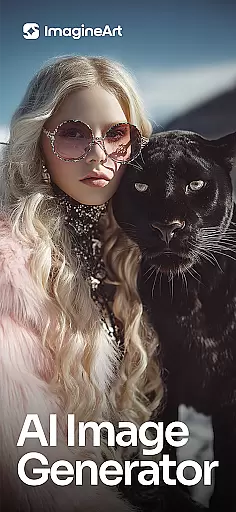
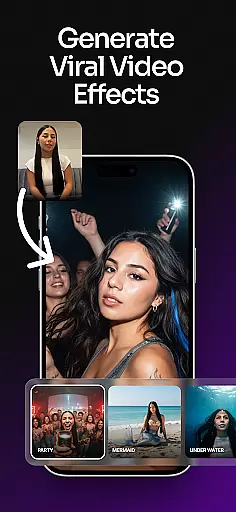
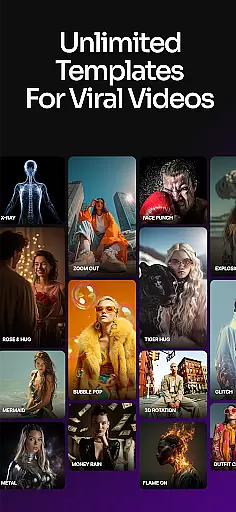
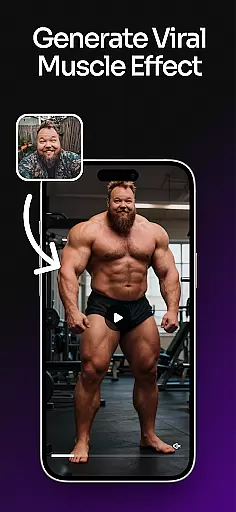
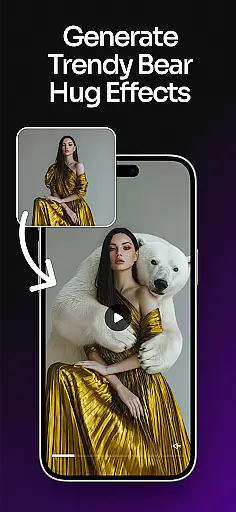
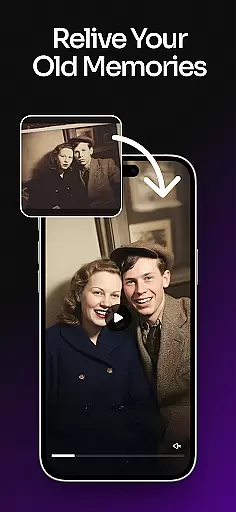
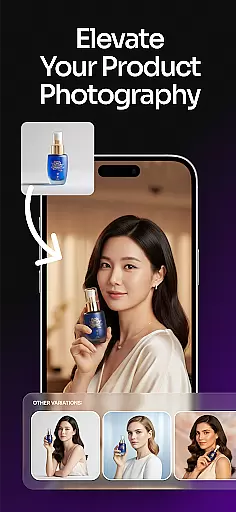
ImagineArt is a comprehensive AI-powered art design studio that enables users to create stunning visuals across various formats, including images, logos, posters, and more. With its Generative AI capabilities, the app caters to both professional and casual creators, offering tools for business branding, social media content, and personal projects. Available on mobile platforms, ImagineArt provides an accessible solution for anyone looking to bring their creative ideas to life through technology.
The app stands out with its ability to generate multiple design variations based on simple text prompts, allowing users to customize styles, colors, and effects. Its powerful AI engine produces realistic and professional-quality results, making it comparable to industry-standard tools like MidJourney and DALL-E. Whether you're designing marketing materials or experimenting with artistic concepts, ImagineArt delivers significant value by streamlining the creative process.
ImagineArt offers an extensive range of features designed to enhance creativity and streamline design workflows. One of its core strengths is the AI Image Generator, which allows users to produce diverse visual content such as logos, portraits, stickers, and social media posts within seconds. The app supports customization through adjustable templates, enabling users to modify layouts, sizes, and color schemes effortlessly.
In addition to its generative capabilities, ImagineArt includes specialized tools like the AI Logo Generator and AI Photo Editor. These features empower users to create professional-grade logos and refine images with advanced editing options such as filters, cropping, and object removal. The app also supports high-resolution outputs up to 8K quality, ensuring designs maintain clarity across different mediums. With over 100 AI-generated templates tailored for specific use cases, ImagineArt ensures versatility and convenience for all types of creative projects.
In the realm of digital art and design, having a comprehensive suite of creative tools is essential for bringing visions to life. ImagineArt stands out by offering an extensive array of features that cater to both amateur enthusiasts and professional designers. The application includes powerful AI-driven functionalities such as text editing, generative fill, image resizing, and upscaling to 4K or 8K quality, ensuring that users can enhance their projects without losing detail.
Moreover, ImagineArt's capabilities extend to specialized tools like the AI logo generator, flyer maker, poster maker, and an advanced photo editor equipped with filters, effects, and cropping options. These instruments empower users to experiment with layouts, fonts, and visual effects, thereby fostering creativity and innovation in design projects. Whether it's crafting personalized stickers, designing business logos, or producing high-quality social media content, ImagineArt provides all the necessary tools within a single platform.
The true value of ImagineArt lies in its ability to transform simple ideas into professional-grade artwork effortlessly. By integrating over 100 categories of AI templates tailored for various design needs, users can kickstart their projects with pre-designed elements while retaining the flexibility to customize styles, sizes, colors, and effects. This combination of ready-to-use assets and customizable options ensures that every user can achieve their desired outcome efficiently and effectively.
Flexibility in canvas and format options is crucial for accommodating diverse design requirements and ensuring that creations are suitable for their intended platforms. ImagineArt excels in this area by providing versatile solutions that adapt to different project specifications. Users can easily resize images to fit various formats such as banners, wallpapers, or social media posts, making it simpler to maintain consistency across multiple channels.
ImagineArt also supports the creation of designs in multiple dimensions and resolutions, from small icons to large posters, without compromising on quality. This adaptability allows designers to switch between projects seamlessly, whether they're working on detailed illustrations for book covers or expansive visuals for event promotions. Additionally, the appu2019s AI-powered tools facilitate effortless adjustments, enabling users to upscale images to ultra-high-definition standards or apply precise edits to specific areas.
By prioritizing canvas and format flexibility, ImagineArt ensures that users can focus on unleashing their creativity rather than being constrained by technical limitations. With the ability to incorporate text fonts, shapes, and stickers into designs, alongside robust export options, creators can share their work confidently across Instagram, YouTube, TikTok, or Facebook. This versatility not only enhances productivity but also amplifies the impact of each artistic endeavor.
User-friendly interface
Wide range of templates
High-quality image generation
Advanced customization options
Efficient workflow tools
Limited free features
Subscription costs may add up
Occasional rendering delays
Learning curve for beginners
Some advanced tools require premium access

Stylish letters, Stylish Keyboard, Symbols, Emojis, Cool nickname
 4.40
4.40
Art of Combination Wear OS Watch faces
4.2
Image/ Text to Video Generator
4.40
Castle is social media for creating and playing games!
4.60
AI Art Generator transforms your words into AI generated art & paintings.
3.70
Nano Banana AI Image Generator, Anime Filter, AI Portrait, AI Photo Generator
4.30
Draw glowing spinners, relax, and spin your creative art
4.60
Share the joy of painting with ibis Paint! Drawing anime and manga art.
4.50
Create cute cat emojis & PFPs! Fun, custom avatars for cat lovers.
3.70
Convert image to JPG PNG HEIC PDF, support almost all kinds of image formats
4.70
Image resizer to resize, crop, rotate, flip, change dpi photo or picture in bulk
4.60
Create color palette from Image, RGB & RYB Color wheel harmonies, Color Scheme
4.50
The perfect place to start sketching! Use Sketchbook to draw and paint sketches.
4.50
Painting, drawing, & sketching
4.50
Unleash the artist in you with our AR drawing and tracing tool for photo drawing
4.10
Design unique, funny and adorable cat stickers that reflect your own style!
3.80
Resize photos and print photos in exact size with our powerful photo printer!
3.80
Create sweet, cool and unique couple avatars easily, in just a few steps!
3.40
Retouch photos. Create or edit images. Endless capabilities.
2.70


User Reviews