
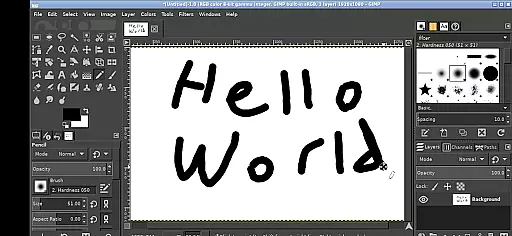
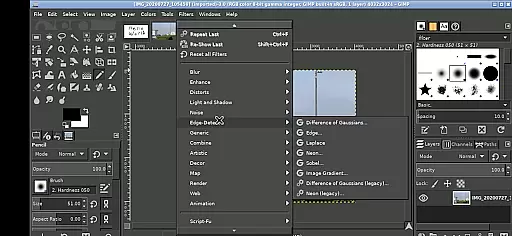
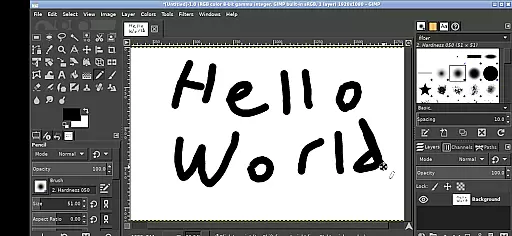
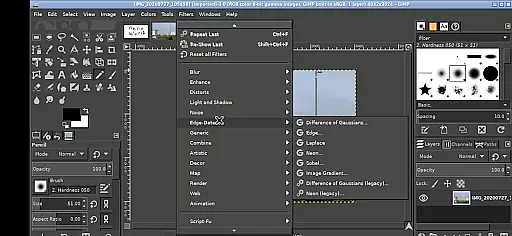
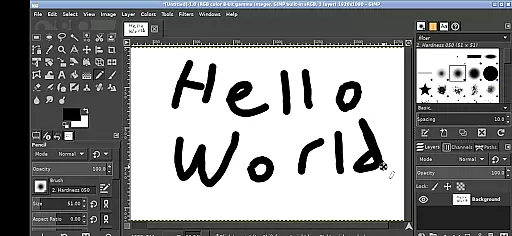
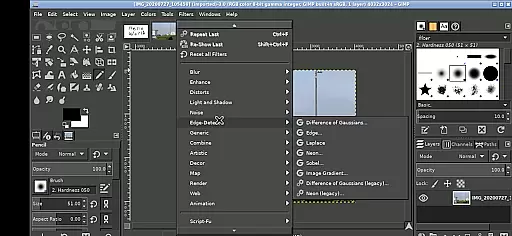
GIMP, the GNU Image Manipulation Program, is a powerful and versatile tool for photo retouching, image composition, and image authoring. Available now on your mobile device, this app brings professional-grade editing capabilities to your fingertips.
With its comprehensive feature set, GIMP supports various tasks from simple drawing to complex image manipulation. The Android version maintains the full functionality of the desktop app while adapting to touch-based interactions. Whether you're an amateur photographer or a design professional, GIMP provides the tools necessary to create stunning visuals directly on your mobile device.
The app's interface has been optimized for mobile use, allowing users to perform precise editing tasks through intuitive touch gestures. From basic cropping to advanced layer management, GIMP delivers a complete creative suite that empowers users to produce professional-quality work anywhere, anytime.
GIMP stands out with its extensive collection of features designed for both casual users and professionals. The application supports a wide range of image formats and offers advanced tools for color correction, painting, and selection operations.
Specifically adapted for Android, GIMP introduces innovative touch controls. Users can navigate the workspace using single-finger taps for left-click actions, pinch gestures for zooming, and two-finger slides for scrolling. The app also implements a virtual keyboard system and right-click simulation through two-finger tapping, maintaining desktop-level functionality in a mobile environment.
One of GIMP's most significant advantages is its seamless integration with Android's file system. Through convenient directory links, users can access their documents and images without cumbersome import/export processes. Additionally, the app's open-source nature under GPLv3 licensing ensures transparency and community-driven development, making it a reliable choice for creative professionals seeking flexibility and control in their mobile workflow.
In the realm of digital art and design, having a comprehensive set of tools is paramount. GIMP, the GNU Image Manipulation Program, offers an extensive array of features that cater to both amateur artists and professional designers. With capabilities ranging from basic drawing and painting to advanced photo retouching and image authoring, this application ensures users have everything they need for creative expression.
GIMP's functionality extends beyond simple edits; it includes sophisticated tools for layers, paths, filters, and even animation. The ability to customize brushes, patterns, and gradients empowers users to create unique artwork tailored to their vision. Moreover, support for various file formats allows seamless integration into different workflows, making it versatile for any project requirement.
For those who demand precision and control in their work, GIMP delivers with its selection tools, transformation options, and color management systems. These features enable detailed manipulation of images while maintaining high-quality output. Whether you're editing photos or designing graphics, GIMP provides the necessary instruments to achieve professional results on your mobile device.
Flexibility in canvas size and format compatibility is crucial for accommodating diverse artistic projects. GIMP stands out by offering unparalleled adaptability in these areas, allowing creators to work on anything from small icons to large-scale prints without limitations. This flexibility ensures that whether you are crafting web graphics or preparing images for print, GIMP can handle the task efficiently.
The application supports multiple file formats, including popular ones like JPEG, PNG, GIF, and TIFF, as well as specialized formats such as PSD and SVG. Such broad format support means users can import and export files across different platforms and software ecosystems effortlessly. Additionally, GIMPu2019s robust handling of layers and transparency makes it ideal for complex compositions requiring non-destructive editing techniques.
Furthermore, GIMPu2019s interface is designed to be intuitive yet powerful, enabling users to adjust canvas dimensions dynamically during their workflow. This feature is particularly beneficial when working on responsive designs or adapting artwork for various mediums. By providing a flexible environment where creativity knows no bounds, GIMP empowers artists to explore new possibilities and bring their ideas to life with ease.
User-friendly interface
Advanced editing tools
Professional-grade features
Open-source software
Cross-platform compatibility
Steep learning curve
Resource-intensive
Limited mobile optimization
Complex navigation
Performance issues

Pose and morph realistic male and female models! 3D poser app
 3.00
3.00
Customizable Outlined Fonts. Watch Face Format. Battery friendly Digital Clock.
4.20
Create trending AI photos & videos with powerful effects and 3D styles.
3.20
Digital Drawing: Draw & Paint
4.10
Logo Generator powered by AI: Create stunning logos effortlessly!
4.70
800+ Drawing, Painting Lessons App to Practice, Sketch & Paint Art.
4.30
Turn your drawings into flipbook-style animations with simple creative tools
4.60
Art of Combination Wear OS Watch Faces
3.30
Create amazing pictures and unleash your creative genius with AR Drawing Sketch
4.40
Your AI soulmate — meaningful chats, and unique emotional moments
4.70
Unleash your drawing and painting potential
4.50
Image/ Text to Video Generator
4.40
Everything you need to create hand drawn animation, anywhere you go!
4.40
Nano Banana AI Image Generator, Anime Filter, AI Portrait, AI Photo Generator
4.30
Custom Character Creator & PFP Maker!
4.20
Create stunning video, photo & magic from text with FlixAI GPT video generator.
3.10
Art of Combination Wear OS Watch faces (for Wear OS 5+ devices)
3.00
Download now for a stylish and functional timepiece
4.5
Transform photos into amazing monochrome dither art with professional algorithms
4.1


User Reviews