
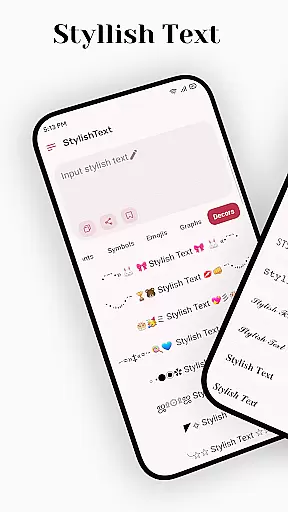
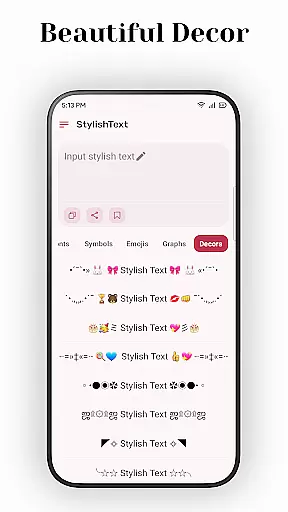
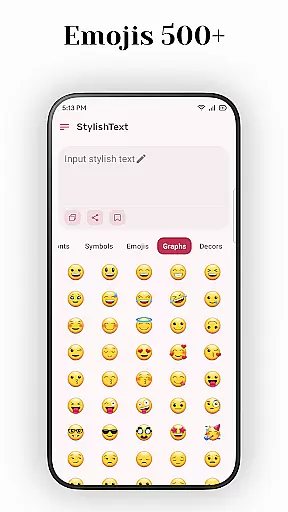
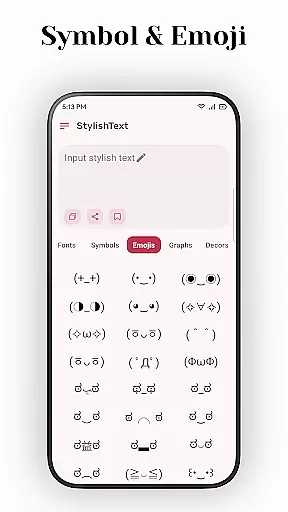
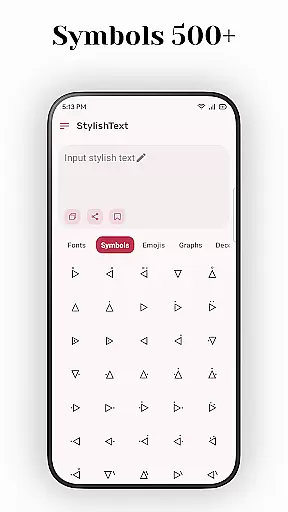
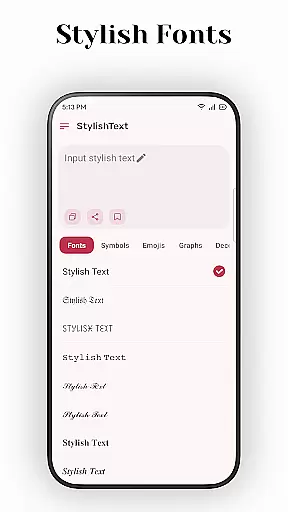
Stylish Text is a creative tool designed for users who want to enhance their social media presence with unique fonts and symbols. This app allows you to transform ordinary text into eye-catching designs that stand out on platforms like Instagram, Facebook, and WhatsApp.
The application supports a wide range of emojis, symbols, and universal letter fonts, enabling users to customize their text in numerous ways. Whether you're looking to decorate greetings, create stylish social media posts, or design unique game names, Stylish Text provides the tools to make your content distinctive.
With its user-friendly interface, Stylish Text makes it easy for anyone to apply these transformations and share their creations across various digital platforms, enhancing both personal and professional communications.
Stylish Text offers an impressive array of features that cater to creative expression. It supports almost all symbols and mainstream emojis, allowing for rich customization options. The app's ability to transform existing text into different styles opens up endless possibilities for personalization.
One of the standout features is the support for multiple universal letter fonts, which can be mixed and matched for free transformation. This flexibility ensures that every piece of text can be uniquely tailored to fit the user's vision. Additionally, the app supports long text inputs, making it suitable for more extensive projects beyond just short social media posts.
Whether you're aiming to surprise friends with beautifully decorated greetings or seeking to capture attention on social platforms with distinctive tweets, Stylish Text equips you with the necessary tools to achieve your goals efficiently and effectively.
Stylish Text offers a comprehensive suite of creative tools that cater to users who wish to enhance their social media presence with unique fonts and symbols. The application supports mainstream emojis, almost all symbols, and multiple universal letter fonts, providing an extensive palette for creativity.
The ability to transform existing text and mix inputs for free transformation allows users to experiment with different styles effortlessly. This flexibility ensures that whether you are looking to decorate greetings or create standout game names, Stylish Text has the features needed to make your content distinctive.
With support for long text, this app is not just about individual character styling but extends its utility to longer pieces of writing. Users can craft tweets, profile descriptions, or even longer posts without worrying about length restrictions, making it versatile for various platforms like Instagram, Facebook, and WhatsApp.
One of the standout features of Stylish Text is its canvas/format flexibility, which empowers users to apply stylistic changes across different types of content seamlessly. Whether it's a short tweet or a detailed profile bio, the app maintains high performance and ease of use.
This flexibility extends to its compatibility with various social media platforms. You can easily copy styled text created in Stylish Text and paste it into apps like Instagram, Facebook, and WhatsApp without losing any formatting. This cross-platform consistency ensures that your unique style remains intact wherever you choose to share it.
Moreover, the appu2019s intuitive interface makes it easy for anyone to pick up and start using right away. Its straightforward design means thereu2019s no steep learning curve involved, allowing both beginners and advanced users to benefit from its powerful formatting capabilities without hassle.
User-friendly interface
Wide range of fonts
Supports long texts
Versatile symbol use
Enhances creativity
Limited offline use
Ads may interrupt
Premium features costly
Occasional bugs
Learning curve

Premium version of Shimeji-ee app with no ads & no limit active shimeji
 4.2
4.2
Learn how to draw with step-by-step tutorials, fun lessons & multiplayer drawing
4.70
AI Face Swap, Video Effects Editor, Realtime Morph, Funny Video FX,AI Filters
3.70
Art of Combination Wear OS Watch faces
4.2
See Color, Paint Color
4.90
Painting, drawing, & sketching
4.50
Your AI soulmate — meaningful chats, and unique emotional moments
4.70
OneUI 8.5 icons ✨ Smooth, modern & based on the latest Play Store design ??
4.10
Photo stitcher for automatically screenshot stitching into a long screenshot
4.70
Create stunning art with AI.
4.80
Logo Generator powered by AI: Create stunning logos effortlessly!
4.70
AI Tattoo Generator: Create Tattoo Designs & Get Ideas! Ink & Stencil Maker
4.50
Create and Design Custom Logos in Seconds with AI-Powered Tools!
4.40
Custom Character Creator & PFP Maker!
4.20
AR Anime Drawing: How to draw anime with AR drawing & sketching apps!
4.00
Turning simple sketches into captivating tales filled with life and motion
3.90
Experience next-gen icons with a modern liquid glass look.
3.60
Sketch, trace and master AR drawing with awesome anime art!
3.30
Your Essential Color Theory Guide: Red, Yellow, Blue (RYB)
4.5


User Reviews