
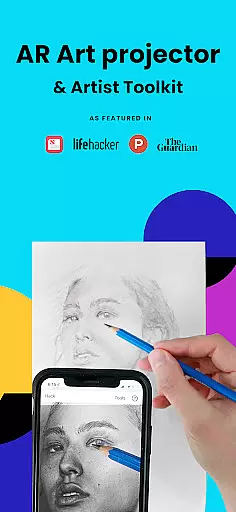
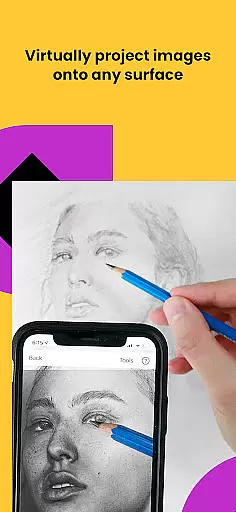
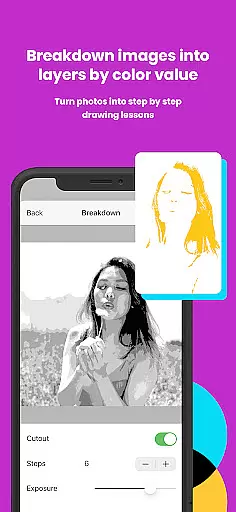
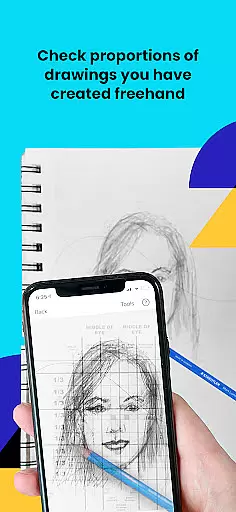
Da Vinci Eye's AR Art Projector is a revolutionary tool designed to assist artists in mastering the art of drawing and sketching. This app utilizes augmented reality technology to project images onto any surface, allowing users to trace, sketch, and draw with precision. It offers an extensive range of features including time-lapse video recording, color value layer separation, and step-by-step image breakdowns.
The app caters to artists of all skill levels and professions, from bakers to animators. Whether you're creating hyper-realistic drawings or learning basic proportions, Da Vinci Eye supports your artistic journey. Its unique learning method, combined with a supportive community, makes it an invaluable resource for improving drawing skills while producing incredible artwork.
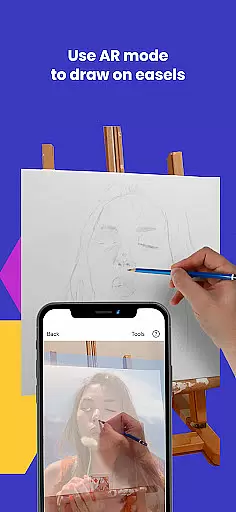
Da Vinci Eye stands out with its innovative features tailored for artists. The app's AR tracing mode anchors images to real-world objects, enabling precise alignment even when moving the canvas or device. This functionality mimics a traditional Camera Lucida but with enhanced digital capabilities. Users can zoom in for micro-details and use filters to simplify complex drawings.
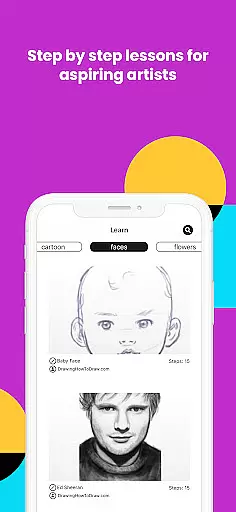
Additionally, the app provides video tutorials and lessons that employ a patent-pending learning method. These resources help users understand light and shadow placement, refine hand precision, and develop better proportional judgment. With fast customer support and a vibrant community, artists can share their work and receive feedback, fostering continuous improvement and creativity.
In the realm of digital artistry, having access to comprehensive creative tools is paramount. AR Art Projector offers an extensive suite of features that cater to artists across various disciplines. From bakers to animators, this app provides functionalities such as creating hyper-realistic drawings with a strobe feature, recording time-lapse videos, and breaking down images into step-by-step instructions.
What sets this application apart is its unique approach to teaching drawing through patent-pending methods and turning any photo into a shading lesson. The inclusion of video tutorials further enriches the learning experience, ensuring users can refine their skills in sketching and drawing with precision.
The app's versatility extends beyond mere tracing; it encompasses a supportive community for sharing artwork and boasts insanely fast customer support. This holistic approach empowers creatives at all skill levels to produce remarkable pieces while continuously improving their technique.
Flexibility in canvas and format options is crucial for artists seeking to express their creativity without constraints. AR Art Projector excels in providing unparalleled adaptability, allowing users to sketch or draw on any surface using augmented reality technology. By suspending your device above the canvas, you gain the ability to view both the reference image and your work simultaneously, akin to an art projector but with enhanced capabilities.
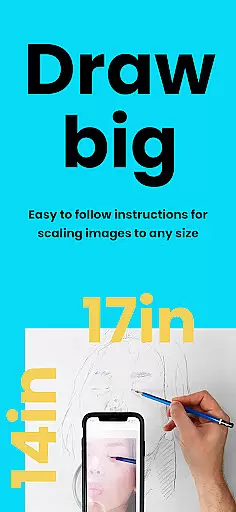
This app supports micro-detailing by enabling zoom functions that capture even the minutest elements in drawings. Whether working on intricate designs or expansive murals, artists can adjust their perspective effortlessly, ensuring accuracy and detail are maintained throughout their projects.
Moreover, AR Art Projector accommodates different working styles through its AR and Classic modes. While AR mode anchors images to real-world objects facilitating movement around easels, Classic mode offers stability akin to traditional art projectors. Such flexibility ensures every artist finds a mode that aligns perfectly with their preferred workflow.
User-friendly interface
Innovative AR features
Comprehensive learning tools
Vibrant artist community
Excellent customer support
Device compatibility issues
Requires stable setup
Premium feature costs
Learning curve for beginners
Limited offline functionality

Create sweet, cool and unique couple avatars easily, in just a few steps!
 3.40
3.40
Convert image to JPG PNG HEIC PDF, support almost all kinds of image formats
4.70
Draw anime easily with AR guidance, sketch templates & trace tools!
3.10
Create stunning art with AI.
4.80
Your AI soulmate — meaningful chats, and unique emotional moments
4.70
Turn your drawings into flipbook-style animations with simple creative tools
4.60
Minecraft & Roblox Clothes
4.70
Inky runs Inkscape on Android devices and Chromebooks
2.90
Draw, make movies & animate cartoons easily with our 2D animation maker app
4.40
Make your phone cooler and have a fantastic experience
4.80
Learn how to draw with step-by-step tutorials, fun lessons & multiplayer drawing
4.70
Image resizer to resize, crop, rotate, flip, change dpi photo or picture in bulk
4.60
Painting, drawing, & sketching
4.50
Trace, draw, and create art with AR - from memes to masterpieces!
4.30
Sketch, plan, take notes and illustrate on an infinite canvas.
4.20
Unleash Your Creativity with Draw Cartoon - AR Drawing App
4.10
Art of Combination Wear OS Watch faces (for Wear OS 5+ devices)
3.90
Resize photos and print photos in exact size with our powerful photo printer!
3.80
Apply cartoon, caricature, and portrait effects to make your photos stand out!
3.60


User Reviews