
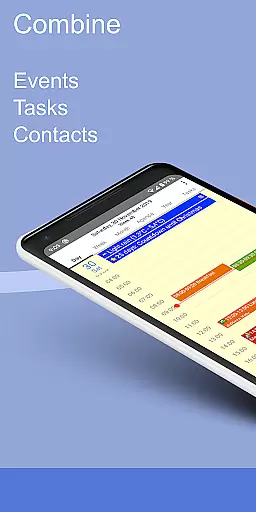
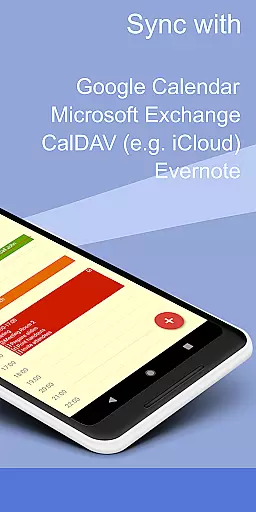
CalenGoo is a comprehensive productivity app designed to help users efficiently manage their events and tasks. With seamless integration capabilities, it syncs with multiple calendar services such as Google Calendar, Exchange, CalDAV, and iCloud, either directly or via the Android calendar. This ensures that all your past and future events are accessible in one place.
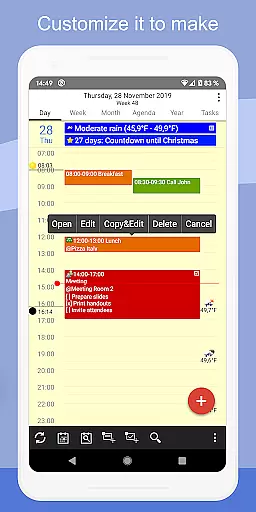
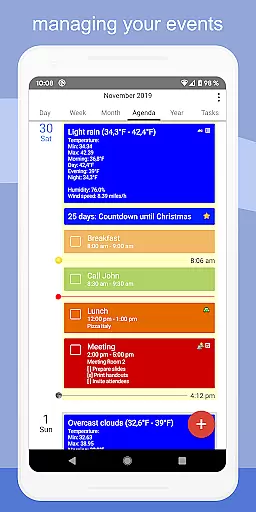
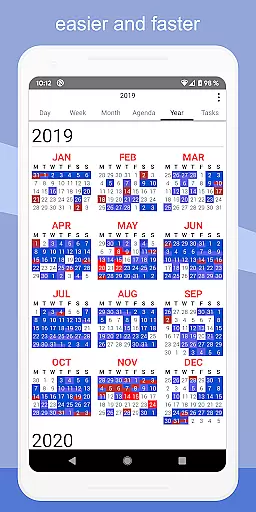
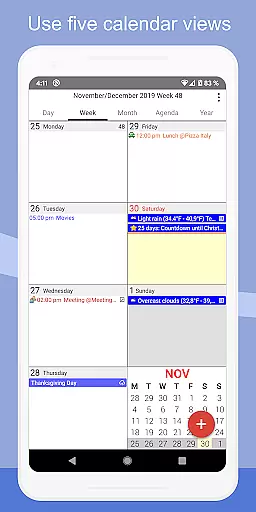
The app offers extensive customization options, allowing users to personalize views and functionalities according to their preferences. It includes five types of calendar views (day, week, month, agenda, and year), four styles of agenda views, and supports features like drag-and-drop for event management. Additionally, CalenGoo provides widgets for home screen access, weather forecasts, and various reminder functions, making it an indispensable tool for organizing personal and professional schedules.
CalenGoo stands out with its rich feature set tailored for productivity enthusiasts. One of its key strengths is the ability to attach photos, files, and Evernote notes to events when syncing directly with Google Calendar. Users can also add icons to Google events and categorize them using keywords, which helps in color-coding or assigning specific icons to different types of events.
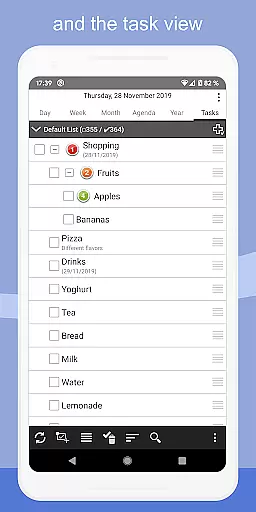
The app supports advanced functionalities such as floating events, completable events, and templates for recurring events. It includes a print-to-PDF function, task lists within events, and contact linking. Furthermore, CalenGoo offers both dark and light themes, along with numerous configuration options under 'Settings > Display and Use'. These features collectively enhance user experience by providing flexibility and control over how information is displayed and managed.
CalenGoo offers robust core task management features that allow users to efficiently organize and track their daily activities. The app supports the synchronization of tasks with multiple platforms including Google Calendar, Exchange, CalDAV, and iCloud, ensuring seamless integration across devices.
One standout feature is the ability to attach photos, files, and even Evernote notes to events, enhancing the context and utility of each task. This makes it easier for users to access all necessary information in one place, streamlining their workflow and boosting productivity.
The app also provides various reminder functions such as notifications, pop-up windows, and spoken reminders, which help ensure that users never miss an important deadline or meeting. These diverse alert options cater to different user preferences, making task management more personalized and effective.
Additionally, CalenGoo allows users to create templates for recurring events, link contacts to specific tasks, and use keywords to change event colors or icons. These customization options enable users to tailor the app to their unique needs, improving both usability and efficiency in managing complex schedules.
Reliable cross-device synchronization is a cornerstone of CalenGoo's functionality, allowing users to maintain consistency and access their data from any device. By supporting direct sync with Google Calendar, Exchange, CalDAV, and iCloud, CalenGoo ensures that all your past and future events are always up-to-date, regardless of where they were created or modified.
This synchronization extends beyond just calendar entries; users can also sync tasks and attach relevant files, ensuring comprehensive data availability. Whether you're at your desk or on the go, having real-time updates means you can trust that your schedule reflects the most current information.
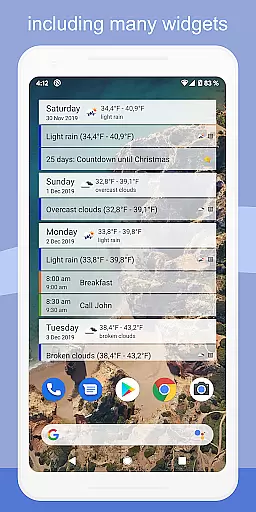
CalenGoo further enhances this reliability by offering widgets that display your events directly on your home screen. Available in day, week, month, agenda, year, and task formats, these widgets provide quick access to your schedule without needing to open the app, thus saving time and reducing friction in daily planning.
Moreover, the app includes advanced features like drag-and-drop functionality for moving and copying events, support for Exchange categories, and the ability to share calendars with others via Google Calendar. These tools collectively contribute to a highly reliable and versatile cross-device experience, empowering users to manage their time effectively across multiple platforms.
User-friendly interface
Extensive customization
Multiple calendar sync
Rich feature set
Efficient task management
Complex for beginners
Requires account setup
Limited free trial
Occasional sync issues
Premium cost

Experience real multitasking on your Android!
 4.00
4.00
Direct Chat without saving contacts & Dual WA Account on Single Device
4.70
Automates browsing any website and notifies you of important changes or events
4.30
Cloud storage, automatic phone backup, and more.
4.10
ID.me Authenticator is a simple and free Two Factor Authentication solution
3.50
Docker, Kubernetes management over Portainer Mobile
4.40
Great calculator for Android named one of USA TODAY's "25 Essential Apps".
4.90
This small app MUST BE INSTALLED after purchase, else license won't work
4.40
Intelligent AI Assistant
4.10
App Lock with fingerprint, password: Lock apps & hide photos with lock screens
4.60
A simple Whisper AI keyboard for reliable speech transcription and rewording
4.60
Tally and goal counter for Wear OS & mobile
4.50
Access, manage and transfer files on Android, PC, Mac, NAS and cloud storages.
4.30
Pwnagotchi companion app
4.20
All in One PDF Reader: Manage, Read and Edit your Documents
4.20
Activate Two Factor Authentication (2FA or Multi OTP), Password manager and more
4.10
All in one sketching tool. Technical and General drawing. Online Maps support.
3.70
Create study competitions, track your hours, and stay consistent with friends
4.2
A simple, portable logger for POTA, SOTA, Field Day, and more
4.5


User Reviews