
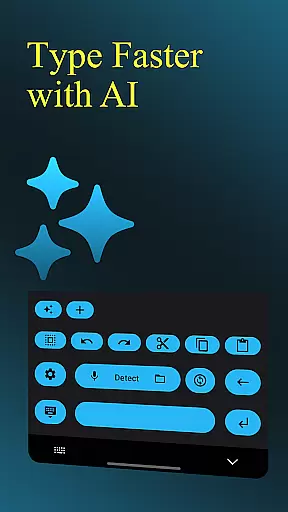
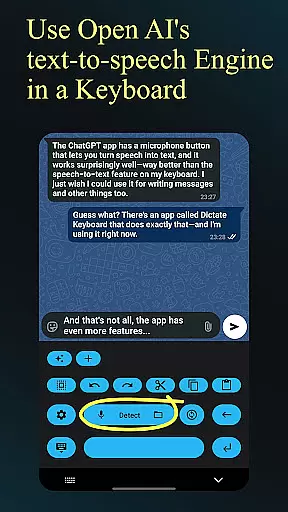
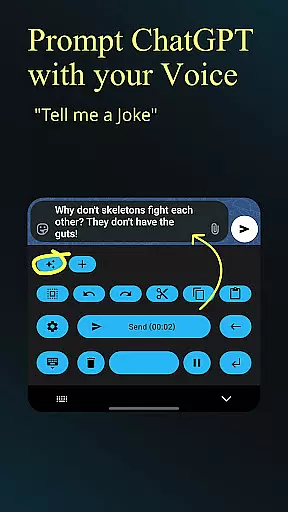
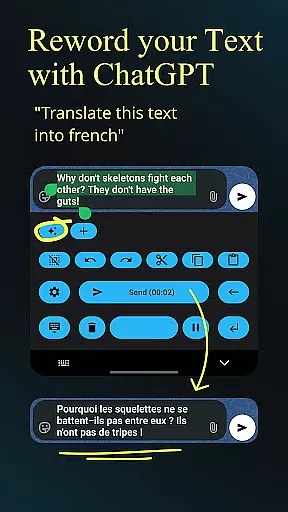
Dictate Keyboard is a revolutionary productivity tool designed to streamline text input through advanced speech recognition technology. This keyboard app converts spoken language into accurate text, supporting all common national languages while intelligently adding punctuation. Its powerful AI-driven engine enables users to dictate naturally, even allowing for singing transcription.
Beyond basic dictation, the app offers professional-grade features including custom rewording using GPT-5 and other models, multi-model transcription options, and comprehensive file transcription capabilities. The application's versatility extends to system-wide integration, making it suitable for various professional and personal use cases where hands-free operation and efficient text input are crucial.
The Dictate Keyboard distinguishes itself through its sophisticated feature set tailored for productivity enthusiasts. The app implements multiple transcription models including Whisper and GPT-4o-transcribe, with flexible provider options such as OpenAI, Groq, or custom servers. Its advanced formatting capabilities automatically structure dictated commands into proper paragraphs and lists.
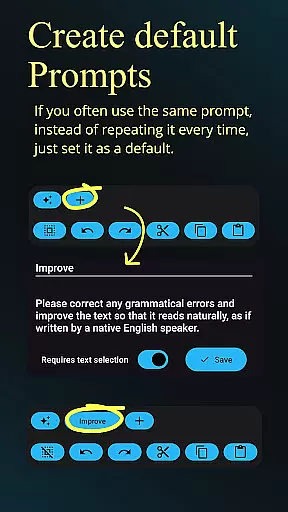
Professional users will appreciate the customizable API server support, system prompt settings for consistent recognition styles, and seamless switching between different transcription models. Additional productivity-enhancing features include haptic feedback, dark/light mode customization, and efficient emoji/number insertion. The open-source nature of the application ensures transparency and continuous improvement through community contributions.
Dictate Keyboard revolutionizes core task management by integrating advanced speech recognition technology into a user-friendly keyboard interface. This innovative approach allows users to convert spoken language into text effortlessly, streamlining their workflow.
The application supports all common national languages and automatically adds punctuation, which significantly enhances productivity. Users can dictate complex instructions, such as custom rewording tasks using GPT-5 or other models, without the need for manual adjustments.
With features like auto formatting of spoken commands and switching between different transcription models, Dictate ensures that users can manage their tasks efficiently. The ability to transcribe voice, audio, or video files further expands its utility in various professional settings.
By providing a comprehensive solution for task management through voice, Dictate Keyboard empowers users to focus on their work while minimizing the time spent on typing and formatting.
Cross-device synchronization is a critical feature of Dictate Keyboard, ensuring that users can access their data seamlessly across multiple devices. This reliability is achieved through robust cloud integration and API support.
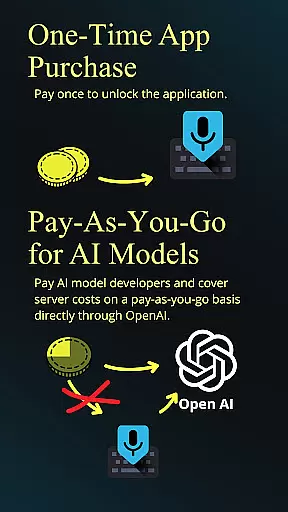
Upon initial setup, users create an API key with OpenAI or Groq, enabling low-cost transcription services. This process establishes a secure connection that facilitates consistent data synchronization between devices.
The application's open-source nature and custom API server support allow for flexible configuration options. Users can set up their own transcription servers or use proxy services, enhancing synchronization reliability based on their specific needs.
With its comprehensive export and import functionality for prompts, along with system-wide theme settings, Dictate Keyboard guarantees that users' preferences and work progress remain consistent across all their devices.
Advanced speech recognition
Multi-language support
Customizable transcription
Open-source flexibility
Professional formatting tools
Requires API setup
Incurs usage costs
Complex initial configuration
Dependent on third-party services
May have accuracy limitations

Secure, fast, open-source, VNC and SSH Remote Desktop for Windows, Linux and Mac
 4.70
4.70
AI Video AI Image Private LLM AI Browser Llama Gemma Ollama Connect LLM Studio
4.4
Seamlessly integrate data and reports to build your presentation to impress
4.80
The long-awaited modern gallery app for your Nextcloud server
4.70
We're working to become the best machining app on the market! www.cncdirt.com
4.80
Customizable calendar widget for seamless event sync, planning & scheduling.
4.00
PDF scanner & converter for files, photos, lottery, QR codes. One swipe away!
4.50
Secure, open-source, SPICE and SSH Remote Desktop for QEMU KVM virtual machines
4.00
Seamlessly read, manage, and organize all your PDF files solution in one place
4.40
A beautiful digital clock with autostart and many other functions
4.70
CalenGoo is a very flexible and feature-rich calendar app
4.40
Experience Reading - Night Mode for Documents
4.40
Automates browsing any website and notifies you of important changes or events
4.30
The ultimate file manager for rooted devices. The original and still the best.
4.00
A Revolutionary All-in-One Artificial Intelligence Tools
3.80
All in one sketching tool. Technical and General drawing. Online Maps support.
3.70
The upgraded version of Name Wheel with AI and the power to add your own wheels.
4.3
IP Camera Viewer - Android TV : RTSP Surveillance camera viewer for Android TV
4.4
A comprehensive suite of tools designed specifically for Lactation Consultants
4.1


User Reviews