
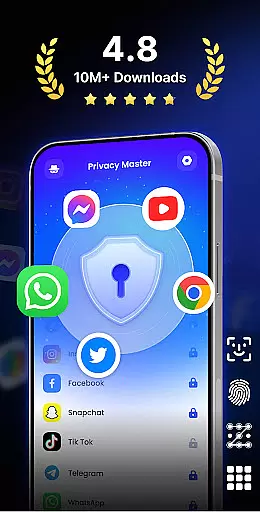
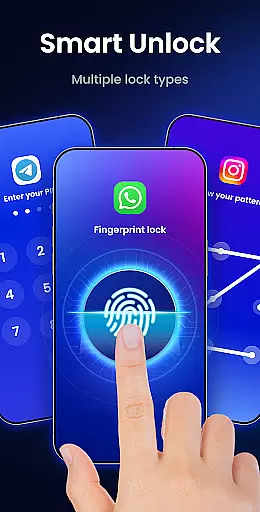
App Lock - Fingerprint Lock is a powerful productivity app designed to secure your digital world. With over 50 million users, this app provides robust privacy protection through multiple lock types including password, pattern, and fingerprint authentication.
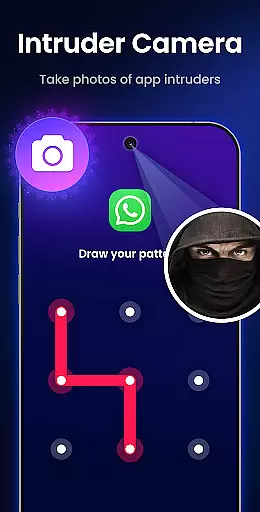
The app allows you to lock all your essential apps such as WhatsApp, Messenger, Facebook, Google Play, PayPal, and Settings, ensuring that private chats and data remain safe from prying eyes. It also features an intruder camera that takes photos of anyone who enters the wrong password, providing an extra layer of security.
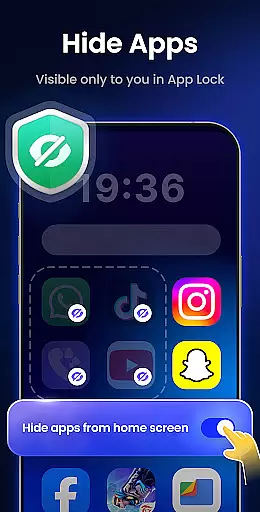
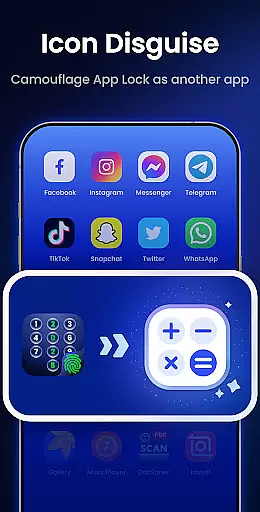
With additional functionalities like hiding notifications, removing junk files, and auto re-lock timers, App Lock ensures both privacy and convenience. Its icon disguise feature allows you to hide apps behind innocuous icons like Calculator or Weather, making it perfect for maintaining discretion in any situation.
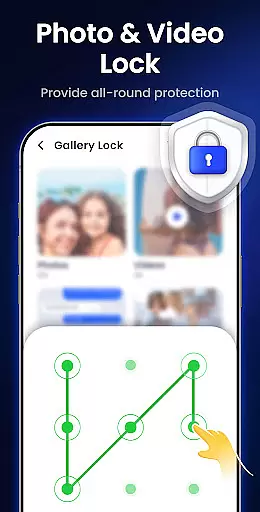
One of the standout features of App Lock - Fingerprint Lock is its ability to hide private files. The Gallery Lock functionality keeps your private photos and videos safe, accessible only by your chosen password, pattern, or fingerprint.
Another innovative feature is the Intruder Camera, which captures photos of anyone attempting unauthorized access. This tool not only alerts you to potential breaches but also provides evidence with timestamped images.
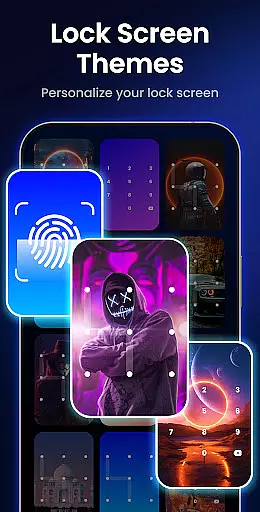
Customization options are abundant with custom themes and the ability to make pattern lines invisible. You can personalize your lock screen with stylish themes or your own photos, giving your security setup a unique touch while maintaining top-notch protection.
App Lock - Fingerprint Lock offers robust core task management features that are essential for maintaining privacy and security on your device. The app allows you to lock specific applications using various methods such as password, pattern, or fingerprint authentication.
This functionality ensures that only authorized users can access sensitive apps like WhatsApp, Messenger, and Facebook. By locking these apps, you prevent unauthorized access to private chats and data, which is crucial in protecting your digital world from prying eyes.
Additionally, the app provides smart features such as intruder selfies and icon disguise, enhancing its task management capabilities. These features not only secure your apps but also add layers of protection by disguising the lock interface and capturing unauthorized access attempts.
With over 50 million users trusting App Lock for powerful privacy protection, it stands out as a reliable tool for managing app security efficiently and effectively.
While App Lock - Fingerprint Lock primarily focuses on securing individual devices, it also offers features that ensure cross-device synchronization reliability. This means that your settings, lock preferences, and protected files can be consistently applied across multiple devices.
The app includes cloud backup functionality (coming soon), which will allow users to synchronize their lock configurations and private files seamlessly. This feature ensures that even if you switch devices, your privacy settings remain intact without needing to reconfigure them manually.
Moreover, App Lock's ability to hide private files and notifications adds another layer of synchronization reliability. You can keep your photos, videos, and sensitive notifications safe and accessible only through the app, regardless of the device you use.
By providing consistent and reliable cross-device synchronization, App Lock ensures that your digital world remains secure and private, no matter where you access it from.
Powerful privacy protection
User-friendly interface
Multiple lock types
Intruder camera feature
Customizable themes
Requires many permissions
May slow down device
Some features feel redundant
Occasional bugs reported
Premium version needed for full experience

Secure, fast, open-source, VNC and SSH Remote Desktop for Windows, Linux and Mac
 4.70
4.70
Wake up & get tasks done! Add alarms & reminders on the Clock Launcher.
4.00
Send files, sync SMS, notifications & clipboard across devices via local network
4.40
Automates browsing any website and notifies you of important changes or events
4.30
Mind Map and brainstorm, note taking and idea collection
4.80
CalenGoo is a very flexible and feature-rich calendar app
4.40
Todo reminder
4.10
Access your phone's notifications, calls, apps, photos & texts on your PC
3.90
Set up, print, and get support—in one place
4.20
Translate text/voice/photos in 150+ languages. Offline & fast translator app.
4.50
Easily read and manage all your PDF files
4.10
Cloud storage, automatic phone backup, and more.
4.10
* block pre-roll ads, pop-up and forced redirect ads * Samsung certification app
4.00
Mega cloud explorer plugin for Solid Explorer
3.80
Smart PDF reader & editor to view, organize and manage PDF documents easily.
3.70
Make your handwriting beautiful, even more than pen on paper.
3.60
ID.me Authenticator is a simple and free Two Factor Authentication solution
3.50
Experience and share your SolidWorks designs on your Android® phone and tablet.
2.50
A comprehensive suite of tools designed specifically for Lactation Consultants
4.4


User Reviews