
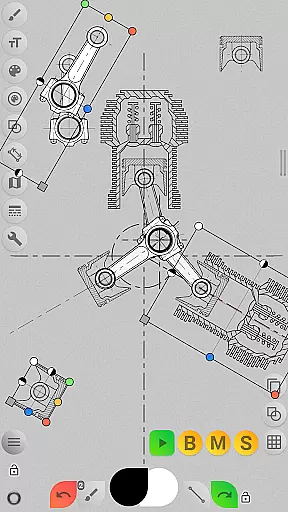
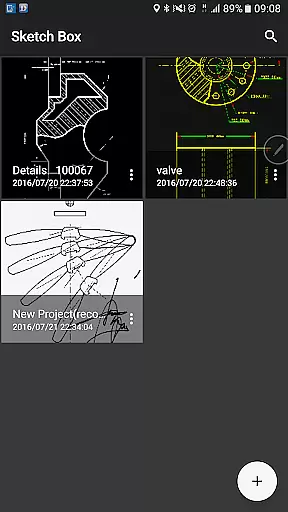
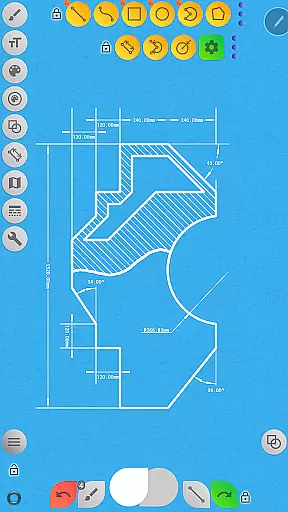
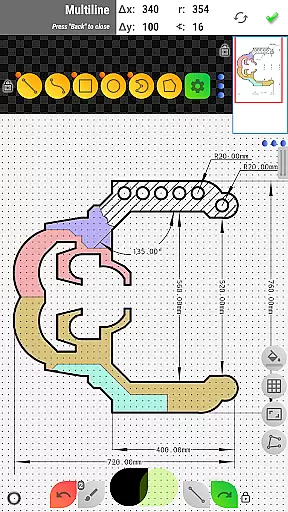

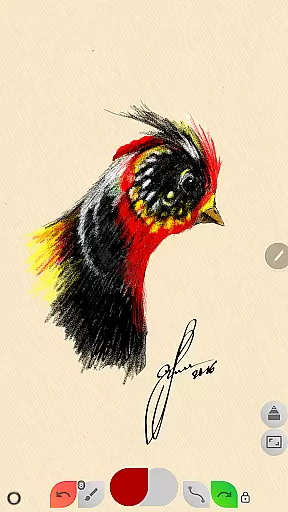
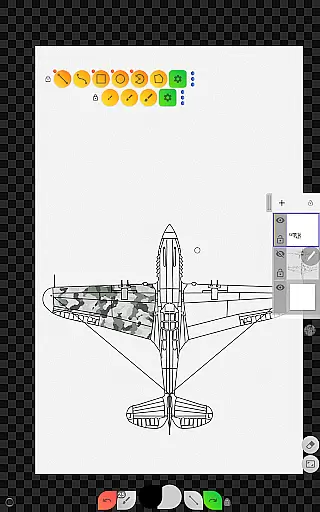
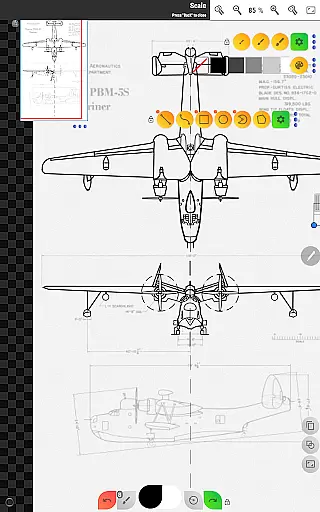
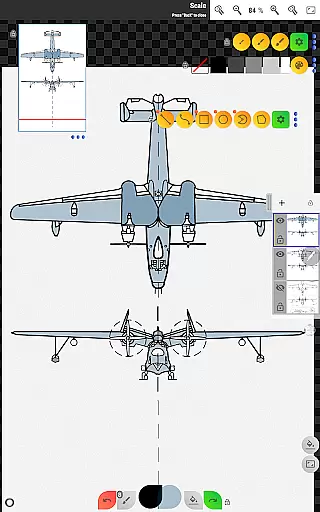
Sketch Box Pro is a versatile and lightweight sketching tool designed for both technical drawings and general sketching needs. This productivity app serves as an alternative to vector CAD systems while incorporating the best features of traditional drawing applications. With support for online maps, interactive tools, and project-based workflows, it caters to engineers, designers, and artists alike.
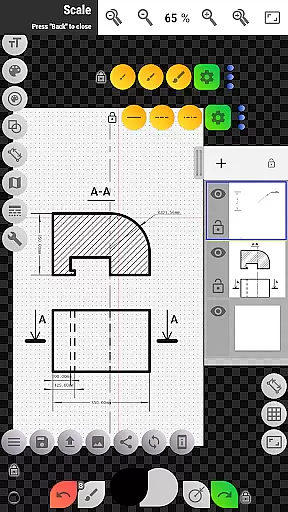
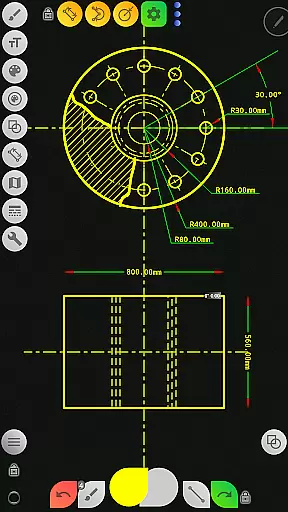
The app allows users to create projects from scratch, import snapshots from online maps, or use images from their device gallery. It supports advanced features like layers, grid tools, dimension tools, and scale settings, making it ideal for detailed technical sketches. Its intuitive interface and customizable workspace enhance productivity, while its portability ensures you can capture ideas anytime, anywhere.
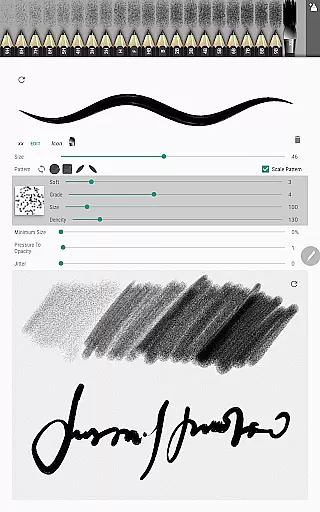
Sketch Box Pro stands out with its innovative combination of CAD-like precision and freehand drawing capabilities. The app includes a Pencil Set feature that lets users customize brush characteristics through a powerful editor. With up to 6 layers in the Pro version, users can lock, adjust opacity, duplicate, merge, or clear layers for greater control over their work.
Additional highlights include a wide range of basic shapes, predefined brushes, flood filling, hatching, and text tools. The app also integrates seamlessly with Google Maps, enabling users to incorporate real-world locations into their sketches. Interactive compass tools, vector tools for azimuth measurements, and map tools for distance and area calculations further extend its functionality, making it a comprehensive solution for creative and technical projects.
Sketch Box Pro excels in core task management by offering a versatile platform for both technical and general sketching needs. The app provides an extensive set of tools that cater to a wide array of drawing requirements, making it akin to a digital Swiss Army knife for artists and engineers alike.
With features such as project creation from scratch, online maps snapshots, or device gallery images, users can initiate and manage multiple drawing projects efficiently. The inclusion of up to six layers in the Pro version allows for sophisticated drawing management, akin to professional desktop applications, thus enabling users to work on complex tasks with ease.
The application's support for various predefined brushes, basic shapes, and dimension tools empowers users to create precise sketches for any task. Additionally, functionalities like the scale tool, flood filling, hatching, and text tool contribute to a comprehensive drawing experience that ensures productivity is not compromised.
By providing robust options for layer control, including locking, opacity adjustment, duplication, and merging, Sketch Box Pro enables users to maintain an organized workflow. This enhances the ability to manage intricate drawings effectively, ensuring that creativity and productivity go hand-in-hand.
Cross-device synchronization is a pivotal feature for users who operate on multiple devices. Sketch Box Pro addresses this need by ensuring reliable synchronization across devices, which means users can seamlessly continue their work irrespective of the device they are using.
Although specific details about cloud services or sync mechanisms are not provided in the description, the app's project-based structure suggests a systematic approach to managing drawings. Users can create, duplicate, and share projects, implying a potential for integration with cloud storage solutions or other sharing platforms to maintain consistency across devices.
Moreover, the app's capability to export drawings to the gallery or share them directly could serve as an alternative method for transferring work between devices. While this may not be real-time syncing, it still offers a practical solution for accessing files on different devices without losing progress or quality.
Sketch Box Pro's focus on creating a seamless user experience extends to its promise of reliability when moving work from one device to another. Whether through integrated sync features or via exporting and sharing options, maintaining the integrity and availability of users' creations across all their devices remains a priority.
User-friendly interface
Powerful layer management
Customizable pencil settings
Integrated map tools
Versatile export options
Limited free version
Steep learning curve
Occasional bugs
Pro features locked
Heavy on storage

 4.20
4.20
The long-awaited modern gallery app for your Nextcloud server
4.70
Easiest event planning, volunteer signups & parent teacher conference scheduling
2.20
App Lock with fingerprint, password: Lock apps & hide photos with lock screens
4.60
Calendar 2023 widget for Android. Appointment scheduler, planner, and reminder
4.60
A simple Whisper AI keyboard for reliable speech transcription and rewording
4.60
Scientific calculator for Android - looks and operates like the real thing!
4.90
AT&T Internet customers can use this app to personalize their Wi-Fi network.
4.40
QuickEdit is a fast, stable and full featured text and code editor.
4.20
Direct Chat without saving contacts & Dual WA Account on Single Device
4.70
aCalendar+ makes your day, week and month
4.70
Scan paperwork into PDF/JPG, generate your own e-signature and send fax or email
4.70
Lightweight PDF, Word, Excel reader.
4.60
Tally and goal counter for Wear OS & mobile
4.50
Total remote control for your Android device, PC and cloud services (IFTTT)!
4.20
Make apps & sites with natural language prompts
4.10
Experience and share your SolidWorks designs on your Android® phone and tablet.
2.50
The upgraded version of Name Wheel with AI and the power to add your own wheels.
4.0
A comprehensive suite of tools designed specifically for Lactation Consultants
4.5


User Reviews