

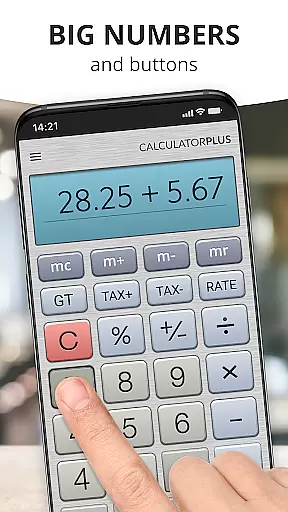
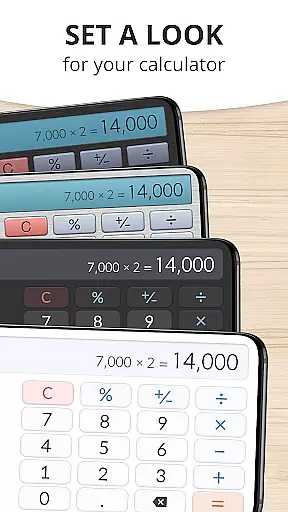
Calculator Plus is a productivity-focused calculator app designed to outperform traditional handheld calculators. It offers an elegant, easy-to-read display with clear typography and intuitive formatting, including proper comma placement for better readability. The app is perfect for various tasks such as shopping, homework, or balancing checkbooks.
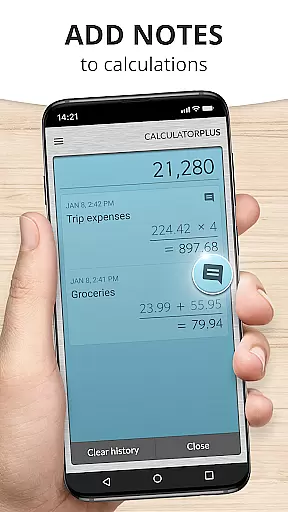
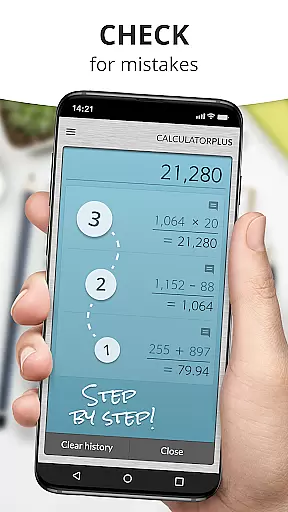
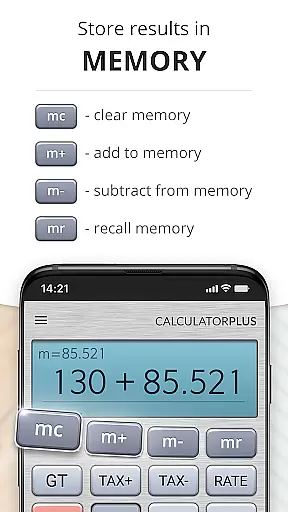
One of the standout features of Calculator Plus is its memory functionality, which allows users to save calculations and revisit them at any time. This makes it not only a powerful tool for daily calculations but also ensures that users never lose track of their work. Whether you need to pause your calculations or switch tasks, everything will be preserved for your return.
Calculator Plus boasts several advanced features that enhance user experience. Its design leverages the large, high-resolution displays of modern devices, presenting calculations in a clear and elegant format. Users can easily correct mistakes using the backspace function without starting over, ensuring efficiency and accuracy.
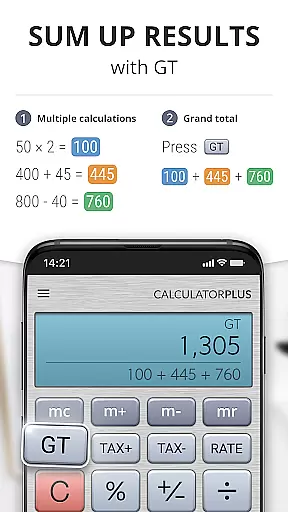
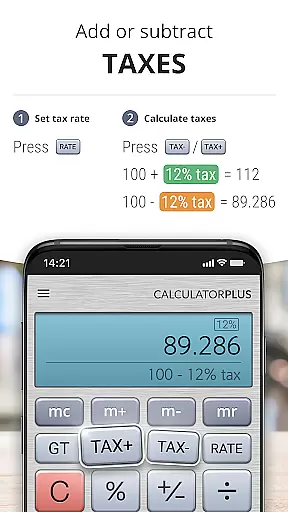
The app includes memory functions that allow users to maintain a running total visibly, while also offering advanced math functions accessible by swiping aside memory keys. Additionally, the percentage key provides transparent calculations, eliminating confusion. These features collectively make Calculator Plus a versatile and indispensable tool for both everyday and complex calculations.
Calculator Plus excels in core task management by offering a seamless calculation experience tailored for productivity. Its ability to save and review past calculations ensures users can efficiently manage their computational tasks without the need to re-enter data.
The app's memory functions allow users to maintain running totals, which is particularly useful for tasks like balancing checkbooks or managing budgets. This feature eliminates the need for external notes or recalculations, streamlining the workflow significantly.
With intuitive backspace and percentage functions, Calculator Plus minimizes errors and confusion during calculations. These tools ensure that even complex operations are handled smoothly, enhancing overall task efficiency.
By providing advanced math functions through simple swipes, the app enables users to switch between basic and complex calculations effortlessly. This adaptability makes it an essential tool for both everyday and specialized task management needs.
One of Calculator Plus's standout features is its reliable cross-device synchronization, allowing users to access their calculations across multiple devices without any loss of data. This ensures continuity and consistency, whether switching from phone to tablet or vice versa.
The app's cloud-based memory system stores all computations securely, making them available whenever and wherever needed. Users can start a calculation on one device and seamlessly continue on another, providing unmatched convenience and flexibility.
Calculator Plus employs robust security measures to protect user data during synchronization. This guarantees that sensitive information remains private and intact while being transferred between devices.
Moreover, the app's instant syncing capability means there's no noticeable delay when switching devices. This real-time access to calculations enhances productivity by ensuring users always have up-to-date information at their fingertips.
User-friendly interface
Advanced math functions
Memory storage feature
Clear and elegant typography
Backspace functionality
Limited to basic operations
No graphing capabilities
Occasional bugs reported
Ads in free version
Design inconsistencies

A Revolutionary All-in-One Artificial Intelligence Tools
 3.80
3.80
QuickBooks Workforce lets teams view pay info and track time in one place.
4.70
Experience real multitasking on your Android!
4.00
Native client for Forgejo and Gitea
5.00
⏰ Finally a timer app which can run multiple timers simultaneously on your watch
3.90
ID.me Authenticator is a simple and free Two Factor Authentication solution
3.50
Subscribe to Webcal & .ics calendars and keep them up-to-date!
4.50
Share files & memories safely. Keep your photos and videos secure.
4.40
Daily processing of PDF documents.
4.40
Direct Chat without saving contacts & Dual WA Account on Single Device
4.70
Client for Nextcloud Deck
4.60
A lightweight JSON & XML files creator, editor and viewer (Premium Version)
4.40 4.20
4.20
A customizable calendar for your Wear OS watch
4.20
Pwnagotchi companion app
4.20
Customizable calendar widget for seamless event sync, planning & scheduling.
4.00
Mega cloud explorer plugin for Solid Explorer
3.80
Make your handwriting beautiful, even more than pen on paper.
3.60
Create study competitions, track your hours, and stay consistent with friends
4.2


User Reviews