
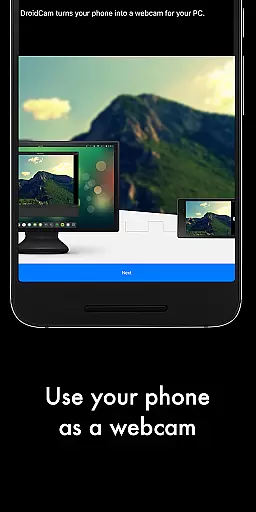
DroidCamX HD (Classic) is a versatile tool that transforms your Android device into a high-quality webcam for your computer. With support for 720p/1080p video in HD mode, it ensures superior video quality for all your communication needs.
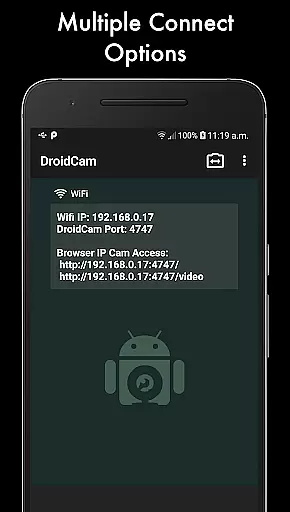
The app allows connection over both Wifi and USB, providing flexibility in setup. It features an array of functionalities including sound and picture transmission, smooth FPS options, background operation, and battery conservation when the screen is off. Additionally, users can access camera controls such as auto-focus, zoom, and flash directly from their devices.
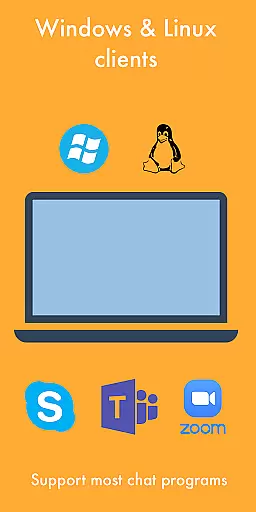
Designed for seamless integration, DroidCamX works with Windows and Linux clients, making it ideal for video conferencing, streaming, or any scenario requiring a reliable webcam feed.
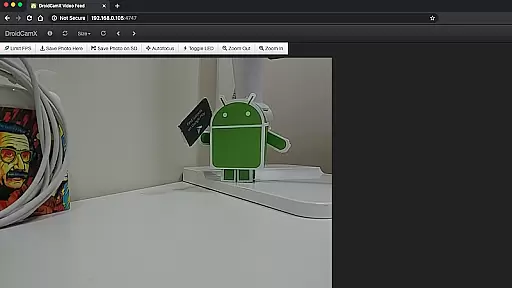
DroidCamX stands out with its comprehensive feature set tailored to enhance user experience. The app supports IP Webcam MJPEG access, enabling camera viewing via a browser or another device, which is perfect for remote monitoring.
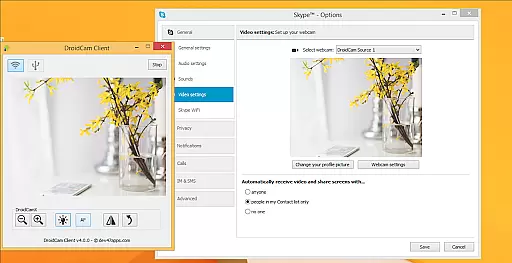
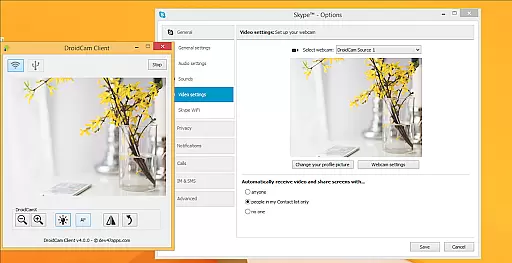
One of the notable features is the ability to use other apps while DroidCamX runs in the background, ensuring multitasking without interruptions. The inclusion of professional controls on the Windows client like Mirror, Flip, Brightness, and Contrast adjustments provides users with extensive customization options.
Moreover, the app facilitates capturing still image frames on both phone and computer during operation. This versatility makes DroidCamX suitable for various applications, from professional video calls to casual streaming sessions, delivering both performance and convenience.
DroidCamX HD (Classic) excels in delivering core webcam functionalities with precision and reliability. The app transforms an Android device into a high-definition webcam, supporting resolutions up to 720p/1080p through its HD Mode. This ensures that users receive clear and sharp video quality, which is crucial for effective communication.
Connectivity options are diverse, allowing connections over both Wifi and USB. This flexibility caters to different user preferences and scenarios, ensuring minimal latency and stable performance. Additionally, the 'Smooth FPS' option enhances video stability, providing a seamless experience during video chats or conferences.
The application also supports IP Webcam MJPEG access, enabling users to access the camera feed via a browser or from another device. This feature broadens the app's usability beyond traditional webcam applications, making it versatile for various professional and personal uses.
Usability is at the forefront of DroidCamX HD (Classic)'s design, offering an intuitive interface that simplifies complex processes. Users can easily navigate through settings to activate features such as auto-focus, zoom, and flash, enhancing the overall user experience without overwhelming them with technical details.
One notable aspect is the ability to use other non-camera apps while DroidCamX runs in the background. This multitasking capability ensures that users can maximize their device's potential without interruptions, maintaining productivity and convenience.
Furthermore, the Windows Client provides advanced controls like Mirror, Flip, Brightness, and Contrast adjustments. These pro-level settings empower users to fine-tune their webcam feed according to specific needs, ensuring optimal video presentation across different environments and lighting conditions.
High-quality HD video support
Flexible connectivity options
Extensive camera controls
Background app operation
Cross-platform compatibility
Requires additional setup for USB
Limited macOS support
Dependent on network stability
No built-in streaming service
Premium version needed for full features

A powerful, easy-to-use flight computer on your phone or tablet!
 3.80
3.80
A recovery soft,it features photo recovery, video recovery, file recovery.
3.40
Learn the vast amount of system information about device and monitor it's state
4.70
Optimize your WiFi network, turn your phone into Wifi Analyzer
4.70
ADB support Android 4.X-Android 13(Support wireless pair mode).No root required!
4.70
Unleash gamepad precision for ultimate mobile gaming dominance.
3.90
PC precision for mobile gaming: dominate with keyboard and mouse!
4.30
Screen Mirroring for Roku Sticks, Roku TCL TV and Roku Hisense TV
4.50
Connect wirelessly to your computer to watch movies, browse the web, play games
5.00
The one-and-only remote control for PC, Mac, and Linux
4.70
FV File Manager Pro, Fast and powerful file manager for Android
4.60
Forza Tuning Calculator App for Forza Horizon 5, Motorsport and Earlier Titles
4.40
pdf merge, word to pdf, jpg to pdf, edit pdf, convert to pdf and much more!
4.20
Carry a FTP server in your pocket and avoid USB cables for file transfer
4.20
Effortlessly run ADB commands directly on your device without a PC.
4.20
MS-DOS in your pocket. Play old DOS games anywhere you are ;)
4.10
Automate everything from settings to photos, SMS to speech. ADC2 prize winner.
4.10
PDF Reader - Document Viewer: Read, Manage & Organize Your Documents
3.10
card-reader app
2.20


User Reviews