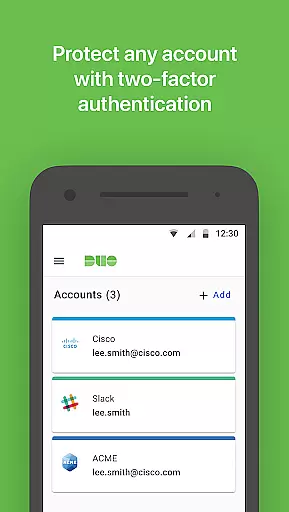
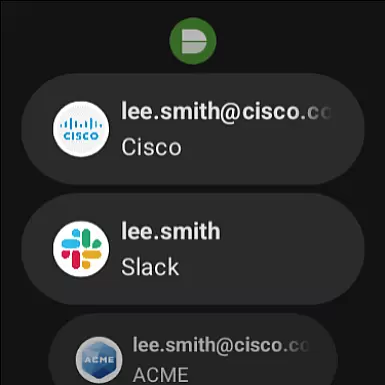
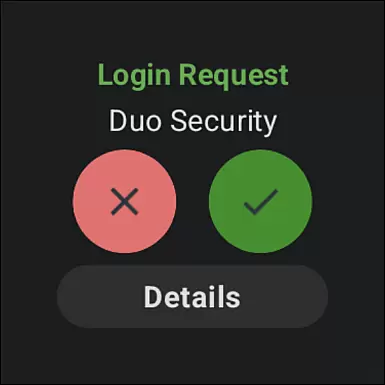
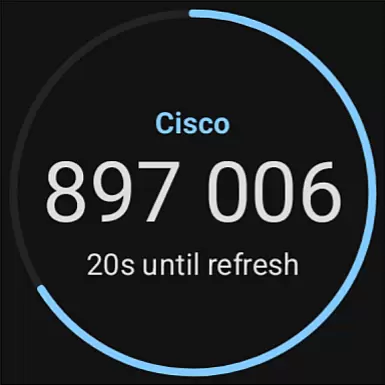
Duo Mobile is a security application designed to enhance login protection through two-factor authentication. The app generates time-based passcodes and supports push notifications for seamless one-tap verification, ensuring secure access to accounts.
In addition to supporting Duo Security's services, the app allows users to manage two-factor authentication for various third-party applications and web services. With its companion app, Duo Wear, it extends secure authentication capabilities to Android Wear devices, making it more convenient for smartwatch users.
This app is ideal for individuals or organizations seeking an extra layer of security in their digital interactions. By requiring both a passcode and physical device confirmation, Duo Mobile significantly reduces the risk of unauthorized access.
Duo Mobile offers several key features that make it a reliable choice for two-factor authentication. First, it generates unique passcodes for each login session, ensuring dynamic security. These codes are constantly refreshed, preventing potential interception by malicious actors.
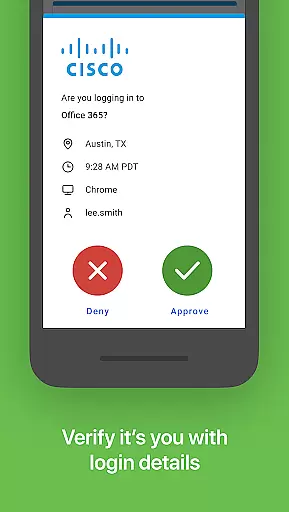
The app also supports push notifications, allowing users to authenticate with just one tap. This feature streamlines the login process while maintaining high-security standards. Furthermore, Duo Mobile integrates with third-party services, enabling users to centralize their two-factor authentication management within a single platform.
For Android Wear users, Duo Wear provides added convenience by bringing secure authentication directly to smartwatches. The app also includes QR code scanning functionality for easy account activation, though alternative methods are available if preferred.
Companion app integration is crucial for ensuring a seamless user experience across multiple devices. Duo Mobile excels in this area by offering Duo Wear, a dedicated app for Wear OS devices.
This integration allows users to receive authentication requests directly on their smartwatches, providing an additional layer of convenience. The ability to approve login attempts from your wrist significantly enhances the accessibility and responsiveness of two-factor authentication.
The synchronization between Duo Mobile and Duo Wear ensures that all account information and authentication states are consistently updated across devices. This means users can manage their security credentials without needing to have their phones nearby.
By extending its functionality to wearable devices, Duo Mobile demonstrates a commitment to innovation and user-centric design, making secure authentication more accessible than ever before.
Ensuring compatibility with Wear OS devices is essential for any application targeting the smartwatch market. Duo Mobile achieves this by providing a dedicated companion app, Duo Wear, specifically designed for Wear OS.
Duo Wear maintains the same high standards of security and usability as its mobile counterpart. Users can expect reliable performance and intuitive controls adapted for the smaller form factor of smartwatches.
The app takes full advantage of Wear OS features, optimizing the user interface for quick interactions. This includes simplified navigation and easy-to-use approval mechanisms tailored for watch screens.
With robust device compatibility, Duo Mobile ensures that users can enjoy a consistent and secure authentication experience regardless of whether they're using their smartphone or smartwatch.
Enhanced security
User-friendly interface
One-tap authentication
Supports multiple platforms
Companion wear app
Requires activation
QR code dependency
Limited offline use
No standalone use
Third-party reliance

Calming & relaxing sounds for sleeping and stress relief. Stay focused all day!
 4.20
4.20
Snowflake Rose Gold Watch Face - Digital, modern, & sleek with GYRO effect.
4.10
Artistic Digital Watchface
4.2
Watch face designed for Thanksgiving Day. 7 Background Styles included.
3.20
Stylish digital watch face for Wear OS devices with customizable features
4.3
Nutrition, Macro tracker: Food, fitness & healthy diet tracking for weight loss
4.60
Minimalistic design modern digital watch face.
4.2
A modern hybrid informative watch face for Wear OS designed by BALLOZI
4.80
Simple, helpful messaging by Google
4.60
The Chevron App allows you to pay for fuel from the comfort of your car!
4.80
WTW M17 is a premium and luxurious hybrid watch face
4.70
Walking app for weight loss: walk & step tracker, pedometer, indoor treadmill
4.60
A realistic hybrid watch face with many customization options.
4.60
Digital watch face with big numbers and many customization for Wear OS devices
4.40
Digital watch face. For Wear OS devices.
4.40
Connect, create, and collaborate with Gmail, part of Google Workspace.
4.10
Authentic military-tactical design with ZULU time! Realistic and functional!
3.80
Precision analog watch face with 7 complications and style options
4.1
Simple Analog-Digital Watchface For Wear OS 3.0 and Up Smartwatches
4.4


User Reviews