
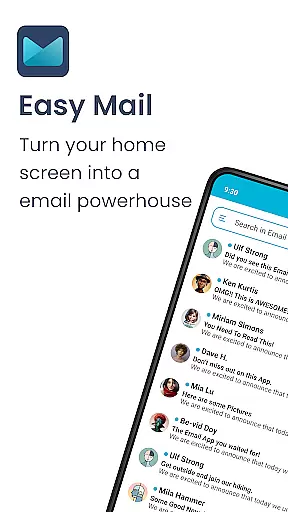
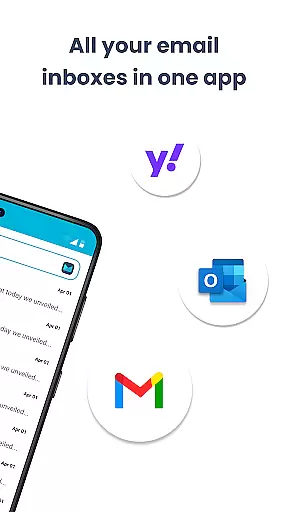
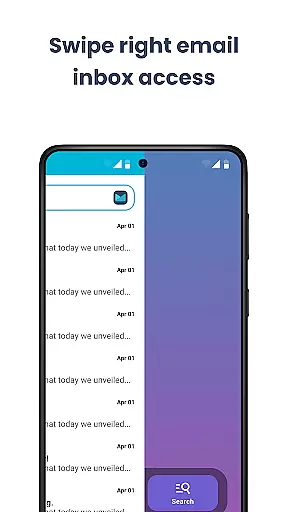
Easy Mail is a personalized email launcher designed to simplify and streamline your daily email management. With its clutter-free homescreen, the app brings all your email accounts into one unified inbox, allowing you to check and manage emails with ease. Whether you use Gmail, Outlook, or Yahoo, Easy Mail ensures that your communication stays focused and efficient.
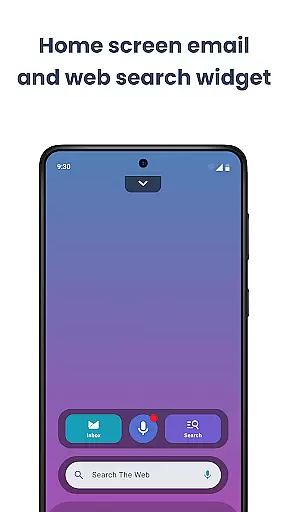
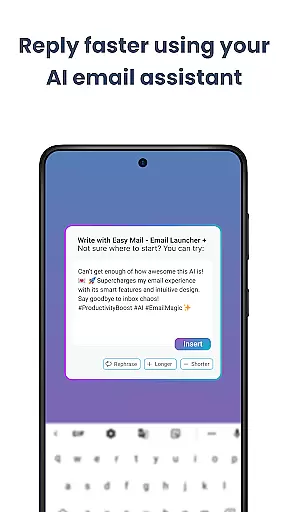
The app goes beyond basic email functionality by incorporating AI-powered assistance. This feature helps users write emails faster by offering instant rephrasing, shortening, or polishing options while maintaining a natural tone. Additionally, Easy Mail provides quick access to web searches directly from the homescreen, making multitasking seamless. Built with privacy in mind, the app guarantees that your emails remain secure and local, never accessed by the system.
Easy Mail offers an array of features tailored for productivity enthusiasts. Its standout feature is the easy homescreen, which is meticulously designed around email management and minimalism. The interface eliminates unnecessary distractions, presenting users with a clean workspace dedicated to their most important tasks.
Another remarkable aspect is the unlimited email account integration. Users can sync multiple providers like Gmail, Outlook, and Yahoo into a single inbox or keep them separate based on preference. The AI Email Assistance tool further enhances efficiency by refining email drafts instantly. Moreover, the app supports widgets, app drawers, and even integrates trending content feeds, ensuring that everything you need is within arm's reach while maintaining a personalized experience.
Customization is at the heart of Easy Mail, offering users a versatile and personalized email management experience. The app provides a clean homescreen built specifically around mail and productivity, ensuring that your most important tasks are always front and center.
With support for unlimited email accounts from providers like Gmail, Outlook, and Yahoo, users can tailor their inboxes to fit their unique workflows. Whether you prefer a unified inbox or separate views for each account, Easy Mail adapts to your needs with just a tap.
Beyond email, the launcher includes essentials such as an organized homescreen, quick access to apps through the app drawer, and widget support. These features allow users to create a clutter-free digital environment that enhances focus and efficiency.
The inclusion of AI Email Assistance adds another layer of customization by helping users rephrase, shorten, or polish their emails while maintaining their natural tone. This ensures that every message you send is not only professional but also uniquely yours.
Easy Mail excels in theme compatibility, providing a visually cohesive experience that aligns with user preferences. The app's design emphasizes simplicity and focus, offering a clean interface that reduces distractions and promotes productivity.
Users can enjoy a homescreen that integrates seamlessly with their chosen themes, ensuring that visual elements like colors, fonts, and layouts remain consistent across their devices. This attention to detail creates an intuitive and enjoyable user experience.
In addition to aesthetic customization, Easy Mail supports functional enhancements such as widget integration and organized content feeds. These features ensure that users can personalize not only how their email looks but also how it functions on a day-to-day basis.
By prioritizing both form and function, Easy Mail delivers a personalized email management solution that caters to individual tastes while maintaining high standards of usability and performance.
User-friendly interface
Unified inbox solution
AI-powered writing tools
Privacy-focused design
Customizable homescreen
Limited advanced filters
No offline functionality
Occasional sync delays
Few customization themes
Learning curve for new users

Glass style colourful icons with a One UI look and feel
 4.60
4.60
Prank your friends with realistic broken screen and cracked HD effects!
4.2
Try creating your own keyboard with "Keyboard theme for android" app now!
4.50 4.50
4.50
Your go to Weather App & Home Screen. Get your weather at a swipe of a finger!
3.80
300+ widgets inspired by Material You and Material 3 expressive design.
4.60
200+ Material Inspired Widgets
4.50
Magic fluids wallpaper 4D: Relax with stunning fluid simulation wallpaper app
4.20
Cool custom fonts & keyboard themes! Symbols & font changer for Instagram
4.50
A minimalist productivity launcher. One-hand-friendly. Zero ads.
4.70
Stunningly Different look with Line Icons and Neon Colors
4.60
Unique Android Launcher
4.60
Customize your home screen with stunning themes, blur, widgets & icons.
4.60
Stylish Pink Cute Hippo keyboard with 10000+ customized keyboard themes!
4.60
3D, live, and moving wallpapers & themes in 4K and HD for your device.
4.50
Fingerprint Lock Screen & Live Animations with 4K Wallpapers as Live Wallpaper
4.40
Run multiple accounts of the same app on a single device
4.10 4.10
4.10
Adorable pets roam and play right on your phone screen!
3.30


User Reviews