
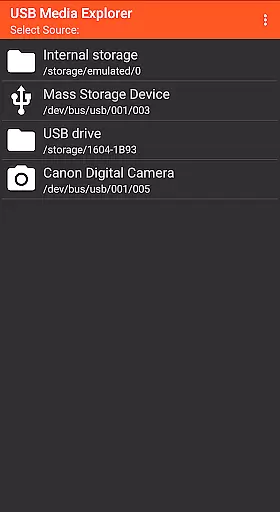
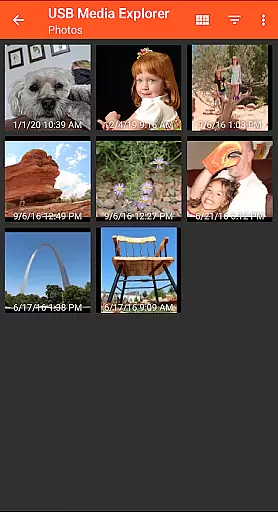
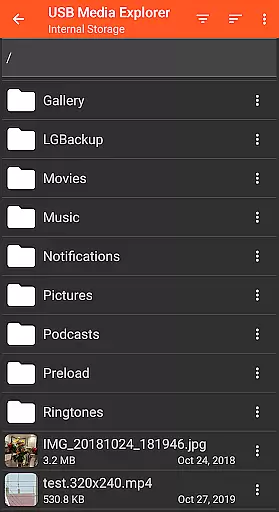
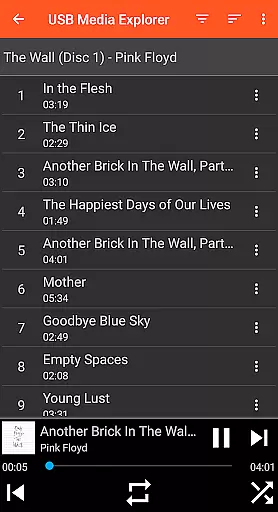
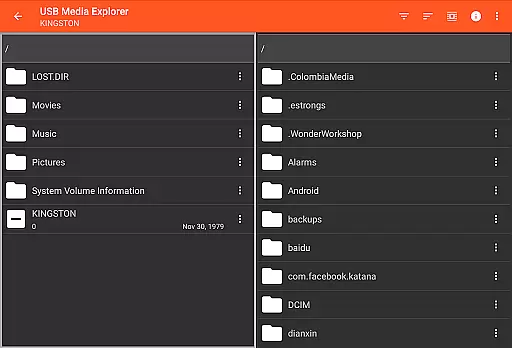
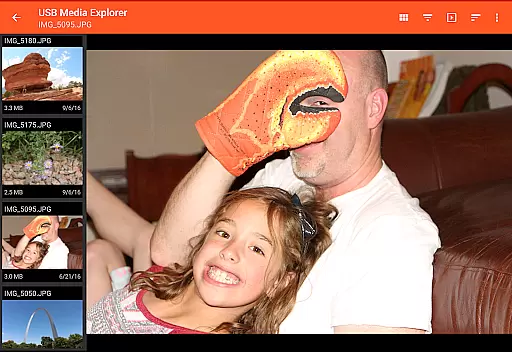
USB Media Explorer (UME) is a versatile photography app that enables users to view photos, stream videos, listen to music, and manage documents from various USB storage devices. With specialized viewing modes for photos, videos, music, and documents, it offers a comprehensive solution for accessing multimedia content on the go.
The app supports a wide range of devices including flash drives, card readers, hard drives, cameras, other Android devices, MTP/UMS audio players, and select DVD drives. Its standout feature is the ability to view full-size photos and videos without importing them, making it ideal for photographers who need quick access to their work while maintaining device storage space.
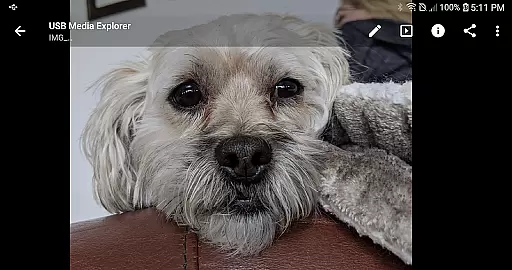
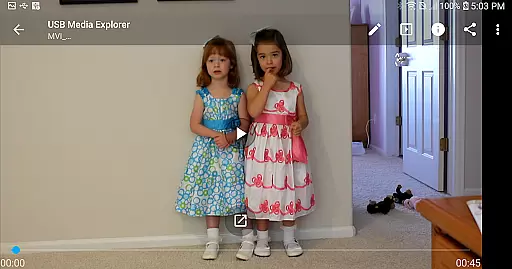
USB Media Explorer stands out with its specialized screens tailored for different media types. The photo viewer supports both JPEG and RAW formats, allowing photographers to review high-quality images directly from their storage devices. The video player can stream content, although unsupported formats may require third-party apps like VLC.
File management capabilities include copying files to and from USB devices, providing flexibility in organizing and transferring content. The app's support for various devices, including cameras and external drives, makes it an essential tool for photographers and videographers who need to access their work across multiple platforms without being tied to a computer.
USB Media Explorer offers a unique real-time capture and preview feature that allows users to view photos and stream videos directly from USB storage devices without the need for importing. This functionality is crucial for photographers and videographers who require immediate access to their files on the go.
The app supports both Jpeg and Raw photo formats, ensuring professional-quality previews across different devices such as flash drives, card readers, and cameras. By providing full-size viewing options, it maintains the integrity of the original images, thus catering to professionals who demand accuracy and detail in their work.
For video content, while Android natively supports many formats, UME enhances this by enabling streaming of videos that might otherwise require third-party players like VLC for unsupported formats such as AVI or WMV. This ensures a seamless experience when reviewing footage directly from external storage solutions.
Ultimately, the real-time capture and preview capabilities of USB Media Explorer empower users with instant access to their multimedia files, streamlining workflows and enhancing productivity whether they're editing on-site or sharing content with clients immediately after shooting.
While USB Media Explorer does not explicitly market itself through AI beauty enhancements, its robust support for high-quality media playback indirectly contributes to natural enhancement experiences. The ability to manage and play back high-resolution images and videos means that any post-processing effects applied by other software will be accurately represented within UME.
Photographers using RAW image files can take advantage of precise color reproduction and dynamic range offered by USB Media Explorer's advanced file handling capabilities. These features ensure that subtle enhancements made during post-productionu2014such as skin smoothing or highlight recoveryu2014are displayed authentically without introducing artificial artifacts into the visuals.
Moreover, the specialized screens dedicated to photos, videos, music, documents, and general file management provide an intuitive interface where users can focus on fine-tuning their creations. Whether adjusting contrast levels in photographs or tweaking audio tracks accompanying video projects, these tools help maintain the intended aesthetic appeal throughout various stages of production.
In summary, although USB Media Explorer may not incorporate explicit AI-driven beauty functions, its comprehensive approach towards managing diverse media types fosters an environment conducive to achieving naturally enhanced results across all forms of digital content creation.
User-friendly interface
Wide device compatibility
Direct file viewing
Comprehensive media support
Flexible file management
Limited native format support
External power may be needed
No live image device support
Proprietary protocol issues
Commercial DVD restrictions

Remote control of the phone camera from your Wear OS smartwatch
 3.70
3.70
Be your best in every shot! Fix, edit and retouch your face in selfies & photos.
3.70
The #1 app for B&W film developing featuring an advanced darkroom timer.
4.10
Future baby face generator: AI kids generator, kid face! What my baby look like?
4.40
Enhance, retouch & create your story - Share the moment with Photoshop Express.
4.60
Hair color changer, AI haircut app, fun hair editor and buzz cut filter for all!
3.80
Astrophotography with your smartphone, photo live stacking and much more!
3.90
A light meter for true photographers.
4.20
Discover & download millions of art for The Frame TV or Hisense CanvasTV
4.60
Find time and duration of different sunlight phases at any location
4.90
Perfect body tune & face app - photo retouch, makeup, slim body & beautify face.
4.80
A collection of tools and reference tables for DPs, ACs, DITs and Operators.
4.70
AI photo editor with hair editor, retouch tools, hair color changer & filters!
4.50
AI photo enhancer with Sora 2! Enhance, descratch, and colorize your old photos.
4.50
Effortlessly organize, view and share your photos & videos with Gallery app!
4.40
Trendy TikTok time warp scan funny filter app brings you unique photos & videos.
4.40
Edit like a pro with Hypic. Apply filters, AI effects, & magic touch.
4.40
Create amazing frames with up to five photos. Rounded corners, effects and more!
3.60
GCamera allows all GCam features on all phone models! Better photos with GCamera
3.30


User Reviews