
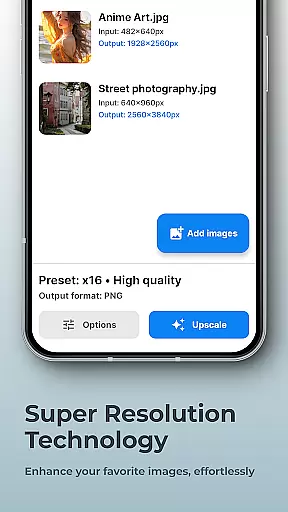
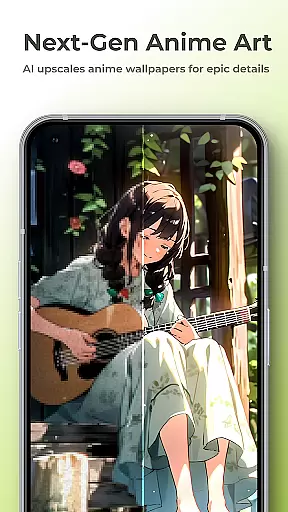
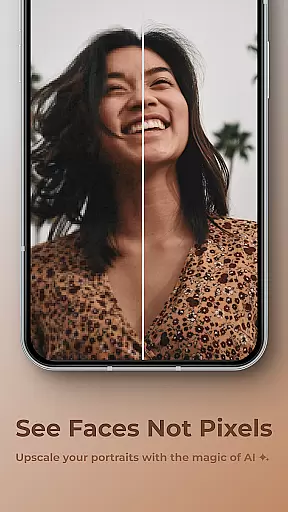
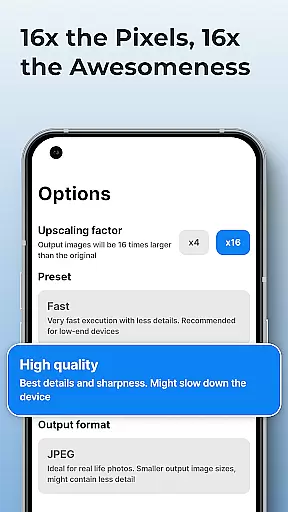
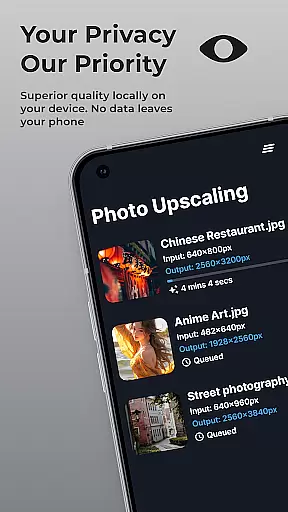
SuperImage Pro is an advanced AI-powered photo editing application designed for photography enthusiasts and professionals alike. This all-in-one photo toolbox offers a comprehensive suite of features that run entirely on your device, ensuring maximum privacy and security.
The application's core functionality revolves around image enhancement and transformation. Users can upscale images up to 16x their original resolution, remove backgrounds, isolate subjects, and create transparent cutouts with remarkable precision. Its powerful AI processing capabilities enable users to enhance portrait details, refine facial features, and improve overall image quality without compromising privacy.
What sets SuperImage Pro apart is its commitment to user privacy through on-device AI processing. The app never uploads images to the cloud, making it an ideal solution for professionals who handle sensitive visual content. Whether you're a photographer looking to optimize workflow or simply want to improve your personal photos, SuperImage Pro delivers professional-grade tools directly to your mobile device.
SuperImage Pro distinguishes itself through its innovative implementation of on-device AI processing. Unlike traditional photo editing applications that rely on cloud computing, this app utilizes advanced AI models optimized for modern hardware, ensuring all processing occurs locally on your device.
The application's feature set includes multiple specialized tools for various photo enhancement needs. Users can access unlimited image enhancements without worrying about credits or subscriptions. The background removal tool creates precise cutouts instantly, while the portrait enhancement module refines facial features with natural-looking results. Additionally, the app supports custom model loading in PyTorch, ONNX, and MNN formats, catering to advanced users seeking tailored solutions.
Each feature is designed to maximize both efficiency and quality. The upscaling function can increase image resolution up to 16x while maintaining exceptional clarity. The app's architecture ensures seamless integration between different modules, allowing users to switch between tools effortlessly. This comprehensive approach to photo editing makes SuperImage Pro a versatile solution for both casual users and professional photographers.
Real-time capture and preview functionality is essential for photography apps like SuperImage Pro. This feature allows users to see exactly what the camera is capturing, ensuring that they can make necessary adjustments before taking a shot.
SuperImage Pro leverages advanced AI models optimized for modern hardware to provide an accurate and responsive real-time preview. The app processes images directly on the device, which means there's no lag or delay when framing your shot. This seamless experience is crucial for capturing moments precisely as you envision them.
Users benefit from this feature by having greater control over their photography process. Whether it's adjusting lighting, focus, or composition, real-time capture ensures that every detail is perfect before the shutter clicks. This leads to higher quality photos without the need for extensive post-processing.
The value of real-time capture in SuperImage Pro lies in its ability to enhance user confidence and creativity. By offering a reliable and instantaneous preview, photographers can experiment with different settings and compositions, knowing that the final image will match their expectations.
AI beauty and enhancement features are increasingly popular in photography apps, providing tools to refine and beautify images naturally. SuperImage Pro stands out by using on-device AI processing to ensure privacy while delivering professional-grade enhancements.
This app offers various AI-driven tools that enhance facial features, sharpen details, and improve background clarity. These enhancements are applied intelligently, preserving the natural look of portraits. Users can achieve polished results without making their photos appear overly edited or artificial.
For users, the advantage of AI beauty and enhancement in SuperImage Pro is clear: achieving stunning yet authentic-looking photos effortlessly. The appu2019s sophisticated algorithms work behind the scenes to deliver enhancements that respect the original image's integrity, resulting in pictures that look good but not fake.
Ultimately, the true value of AI beauty and enhancement in SuperImage Pro is its ability to empower users to create visually appealing images while maintaining authenticity. This balance between enhancement and natural appearance sets the app apart in the crowded field of photography applications.
Advanced AI processing
Complete privacy protection
Unlimited free enhancements
Professional-grade tools
Custom model support
High device requirements
Steep learning curve
No cloud backup option
Large app size
Limited beginner guidance

1M influencer's special filter
 4.60
4.60
Cut and paste photo editor & eraser to customize photos easy and swap faces fun
4.50
Natural Beauty, Selfie Retouch
4.30
Android Native system HD camera app. Never been so simple and faster.
4.70
Superimpose one photo on top of another using the original Superimpose app!
3.20
Create amazing frames with up to five photos. Rounded corners, effects and more!
3.60
A reflected light meter with spot metering and incident light metering.
4.40
AI Photo Editor with 100+ Filters, Effects! Remove BG, Retouch & Photo Enhancer.
4.80
Astrophotography with your smartphone, photo live stacking and much more!
3.90
Collage your moments in one tap: 1000+ layouts, filters, stickers, and texts.
4.90
Pro version: AR sun/moon tracker for any date. Tool for photographers & planners
4.90
Take videos and pictures with the popular TikTok TIME WARP SCAN filter.
4.60
Viewfinder, Light meter, Reciprocity failure time, DOF & Bellows Extension
4.60
Create collages easily! Nice pic collage maker & background eraser for Instagram
4.50
Transform photos into videos! Create realistic or anime-style images easily!
4.50
Search, tag and rate your way to an organized image gallery
4.40
AI portrait generator and polaroid AI selfie, fun AI generated AI photo creator!
4.30
How would you look like with a differently shaped nose, chin or lips?
3.90
Remote control of the phone camera from your Wear OS smartwatch
3.70


User Reviews