
Game Booster 4x Faster Pro is a powerful optimization tool designed to enhance your mobile gaming experience. The app offers advanced features such as one-touch game boosting, auto gaming mode, and AI-based optimizations that elevate picture quality and overall performance.
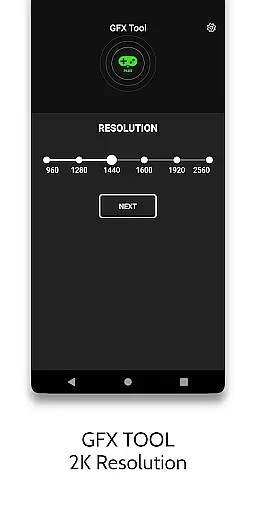
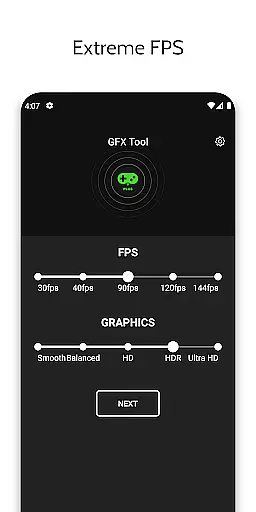
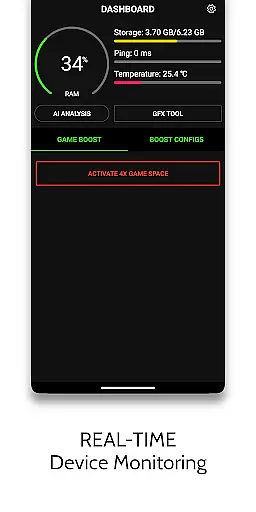
With its GFX Tool, users can adjust in-game settings like resolution, graphics style, and unlock HDR visuals even on lower-end devices. The HUD Monitor provides real-time system stats including memory load, temperature, and network latency, ensuring optimal gaming conditions. Additionally, the Zero Lag Mode optimizes game configurations for maximum performance.
This app is ideal for gamers looking to maximize their device's potential while maintaining safe CPU temperatures and high frame rates. Whether you're playing graphically intensive games or need smoother controls, Game Booster 4x Faster Pro delivers an enhanced gaming experience tailored to your preferences.
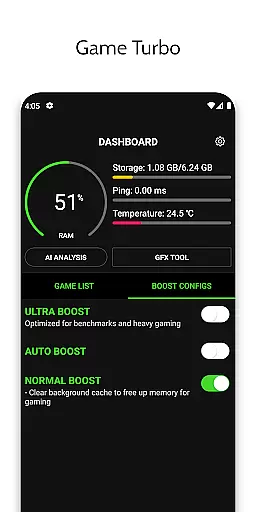
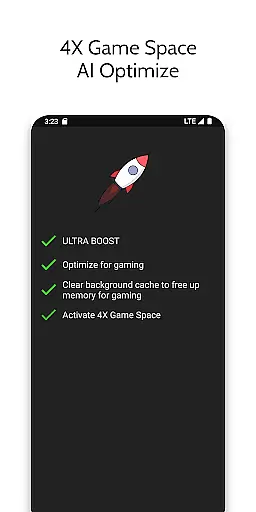
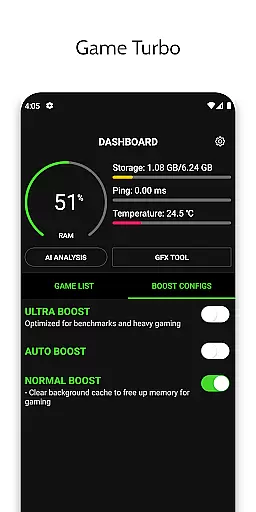
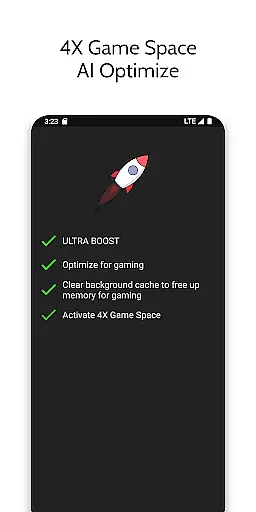
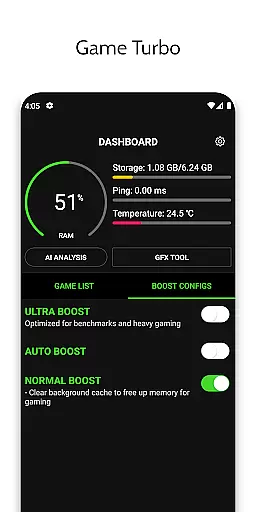
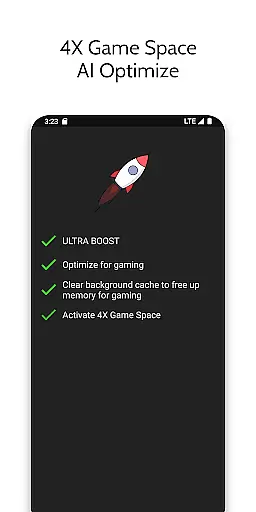
Game Booster 4x Faster Pro stands out with its comprehensive suite of gaming optimization tools. The app's Game Turbo feature applies RAM-free tweaks and uses AI technology to optimize game performance, enabling HDR picture quality and fluid gameplay.
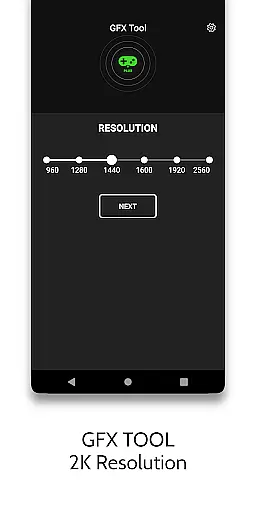
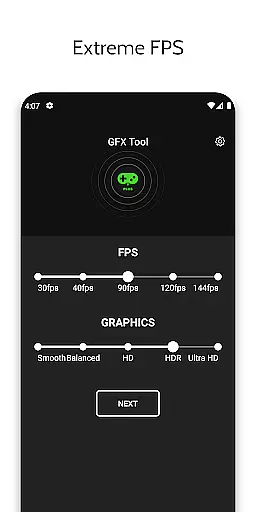
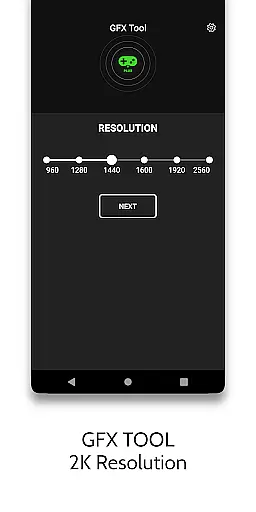
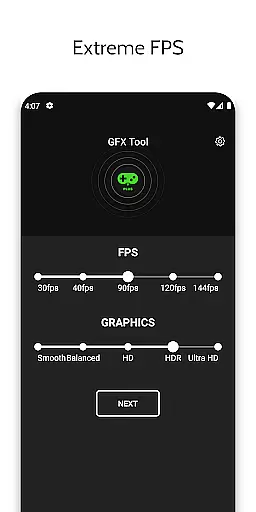
The GFX Tool allows users to customize various graphical settings within their games. You can change resolutions up to 1080p, unlock extreme FPS levels, and modify graphic styles according to your device’s capabilities. This ensures top-tier visual fidelity without compromising speed or stability.
Additional functionalities include the HUD Monitor which displays crucial system information during gameplay, Quick Boost for instant performance enhancement, and Quick Launch for faster game startup times. These features collectively ensure that your gaming sessions are not only visually stunning but also consistently smooth and responsive.
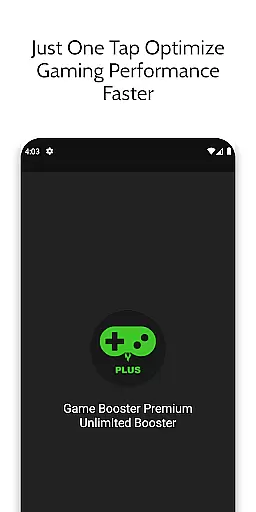
Game Booster 4x Faster Pro is designed to optimize gaming performance through its core functions, ensuring an enhanced experience for mobile gamers. The app's primary feature is its ability to boost gaming performance with just one touch, thanks to the integration of AI technology that fine-tunes game settings for optimal play.
The app offers a GFX Tool that allows users to change game resolution, unlock HDR graphics even on lower-end devices, and adjust extreme FPS levels. This ensures that games run smoothly and look visually stunning, regardless of the device's hardware limitations. Additionally, the Auto Gaming Mode and Zero Lag Mode further refine the gaming setup by optimizing game configurations for peak performance.
Users benefit from reduced CPU load and network latency, which contribute to a seamless gaming session without device overheating. With features like Quick Boost and Quick Launch, players can jump into their games faster than ever before. These capabilities ensure that Game Booster 4x Faster Pro delivers on its promise of providing a rich, fluid, and uninterrupted gaming experience.
A user-friendly interface is crucial for any tool app, and Game Booster 4x Faster Pro excels in providing an intuitive experience. Upon launching the app, users are greeted with a straightforward layout that emphasizes ease of use, allowing them to access powerful features without navigating through complex menus.
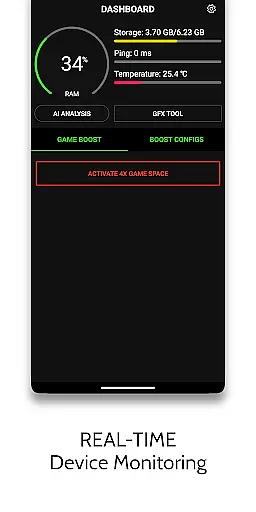
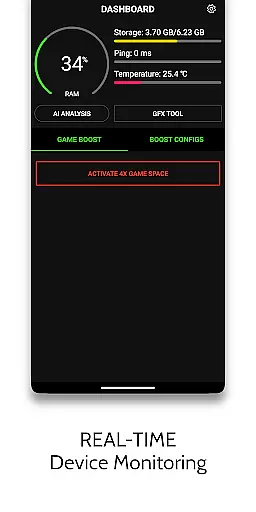
The HUD Monitor displays essential metrics such as Memory Load, Storage Load, Temperature, and Network Latency in real-time, giving gamers a clear overview of their device's status at a glance. This information is presented in a clean and organized manner, making it simple for users to monitor their device's health while gaming.
Moreover, the app includes helpful tips and guidelines, ensuring that users understand how to make the most of its features. For instance, it advises users to re-apply settings from the app if changes were made within the game itself. Such guidance helps maintain the effectiveness of the booster functions, reinforcing the app's commitment to delivering both power and simplicity in its interface design.
One-touch boosting
AI-based optimization
HDR graphics support
Real-time monitoring
Extreme FPS unlocking
Device-specific settings
Premium version costs
Limited game compatibility
Requires frequent updates
Background app killing

Quickly switch to an encrypted DNS server on Android TV
 4.50
4.50
A convenient photo, video, and file recovery tool.
4.00
Unit and currency converter with easy and simple UI.
4.80
Amateur Radio app for APRS: Track friends, exchange messages, get tactical info.
3.90
Signal Strength, Mobile, Wifi, Speed Test, Bad Signals, Cellular, 5G, LTE, 4G
4.20
View detailed information about your Nissan Leaf the dealer never shows you.
4.10
WiFi Signal Strength Meter help you detect WiFi Signal Strength in real time.
4.80
Create your own custom widget with endless possibilities
3.90
Button mapper, mouse toggle, sleep timer and a lot of another features
4.50
Connect wirelessly to your computer to watch movies, browse the web, play games
5.00
Bedrock Together: Join any bedrock server on Xbox/PS
4.80
Optimize your WiFi network, turn your phone into Wifi Analyzer
4.70
Connect instantly to a fast, encrypted VPN with one tap
4.60
Making emulation easy for everyone!
4.30
App that Recover your pictures, videos or files after you delete them.
4.20
Family Locator, Share location, StayConnect with your family in real time
3.90
This app unlocks the Pro features of the Central for DayZ app
3.60
A recovery soft,it features photo recovery, video recovery, file recovery.
3.40
Unlock your Essential Key. Create custom shortcuts to your favorite apps!
4.2


User Reviews