
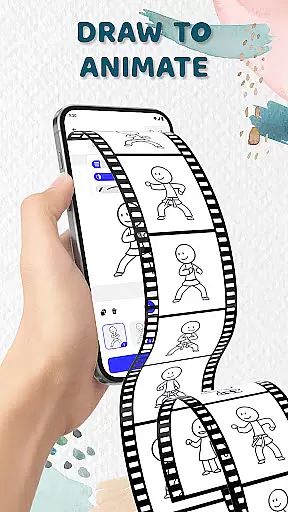
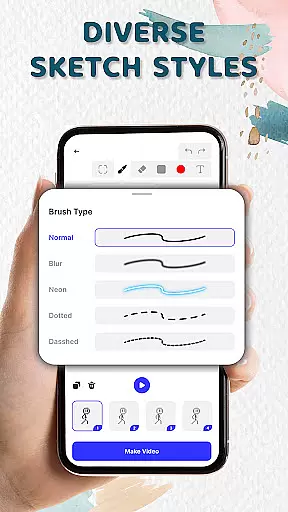
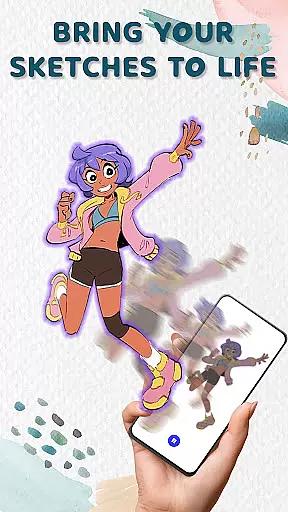
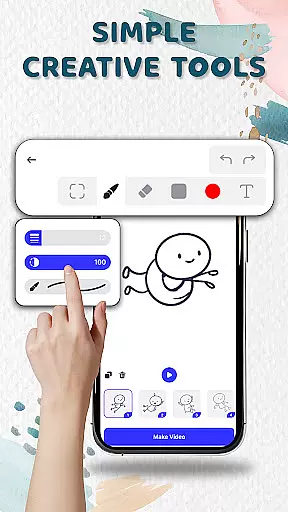
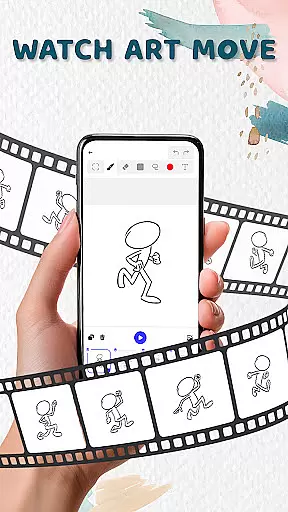
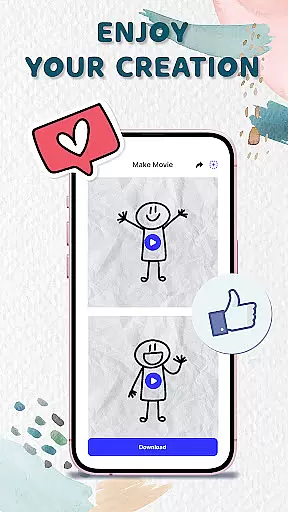
Animation Draw: Flip Maker is a creative app designed for artists and hobbyists who want to bring their sketches to life through animation. This pocket-sized studio allows users to transform simple drawings into dynamic animations using intuitive tools and flipbook-style techniques.
The app offers a variety of features including onion skinning, pen size adjustment, and color options, making it easy to create smooth and expressive animations. Whether you're crafting short comics, stickman adventures, or playful cartoons, Animation Draw provides endless possibilities for storytelling and self-expression.
With support for exporting animations in popular formats like GIF and MP4, this app is perfect for sharing your creations with friends, family, or the online community. Ideal for beginners and experienced animators alike, Animation Draw helps you explore your creativity while enjoying the process of making art come alive.
Animation Draw stands out with its comprehensive set of creative tools tailored for both beginners and enthusiasts. The app's flipbook-style animation feature lets users build movement frame by frame, turning static sketches into lively scenes full of expression and motion.
One of the key highlights is the onion skinning tool, which allows for precise control over transitions between frames, ensuring smooth animations. Users can also adjust pen sizes, experiment with colors, and utilize various drawing tools to enhance their artwork. These features make it easy to create everything from simple character movements to complex animated stories.
Additionally, Animation Draw supports exporting animations in multiple formats such as GIF and MP4, enabling seamless sharing on social media or other platforms. With its user-friendly interface and powerful capabilities, this app empowers creators to tell unique stories and explore new artistic horizons.
In the realm of digital artistry, having access to comprehensive creative tools is essential. Animation Draw: Flip Maker offers a robust suite designed for both beginners and seasoned artists. The app includes adjustable pen sizes, an array of color options, and onion skinning features that allow for seamless frame transitions.
These tools collectively ensure that users can focus on their artistic vision without being hindered by technical limitations. By providing features that cater to different sketch styles and animation techniques, Animation Draw empowers creators to experiment freely and refine their craft.
The inclusion of intuitive controls means that even those new to animation can quickly grasp the fundamentals and start producing content. This ease of use, combined with powerful capabilities, makes the app a versatile choice for anyone looking to explore the world of animated storytelling.
Flexibility in canvas and format options is crucial for unleashing full creative potential. Animation Draw: Flip Maker excels in this area by offering dynamic canvas settings that adapt to various project requirements. Users can customize dimensions and resolutions, ensuring their animations retain quality across different platforms and devices.
Beyond static adjustments, the app supports multiple export formats including GIF and MP4. This versatility allows creators to share their work widely, whether it's for social media, professional portfolios, or personal enjoyment. Each format maintains the integrity and vibrancy of the original artwork.
By prioritizing canvas and format flexibility, Animation Draw ensures that artists are only limited by their imagination. Creators can confidently explore diverse artistic expressions, knowing their final products will meet both their creative and practical needs.
User-friendly interface
Powerful creative tools
Supports multiple export formats
Perfect for all skill levels
Encourages artistic exploration
Limited advanced features
Occasional performance lags
Fewer tutorials for beginners
Basic color palette
In-app purchases required

Vidu is an AI video generator made for creators and aspiring makers.
 3.30
3.30
Learn how to draw with step-by-step tutorials, fun lessons & multiplayer drawing
4.70
Create sweet, cool and unique couple avatars easily, in just a few steps!
3.40
Sketch, trace and master AR drawing with awesome anime art!
3.30
Trace, draw, and create art with AR - from memes to masterpieces!
4.30
Make your phone cooler and have a fantastic experience
4.80
AI Art Generator transforms your words into AI generated art & paintings.
3.70
The perfect place to start sketching! Use Sketchbook to draw and paint sketches.
4.50
Unleash the artist in you with our AR drawing and tracing tool for photo drawing
4.10
Mobile pixel art editor. Simple. Fast. Portable.
4.80
Logo Generator powered by AI: Create stunning logos effortlessly!
4.70
Photo stitcher for automatically screenshot stitching into a long screenshot
4.70
Get an overview over all your embroidery threads, projects and more.
4.60
Draw, fidget, and spin glow art! Relax and express your creativity with a finger
4.60
Draw Trace image sketch by, AR art projector app, Easy to trace any image.
4.50
Create stylish invitation cards using templates for weddings, birthdays & RSVP.
4.20
OneUI 8.5 icons ✨ Smooth, modern & based on the latest Play Store design ??
4.10
Turning simple sketches into captivating tales filled with life and motion
3.90
Inky runs Inkscape on Android devices and Chromebooks
2.90


User Reviews