
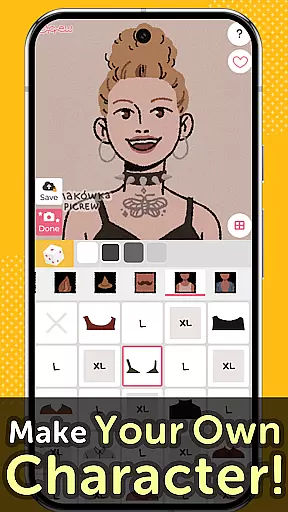
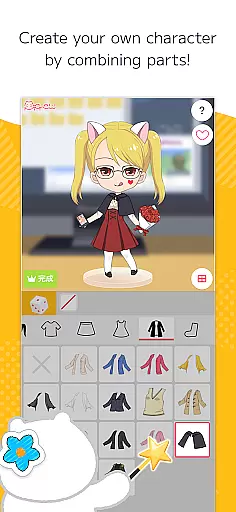
Picrew PFP & OC Maker is a versatile avatar and character creation platform that allows users to design unique avatars, profile pictures, and icons for free. With over 10,000 Image Makers available, the app caters to various tastes including cute, cool, stylish, and more. Users can customize their creations by selecting facial features, clothing parts, and other elements to reflect their personal style.
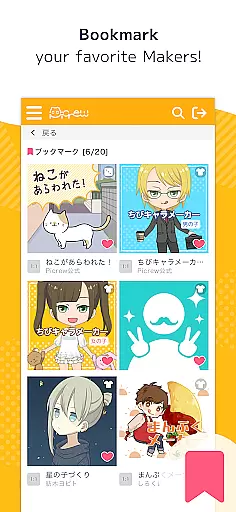
The app also supports social media integration, enabling users to share their creations on platforms like Facebook, X, and LINE. Additionally, Picrew offers features such as bookmarking favorite Image Makers, reporting inappropriate content, and blocking unwanted creators. Whether you're looking to create an anime-style avatar or a stylish profile picture, Picrew provides all the tools necessary to bring your vision to life.
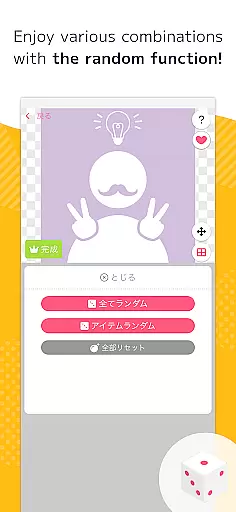
Picrew PFP & OC Maker stands out with its comprehensive suite of creative tools. The Dress-up Maker lets users manually select parts to build their desired avatar, while the Random Maker generates images based on chance, offering a fun twist akin to fortune-telling. These features ensure that users have both control and variety in their creative process.
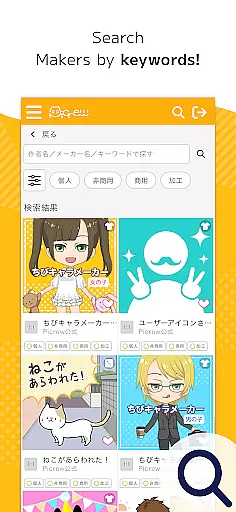
Beyond avatar creation, Picrew includes practical functionalities such as search filters, tags for easier discovery of specific Image Makers, and options to report or block inappropriate content. The app's versatility extends to crafting original characters, designing aesthetic profile pictures, and creating custom icons for social media. Each tool is designed to enhance user experience by providing intuitive and customizable options.
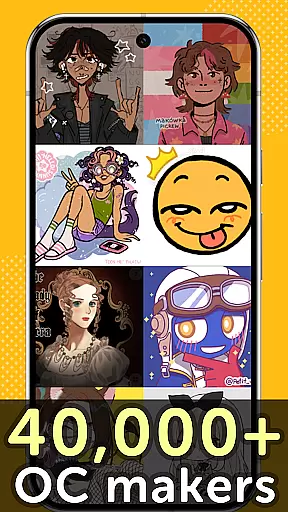
Furthermore, Picrew emphasizes community engagement by showcasing Image Makers created by artists worldwide. This global collaboration enriches the platform, offering diverse styles and themes. By adhering to usage guidelines set by individual creators and Picrew, users can confidently utilize these resources for personal or commercial projects, ensuring a safe and respectful environment for all.
In the realm of digital creativity, having a comprehensive suite of tools is paramount. Picrew PFP & OC Maker offers an extensive array of features that cater to both amateur enthusiasts and professional designers alike. With over 10,000 Image Makers at your disposal, this platform allows for unparalleled customization options.
Users can delve into various creative processes such as designing stylish profile pictures or crafting original characters with anime-style avatars. The inclusion of Dress-up Maker and Random Maker functionalities adds another layer of depth, enabling creators to either meticulously select parts themselves or let chance dictate their designs through random generation.
The true value lies in the versatility offered by these tools. Whether you're looking to create aesthetic icons for social media or develop complex character portraits, Picrew provides all necessary components within its ecosystem. This ensures that users can seamlessly transition from concept to creation without needing external resources.
Moreover, integration with social platforms like Facebook and X (formerly Twitter) enhances user experience by simplifying sharing processes. By bookmarking favorite Image Makers and utilizing advanced search capabilities based on tags and categories, artists can efficiently manage their workflow while exploring new inspirations daily.
Flexibility in canvas size and format options is crucial for any art application aiming to serve diverse user needs. Picrew PFP & OC Maker excels in providing adaptable solutions tailored to individual preferences. Artists have the freedom to choose dimensions that best suit their projects, whether theyu2019re creating compact icons or expansive character sheets.
This adaptability extends beyond mere sizing; it encompasses a wide range of stylistic choices influenced by global creators. From cute and cool aesthetics to more unconventional scary themes, Picrew supports varied artistic expressions. Such diversity not only broadens creative possibilities but also fosters inclusivity among its community members.
Additionally, understanding how each piece will be utilized post-creation is vital. Picrew addresses this by allowing downloads in formats compatible with most digital platforms. Users can confidently design knowing their work will maintain integrity across different mediumsu2014from gaming avatars to professional portfolios.
By prioritizing both technical specifications and creative liberty, Picrew empowers users to push boundaries without constraints. This commitment to flexibility ensures every artist finds their unique voice within the platformu2019s vibrant ecosystem.
User-friendly interface
Extensive customization options
Free to use
Active community contributions
Social media sharing capabilities
Limited advanced features on mobile
Some Image Makers have restricted usage rights
Occasional inappropriate content
No offline functionality
Dependent on creator availability

Download now for a stylish and functional timepiece
 4.3
4.3
Meet the magic aı 3d photo generator and smart AI video generator app.
3.20
Photo blender app to create overlay photos & double exposure.
4.40
AI Art Generator transforms your words into AI generated art & paintings.
3.70
Design unique, funny and adorable cat stickers that reflect your own style!
3.80
Turn your drawings into flipbook-style animations with simple creative tools
4.60
Turning simple sketches into captivating tales filled with life and motion
3.90
An intuitive, high-performance painting app that lets you focus on creating
4.40
All-in-One art, logo & collage maker. Design photos and edit video backgrounds
4.80
Minecraft & Roblox Clothes
4.70
Get an overview over all your embroidery threads, projects and more.
4.60
Discover Cartoon Dream : Unleash Your Creativity with CuttingEdge AI
4.50
Create neon drawing with magic doodle and fun doodle art effects!
4.50
Stylish letters, Stylish Keyboard, Symbols, Emojis, Cool nickname
4.40
Text to Image, Image to Video & AI Chat
4.20
Digital Drawing: Draw & Paint
4.10
Unleash the artist in you with our AR drawing and tracing tool for photo drawing
4.10
AI Assistant, powered by ChatGPT GPT-4 & GPT-4o. Your intelligent companion.
3.50
Transform photos into amazing monochrome dither art with professional algorithms
4.2


User Reviews