
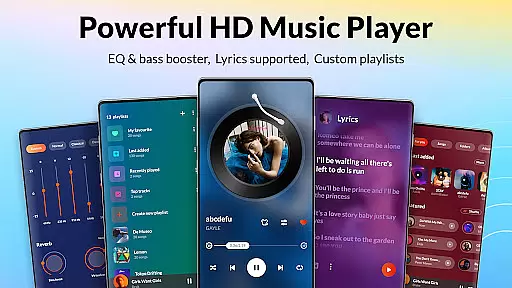
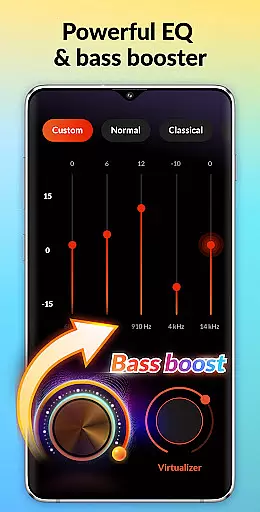

DDMusic is a feature-rich offline music player designed for Android users who value both functionality and aesthetics. This professional-grade app supports all major audio formats including MP3, WAV, FLAC, AAC, 3GP, and OGC, ensuring universal compatibility across devices. The built-in equalizer with multiple presets like classical, jazz, and rock enhances listening experiences through customizable sound profiles.
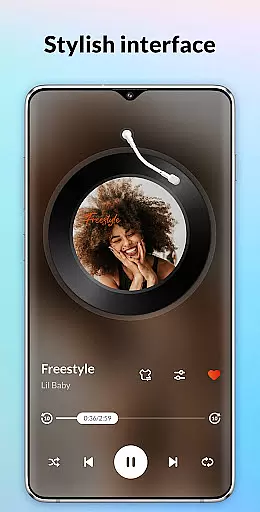
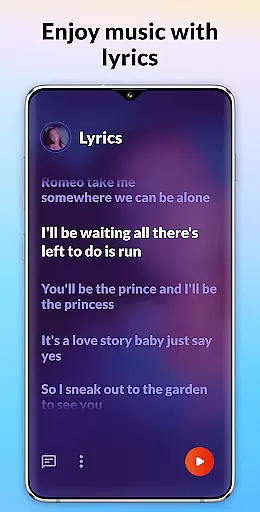
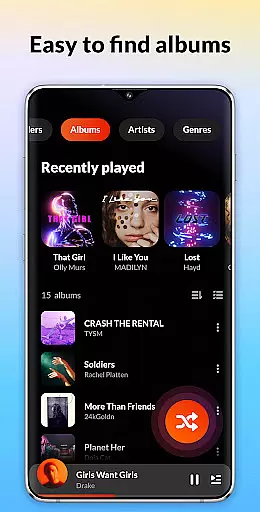
Beyond basic playback, DDMusic offers advanced features such as deep scanning for automatic library updates, smart playlists based on listening habits, and comprehensive music management tools. Users can organize their collection by folders, albums, artists, or genres while enjoying additional functionalities like lyrics display, tag editing, and ringtone customization. Its sleek, modern interface makes navigation intuitive while maintaining visual appeal.
Ideal for audiophiles and casual listeners alike, this app provides high-quality audio playback even in offline mode. Whether you're commuting or relaxing at home, DDMusic delivers an exceptional musical experience that combines technical excellence with user-friendly design.
DDMusic distinguishes itself through its comprehensive feature set tailored for diverse user needs. The app's powerful audio engine supports lossless formats and ensures smooth playback without interruptions. Advanced equalizer settings allow precise control over bass levels and reverb effects, enabling users to fine-tune their listening experience according to personal preferences.
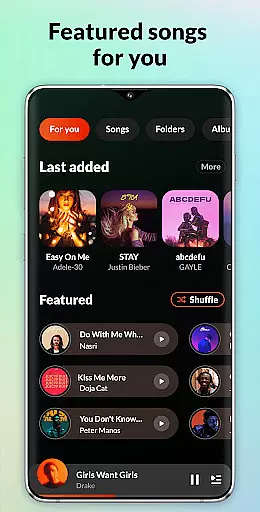
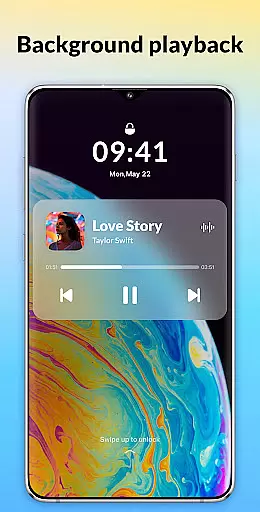
A standout feature is the intelligent music library management system. It automatically tracks listening patterns to generate dynamic playlists such as Recently Played and Most Played. The deep scan capability efficiently organizes local files while providing options to hide or favorite tracks. Additional practical functions include sleep timer customization, lock screen controls, and seamless Bluetooth integration.
The application also excels in usability with its elegant interface design. Quick search functionality enables efficient navigation across large music collections. Users can create custom playlists, edit metadata, and even change album artwork. These features are complemented by practical utilities like backup/restore options and widget-based playback controls, making DDMusic a complete solution for managing and enjoying digital music libraries.
When it comes to music players, the size and variety of the music library are crucial factors for users. DDMusic offers an extensive music library that supports all popular audio formats such as MP3, WAV, FLAC, AAC, 3GP, and OGC. This ensures that users can play virtually any music file they own without compatibility issues.
Moreover, the application emphasizes copyright authenticity by allowing users to manage their legally acquired music files. It provides features like deep scan and auto-refresh of the music library, ensuring that all tracks are up-to-date and correctly tagged. This not only helps in organizing personal collections but also respects the legal rights of artists and producers.
Additionally, DDMusic includes a tag editor feature, enabling users to modify song details such as titles and album covers. This level of control over one's music library enhances the overall user experience, making it both comprehensive and personalized.
Audio quality is paramount for any music enthusiast, and DDMusic excels in delivering high-quality sound through its advanced features. The built-in equalizer offers various presets like classical, folk, jazz, and rock, which cater to different musical tastes and genres. These presets allow users to enhance their listening experience with just a single click.
Beyond presets, the equalizer also includes bass boost and reverb effects, providing a richer and more immersive sound. Whether you prefer deep bass tones or clear treble notes, DDMusic ensures that every track sounds its best. Such customization empowers users to tailor audio output according to their preferences and audio equipment capabilities.
Furthermore, the app supports high-fidelity formats like FLAC, preserving the original sound quality of music files. Coupled with seamless integration with Bluetooth and wired headphones, DDMusic guarantees an uninterrupted and superior audio experience. Users can enjoy their favorite tunes exactly as the artists intended, whether at home or on the go.
Supports all audio formats
Advanced equalizer presets
Intuitive user interface
Comprehensive library management
Offline playback capability
No cloud streaming
Limited social features
Occasional bugs
Ads in free version
Large app size

Simply convert wav to mp3. Clear. Reliable. Safe.
 4.2
4.2
Offline and always ad-free - stream in the highest quality available.
4.10
Powerful beat maker & DJ mixer to remix tracks, make music, & perform DJ mix
3.70
USB audio recording and playback finally possible on Android 3.1 or higher!
3.90
24,000 free audio books and no ads!
4.90
Help you quickly get started with Shokz headphones
4.40
Learn the notes on the guitar fretboard fast with this easy and fun app
4.60
Master Salsa Rhythm quickly and with a lot of fun!
4.30
Play your music offline without limits
4.80
Full-featured, High-Quality Groovebox Workstation, perfect for Live Performance!
4.80 4.70
4.70
Record, Mix & Master with all n-Track effects, 64-bit audio and Stem Separation.
4.70
10-Band Audio Equalizer, Sound / Bass Booster for Spotify Users & Music Players
4.40
Full featured mp3 and audio player with Chromecast and Android Auto support.
4.40
The Music Journey in Your Hands
4.30
No wifi music app. Mp3 offline. Tuner radio, young radio music. Music downloader
4.20
Background pads for your band
3.80
Slow music down without changing pitch.
3.70
Make music anywhere. Turn your device into an instrument.
4.1


User Reviews