
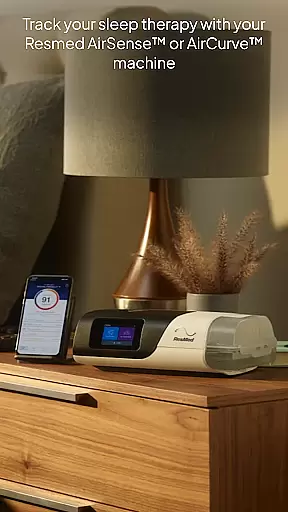
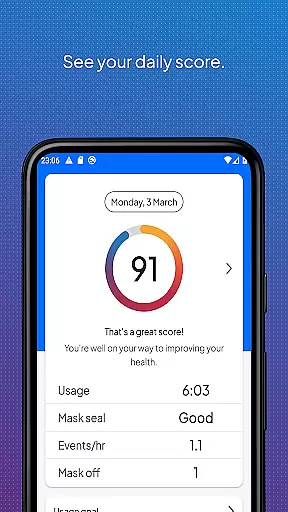
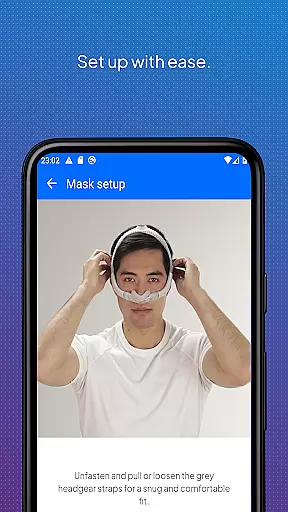
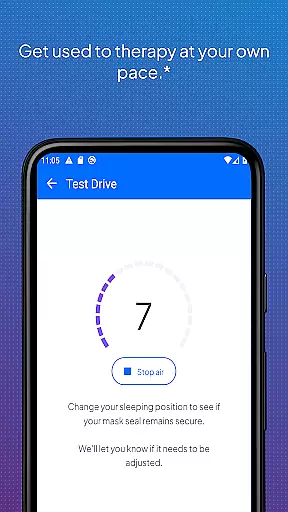
myAir by Resmed is an innovative app designed exclusively for users of Resmed AirSense and AirCurve machines, offering comprehensive support for sleep therapy success. The app provides a guided setup process that includes interactive voice-guided instructions through the Personal Therapy Assistant feature, helping users set up their equipment with confidence. Additionally, the Test Drive feature allows users to acclimate to therapy at varying air pressure levels.
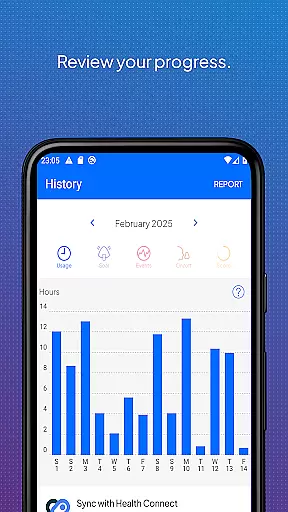
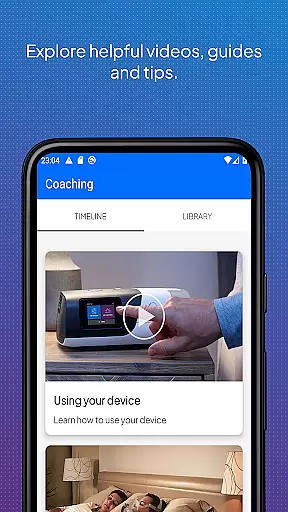
Beyond setup assistance, myAir delivers personalized support by acting as a virtual sleep coach. It offers tailored coaching, tips, and educational videos to enhance user comfort and therapy success. Users can track their sleep therapy progress with ease, accessing detailed metrics and daily data to monitor improvements over time. The app also integrates with Apple Health and Health Connect, displaying tracked health data alongside therapy metrics.
This app bridges the gap between patients and healthcare providers by sharing therapy insights with the user's consent, ensuring more connected care. With features like email notifications, push reminders, and compatibility with Wear OS smartwatches, myAir keeps users engaged and informed about their sleep therapy journey.
myAir stands out with its array of specialized features crafted to enhance the sleep therapy experience. One of the key highlights is the Personal Therapy Assistant, which uses interactive voice guidance to walk users through equipment setup and mask fitting, making the initial setup process seamless and stress-free.
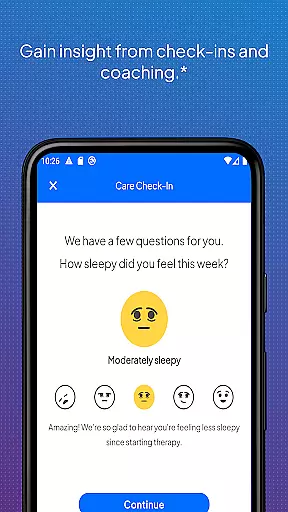
The app goes beyond basic tracking by providing personalized coaching and educational content. Users receive tailored advice based on their therapy data, such as addressing mask seal issues with practical tips. Regular check-ins and proactive prompts ensure users stay on track with their therapy goals. Furthermore, integration capabilities with Apple Health and Health Connect allow for a holistic view of health metrics.
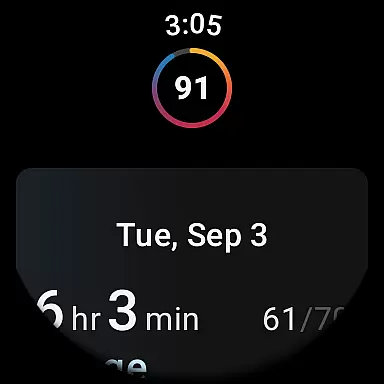
For those with compatible devices, myAir extends its functionality to Wear OS smartwatches, enabling users to conveniently access their therapy data on the go. This comprehensive approach to sleep therapy management empowers users to take control of their treatment while staying connected with their healthcare team.
Companion app integration is essential for users who want a seamless experience between their Resmed AirSense or AirCurve machines and the myAir app. This connection allows for real-time data syncing, ensuring that therapy progress and sleep data are always up-to-date within the app.
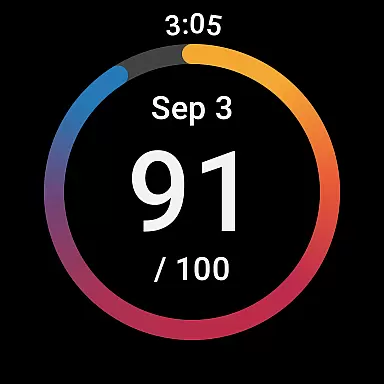
myAir by Resmed offers an integrated solution where users can access their sleep therapy data directly from their AirSense or AirCurve devices. The app provides a comprehensive overview of nightly sleep scores and detailed metrics which help track therapy effectiveness over time.
By connecting with compatible Samsung Galaxy Watches through the Wear OS, myAir ensures that critical health data is accessible on the go. Users benefit from having their therapy insights available right on their wrists, making it easier to monitor their progress throughout the day.
This level of companion app integration not only enhances user convenience but also empowers them to take charge of their sleep therapy success with confidence, knowing they have all necessary information at their fingertips.
Wear OS and device compatibility is crucial for users looking to maximize the functionality of their myAir app. With support for Wear OS, myAir extends its capabilities to compatible smartwatches like Samsung Galaxy Watches, allowing users to view their sleep data directly on their wrists.
The myAir app's compatibility with AirSense 11 machines brings advanced features such as Personal Therapy Assistant and Test Drive directly to the useru2019s wearable device. These features guide users through setting up equipment and adjusting to therapy levels, enhancing comfort and ease of use.
For those invested in tracking health metrics alongside sleep therapy, myAir integrates with Apple Health and Health Connect. This compatibility enables users to see steps, active calories, heart rate variability, and more alongside their Resmed therapy data within the Trends feature.
Overall, strong Wear OS and device compatibility ensures that myAir users enjoy a cohesive ecosystem where all devices work together harmoniously, providing comprehensive support for managing sleep therapy effectively.
User-friendly interface
Personalized therapy coaching
Comprehensive sleep tracking
Integrated health metrics
Proactive support notifications
Limited to Resmed devices
Some features require specific models
Dependent on wireless connectivity
Premium features may need subscription
Compatibility issues with older devices

Animated Watch Face and Customizable with 24 Backgrounds. Perfect for Christmas!
 3.90
3.90
Embrace the festive spirit with our Christmas Countdown watchface for Wear OS
4.10
Let's celebrate Thanksgiving - Wear Os watch face
4.20
Digital watch face with big numbers and many customization for Wear OS devices
4.40
Structured watch face with seven complications and modular UI elements
3.90
Monitor health with the stress test and pulse checker in the heart rate app.
4.60
The #1 source of faces for your smartwatch!
4.00
Period, ovulation & pregnancy tracker. Fertility insights & menstrual calendar.
4.90
Simple, helpful messaging by Google
4.60
Hybrid watch face for Wear OS with customizable complications by Matteo Dini MD
4.70
Kia Access makes getting your vehicle information easier than ever
4.60
Real-time results, stats, schedules and player profiles for all leagues
4.60
Deck out your Wear OS Watch face with a beautifully decorated pine wreath!
4.50
Current temperature, weather hourly, weather radar by the weather forecast app
4.40
Wear Os Watch Face - Animated Snow Effect & Magic Spark - 6 Scenes
4.10
Daily Weather forecast with 15 weather images for Day & Night plus Big Bold time
4.10
Stay in touch with your friends and family using LINE!
3.40
Your local weather forecast, storm tracker, radar maps & live weather news
3.40
Artistic Digital Watchface
4.1


User Reviews