
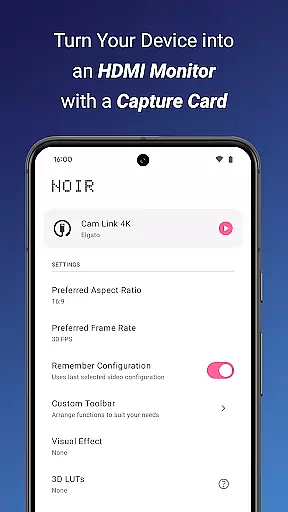
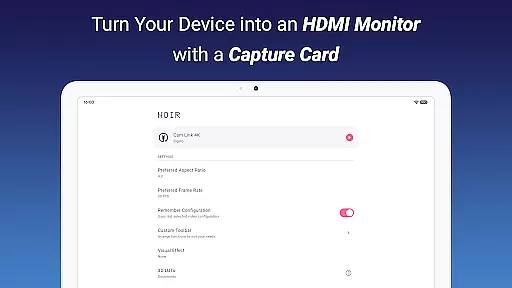
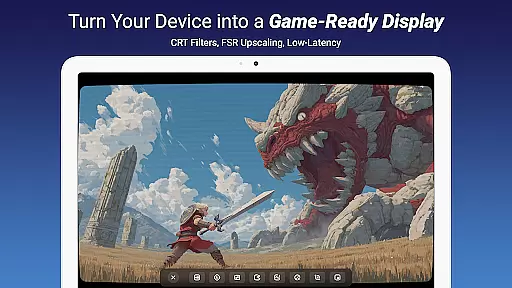
Noir Pro is a professional-grade video player and editor designed for users who require advanced features and high performance. This application transforms your device into a versatile monitor for various HDMI-output devices, including gaming consoles, laptops, and cameras. With support for UVC video streaming and UAC audio streaming, Noir Pro offers a choice between OpenGL ES and Vulkan for the graphics backend, ensuring optimal performance on different devices.
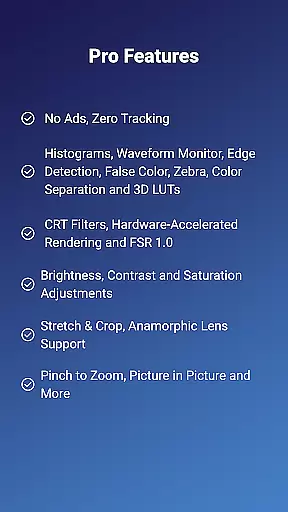
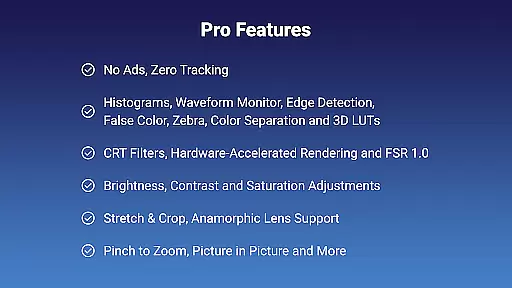
The app includes pro features such as 3D LUTs, Waveform Monitor, Histogram, Edge Detection, and more, catering to professional video editors and enthusiasts. Whether you're using it as a camera monitor, primary display for gaming consoles, or secondary monitor for laptops, Noir Pro delivers a seamless experience with functionalities like Pinch to Zoom, Stretch and Crop, and Brightness, Contrast, and Saturation Adjustments.
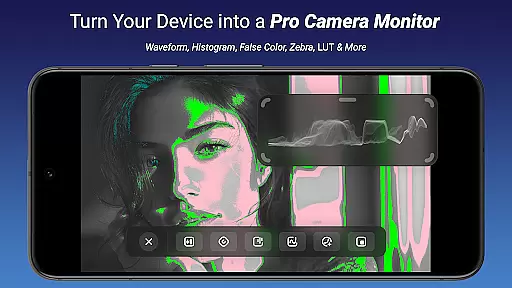
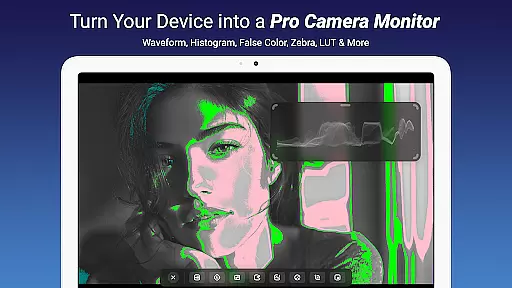
Noir Pro stands out with its comprehensive suite of professional features tailored for video editing and monitoring. The app supports advanced video processing tools such as 3D LUTs for color grading, Waveform Monitor and Histogram for accurate exposure control, and Edge Detection for precise focus adjustments. Additionally, features like False Color, Zebra, and Color Separation provide users with enhanced image analysis capabilities.
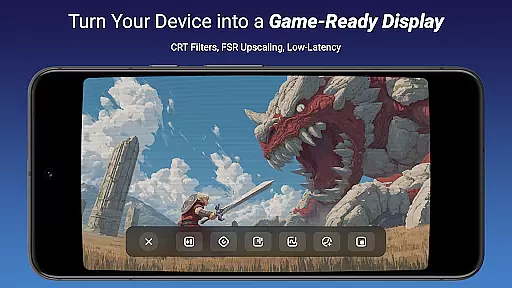
For an immersive experience, Noir Pro offers CRT Filters and FSR 1.0 for improved visual quality, alongside practical functionalities like App-specific Volume Control, Picture in Picture Mode, and In-app Screenshot. These features ensure that users can customize their workflow efficiently while maintaining high standards of video and audio output. The support for Anamorphic Lens and compatibility with USB-C capture cards further extend its utility across various professional scenarios.
Video format compatibility is a crucial feature for any video player and editor, ensuring that users can work with a wide range of video files without the need for conversion. Noir Pro supports an extensive array of video formats thanks to its use of both OpenGL ES and Vulkan graphics backends. This flexibility allows users to seamlessly play videos from various sources such as gaming consoles, laptops, cameras, or any other HDMI-output devices when used with a compatible USB-C capture card.
The application's support for UVC video streaming means it can handle input from a multitude of devices including those with specific needs like endoscopes and microscopes with USB streaming capabilities. Whether you're monitoring camera footage, using your device as a primary display for gaming, or employing it as a secondary monitor for your laptop, Noir Pro ensures that all streams are managed efficiently regardless of their origin or format.
For professionals who require precise color grading and analysis, Noir Pro offers advanced features such as Waveform Monitor, Histogram, Edge Detection, False Color, Zebra, and 3D LUTs. These tools not only expand the range of supported formats by allowing manipulation but also enhance the useru2019s ability to accurately assess and adjust video content according to industry standards.
By providing app-specific volume control, Picture in Picture Mode, and in-app screenshot functionality alongside traditional playback controls like brightness, contrast, and saturation adjustments, Noir Pro delivers a comprehensive solution for managing different types of media content on mobile devices. Users benefit from an uninterrupted workflow where they can focus on creativity rather than technical limitations imposed by restrictive format support.
AI-powered editing features represent the cutting edge of video player and editor technology, enabling users to perform complex edits with minimal effort. Noir Pro incorporates several intelligent tools designed to streamline the editing process while maintaining high-quality output. Features such as CRT Filters, FSR 1.0 (FidelityFX Super Resolution), and advanced image adjustment options like brightness, contrast, and saturation allow creators to achieve professional-grade results without requiring extensive technical knowledge.
One standout feature is the inclusion of sophisticated analytical tools such as Waveform Monitor, Histogram, Edge Detection, False Color, Zebra, and Color Separation. These AI-driven functionalities provide detailed insights into video composition, helping editors make informed decisions about color correction and visual effects. By leveraging these smart technologies, users can produce visually stunning content that meets exacting broadcast standards.
Noir Pro further enhances productivity through innovative interface design elements like pinch-to-zoom functionality and stretch-and-crop capabilities. The app's intuitive controls ensure that even intricate tasks such as anamorphic lens support adjustments become straightforward operations. Additionally, the provision of app-specific volume control and Picture in Picture Mode facilitates multitasking during editing sessions, allowing users to maintain efficiency without sacrificing precision.
With built-in support for capturing screenshots directly within the application, along with seamless integration of external hardware via USB-C capture cards, Noir Pro empowers content creators to push creative boundaries effortlessly. Its robust set of AI-powered editing features transforms what would typically be labor-intensive processes into simple yet powerful workflows, making it an indispensable tool for modern videographers seeking top-tier performance in a portable package.
Advanced video editing tools
Wide compatibility with HDMI devices
Choice of graphics backend
Comprehensive pro features
Customizable user experience
Premium price point
Requires compatible hardware
Steep learning curve
Limited free features
Occasional performance issues

Photo and Music Video Creator into Stunning Videos—Effortlessly
 4.40
4.40
Snaptubè Video Downloader app allows to download videos and music in Snaptube. .
4.60
VLC Remote lets you control your VLC Media Player on Mac, PC or Linux.
4.60
Turn your phone into a wireless camera!
4.20
Download videos easily & play them all in one smart, powerful video manager.
3.40
Browser for Sony TV to stream web videos, online movies and live tv
3.20
A Simple app to download Video & Music from the Internet.
4.70
Download Hub, easy and private way to download and enjoy your videos offline
4.80
convenient, safe and fast at Video Downloader & Player
4.60
Pro video editor app for Instagram, edit video with song, AI, effect & slowmo.
4.80
Find, download, and play torrents with the official BitTorrent® Pro app
4.70
HD Video player all format, HD Videos, Cast & Subtitle. No annoying ads.
4.60
Search & download videos from net with all video downloader, auto-detect & safe.
4.60
Seamlessly connect and control your smart devices, anytime, anywhere with ease.
4.60
Cast movies, tv shows and live streams to Chromecast, Roku, DLNA, Fire TV & more
4.60
Auto video maker with music & exclusive filters. Video editing made simple.
4.50
Fast & Private HD Video Downloader with Built-in Proxy Browser and Video Player.
4.50
Browser for Fire TV to stream webvideos, online movies, livestreams in HD
4.40
Fast private browser with secure, seamless access & supported video downloads!
4.00


User Reviews