
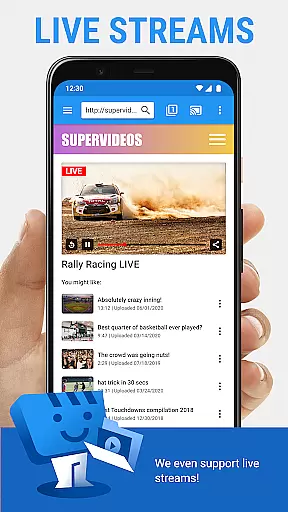
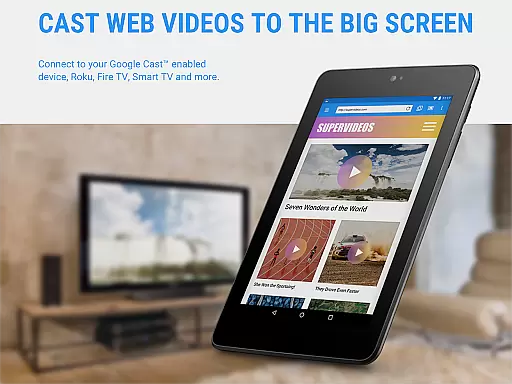
Web Video Cast is a versatile streaming application that allows users to cast videos, photos, and audio files from their mobile devices to various streaming devices. The app supports popular platforms like Chromecast, Roku, Amazon Fire TV, and Smart TVs, making it easy to enjoy content on a larger screen. With support for HLS live streams, MP4 videos, and HTML5 content, Web Video Cast ensures compatibility with most media formats.
The app's standout feature is its ability to detect subtitles automatically while browsing web pages. Users can also upload their own subtitle files or search for subtitles via OpenSubtitles.org. Whether you're streaming movies, live sports, or personal media collections, Web Video Cast provides a seamless experience across devices. Its premium version offers additional features like bookmarks and video history, enhancing the overall user experience.
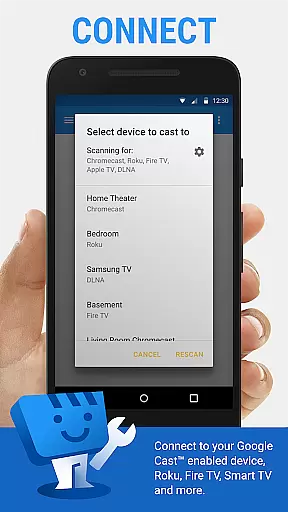
Web Video Cast distinguishes itself through its comprehensive device compatibility and robust feature set. The app supports major streaming devices including Chromecast, Roku, DLNA receivers, and various Smart TV models. This wide-ranging compatibility ensures users can stream content regardless of their preferred hardware platform. Additionally, the app handles multiple media formats, including M3U8 live streams, MP4 videos, and HTML5 content, providing flexibility in media consumption.
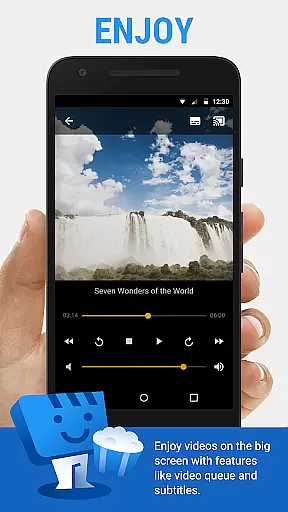
A key innovation is the integrated subtitle management system. While browsing web content, the app automatically detects available subtitles and allows users to upload custom subtitle files. The built-in OpenSubtitles.org search function further enhances accessibility options. Premium features like video history tracking, bookmarking capabilities, and customizable home page settings demonstrate the app's commitment to user-centric design. These features, combined with its straightforward three-step streaming process, make Web Video Cast a powerful tool for media enthusiasts.
Video format compatibility is a crucial feature for any video player and editor, ensuring that users can enjoy content from various sources without technical hindrances. Web Video Cast supports an extensive range of formats including MP4 videos, HLS live streams in M3U8 format, HTML5 videos, photos, and audio files. This wide compatibility ensures that whether you're streaming movies, TV shows, or live news and sports, your content will play seamlessly on your preferred devices.
The app facilitates streaming to the most popular devices such as Chromecast, Roku, DLNA receivers, Amazon Fire TV, and others. However, it's important to note that the actual playback depends on the decoding capabilities of your streaming device. The application itself does not perform any video or audio decoding, which means the device must natively support the file type for optimal performance.
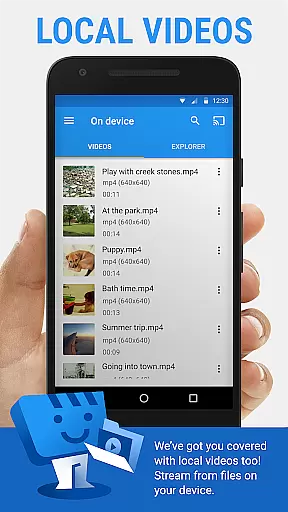
For users, this broad format support translates into convenience and flexibility. Whether you're looking to cast local videos stored on your phone or stream online content, Web Video Cast has you covered. It even extends its support to include subtitles, enhancing accessibility and user experience. By detecting subtitles on web pages or allowing users to upload their own, the app caters to a global audience with varied language needs.
AI-powered editing features represent the cutting edge of video player and editor technology, offering users advanced tools to enhance their media consumption experience. While Web Video Cast primarily focuses on casting and streaming capabilities, it incorporates intelligent functionalities like integrated subtitle search via OpenSubtitles.org. This feature simplifies the process of finding and using subtitles, making foreign language content more accessible and enjoyable.
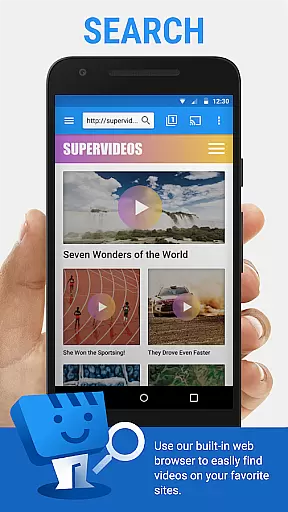
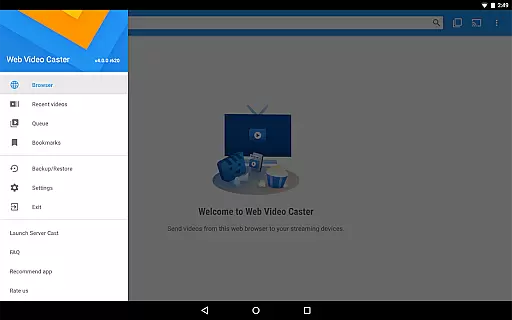
Although Web Video Cast doesn't offer traditional video editing tools, its smart features streamline the viewing process. For instance, the app allows users to browse the web or local file explorer to find media, then easily cast it to their TV. If the video or audio is hosted on a website, users can initiate playback directly from the page before casting. This intuitive interaction reduces the steps needed to enjoy content, effectively serving as an intelligent assistant for your media needs.
Premium users benefit from additional AI-driven conveniences such as bookmarks, video history tracking, and queue management. These features help organize and personalize the viewing experience, saving time and enhancing satisfaction. The ability to create homescreen shortcuts and set custom home pages further demonstrates how Web Video Cast leverages smart technology to improve usability. While not a conventional video editor, these AI-powered features make the app an invaluable tool for modern digital entertainment.
User-friendly interface
Wide device compatibility
Subtitle support
Multiple media formats
Seamless streaming
No tab casting support
Limited server control
Premium features locked
Device compatibility issues
Basic free version

Online Videos Player
 3.90
3.90
Auto video maker with music & exclusive filters. Video editing made simple.
4.50
Cast to Chromecast, Xbox, Fire Stick, Roku, DLNA, Smart TV & No Feature Limited!
4.50
Create & edit videos with AI
4.30
VLC Remote lets you control your VLC Media Player on Mac, PC or Linux.
4.60
Cast to Smart TV, Fire TV. Cast video, photo - Fast & Stable!
3.90
This app is an emulator of some specific IPTV boxes
3.50
Livestream, news, & gaming content. Watch, chat, and upload. Join Rumble today!
3.80
Fast & Private HD Video Downloader with Built-in Proxy Browser and Video Player.
4.50
Flud is a simple and beautiful BitTorrent client for Android.
4.80
Pro video editor app for Instagram, edit video with song, AI, effect & slowmo.
4.80
AirMirror Receiver - Screen mirroring/cast web videos to Android TV by AirPlay.
4.40
Video Downloader is an utility that can save videos and music from web sites
4.20
Web Browser for LG TV to stream webvideos, online movies and livestreams in HD
4.20
Manage your IPTV live channels and VOD playlists (no playlist included)
3.80
AirMirror is Receiver for Screen Mirroring and Casting from Apple Devices.
3.60
Watch full episodes of your favorite Cartoon Network and Cartoonito shows!
3.50
Download videos easily & play them all in one smart, powerful video manager.
3.40
Play and download HD videos from all sources — fast, simple, and all-in-one.
4.5


User Reviews