




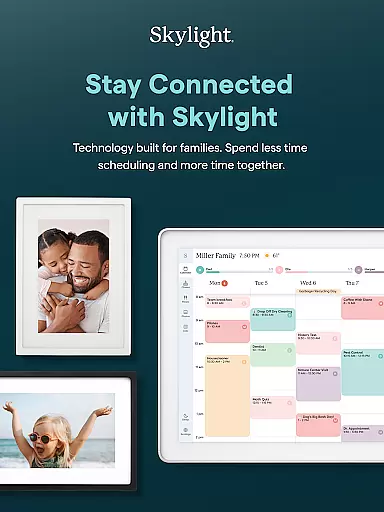



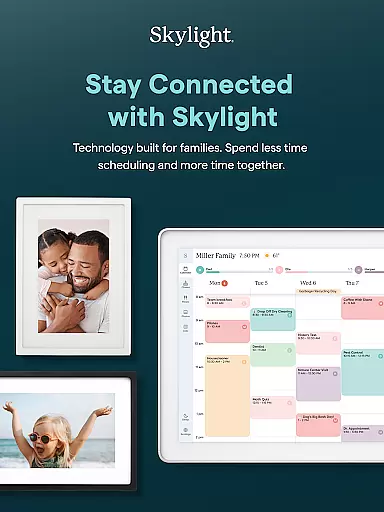


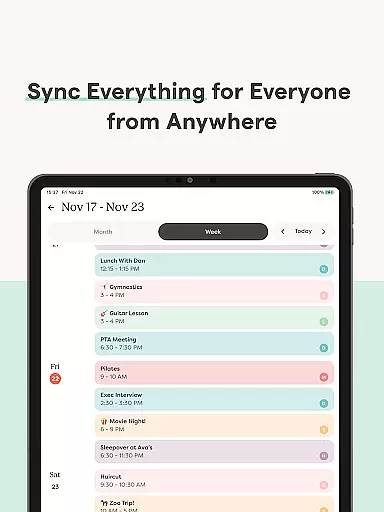

Skylight is a comprehensive family management app designed to streamline daily activities and preserve cherished memories. The app serves as the central hub for your family's calendars, lists, routines, and photos, ensuring everyone stays connected and organized.
Key features include seamless calendar synchronization, task management with rewards, recipe book creation, and photo sharing capabilities. Whether you're managing chores or displaying family photos on the Skylight Frame, this app offers practical tools for modern families.
Ideal for busy households, Skylight helps coordinate schedules while creating opportunities for family bonding through shared responsibilities and memories. Its intuitive interface makes it accessible for all family members, enhancing both productivity and connection.
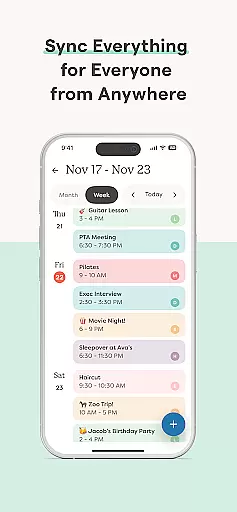
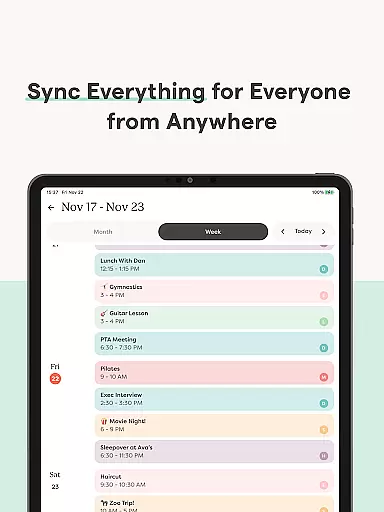
Skylight distinguishes itself through its robust integration of family management tools. The app's calendar functionality allows users to sync unlimited external calendars while enabling direct event creation and recurring task scheduling.
Unique PLUS features include a reward system for completed tasks, family recipe book development, and automatic content imports. The companion Skylight Frame feature enables wireless photo sharing and customizable digital displays, making it perfect for keeping family members visually connected across distances.
The app's strength lies in its ability to consolidate multiple family management functions into one platform, eliminating the need for separate apps while maintaining user-friendly interfaces for all age groups.
Real-time capture and preview functionality is essential for ensuring that every photo or video taken meets the user's expectations without delay. Skylight offers this feature through its intuitive app interface, allowing users to instantly view their captured content on their devices.
The app ensures that all media captured via the Skylight Frame is immediately available for review. This real-time feedback allows users to make necessary adjustments before capturing more important moments, ensuring high-quality results every time.
Users benefit from the seamless integration between the app and the Skylight Frame, which enables them to add photos anytime, anywhere. The instant preview feature enhances user satisfaction by providing confidence in their content creation process.
AI beauty and enhancement features are designed to improve the visual appeal of photos while maintaining a natural look. Skylight incorporates advanced AI algorithms to enhance images subtly, ensuring that edits do not appear overdone or artificial.
Through the Skylight App, users can upload photos and videos that automatically undergo AI-powered enhancements. These enhancements include color correction, lighting adjustments, and subtle retouching, all aimed at preserving the authenticity of the original content.
This approach not only elevates the aesthetic quality of the media but also respects the integrity of the captured moment. Users appreciate the balance between enhanced visuals and genuine representation, making their memories stand out beautifully.
User-friendly interface
Comprehensive family tools
Seamless calendar integration
Reward system for motivation
Wireless photo sharing
Limited free features
Subscription required
Complex setup process
Occasional syncing issues
High cost for premium

All-in-One Editor & AI Photo Enhancer, Beautify & Retouch, Collage, Cartoonify
 4.20
4.20
Viewfinder, Light meter, Reciprocity failure time, DOF & Bellows Extension
4.60
Pet Camera
3.70
Over 800 film simulation recipes for Fujifilm. Black Friday Offer!
4.5
Create amazing frames with up to five photos. Rounded corners, effects and more!
3.60
See your baby AI baby face generator AI baby maker Face generator babymaker fun!
4.70
Enhance, retouch & create your story - Share the moment with Photoshop Express.
4.60
Astrophotography with your smartphone, photo live stacking and much more!
3.90
Pro version: AR sun/moon tracker for any date. Tool for photographers & planners
4.90
Find time and duration of different sunlight phases at any location
4.90
Gallery show photo, video, slideshow, is perfect 3D effect private photo albums.
4.80
Easily view, share, delete photos with Gallery.
4.70
The original Rarevision VHS look seen everywhere!
4.70
Future baby face generator: AI kids generator, kid face! What my baby look like?
4.40
RAW video capture with advanced controls
4.40
Virtual makeup, hair filters & body tuner—edit from face to full body!
4.20
Professional photography on your mobile phone
4.20
Transform Photos: Edit, Beautify and Craft Memories & Make Collages!
4.10
Raw Image Viewer. Gallery with support of raw images (.cr3, .cr2, .nef, .raf).
2.00


User Reviews