
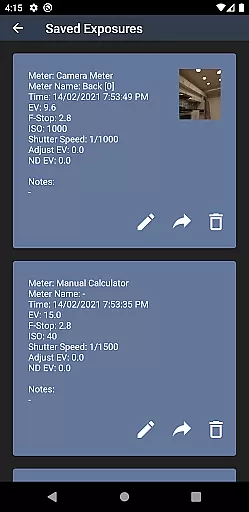
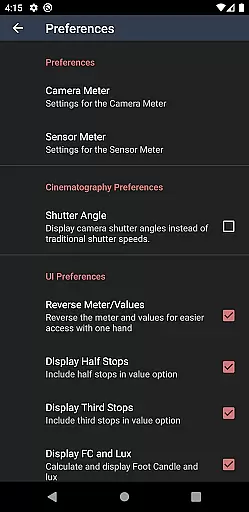
Light Meter is a comprehensive photography tool that combines spot metering through the device's camera and incident light measurement using the built-in light sensor. This app has been rigorously tested for accuracy against industry-standard Gossen and Sekonic meters, ensuring reliable readings across most devices. Designed for both amateur and professional photographers, it supports a wide range of cameras from film SLRs to pinhole and cinematographic equipment.
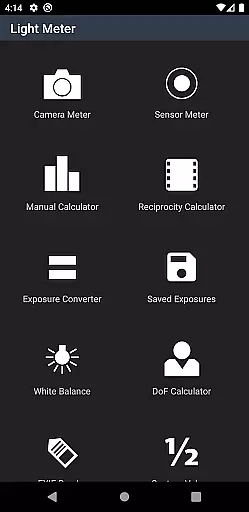
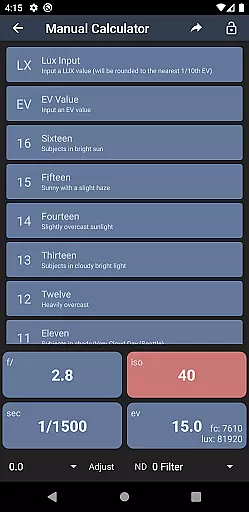
In addition to its core light metering capabilities, the app offers advanced features such as Color Temperature (White Balance) measurement, Reciprocity Failure calculation, Exposure Conversion, Manual (Sunny Sixteen) calculation, Depth of Field computation, and an EXIF Reader. These tools collectively provide users with everything they need to achieve perfect exposure and precise control over their photographic settings.
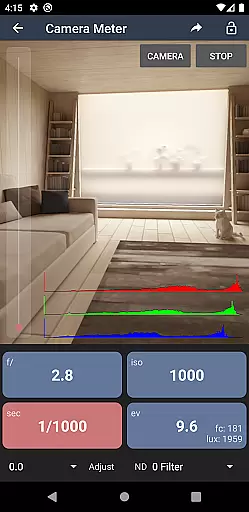
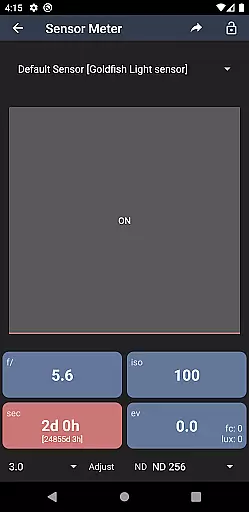
Light Meter stands out with its dual functionality, offering both spot and incident light metering options. The spot metering feature utilizes the device's camera to measure reflected light, while the incident light meter uses the device's light sensor to measure ambient light conditions. This dual approach ensures accurate readings in various shooting environments.
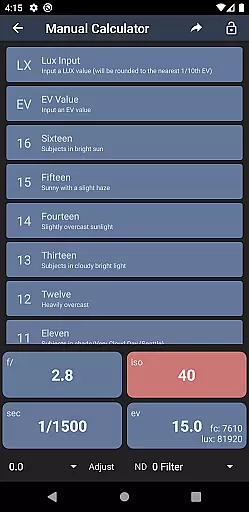
Beyond basic light metering, the app includes several specialized tools. The Color Temperature meter helps photographers set the correct white balance, while the Reciprocity Failure calculator addresses long-exposure challenges. Additional features include an Exposure Converter for ISO, shutter speed, and aperture adjustments, a Manual (Sunny Sixteen) calculator for traditional exposure methods, a Depth of Field calculator for precise focusing, and an EXIF Reader for analyzing image metadata. These features make Light Meter an indispensable tool for photographers seeking technical excellence.
Real-time capture and preview functionality is essential for photographers who need to measure light accurately and quickly. Light Meter offers this feature by utilizing the device's camera for spot metering and the light sensor for incident light readings.
This application ensures that users can rely on its accuracy, as it has been tested against professional light meters like Gossen and Sekonic. The real-time feedback allows photographers to adjust their settings on the fly, ensuring optimal exposure for any given scene.
With this app, you gain the ability to adapt swiftly to changing lighting conditions, which is crucial whether you're shooting with a film SLR, pinhole, or cinematographic camera. The instant preview helps in making informed decisions, thus enhancing the quality of your photography work.
While primarily a tool for measuring light, Light Meter also enhances the photographic process with additional features that contribute to the naturalness and beauty of the final image. This includes a Color Temperature meter for perfect white balance and various calculators for exposure adjustments.
The app goes beyond just metering by offering tools such as a Reciprocity Calculator, Manual (Sunny Sixteen) calculator, Depth of Field calculator, and an EXIF Reader. These features ensure that every aspect of your shot can be fine-tuned for the most natural and aesthetically pleasing outcome.
By providing comprehensive controls over the technical aspects of photography, Light Meter empowers photographers to focus on the creative side, knowing that the app supports them in achieving the highest level of image quality without compromising on natural beauty.
User-friendly interface
Accurate light readings
Comprehensive toolset
Wide device compatibility
Professional-grade features
Premium version required
Complex for beginners
Limited free features
Device-specific accuracy
No automatic syncing

Effortlessly organize, view and share your photos & videos with Gallery app!
 4.40
4.40
HD Photo gallery and photo manager to edit, hide private photos, videos & albums
4.4
What celebrity do you look like? Celebs will find your celebrity match!
4.10
Create AI Photos, Improve and restore quality of blurry, old or damaged pics.
4.20
Easily view, share, delete photos with Gallery.
4.70
Easily create custom gifts, cards, photo books & more on the Shutterfly app!
4.60
Catch sunlight, sunrise sunset times and sun phases with the AR sun tracker.
4.10
Remote control the phone camera shutter from your smartwatch and take a picture
1.60
Unlock the full potential of your DJI drone with Litchi
4.50
Photo prints, cards, & gifts at Walgreens. Easy ordering & fast local pickup !
4.80
Take videos and pictures with the popular TikTok TIME WARP SCAN filter.
4.60
Shooting photos and records video easily and efficient with professional Camera
4.30
Virtual makeup, hair filters & body tuner—edit from face to full body!
4.20
AI-powered video creator by MiniMax - Where ideas meet cinema
4.20
Professional camera app that brings DSLR manual photography controls to Android.
4.20
Photobooth mini FULL app will allow you to add more fun to your parties
4.00
Professional quality photo edits with the new Snapseed.
4.00
GCamera allows all GCam features on all phone models! Better photos with GCamera
3.30
Long exposure camera with computational photography
2.60


User Reviews