
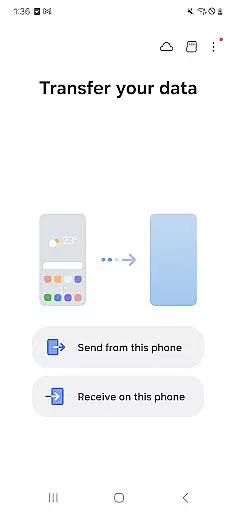
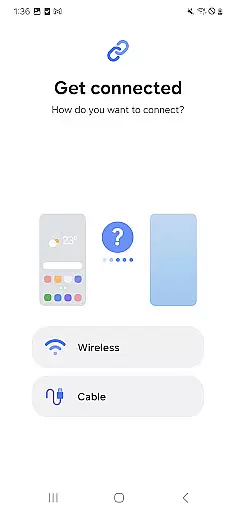
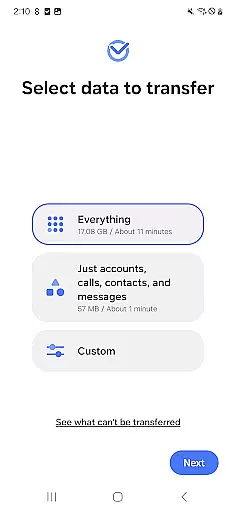
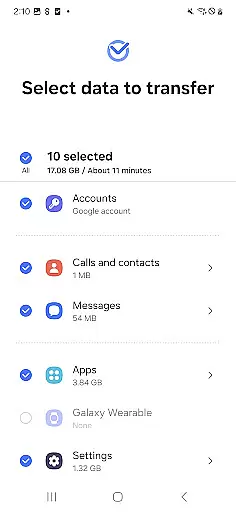
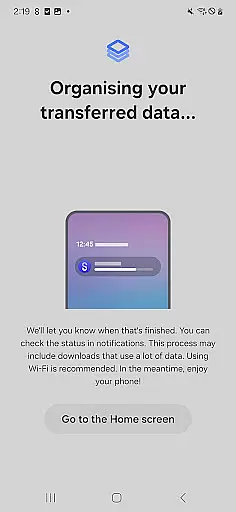
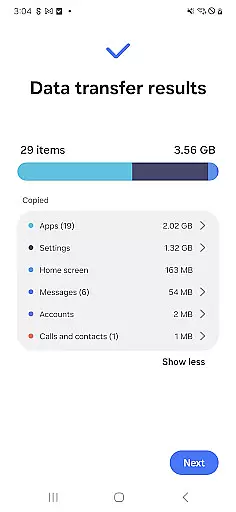
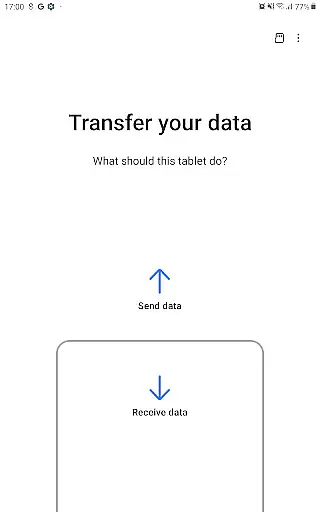

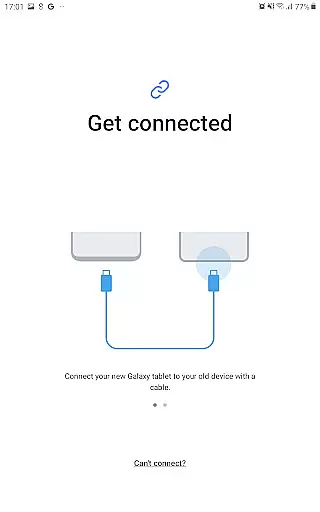
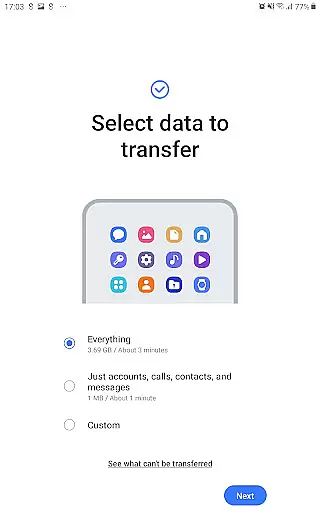
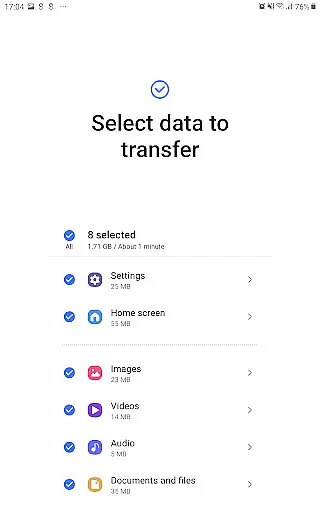
Samsung Smart Switch Mobile is a powerful migration tool designed to help users seamlessly transfer data from their old devices to new Galaxy smartphones. The app supports the transfer of contacts, messages, photos, music, videos, and even device settings, ensuring a smooth transition between devices.
What sets this app apart is its compatibility with both Android and iOS devices. Android users can wirelessly transfer content from Android 5.0 or higher, while iPhone users have multiple options including wired transfers via USB or importing data from iCloud. Additionally, the app suggests alternative apps on Google Play for those switching from iOS, enhancing user convenience.
This app is particularly useful when upgrading to a newer Galaxy device, as it allows users to retain their personalized settings, app data, and home screen layouts (Galaxy-to-Galaxy transfers only). With support for a wide range of devices, Samsung Smart Switch Mobile ensures that your digital life remains uninterrupted during device upgrades.
The standout feature of Samsung Smart Switch Mobile is its ability to handle comprehensive data migration across different platforms. For Android users, the app supports wireless transfers of contacts, calendars, photos, and other essential files. iPhone users benefit from flexible transfer methods, including iCloud integration and direct wired connections using a Lightning or 30-pin cable.
Beyond basic data migration, the app offers advanced capabilities such as transferring call logs, memos, alarms, Wi-Fi settings, wallpapers, and documents. It also supports DRM-free media files, ensuring that most of your multimedia content can be moved without restrictions. One innovative feature is the ability to send app data and home screen layouts directly to newer Galaxy devices running M OS or higher.
Another key aspect is its broad device compatibility. While optimized for Samsung Galaxy devices, the app works with numerous non-Samsung Android brands like HTC, LG, Sony, and Huawei. This versatility makes it an invaluable tool for anyone switching to a Galaxy phone, regardless of their previous device brand.
Smart Switch Mobile is designed to ensure the highest level of accuracy and effectiveness in its core functions. The app facilitates seamless data migration, including contacts, messages, photos, and more, from your old device to a new Galaxy device. This process is handled with precision, ensuring that all compatible data types are transferred without errors or omissions.
The app supports a wide range of devices, including various Android brands and iOS devices. By providing multiple transfer methods such as wired, wireless, and cloud-based solutions, Smart Switch ensures that users can choose the most effective way to move their data. Each method is optimized for speed and reliability, minimizing the time required for the transfer while maximizing data integrity.
For users upgrading within the Galaxy ecosystem, Smart Switch offers additional functionalities like transferring app data and home layouts, enhancing the continuity of the user experience. These features are especially valuable for users who want to maintain their personalized settings and app configurations when switching devices.
Overall, Smart Switch Mobile stands out by offering a reliable, efficient, and comprehensive solution for data migration, making the transition to a new device as smooth and hassle-free as possible.
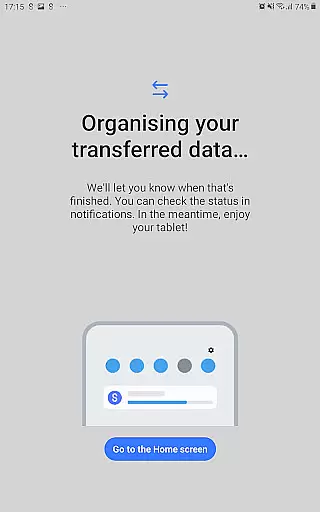
The interface of Smart Switch Mobile is crafted to provide a simple and intuitive user experience. Upon launching the app, users are greeted with clear instructions and an easy-to-navigate layout that guides them through the data transfer process. This design choice ensures that even those who may not be tech-savvy can use the app effectively without feeling overwhelmed.
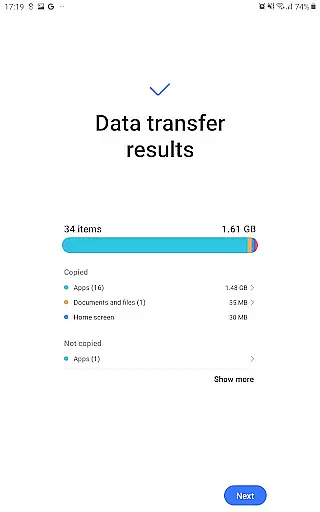
Each step of the transfer process is clearly labeled and accompanied by visual aids, such as icons and progress bars, which help users understand the current status of their data migration. This transparency reduces anxiety about the transfer process and allows users to feel in control of their data.
Moreover, the app provides intelligent suggestions, such as recommending similar apps on Google Play if certain applications cannot be directly transferred. This feature enhances the overall user experience by simplifying the transition and helping users quickly find alternatives to their favorite apps.
In summary, Smart Switch Mobile combines a clean design with thoughtful features to create an interface that is both simple and powerful, ensuring users can complete their data transfers with minimal effort and maximum confidence.
User-friendly interface
Wide device compatibility
Comprehensive data transfer
Supports iOS and Android
Free to use
DRM-protected files unsupported
Limited iCloud features
Requires sufficient storage
Occasional connection issues
Device-specific limitations

Quickly switch to an encrypted DNS server on Android TV
 4.50
4.50
Just swipe the edge to do something!
4.40
FV File Manager Pro, Fast and powerful file manager for Android
4.60
Safely recover deleted photos, videos, and files with a single easy tap.
3.70
eXtended Permission Manager - a small app to manage permissions and AppOps
4.50
ADB support Android 4.X-Android 13(Support wireless pair mode).No root required!
4.70
A simple app to back up and restore SMS & MMS messages and call logs.
4.10
Clean up large files and similar photos, fast and easy to use
4.40
Screen recorder with audio to record high-quality videos and take screenshots.
4.40
Change your GPS location instantly. Simulate routes anywhere in the world.
4.90
Enjoy smooth gameplay with Game Booster
4.90
Powerful collection of electronics tools and reference.A must for any enthusiast
4.90
Extremely fast, secure, and protects your privacy
4.80
Button mapper, mouse toggle, sleep timer and a lot of another features
4.50
Quickly & easily calculate the spacing of handrail balusters
4.20
Create your own custom widget with endless possibilities
3.90
Fun lie-detection pranks for friends and parties.
3.80
Clean the junk files on your device
3.40
card-reader app
2.20


User Reviews