
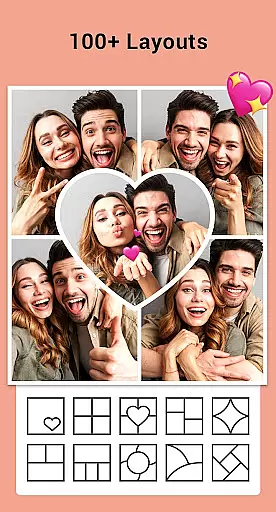



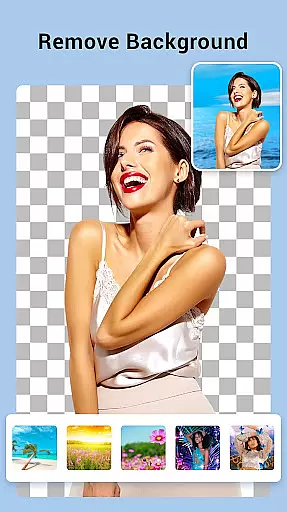
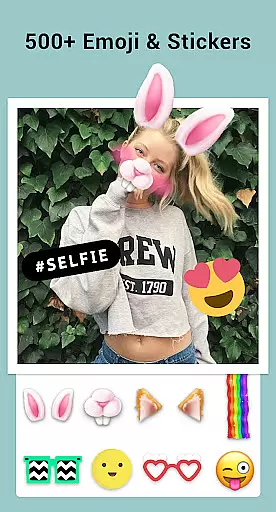
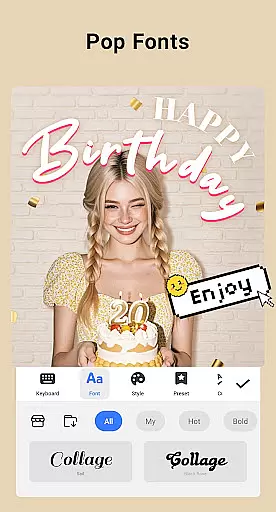
Collage Maker is a versatile photo collage and editing app designed for creative enthusiasts. This application allows users to combine multiple photos into stunning collages using over 100 layouts, various backgrounds, stickers, fonts, and stylish frames. With its AI Photo Enhancer feature, users can transform low-quality or damaged images into high-definition masterpieces with just one tap.
The app supports both grid-style and free-style collage creation, enabling users to customize ratios, borders, and backgrounds. It also offers advanced photo editing tools such as cropping, filters, text overlays, doodles, and rotation. Whether you're creating side-by-side comparison posts, YouTube thumbnails, or Instagram stories, Collage Maker provides all the necessary features to produce professional-looking content.
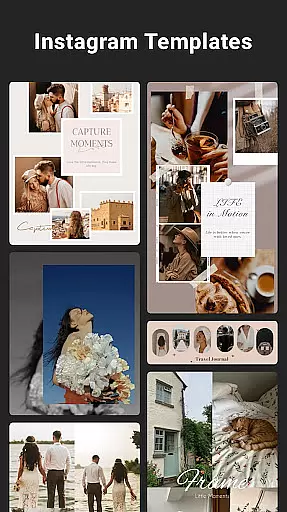
Perfect for social media influencers and casual users alike, this app helps create visually appealing posts that are optimized for platforms like Instagram. By offering multi-fit options and story templates, it ensures your creations maintain their quality across different formats and aspect ratios.
Collage Maker stands out with its comprehensive set of features tailored for photo enthusiasts. The app allows combining up to 100 photos into a single collage, providing users with extensive creative freedom. With over 100 layout options, users can choose from various grid styles or create custom designs, ensuring each collage is unique.
One of the key highlights is the AI Photo Enhancer tool, which automatically improves image quality by removing blur and restoring old or damaged photos. The app includes an array of editing tools such as crop, filter, text, and doodle functions, allowing detailed customization of each photo. Users can add decorative elements like stickers and frames to enhance visual appeal.
For social media optimization, Collage Maker offers Insta square photo options with blurred backgrounds, making it easy to fit images perfectly on Instagram. The app's freestyle mode lets users design scrapbook-style collages with full-screen backgrounds, while the story template feature provides 100+ stylized designs for creating engaging Instagram stories.
Real-time capture and preview functionality is essential for photography apps like Collage Maker. This feature allows users to see exactly what their final collage or edited photo will look like as they make adjustments.
Collage Maker excels in this area by providing instant feedback on changes made to layouts, filters, stickers, and text. As users select different elements, the app dynamically updates the preview, ensuring that the final output matches their creative vision.
The benefit of real-time capture and preview is significant. Users can experiment with various design options without committing to any single choice, saving time and enhancing creativity. This immediate visual feedback empowers users to make informed decisions about their photo collages.
Ultimately, this feature enhances user satisfaction by delivering a seamless editing experience. The ability to visualize changes instantly makes the photo editing process more intuitive and enjoyable, encouraging users to explore more complex designs and unleash their artistic potential.
AI-powered beauty and enhancement features are becoming increasingly important in modern photo editing applications. These tools use advanced algorithms to improve image quality while maintaining a natural appearance.
Collage Maker incorporates AI Photo Enhancer, which transforms low-quality or damaged photos into stunning high-definition images with just one tap. The AI intelligently analyzes each photo, applying enhancements that preserve original details while removing imperfections.
This approach offers substantial benefits to users. Instead of artificial-looking edits, the AI ensures that enhanced photos retain their authenticity. Whether restoring old family pictures or improving recent snapshots, users can achieve professional-grade results without extensive editing knowledge.
The natural enhancement capability sets Collage Maker apart from other photo editors. By combining powerful AI technology with user-friendly interfaces, the app delivers exceptional image quality while keeping the editing process accessible to both casual users and photography enthusiasts.
User-friendly interface
Extensive layout options
AI-powered photo enhancement
Versatile editing tools
Social media optimization
Storage permissions required
Some features may need premium access
Occasional ads in free version
Learning curve for beginners
Limited advanced professional tools

1M influencer's special filter
 4.60
4.60
Create funny photos and videos with the popular Time Warp Scan filter.
4.90
Create & Edit with AI: AI Remove, Enhance, Retouch, Filter
4.10
Light-weight Media Gallery app for Android made with Jetpack Compose
4.60
Movie camera, supports pro recording settings for filming. Try it and be amazed!
4.50
USB Storage Access for Photos, Videos, Music and Documents
3.80
Easily create custom gifts, cards, photo books & more on the Shutterfly app!
4.60
Your personal guide to the sun and moon. Plan ahead, visualize and predict!
4.70
Professional camera app that brings DSLR manual photography controls to Android.
4.20
Find time and duration of different sunlight phases at any location
4.90
Photo editor: AI filters, photo enhancer, pic collage maker, AI art generator.
4.80
Android Native system HD camera app. Never been so simple and faster.
4.70
Amazing Photo Effects - The most fun you can have with your photos!
4.70
Transform photos into videos! Create realistic or anime-style images easily!
4.50
Catch sunlight, sunrise sunset times and sun phases with the AR sun tracker.
4.10
Photo editor: face & body editor, beauty cam, filters and quality enhancer.
4.00
live datamoshing
4.00
How would you look like with a differently shaped nose, chin or lips?
3.90
Snap photos remotely using your Garmin watch as the camera trigger
4.5


User Reviews