
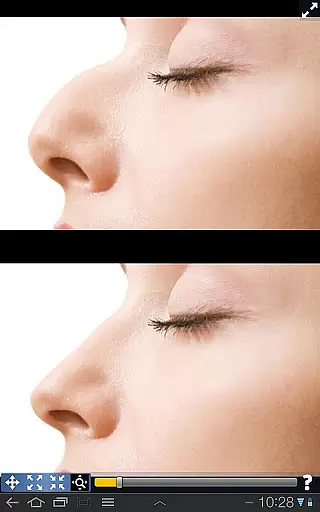
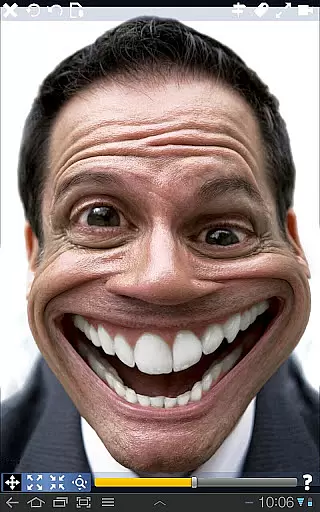
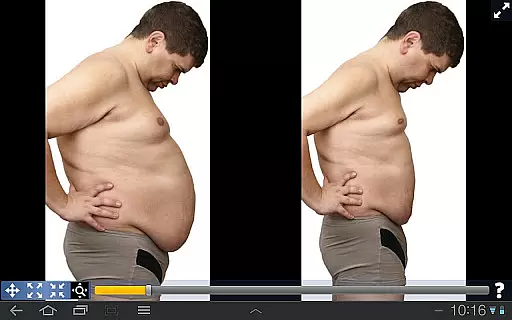
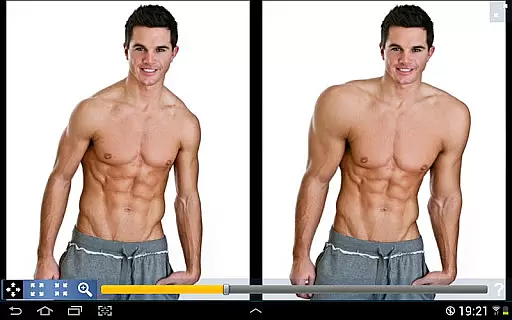
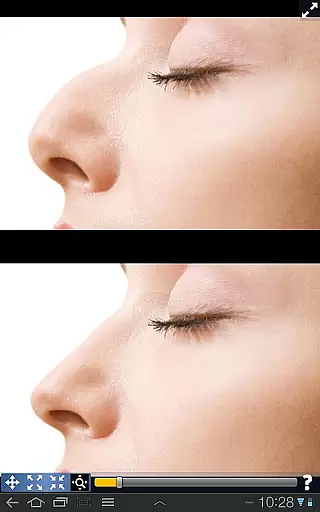
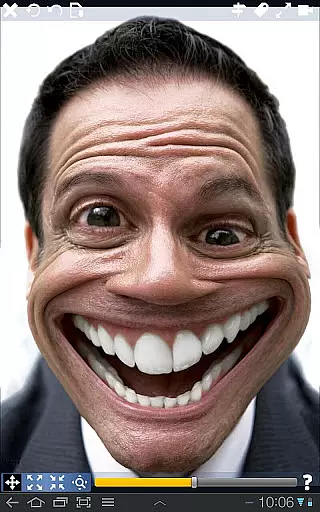
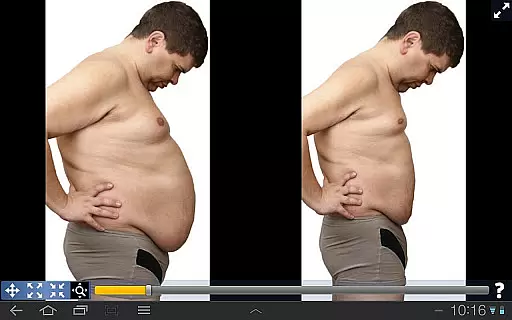
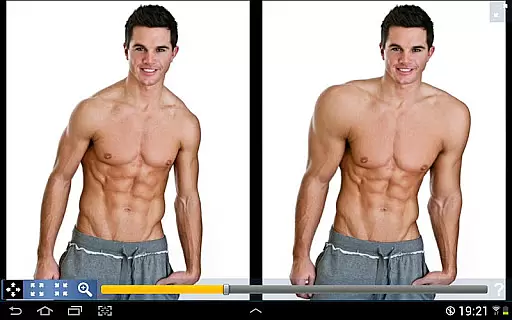
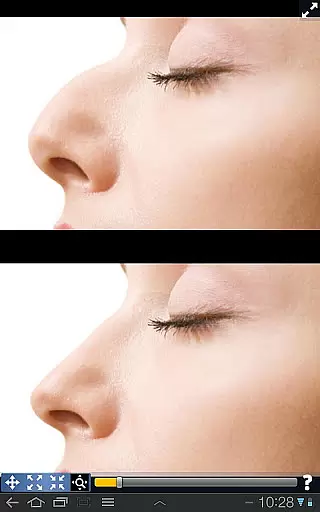
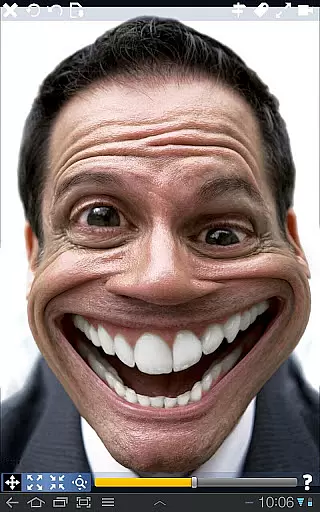
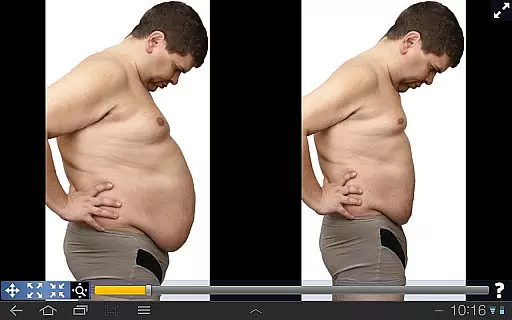
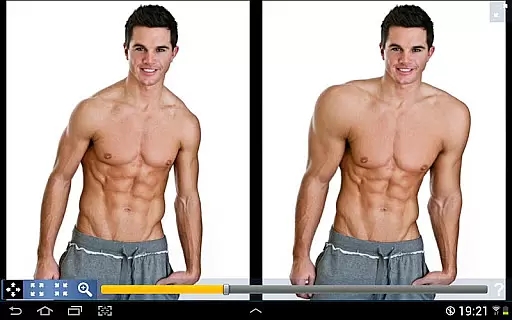
Plastic Surgery Simulator is a versatile photography app designed for creative image manipulation. The app's core functionality lies in its powerful photo distortion capabilities, allowing users to simulate realistic body transformations with smooth, natural results. Whether you're looking to experiment with cosmetic changes like reshaping your nose or chin, enhancing muscle definition, or simply having fun warping images, this app provides an intuitive interface to achieve your desired effects.
A standout feature of the app is its dual display mode, which intelligently clones your image when rotating the device. This innovative approach enables precise editing without your finger obstructing the view, making it especially useful on smaller touch devices. Ideal for social media enthusiasts and creative professionals, Plastic Surgery Simulator offers both entertainment value and practical applications in visual content creation.
The app boasts several distinctive features that set it apart from other photography tools. Its advanced photo distortion algorithm ensures exceptionally smooth transformations, avoiding pixelation or unnatural artifacts. Users can easily manipulate specific areas by dragging, growing, or shrinking different parts of the image with precision controls.
Another remarkable feature is the dual display mode, which automatically activates when rotating your device to landscape orientation. This splits the screen into two identical views, allowing you to edit one side while clearly seeing the changes on the other. The app also supports various image formats and maintains high-resolution output, ensuring professional-quality results. With its combination of technical innovation and user-friendly design, Plastic Surgery Simulator delivers a unique and satisfying experience for both casual users and serious creators.
Real-time capture and preview functionality is essential for photography apps as it allows users to see the effects of their edits instantly. This feature enhances user experience by providing immediate visual feedback.
Plastic Surgery Simulator excels in this area with its powerful photo distortion algorithm that ensures smooth and realistic transformations. Users can manipulate facial features such as the nose, chin, and lips or adjust body parts like muscles seamlessly.
The app's dual display mode further augments the real-time editing process. When you rotate your device, the image is cloned onto the other half of the screen, allowing for uninterrupted editing without your finger obstructing the view.
This instant feedback loop empowers users to experiment freely, making precise adjustments until they achieve their desired look. The ability to visualize changes on-the-fly significantly boosts creativity and satisfaction.
AI beauty and enhancement features are crucial for modern photo editing apps. They help in achieving natural-looking results by intelligently analyzing and enhancing facial features.
In Plastic Surgery Simulator, the AI-driven photo distortion algorithm plays a pivotal role. It ensures that any modifications made to the image retain a lifelike quality, avoiding the artificial appearance often associated with digital alterations.
The dual display mode also contributes to maintaining naturalness during edits. By offering an unobstructed view, users can make more accurate and subtle changes, ensuring that enhancements blend seamlessly with the original image.
Ultimately, these sophisticated tools enable users to create stunning yet believable transformations. Whether simulating cosmetic procedures or simply having fun with creative edits, the app delivers professional-grade results while preserving authenticity.
User-friendly interface
High-quality distortion
Innovative dual display
Versatile editing options
Entertaining and practical
Limited advanced tools
No batch processing
Occasional lag
Few tutorials
Premium features locked

Trendy TikTok time warp scan funny filter app brings you unique photos & videos.
 4.40
4.40
Professional video recording application with manual controls for filmmakers!
2.80
Application for remote controlling DSLR
3.00
Photo prints, cards, & gifts at Walgreens. Easy ordering & fast local pickup !
4.80
Create AI Photos, Improve and restore quality of blurry, old or damaged pics.
4.20
Automatically backup your photos and videos to computer, NAS and Cloud services
4.60
Astrophotography with your smartphone, photo live stacking and much more!
3.90
Snap photos remotely using your Garmin watch as the camera trigger
4.1
Try an anime version, cartoon yourself, and generate AI hug or aging videos!
3.70
Find time and duration of different sunlight phases at any location
4.90
Perfect body tune & face app - photo retouch, makeup, slim body & beautify face.
4.80
The original Rarevision VHS look seen everywhere!
4.70
1M influencer's special filter
4.60
Photo editor & gallery. Crop pictures & edit photos offline, no wifi!
4.50
RAW video capture with advanced controls
4.40
Professional camera app that brings DSLR manual photography controls to Android.
4.20
Transform Photos: Edit, Beautify and Craft Memories & Make Collages!
4.10
Gallery Slideshow is slideshow maker app for slideshow from your gallery photos.
3.90
Superimpose one photo on top of another using the original Superimpose app!
3.20


User Reviews