
TikTok Studio is an advanced content creation platform designed for creators seeking to elevate their video production and management capabilities. The app offers a comprehensive suite of tools that cater to every stage of the creative process, from ideation to audience engagement.
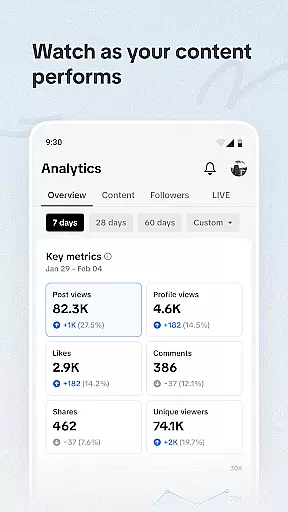
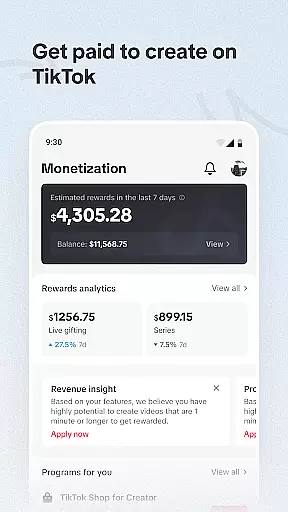
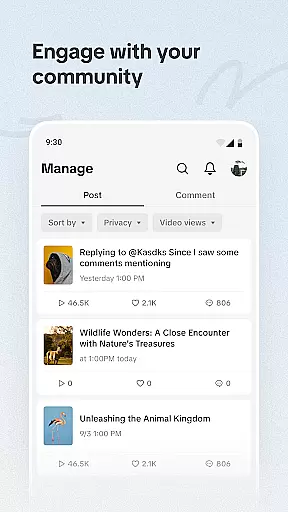
Key features include innovative content creation tools, personalized recommendations, and in-depth analytics. Creators can leverage predictive analytics to identify trends and opportunities while maintaining complete control over privacy settings and community interactions. The platform also provides monetization options and detailed audience insights, empowering users to optimize their content strategy and grow their following effectively.
Ideal for both novice and experienced creators, TikTok Studio serves as an all-in-one solution for producing high-quality video content, managing social media presence, and building a sustainable creator career across multiple platforms.
TikTok Studio stands out with its robust feature set tailored specifically for modern content creators. The application's innovation toolkit includes AI-powered trend analysis, customizable content templates, and real-time performance tracking, enabling users to create more engaging and effective videos.
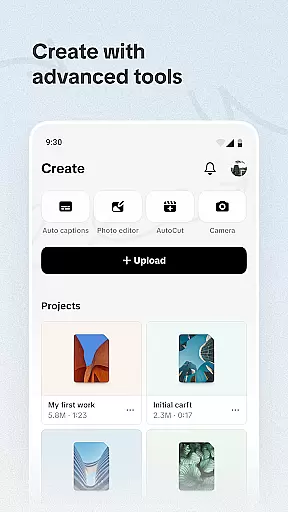
The platform's creation suite provides step-by-step tutorials, personalized content suggestions, and advanced editing capabilities. These features work together to streamline the content production process while maintaining professional standards. Additionally, the app's safety protocols ensure maximum protection through end-to-end encryption and granular privacy controls.
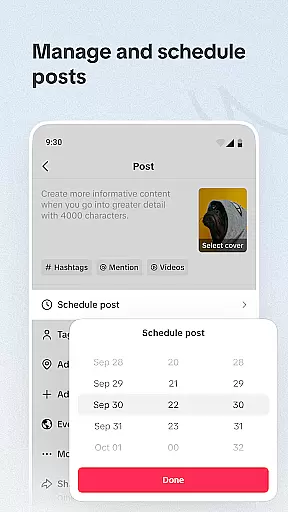
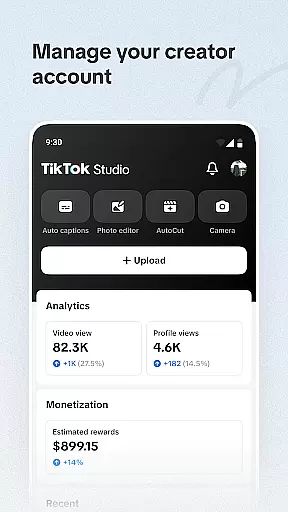
For business-oriented creators, TikTok Studio offers sophisticated monetization options and audience analytics. Users can access detailed payment histories, optimize revenue streams through targeted recommendations, and gain valuable insights into audience behavior patterns. The centralized management dashboard allows efficient handling of posts, comments, and community interactions, making it easier to maintain an active online presence.
Video format compatibility is a crucial feature for any video player and editor, including TikTok Studio. This functionality ensures that creators can work with a wide range of video formats without the need for conversion or external tools. TikTok Studio supports an extensive list of formats, allowing users to upload, edit, and share their videos seamlessly.
The importance of this feature lies in its ability to save time and enhance productivity. Creators no longer have to worry about format restrictions or compatibility issues when importing footage from different devices. TikTok Studio's robust system automatically detects and processes various formats, providing a smooth editing experience.
Users benefit significantly from this feature as it streamlines the content creation process. Whether shooting on a professional camera or a smartphone, TikTok Studio ensures that all video files are compatible, enabling creators to focus on producing high-quality content. This flexibility empowers creators to experiment with diverse media sources and produce engaging videos.
Ultimately, TikTok Studio's video format compatibility stands out as a vital tool for modern content creators. By removing technical barriers and offering broad format support, it enables users to unleash their creativity and reach wider audiences. This feature not only enhances the user experience but also contributes to the overall success of creators on the platform.
AI-powered editing features represent a significant advancement in video editing technology, and TikTok Studio leverages these capabilities to offer creators an unparalleled editing experience. With AI-driven tools, users can automate complex editing tasks, apply intelligent effects, and enhance their videos with minimal effort. These features are designed to simplify the editing process while delivering professional-quality results.
The significance of AI-powered editing becomes evident when considering the time and skill required for traditional video editing. TikTok Studio's AI algorithms analyze video content and suggest optimal cuts, transitions, and effects based on the context. This automation allows even novice creators to produce polished videos that rival those made by experienced editors.
For users, these AI-powered features translate into increased efficiency and creative freedom. Creators can experiment with different styles and techniques without being constrained by technical limitations. The intuitive interface combined with AI assistance makes video editing accessible to everyone, regardless of their skill level.
In conclusion, TikTok Studio's AI-powered editing features revolutionize the way content is created and edited. By harnessing the power of artificial intelligence, the platform empowers creators to push the boundaries of their creativity. This technological edge not only sets TikTok Studio apart from other video players and editors but also establishes it as a leader in the realm of digital content creation.
User-friendly interface
Advanced analytics
Robust privacy controls
Comprehensive monetization
Innovative creation tools
Steep learning curve
High system requirements
Limited free features
Occasional bugs
Subscription costs

Powerful, professional, versatile teleprompter. Developed by an active film crew
 4.00
4.00
?100% FREE! Download & save videos? safely in this app. All formats supported.
4.60
VLC Remote lets you control your VLC Media Player on Mac, PC or Linux.
4.60
Capture images & record videos for USB Camera, Webcam, Microscopes, Endoscopes
3.80
Explore the largest library of free GIFs, Stickers & Memes - or create your own!
3.90
Cast to Smart TV, Fire TV. Cast video, photo - Fast & Stable!
3.90
Watch IPTV on your Android device
4.60
Browser for Samsung TV to stream webvideos, online movies and livestreams in HD
4.10
Video&Drama Player All Format is a HD video player, music player
3.00
AI Video Editor with Music, Filter, Slideshow, Effect, Merge & Trim Video.
4.80
A Quick and Pro Video Editor
4.70
HD Video player all format, HD Videos, Cast & Subtitle. No annoying ads.
4.60
Watch a large amount of high-definition short drama content
4.60
Fast, private downloading, video saving, social media
4.50
HD video maker with no watermark, no ads & vlog maker with music, PIP, text
4.50
Full HD Video mp3 Player, MP4 player play 1080p, File manager, Video Downloader
4.40
AirMirror Receiver - Screen mirroring/cast web videos to Android TV by AirPlay.
4.40
Connect EasyCap or UVC devices for recording and broadcast video/audio stream
3.60
Download videos easily & play them all in one smart, powerful video manager.
3.40


User Reviews