
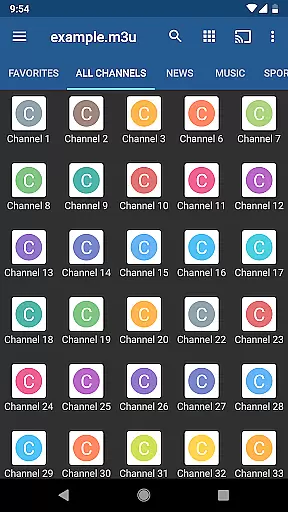
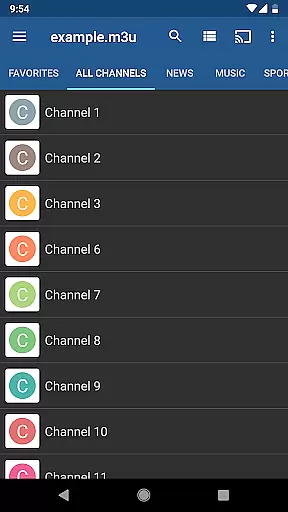
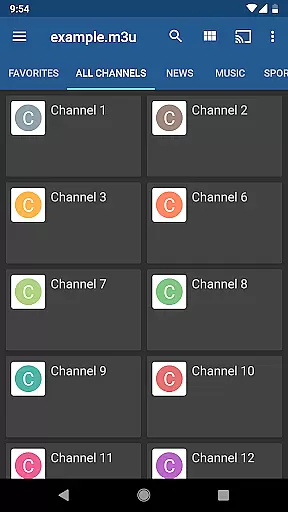
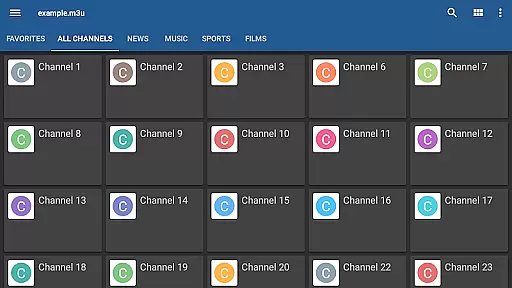
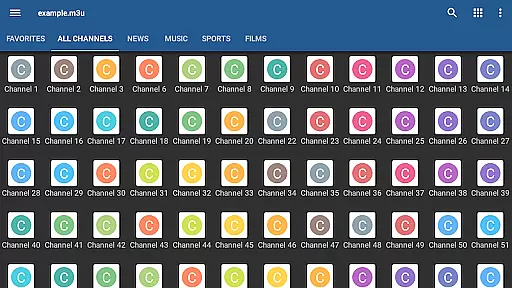
IPTV Pro is the premium version of IPTV app, offering an ad-free experience with advanced features for seamless TV streaming. It supports M3U and XSPF playlists, multicast streams with UDP proxy, EPG in XMLTV and JTV formats, and multiple viewing options like grid, list, or tile view.
Designed for both casual viewers and tech-savvy users, this app allows auto-play of the last channel and extended playlist history. It is ideal for those who wish to stream content from their Internet service provider or other web sources, provided they have their own playlist of TV channels.
IPTV Pro stands out with its comprehensive feature set tailored for diverse user needs. The app provides flexible viewing options including grid, list, or tile views, along with EPG support in XMLTV and JTV formats for an organized streaming experience.
One of the key highlights is the multicast stream support using a UDP proxy, which ensures smooth streaming in LAN environments. Additionally, users can choose between internal and external video players based on their preferences. Parental controls add a layer of security, making it suitable for family use.
The app also offers practical functions such as starting on device boot, beneficial for set-top boxes, and auto-playing the last channel for uninterrupted viewing sessions.
Video format compatibility is a crucial feature for any video player application, ensuring that users can access content in various formats without technical hindrances. IPTV Pro supports M3U and XSPF playlists, which are commonly used for streaming media over the internet.
The app's ability to handle different playlist formats allows users to seamlessly integrate their personal media libraries or streams from external sources. This flexibility ensures that regardless of how your content is delivered, IPTV Pro can manage and play it efficiently.
Moreover, IPTV Pro offers both internal and external video player options, giving users the freedom to choose their preferred playback method. This dual-option system enhances user experience by catering to individual preferences and device capabilities.
By supporting multiple video formats and offering versatile playback options, IPTV Pro ensures that users enjoy uninterrupted streaming experiences with minimal compatibility issues. This makes the app suitable for a wide range of devices and network environments.
While IPTV Pro does not focus on traditional AI-powered editing features like video trimming or effects addition, it incorporates intelligent functionalities that enhance user interaction and content management. One such feature is its EPG (Electronic Program Guide) support in XMLTV and JTV formats, providing structured data about TV programs.
This app also includes parental control features, allowing users to restrict access to certain content based on predefined criteria. Such controls utilize algorithmic checks to ensure that only appropriate content is accessible to viewers, enhancing family-friendly viewing experiences.
Additionally, IPTV Pro provides an extended playlists history, enabling users to track their viewing habits and revisit previous selections effortlessly. This historical data aids in personalizing future recommendations and streamlining content discovery.
Although IPTV Pro may not offer conventional editing tools, its intelligent features around content organization, program guidance, and user protection create a comprehensive ecosystem for managing and enjoying IPTV services effectively.
Ad-free experience
Auto-play last channel
Multiple viewing options
Parental control
Extended playlist history
No built-in channels
Requires third-party playlists
Complex for beginners
Needs UDP proxy for multicast
Limited native content

A full editing room to accompany your Insta360 cameras and handheld gimbals.
 3.30
3.30
You can play SWF format file!
2.50
Video Player - Unlimited features, 30 days money back guarantee.
4.60
Create & edit videos with AI
4.30
Download website videos fast&privacy
4.40
Add date and time watermark to photos and videos
4.50
Manage your IPTV live channels and VOD playlists (no playlist included)
3.80
Manage your YouTube channel on the go
4.40
Capture the moment and Cut
3.40
Pro video editor app for Instagram, edit video with song, AI, effect & slowmo.
4.80
Cast movies, tv shows and live streams to Chromecast, Roku, DLNA, Fire TV & more
4.60
Fast & Private Video Downloader App. Save all videos easily from the Internet.
4.40
KMPlayer Plus (Divx Codec) officially support Divx codec.
4.30
1)AirPlay/DLNA Mirroring/Streaming, up to 4 connections; 2)Samba/NAS/DMS Player.
4.00
Explore the largest library of free GIFs, Stickers & Memes - or create your own!
3.90
Watch full episodes of your favorite Cartoon Network and Cartoonito shows!
3.50
IPTV Player - Watch live TV from m3m & m3u8 playlist, stream IPTV on mobile
3.30
Client application for NextPVR software
3.00
Powerful HD video player with support for all formats & subtitles.
4.1


User Reviews