
VN is a versatile video editing app designed for both professional and amateur creators. It offers an intuitive interface that simplifies the video editing process, requiring no prior knowledge. The app provides all essential features to produce high-quality videos without watermarks.
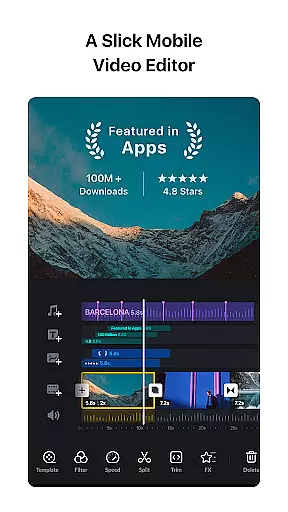
Key functionalities include multi-track timeline editing, music beat synchronization, advanced effects, and color grading filters. Users can create professional-grade content with precise control over every aspect of their projects. VN's flexibility allows seamless integration across devices, making it ideal for creative professionals on the go.
This application is particularly useful for content creators who need to edit videos directly from their mobile devices while maintaining professional standards. Its rich feature set ensures users can achieve their desired results efficiently and effectively.
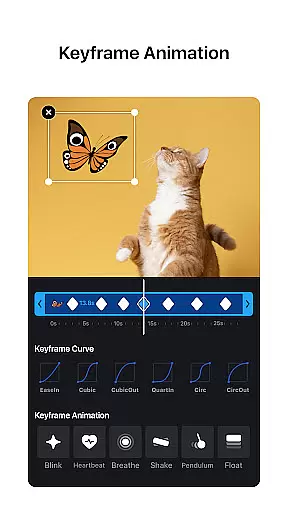
VN stands out with its comprehensive feature set tailored for video editors. The app includes an intuitive multi-track editor that allows precise cutting and reordering of clips. Users can easily manipulate keyframes down to 0.05-second intervals, ensuring accurate edits.
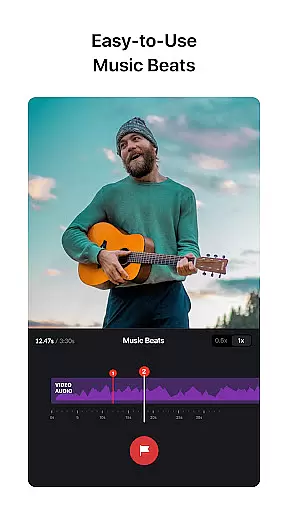
The app also excels in audio editing with its music beats feature, enabling users to synchronize video cuts with music rhythms. Additionally, VN offers advanced video effects like speed curves, transitions, and cinematic filters. These tools help enhance visual storytelling by providing dynamic and engaging elements.
Furthermore, VN supports non-destructive editing, allowing users to save drafts and make unlimited undos/redos. With customizable export settings up to 4K resolution and 60 FPS, VN ensures that final outputs meet professional quality standards while maintaining ease of use.
One of the key strengths of VN is its extensive video format compatibility, ensuring that users can work with a wide range of file types without any hitches. The app supports popular formats such as MP4, AVI, MOV, and more, making it versatile for both amateur and professional video editors.
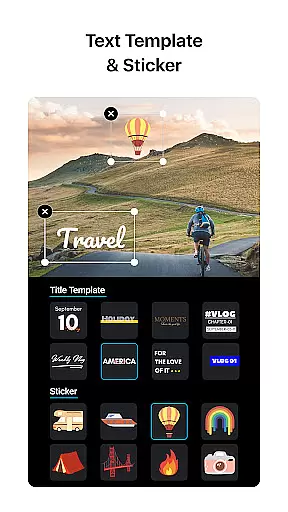
The multi-track timeline feature further enhances this compatibility by allowing users to add various multimedia elements like picture-in-picture videos, photos, stickers, and texts seamlessly. This flexibility ensures that no matter the source or type of media, VN can handle it efficiently, providing a smooth editing experience.
Additionally, VN offers advanced customization options during the export phase. Users can customize video resolution up to 4K, frame rate up to 60 FPS, and bit rate according to their preferences. This level of control not only maintains the quality of the original files but also allows creators to optimize their videos for different platforms and devices.
By supporting a broad spectrum of video formats and offering powerful editing and exporting capabilities, VN stands out as an indispensable tool for anyone looking to create high-quality, professional videos on their mobile device.
VN incorporates cutting-edge AI-powered editing features that significantly enhance the video creation process. One standout feature is the automatic Music Beats tool, which intelligently adds markers to align video clips with the beat of the music, elevating the overall rhythm and flow of the video effortlessly.
In addition to smart audio synchronization, VN provides sophisticated animation tools powered by AI. The Keyframe Animation feature includes 19 built-in effects, enabling users to craft stunning visual narratives with minimal effort. These AI-driven animations adapt dynamically to user inputs, ensuring highly personalized and engaging results every time.
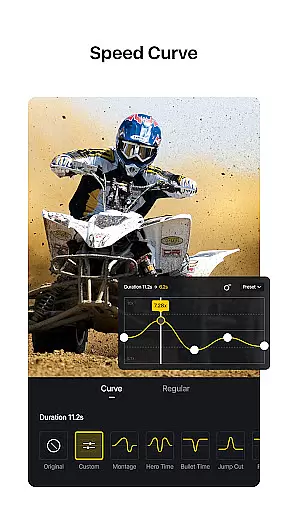
Another remarkable AI integration is the Speed Curve functionality, akin to Time Remapping in Adobe Premiere Pro. This feature allows users to manipulate playback speeds creatively using six preset curves, adding dramatic flair and dynamic pacing to videos. Such advanced yet accessible tools democratize complex editing techniques, making them available even to beginners.
By leveraging artificial intelligence, VN simplifies intricate editing tasks while maintaining creative freedom and precision. As a result, users can produce polished, cinematic-quality videos efficiently, regardless of their prior experience in video editing.
User-friendly interface
Professional editing tools
No watermark on exports
Multi-track timeline
Rich cinematic filters
Limited advanced features
Occasional bugs
Fewer tutorials
Basic text options
Ads in free version

Video Player - Unlimited features, 30 days money back guarantee.
 4.60
4.60
Your media, on your terms.
4.10
?100% FREE! Download & save videos? safely in this app. All formats supported.
4.60
High-Quality USB Camera Viewer & HDMI Display
4.70
An easy-to-use and all-round screen recorder with audio
4.80
IPTV Player - Watch live TV from m3m & m3u8 playlist, stream IPTV on mobile
3.30
Cast to Smart TV, Fire TV. Cast video, photo - Fast & Stable!
3.90
Browser for Samsung TV to stream webvideos, online movies and livestreams in HD
4.10
Photo editor & video maker with music and slideshows.
4.10
Play ALL formats in 4K & HD. Video downloader, MP3 player, Chromecast & more.
4.80
Find, download, and play torrents with the official BitTorrent® Pro app
4.70
Watch IPTV on your Android device
4.60
Fast & Private HD Video Downloader with Built-in Proxy Browser and Video Player.
4.50
Video Downloader is an utility that can save videos and music from web sites
4.20
Powerful video player with advanced hardware acceleration and subtitle supports
4.20
Powerful, professional, versatile teleprompter. Developed by an active film crew
4.00
Manage your IPTV live channels and VOD playlists (no playlist included)
3.80
Mix with Virtual DJ directly from your phone or tablet !
3.10
You can play SWF format file!
2.50


User Reviews