


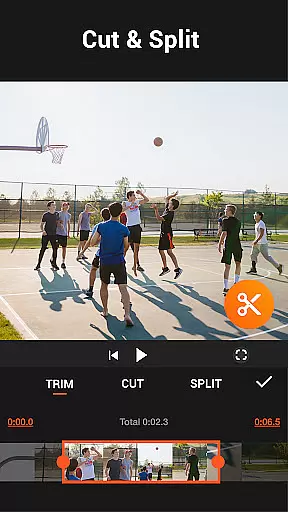
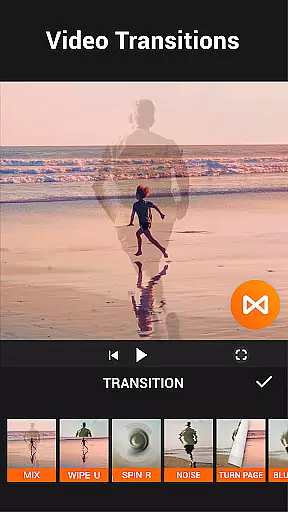

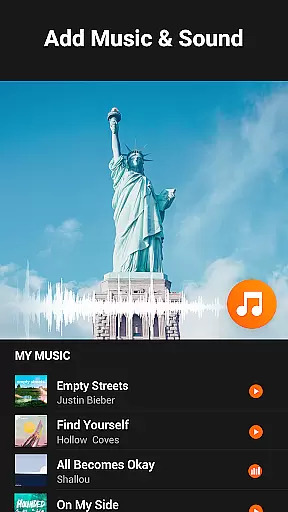
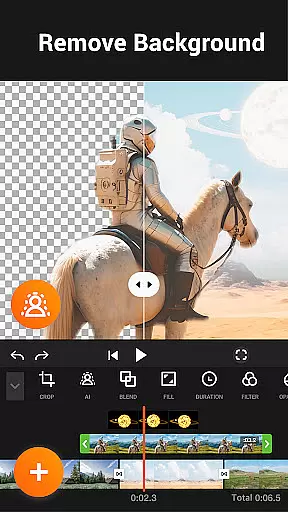
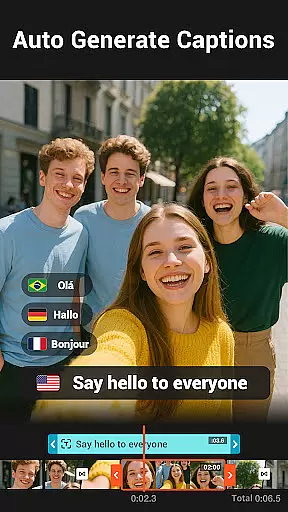
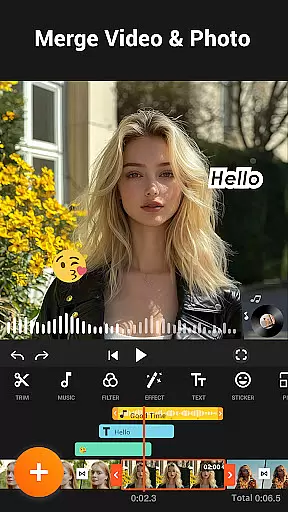
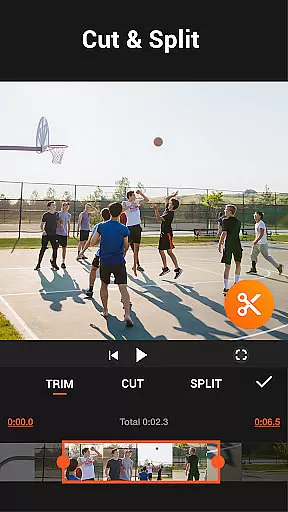
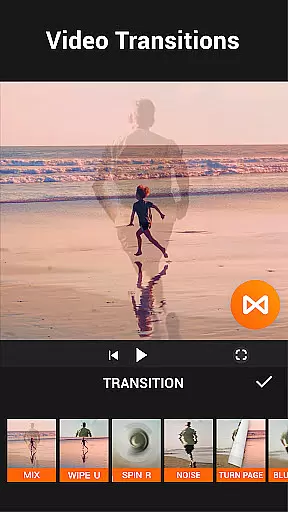

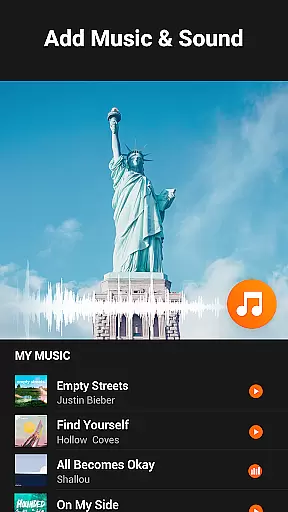
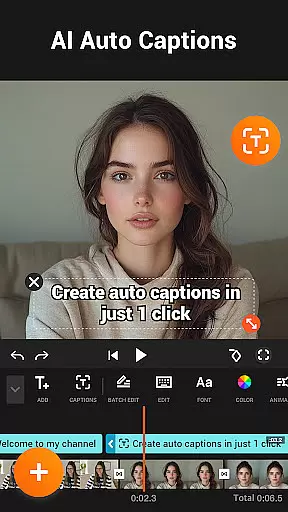
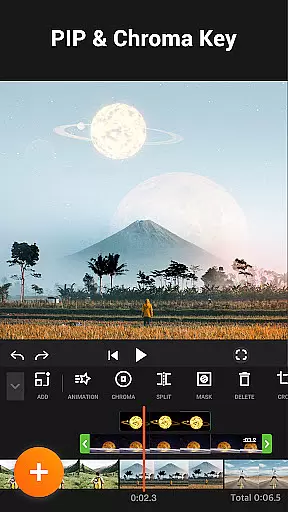

YouCut is a versatile video editing app designed for both casual users and professionals. It offers a comprehensive suite of tools including AI-powered features like auto captions and background removal, making video creation seamless. The app allows users to merge, cut, trim, and slice videos with precision while maintaining high-quality output.
One of YouCut's standout features is its ability to adjust video speed from 0.2× to 100×, enabling creative fast or slow-motion effects. With additional capabilities such as photo slideshow creation, video filters, FX effects, and color adjustments, it ensures professional-grade edits without watermarks or intrusive ads during the editing process.
Whether you're crafting content for YouTube, Instagram, or TikTok, YouCut provides all necessary functionalities in one place. Its intuitive interface supports multi-layer timelines and chroma key effects, empowering users to produce cinematic videos effortlessly. This makes it an ideal choice for anyone looking to enhance their social media presence through polished visual storytelling.
YouCut distinguishes itself with robust features tailored for diverse video editing needs. The AI Video Boost function automates tedious tasks; auto captions convert speech-to-text efficiently, while the background remover simplifies complex edits instantly. These innovations save time and elevate the overall quality of your projects.
The app excels in traditional editing tools as well. Users can merge multiple clips into one cohesive video, compress files without significant quality loss, and apply various filters and FX effects to enhance visual appeal. Advanced options like brightness, contrast, saturation adjustments, and aspect ratio changes provide granular control over the final product.
Moreover, YouCut facilitates sharing across platforms by supporting resolutions up to 4K. Its fast/slow-motion feature adds dynamic flair to videos, ensuring they stand out on social media feeds. By combining powerful AI tools with classic editing techniques, YouCut delivers a comprehensive solution that caters to both novice editors and seasoned creators alike.
Video format compatibility is a crucial feature for any video editing application, ensuring that users can work with a wide range of video files without conversion hassles. YouCut stands out in this aspect by supporting multiple formats, including high-resolution videos up to 4K. This versatility allows creators to import footage from various devices and cameras directly into the editor.
The app's ability to handle diverse video formats enhances its accessibility, catering to both amateur and professional videographers. Whether you're working on a quick social media clip or a detailed cinematic project, YouCut ensures your files are compatible and ready for editing. The inclusion of advanced features like video merging, slicing, and speed control further expands its utility across different video types.
Users benefit significantly from this broad compatibility, as it eliminates the need for pre-editing file conversions. This saves time and maintains original video quality throughout the editing process. Additionally, YouCut's compression capabilities allow for significant size reduction without compromising much on quality, making it easier to share videos across platforms.
By offering such comprehensive format support, YouCut empowers content creators to focus on their artistic vision rather than technical limitations. The app's commitment to maintaining high-quality output regardless of input format demonstrates its dedication to providing a seamless user experience in video creation and editing.
AI-powered editing features represent a significant advancement in video editing technology, and YouCut incorporates several innovative tools that leverage artificial intelligence to enhance the creative process. One standout feature is the AI Video Boost, which includes auto captions generated through speech-to-text technology. This functionality automatically transcribes spoken content in videos, making them more accessible and engaging for diverse audiences.
The app's AI capabilities extend to background removal, where users can instantly erase video backgrounds with precision. This feature proves invaluable for creating professional-looking content without requiring complex green screen setups. Additionally, YouCut's AI enhancement tools can improve both video and photo quality with a single tap, applying intelligent adjustments that optimize visual elements for better overall presentation.
YouCut's implementation of smooth slow-motion effects through AI processing demonstrates another practical application of this technology. The app intelligently interpolates frames to create buttery-smooth slow-motion sequences, elevating standard footage to cinematic quality. These AI-driven features not only save time but also democratize advanced editing techniques, making them accessible to users without professional training.
By integrating these sophisticated AI tools, YouCut positions itself at the forefront of modern video editing applications. The combination of automated captioning, background manipulation, and quality enhancement creates a powerful suite of features that streamline the editing process while maintaining professional standards. This approach to AI-powered editing ultimately enables creators to produce high-quality content more efficiently and effectively.
User-friendly interface
AI-powered editing tools
No watermark on exports
High-quality video output
Comprehensive feature set
Limited advanced tutorials
Occasional performance lags
Fewer third-party integrations
Basic audio editing tools
Ads outside editing mode

Kodi media center, a free and open source cross-platform entertainment hub
 3.60
3.60
Stream high quality video from your camera over NDI protocol
4.3
Download videos easily & play them all in one smart, powerful video manager.
3.40
All in one multi protocols stream receiver for AirPlay, Cast and DLNA.
3.60
Cast movies, tv shows and live streams to Chromecast, Roku, DLNA, Fire TV & more
4.60
Powerful video player with advanced hardware acceleration and subtitle supports
4.20
Fast & Private HD Video Downloader with Built-in Proxy Browser and Video Player.
4.50
VLC for Android is the best open source video and music player, fast and easy!
4.10
Make videos you’re proud to share with Edits, a video editor for creators.
4.70
Pro video editor app for Instagram, edit video with song, AI, effect & slowmo.
4.80
Download videos and play them offline
4.70
Fast & easy HD video downloader for all formats, support 4K playback & download.
4.60
Auto video maker with music & exclusive filters. Video editing made simple.
4.50
KineMaster, Your Ultimate Video Editor!
4.40
KMPlayer Plus (Divx Codec) officially support Divx codec.
4.30
Stream Web Videos to Chromecast, Samsung, LG, Sony, Roku, Fire TV, DLNA + more
4.00
Fast private browser with secure, seamless access & supported video downloads!
4.00
Save photos and videos from social apps in one tap.
3.60
Powerful HD video player with support for all formats & subtitles.
4.1


User Reviews