
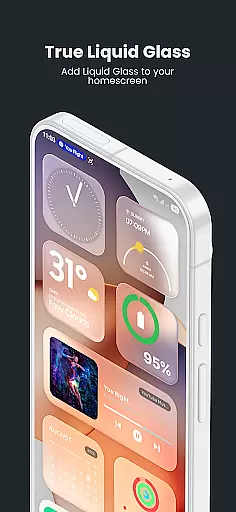
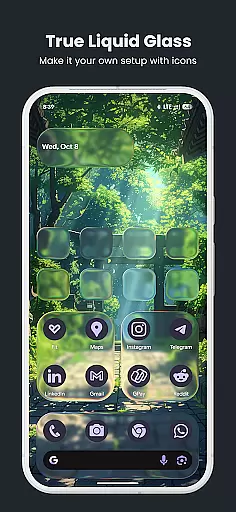
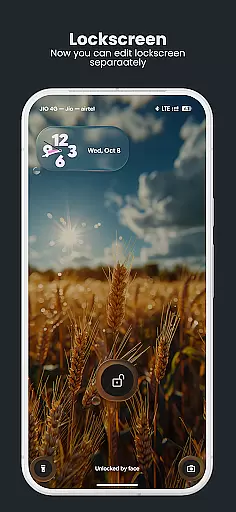
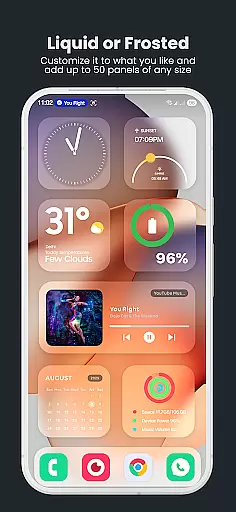
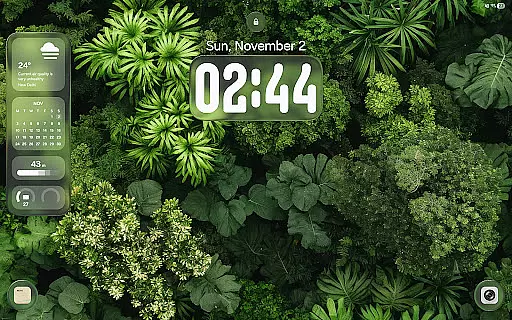
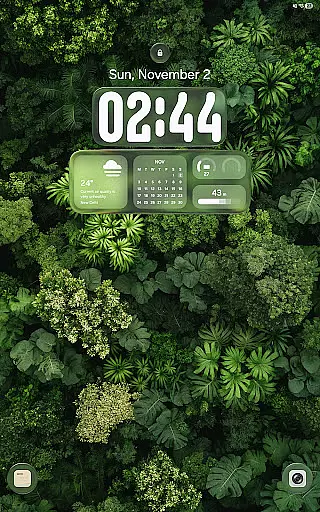
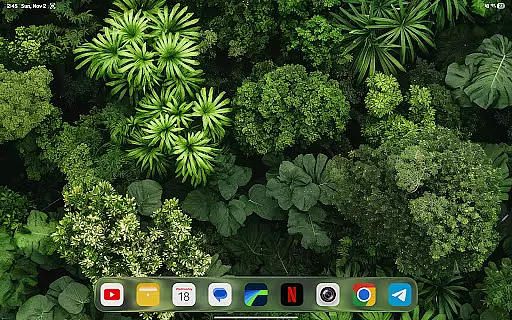
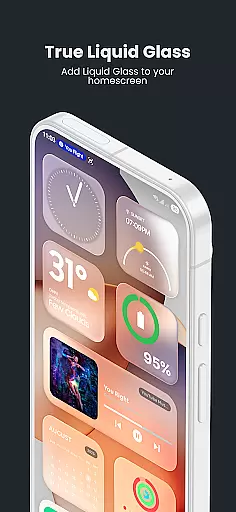
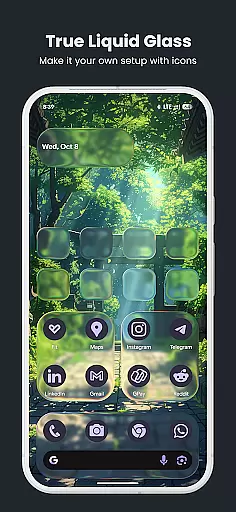
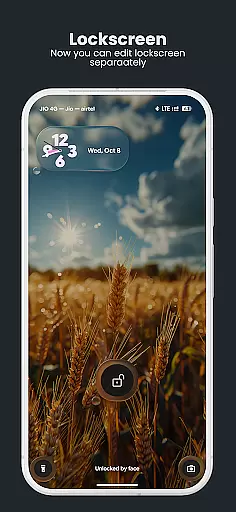
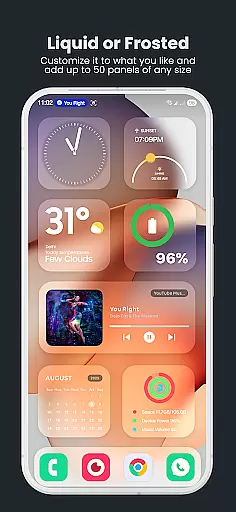
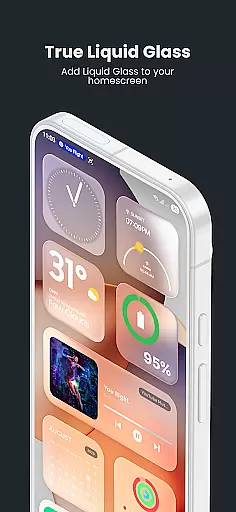
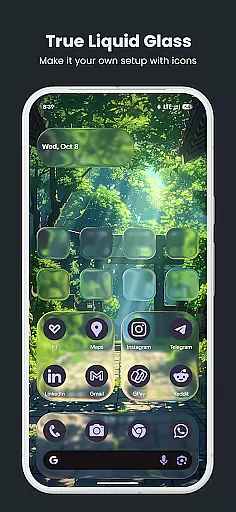
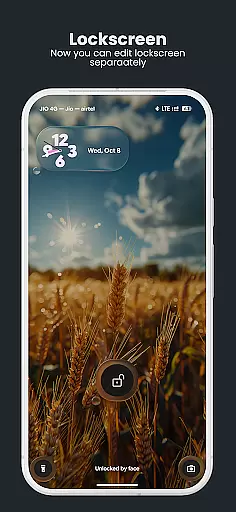
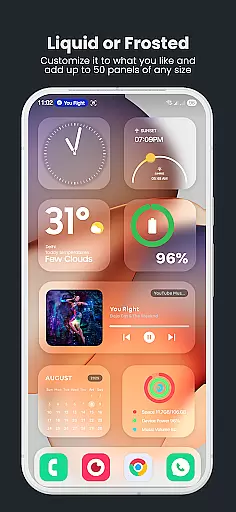
True Liquid Glass is a premium live wallpaper app that brings realistic glass effects to Android devices. The app allows users to create independent layouts for both home and lock screens, featuring fluid animated transitions between the two. With advanced motion-based effects like refraction and rim lighting, it creates an impressive sense of depth.
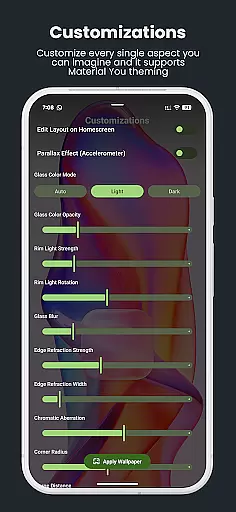
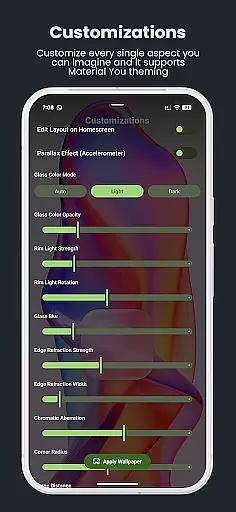
The app supports full customization through real-time editing tools. Users can adjust blur intensity, icon roundness, tint opacity, and more while enjoying live previews of changes. It also offers unique functionalities such as dual layout engine, parallax motion, and folder cycling for dynamic wallpapers.
Ideal for design enthusiasts who want interactive and visually stunning home screens, True Liquid Glass transforms any Android device into a personalized work of art.
True Liquid Glass stands out with its Dual Layout Engine, allowing separate designs for home and lock screens. This feature ensures creative freedom by enabling unique configurations for each screen while providing seamless transitions when unlocking the device.
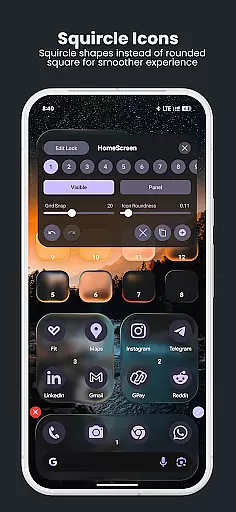
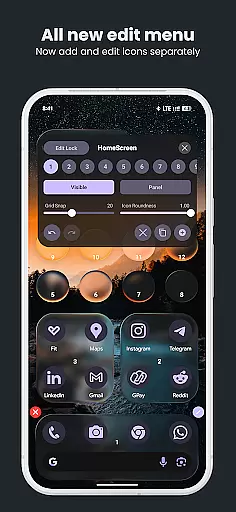
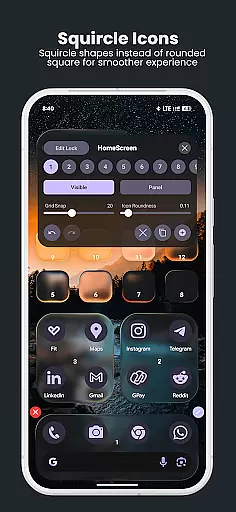
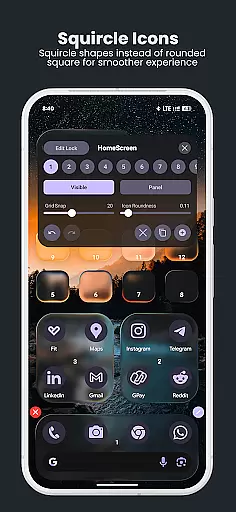
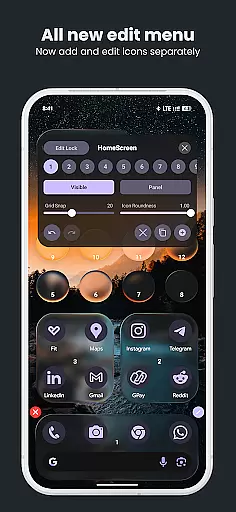
The app includes an Advanced Live Editor where users can customize every aspect in real time. From resizing shapes to adjusting settings like blur intensity or chromatic aberration, all changes appear instantly on the display. The editor supports intuitive gestures including long-press to move elements and drag handles to resize them.
Additional highlights include realistic glass effects powered by device motion sensors, customizable presets for saving designs, and support for image folders to cycle wallpapers dynamically. These professional-grade tools make personalization both powerful and enjoyable.
True Liquid Glass offers a comprehensive suite of creative tools that cater to users who desire full control over their device's aesthetics. The app provides dual layout engines for both home and lock screens, enabling independent customization.
The live editor allows real-time adjustments with intuitive controls for moving and resizing shapes directly on the wallpaper. Users can toggle between icon and panel modes, adjust roundness, and utilize sliders for blur intensity, refraction, and tint settings.
With features like parallax motion and realistic glass effects, including chromatic aberration and rim lighting, the app ensures an immersive experience. These tools collectively empower users to craft visually stunning and dynamic designs.
By offering these robust creative options, True Liquid Glass enhances user engagement and satisfaction, making it an ideal choice for those seeking extensive personalization capabilities in an art and design app.
True Liquid Glass excels in canvas and format flexibility, allowing users to apply their designs across different screen types seamlessly. The app supports both home and lock screens, ensuring a cohesive look and feel throughout the device.
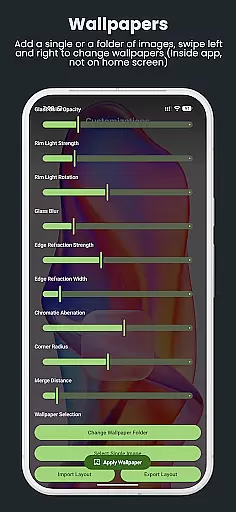
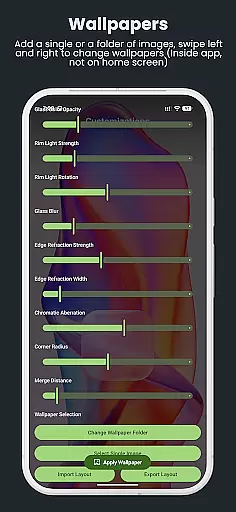
Users can select from various image sources, including single static images or entire folders, which adds versatility to the design process. This flexibility extends to the ability to cycle through wallpapers effortlessly.
The app also includes advanced export and import functionalities, enabling users to save, back up, and share their layouts easily. This feature is particularly useful for preserving favorite designs or transferring them between devices.
By providing such adaptable canvas and format options, True Liquid Glass ensures that users can express their creativity without limitations, enhancing the overall appeal and utility of the application.
Stunning visuals
Real-time editing
Dual layout engine
Fluid animations
Customizable presets
Battery intensive
Complex interface
Premium pricing
Requires permissions
Not widget-friendly

AI generated images & photos, turn your words into drawing, painting & pictures.
 4.30
4.30
Custom Character Creator & PFP Maker!
4.20
Remove Background, Magic Eraser, Photo Enhancer, Story Templates, Collage Maker
4.30
Powerful home decoration & house design that allows you to design dream home.
3.80
Experience next-gen icons with a modern liquid glass look.
3.60
Retouch photos. Create or edit images. Endless capabilities.
2.70
Sketch and paint on your device with the feel and freedom of drawing on paper
4.00
Create amazing pictures and unleash your creative genius with AR Drawing Sketch
4.40
All-in-One art, logo & collage maker. Design photos and edit video backgrounds
4.80
Minecraft & Roblox Clothes
4.70
Discover Cartoon Dream : Unleash Your Creativity with CuttingEdge AI
4.50
Digital illustration drawing & painting pad app to paint Anime and Manga art
4.50
Unleash your drawing and painting potential
4.50
Create and Design Custom Logos in Seconds with AI-Powered Tools!
4.40
800+ Drawing, Painting Lessons App to Practice, Sketch & Paint Art.
4.30
Unleash Your Creativity with Draw Cartoon - AR Drawing App
4.10
Floor Plan Creator lets you create, edit and share floor plans.
4.00
Pose and morph realistic male and female models! 3D poser app
3.00
Art of Combination Wear OS Watch faces
4.4


User Reviews