
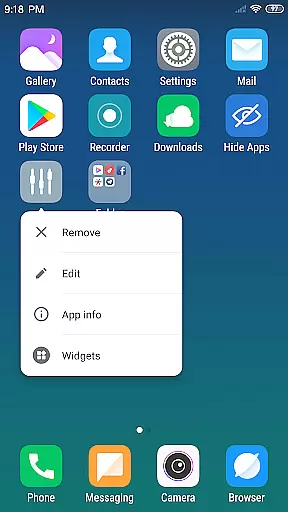
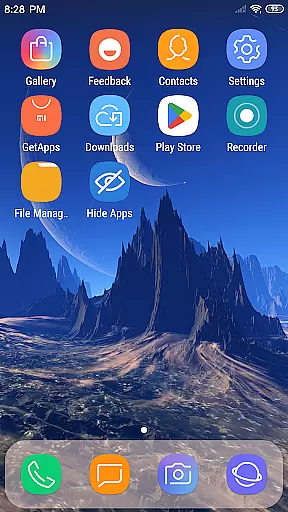
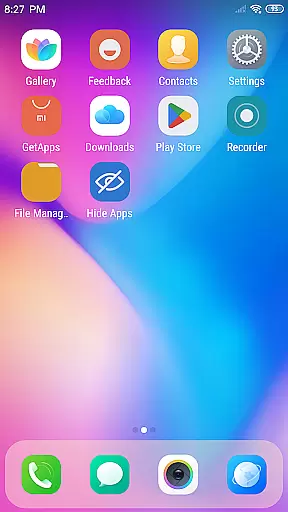
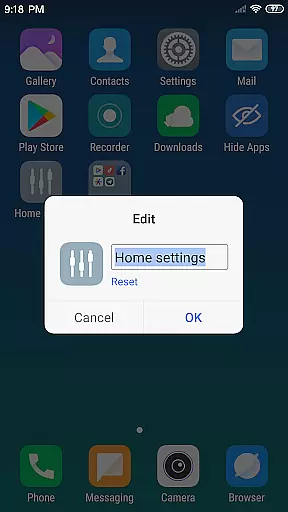
X Launcher Pro is a premium launcher app designed for Android users who appreciate minimalist flat design and customization freedom. This application transforms the entire appearance and operational experience of your smartphone, offering an ad-free environment that ensures uninterrupted focus on your tasks.
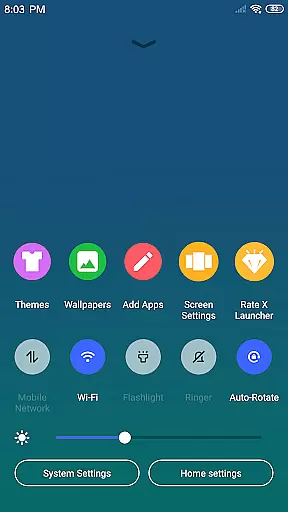
With its rich feature set, X Launcher Pro allows you to manage apps efficiently through the App Manager, access essential phone settings instantly via the Control Center, and personalize your device with various themes and latest wallpapers. The level of customization extends to modifying app icons and names, adjusting launcher grid sizes, and even hiding apps you prefer not to display. These capabilities make it particularly suitable for users seeking both aesthetic appeal and functional flexibility in their mobile experience.
The true value of X Launcher Pro lies in its ability to provide a seamless, immersive user experience while maintaining high performance standards. Whether you're a professional looking for distraction-free productivity or a design enthusiast eager to tailor your phone's interface, this launcher delivers exceptional utility and style.
X Launcher Pro stands out with its comprehensive suite of features tailored to enhance both the visual appeal and usability of your Android device. One of its most appreciated attributes is the complete absence of ads, ensuring a clean and focused user interface without any accidental interruptions.
The launcher offers advanced functionalities such as the App Manager, which enables quick access to local apps and easy placement on the desktop through simple swipe gestures. The Control Center provides convenient shortcuts to frequently used settings like WiFi, brightness, and volume controls. Additionally, the Theme Store presents a diverse selection of visually appealing themes that adapt smoothly to your preferences, complemented by an extensive library of rich icons and up-to-date wallpapers.
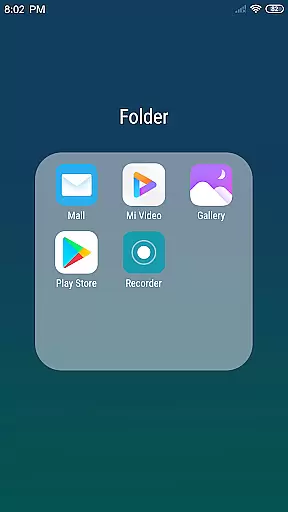
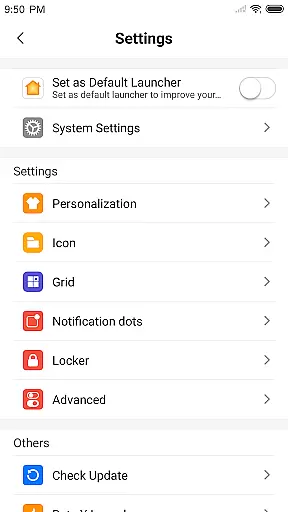
Customization is at the heart of X Launcher Pro's design philosophy. Users can modify app icons using local images, adjust the layout by changing the number of rows and columns, and create flat-style folders by dragging one app onto another. The ability to hide specific apps adds another layer of personalization. These features collectively contribute to a highly adaptable and user-centric mobile experience that distinguishes X Launcher Pro from other launchers in its category.
In the realm of Art & Design, having a comprehensive suite of creative tools is essential for unleashing one's artistic potential. X Launcher Pro rises to the occasion by offering an extensive array of features that cater to both casual users and design aficionados. The App Manager allows swift access and organization of local apps, while the inclusion of a Theme Store with various themes ensures that your device's aesthetics can be personalized to your liking.
Moreover, X Launcher Pro provides users with the latest wallpapers and a rich icon library, which are crucial for designers who seek inspiration or desire a fresh look for their workspace. The ability to modify app icons and names adds another layer of customization, empowering users to brand their devices with unique identities. This level of personalization is indicative of a launcher that values creative freedom and expression.
The availability of a Flat Style Folder feature further enhances the creative toolkit of X Launcher Pro. By enabling users to create folders by simply dragging one app onto another, it simplifies the process of organizing apps and decluttering the desktop. This functionality not only streamlines workflow but also contributes to a more visually appealing and efficient mobile environment.
Flexibility in canvas and format options is a hallmark of any top-tier design application, allowing creators to bring their visions to life without constraints. X Launcher Pro embraces this principle by providing users with customizable grid sizes, which means you can adjust the number of rows and columns on your launcher to suit your spatial preferences. This adaptability ensures that whether you're working within limited screen real estate or expansive tablet displays, your layout can be optimized for productivity and aesthetics.
Beyond layout customization, X Launcher Pro offers innovative solutions such as the ability to hide apps. This feature is particularly useful for designers who wish to maintain a clean slate, free from distractions or sensitive applications that they prefer not to display. Such control over visibility enhances focus and streamlines the creative process by removing unnecessary elements from view.
Furthermore, the permission to access storage not only facilitates the saving of downloaded themes and wallpapers but also allows integration with the current wallpaper settings of the Android system. This seamless interaction between X Launcher Pro and system settings exemplifies its commitment to providing a flexible platform where creativity is boundless, and user experience is paramount.
Completely Ad-Free Environment
Extensive Customization Options
Efficient App Management System
Versatile Theme and Wallpaper Selection
Intuitive Gesture Controls for Quick Access
Paid Subscription Required
Occasional Stability Issues
Limited Default Widget Support
Steep Learning Curve for Beginners
High Storage Permission Demand

Learn how to draw with step-by-step tutorials, fun lessons & multiplayer drawing
 4.70
4.70
Stylish letters, Stylish Keyboard, Symbols, Emojis, Cool nickname
4.40
Paint with oils and sketch with natural tools on a realistic virtual canvas.
3.80
Passport size photo maker, create ID photo and visa photo in seconds
4.80
Painting, drawing, & sketching
4.50
Bring One UI 8.5 Icons to life -elegant dark icons with a modern, premium touch.
4.30
Sketch and paint on your device with the feel and freedom of drawing on paper
4.00
Unleash your inner artist! Sketchar: AR Drawing for Limitless Creativity
4.40
All-in-One art, logo & collage maker. Design photos and edit video backgrounds
4.80
Novices can also easily complete diamond painting masters
4.70
Draw glowing spinners, relax, and spin your creative art
4.60
Create color palette from Image, RGB & RYB Color wheel harmonies, Color Scheme
4.50
Share the joy of painting with ibis Paint! Drawing anime and manga art.
4.50
Nano Banana AI Image Generator, Anime Filter, AI Portrait, AI Photo Generator
4.30
Create stylish invitation cards using templates for weddings, birthdays & RSVP.
4.20
Turning simple sketches into captivating tales filled with life and motion
3.90
Create cute cat emojis & PFPs! Fun, custom avatars for cat lovers.
3.70
Create sweet, cool and unique couple avatars easily, in just a few steps!
3.40
Download now for a stylish and functional timepiece
4.5


User Reviews