
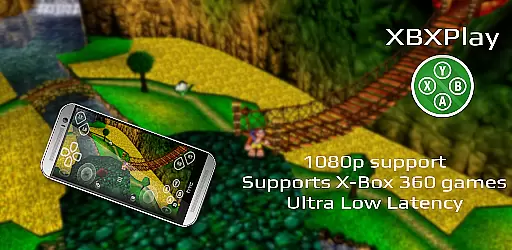
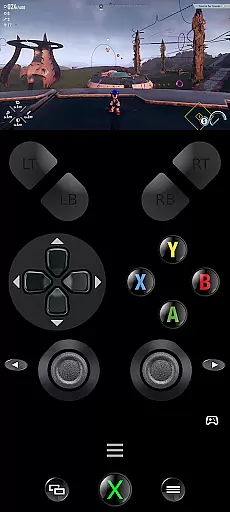
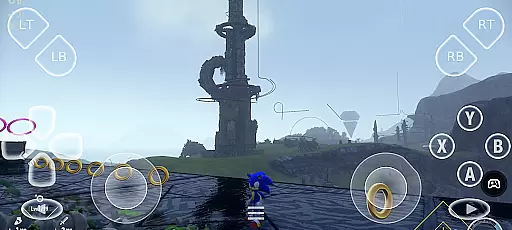
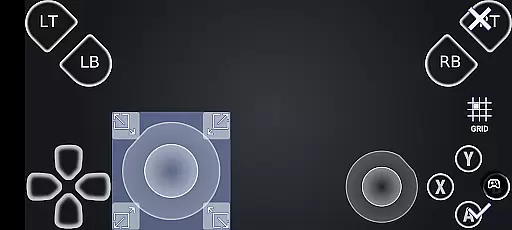
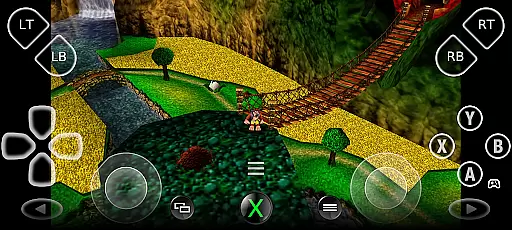
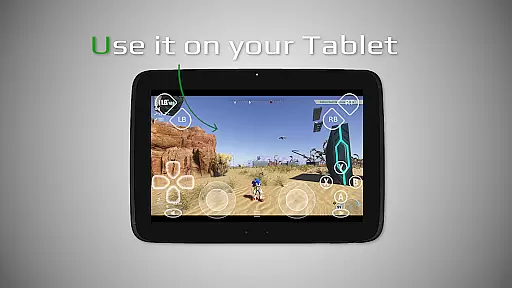
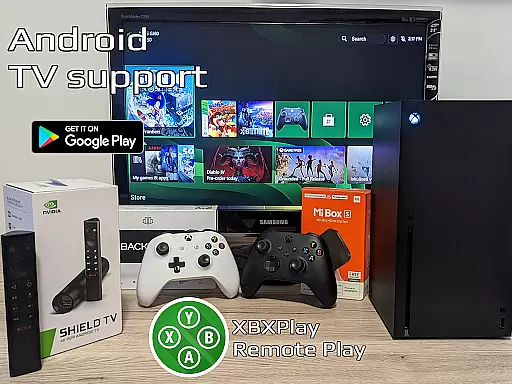

XBXPlay is a powerful remote control application designed for X-Box Series X/S, X-Box One (X/S), and even X-Box 360 consoles. It allows users to stream their favorite games in 1080p resolution while providing an optimized low-latency experience. The app supports third-party controllers, mobile data connections, and customized onscreen gamepad layouts, making it versatile for various gaming needs.
One of the standout features of XBXPlay is its ability to function as a virtual gamepad for your console, enabling gameplay without a physical controller. With additional functionalities like Picture-In-Picture mode, Multi-Window support, and manual bitrate adjustments, this tool offers a comprehensive solution for gamers who want flexibility and high performance when playing remotely.
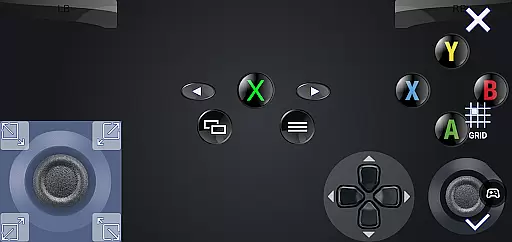
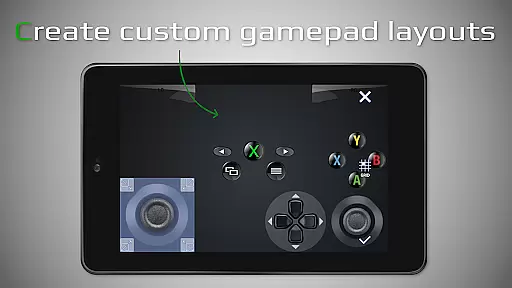
XBXPlay stands out with its advanced feature set tailored for modern gaming enthusiasts. The app provides full 1080p streaming support, ensuring crisp visuals during gameplay sessions. Unlike the official X-Box Remote Play app, XBXPlay includes options such as customizable onscreen gamepad layouts, fullscreen support without black bars, and native USB-OTG compatibility for wired controllers.
Another key aspect is its optimization for low-latency streaming, which enhances real-time responsiveness. Gamers can also enjoy unique capabilities like using XBXPlay as a virtual gamepad or mapping buttons according to personal preferences. These innovations make the app suitable not only for next-gen consoles but also for playing backward-compatible X-Box 360 titles seamlessly.
XBXPlay delivers exceptional core functionality by enabling seamless remote control of X-Box consoles, including the X-Box Series X/S and X-Box One. The app supports 1080p streaming, ensuring high-quality visuals while playing remotely. This level of resolution is crucial for gamers who demand clarity and detail in their gameplay experience.
The app's effectiveness is further enhanced through its support for X-Box 360 games, broadening the range of playable titles. With manual bitrate adjustments, users can optimize their streaming quality based on their internet connection, reducing latency and enhancing overall performance. These features collectively ensure that XBXPlay meets the needs of both casual and serious gamers.
For users without a physical gamepad, XBXPlay offers a customizable onscreen gamepad layout. This feature allows players to tailor their controls to match specific games, providing an intuitive and responsive interface. Such flexibility not only improves the user experience but also makes gaming more accessible to a wider audience.
XBXPlay excels in providing an intuitive and straightforward interface that simplifies the gaming experience. The app's fullscreen support eliminates black bars, offering an immersive experience that keeps players engaged. Additionally, the inclusion of Picture-In-Picture mode and Multi-Window support caters to multitasking needs, allowing users to manage other tasks without interrupting their gameplay.
One of the standout features is the native USB-OTG support, which ensures easy connectivity with various controllers. This compatibility enhances the overall usability of the app, making it versatile for different gaming setups. Furthermore, the ability to use XBXPlay as a virtual gamepad adds another layer of convenience for users who prefer digital controls.
The app's design emphasizes low-latency streaming, which is critical for maintaining a smooth and responsive gaming session. By optimizing for minimal delays, XBXPlay ensures that users can enjoy their games without frustrating lag or interruptions. This focus on performance and ease of use highlights the app's commitment to delivering a superior gaming interface.
User-friendly interface
Low latency streaming
Customizable controls
Supports X-Box 360 games
Picture-in-picture mode
No microphone support
Requires stable internet
Limited firmware compatibility
Premium features may cost extra
Controller pairing issues

Transfer Files, APK from Phone to Watch & Install.
 4.2
4.2
Effortlessly run ADB commands directly on your device without a PC.
4.20
View detailed information about your Nissan Leaf the dealer never shows you.
4.10
Making emulation easy for everyone!
4.30
Bedrock Together: Join any bedrock server on Xbox/PS
4.80
Game Booster, GFX Tool is now compatible with newer game update
4.50
Enjoy a smooth mobile reading experience!
3.60
fast and easy mp3 music downloader
4.80
Enhance your Beats
3.70
Enjoy smooth gameplay with Game Booster
4.90 4.50
4.50
Head tracking for PC sim games such as MSFS 2024 or Elite:Dangerous. No headset!
4.50
With videos, electrical calculators, and built-in ebook, Ugly’s has your answer.
4.50
Use your phone as a webcam on your computer over WiFi or USB.
4.40
Complete kernel toolbox with features to manage and tweak your rooted device
4.30
Introducing Smart Printer, your ultimate destination for printing solutions!
4.00
Unleash gamepad precision for ultimate mobile gaming dominance.
3.90
PDF Reader - Document Viewer: Read, Manage & Organize Your Documents
3.10
Unlock your Essential Key. Create custom shortcuts to your favorite apps!
4.1


User Reviews