
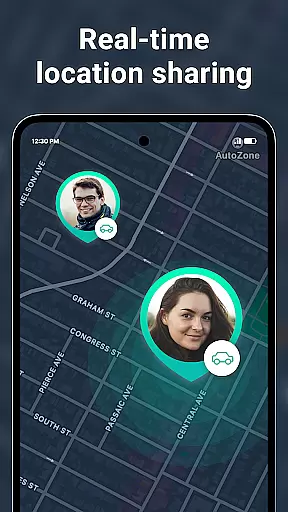
Geozilla is a comprehensive family safety app designed specifically for Android Wear users, enabling real-time location sharing and advanced safety features. The app allows families to stay connected through live GPS tracking, geofencing alerts, and driving behavior reports, all while maintaining strict privacy controls.
With its smartwatch compatibility, Geozilla ensures that you can monitor your family's location and receive critical alerts directly on your Wear OS device. Whether it's receiving notifications about arrival or departure from specific locations, or getting crash detection alerts, Geozilla provides peace of mind for families who prioritize safety and transparency.
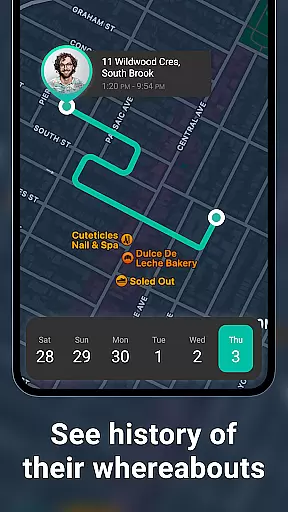
Geozilla offers an impressive range of features tailored for family safety. One standout capability is the Live Location Sharing function, which uses real-time GPS data to display the current position of all circle members. This feature is complemented by Location History, allowing users to review movement patterns throughout the day.
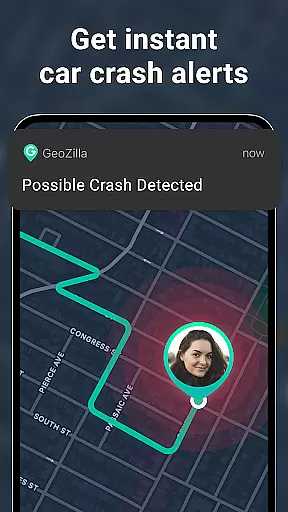
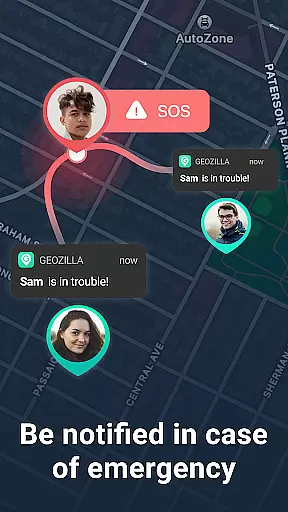
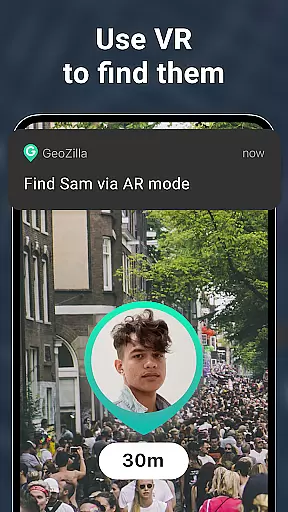
The app also includes advanced safety tools such as geofenced Arrival & Departure Alerts, Battery Monitoring notifications, and Safe Driving Insights. These features work together to create a comprehensive safety net for families. Additionally, the AR Finder and Crash Detection with SOS Alerts provide extra layers of security, making Geozilla a robust solution for modern family safety needs.
Companion app integration is essential for wearable devices to function seamlessly with smartphones. Geozilla excels in this area by ensuring that its Android Wear application works in harmony with its mobile counterpart. This integration allows users to access critical features directly from their smartwatches, such as viewing the location of family members or sharing their own position without needing to take out their phone.
The app's architecture supports real-time data synchronization between the smartphone and Wear OS devices. This means that whether you're checking location history or receiving geofenced alerts, the information displayed on your watch is current and accurate. The ability to receive notifications about arrival and departure alerts, low battery warnings, and even crash detection directly on a smartwatch can be invaluable for maintaining family safety.
Geozilla also ensures that all interactions on the wearable device are intuitive and user-friendly. The interface has been optimized for smaller screens, making it easy to navigate through different features with minimal effort. Users can quickly glance at their watch to get important updates or trigger actions like sending an SOS alert if needed. This level of integration enhances the overall user experience by providing convenience and peace of mind.
Device compatibility is crucial when selecting a wearable application, especially for apps focused on safety and communication. Geozilla offers robust support for Wear OS, ensuring that its safety features are accessible on a wide range of smartwatches. This broad compatibility means that families can choose from various devices while still benefiting from Geozilla's comprehensive safety solutions.
The app is designed to work efficiently across different Wear OS devices, maintaining consistent performance regardless of the specific model. Whether you're using a high-end smartwatch or a more budget-friendly option, Geozilla delivers reliable functionality. This includes core features like live location sharing, which allows family members to see each other's positions in real time, and emergency alerts that notify designated contacts during critical situations.
Moreover, Geozilla takes advantage of the unique capabilities offered by Wear OS, enhancing the user experience with features tailored specifically for wearable technology. For instance, receiving driving insights or crash detection alerts directly on a smartwatch can significantly improve response times during emergencies. By prioritizing cross-device compatibility, Geozilla ensures that every family member can stay connected and protected, no matter which Wear OS device they use.
User-friendly interface
Real-time GPS tracking
Advanced safety features
Transparent privacy controls
Wear OS compatibility
Requires constant internet
Background battery usage
Limited to family circles
Premium features subscription
Permission-intensive

Christmas - Festive - Christmas Village - Winter - Christmas lights
 5.00
5.00
Elegant animated Christmas tree with multiple customization options
4.20
A modern premium sporty hybrid watch face for Wear OS by Ballozi
4.70
Structured watch face with seven complications and modular UI elements
3.90
Real-time weather radar with temperatures, warnings, hurricanes, and widgets
4.80
A modern hybrid informative watch face for Wear OS designed by BALLOZI
4.80
Daily Weather forecast with 15 weather images for Day & Night plus Big Bold time
4.10
Fast and smart typing with Emojis, GIFs, and more
4.50
Your local weather forecast, storm tracker, radar maps & live weather news
3.40
Digital, flexibly customizable watch face. For Wear OS 5.0, API 34+ and later.
5.00
The Chevron App allows you to pay for fuel from the comfort of your car!
4.80
The most customizable minimal watch face. For Wear OS 5.0, API 34+ and later
4.70
Walking app for weight loss: walk & step tracker, pedometer, indoor treadmill
4.60
Beautiful artistic animated digital watch face, with a customizable layout!
4.40
Christmas watch face. For Wear OS devices.
4.30
Viewer for Wyze/Yi/Eufy/Arlo/ONVIF/RTSP/P2P IP cams w/ adv. features & DIY DVR
4.00
Watch the sharpness of the sky on your wrist..
3.70
A watch face that fuses motorsport precision with contemporary smartwatch design
4.5
Simple Analog-Digital Watchface For Wear OS 3.0 and Up Smartwatches
4.2


User Reviews