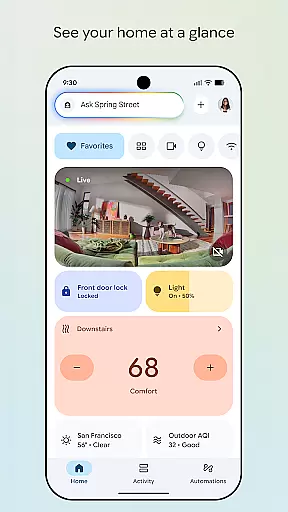
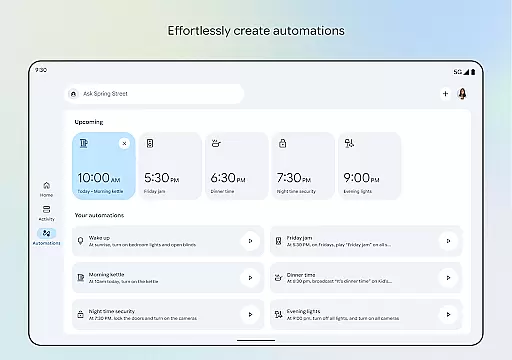
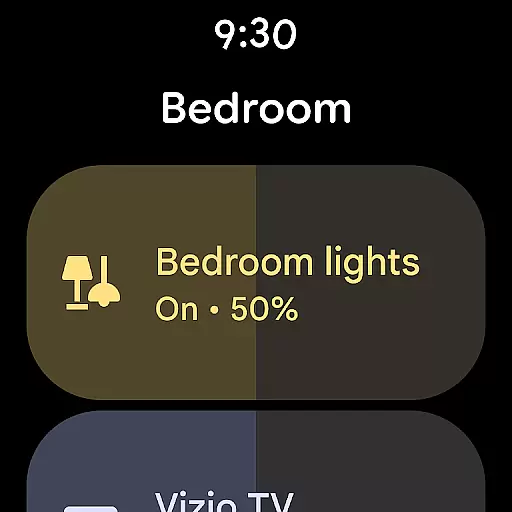

Google Home is a comprehensive smart home management application designed specifically for Android Wear devices. This app allows users to seamlessly control and monitor their smart home devices directly from their wearable technology. With its intuitive interface, users can view the real-time status of their home, organize devices into dashboards, and navigate settings with ease.
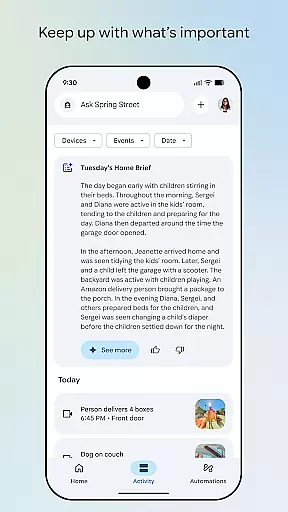
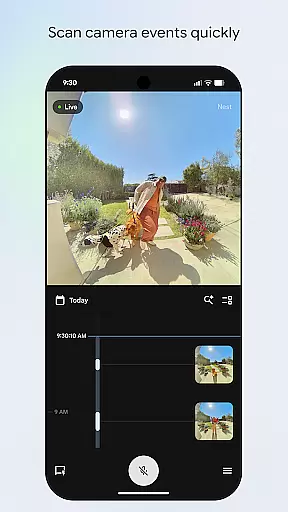
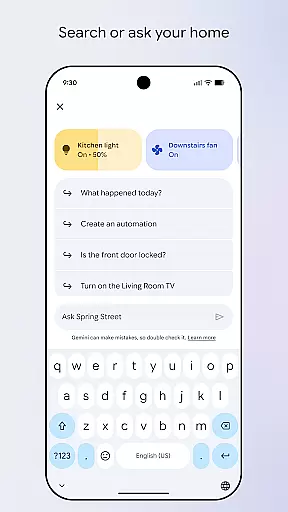
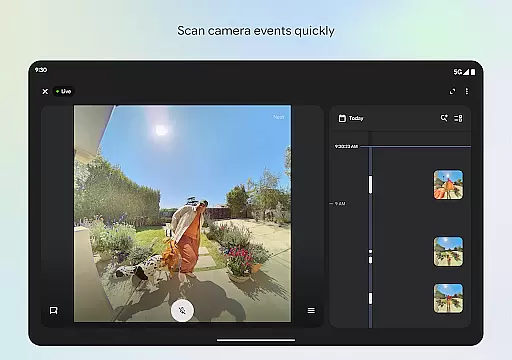
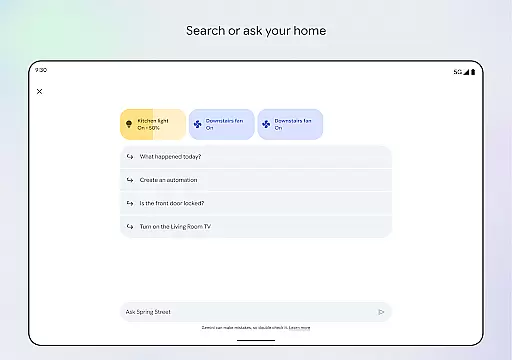
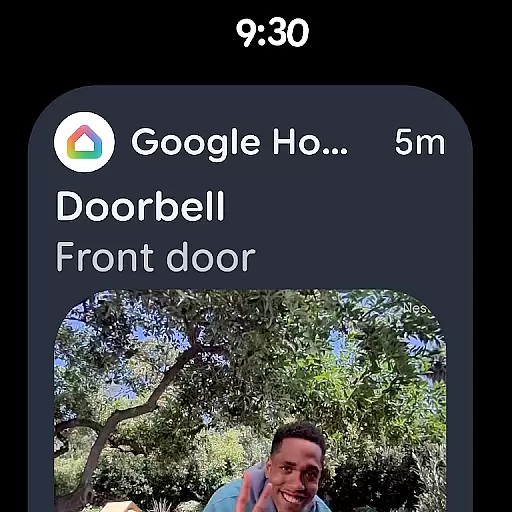
A key feature of Google Home is its ability to provide quick access to camera events, enabling users to review live feeds or past recordings effortlessly. Additionally, the integration with Gemini for Home empowers users to control their devices using simple voice commands, making smart home management more accessible than ever before.
Whether you're checking in on your home security while traveling or adjusting your thermostat from your wrist, Google Home offers a practical solution for managing your connected home environment efficiently through your Android Wear device.
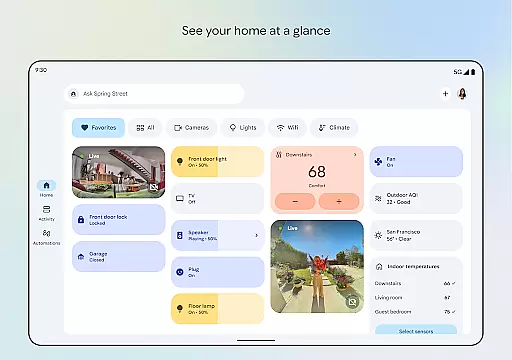
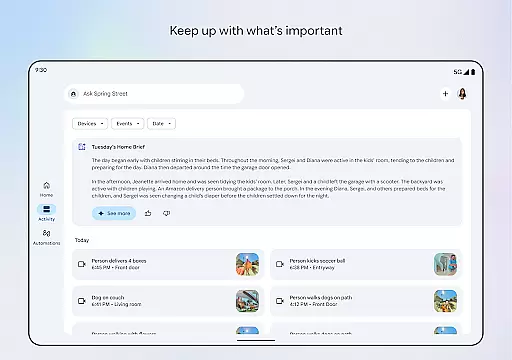
Google Home stands out with its innovative features tailored for Android Wear users. One of the primary functionalities is the at-a-glance home overview, which provides instant updates on the status of various smart devices within your home. This feature ensures that you are always informed about important activities and changes in your living space.
The app also boasts an enhanced design focused on user-friendly navigation. Devices can be grouped into customizable dashboards, allowing for streamlined access to frequently used controls. Furthermore, the camera live view and history interface simplifies scanning through recorded events, ensuring you never miss a critical moment captured by your smart cameras.
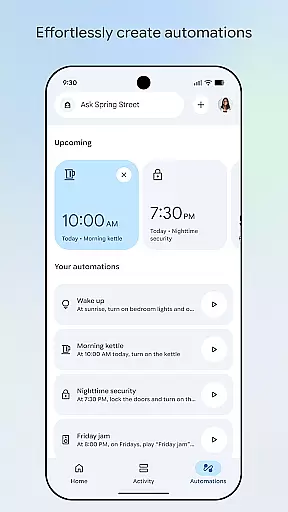
Voice command capability via Gemini for Home adds another layer of convenience. By simply speaking your requests, you can adjust lighting, lock doors, or even set the thermostat without lifting a finger. These features collectively enhance the smart home experience, offering both control and peace of mind directly from your wrist.
Companion app integration is a crucial feature for Android Wear devices, ensuring seamless connectivity between your smartwatch and smartphone. The Google Home app excels in this area by providing users with real-time synchronization of data and settings across devices.
Through the app, users can easily control their smart home devices directly from their wearable technology. This includes adjusting thermostats, checking security cameras, or even turning off lights, all from the convenience of their wrist.
The benefits of this integration are numerous. Users experience enhanced convenience as they no longer need to reach for their phones to manage their homes. Instead, they can simply interact with their smartwatches, making daily tasks quicker and more efficient.
Ultimately, the Google Home app's companion app integration empowers users by extending the functionality of their Android Wear devices, creating a cohesive ecosystem that simplifies smart home management.
Wear OS and device compatibility ensures that applications function correctly across various Android Wear devices. The Google Home app supports a wide range of smartwatches, allowing users to manage their homes regardless of their chosen wearable technology.
This compatibility is achieved through rigorous testing and optimization, ensuring that the app's interface remains intuitive and responsive on all supported devices. Whether you're using a Fossil, TicWatch, or any other Wear OS device, the Google Home app delivers a consistent user experience.
For users, this means freedom of choice without sacrificing functionality. They can select a smartwatch that suits their style and preferences while still enjoying the full benefits of smart home control offered by the Google Home app.
In summary, the Google Home app's commitment to Wear OS and device compatibility highlights its dedication to accessibility and user satisfaction, ensuring everyone can enjoy smart home management from their wrists.
User-friendly interface
Voice command support
Real-time updates
Customizable dashboards
Seamless device integration
Limited regional availability
Requires compatible devices
Premium features may cost extra
Occasional connectivity issues
Privacy concerns with camera feeds

Calming & relaxing sounds for sleeping and stress relief. Stay focused all day!
 4.20
4.20
A customizable Christmas watch face for Wear OS with a countdown.
4.20
Contemporary digital watch face with five complications
4.4
3 Complications. All shadow on/off. 30 Themes color palette...
4.0
Digital watch face. For Wear OS devices.
4.40
Find EV charging stations
4.30
A modern hybrid informative watch face for Wear OS designed by BALLOZI
4.80
A digital watch face that celebrates Christmas.
4.00
Simple, helpful messaging by Google
4.60
A modern premium sporty hybrid watch face for Wear OS by Ballozi
4.70
Nutrition, Macro tracker: Food, fitness & healthy diet tracking for weight loss
4.60
Deck out your Wear OS Watch face with a beautifully decorated pine wreath!
4.50
Digital watch face with big numbers and many customization for Wear OS devices
4.40
Watch face for Wear OS.
4.20
Hyper-Realistic Airplane Dashboard Watch Face With 10 Skins and Custom AOD
4.00
Watch face designed for Thanksgiving Day. 7 Background Styles included.
3.20
A watch face that fuses motorsport precision with contemporary smartwatch design
4.1
Artistic Digital Watchface
4.3
Funny animated watch face for Thanksgiving
4.0


User Reviews