
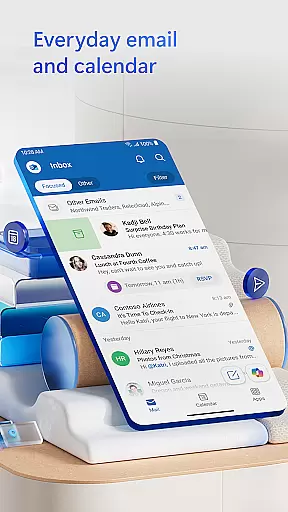
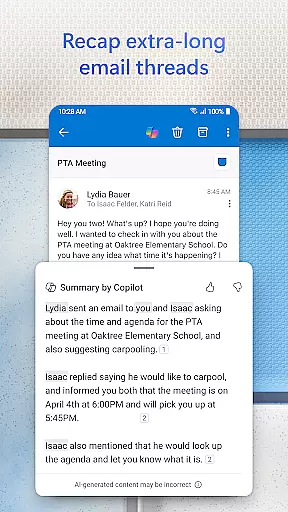
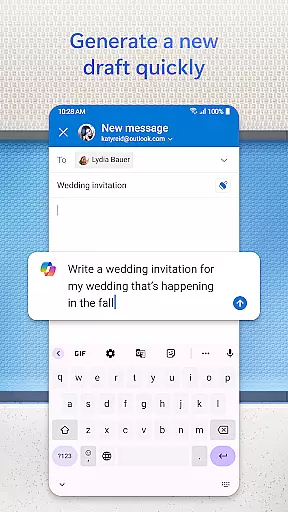
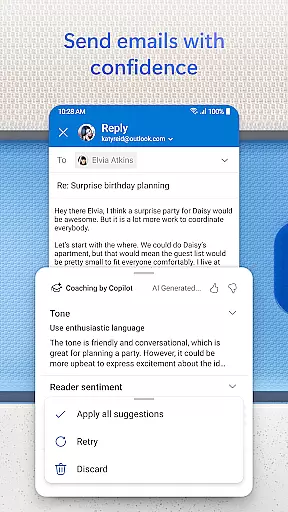
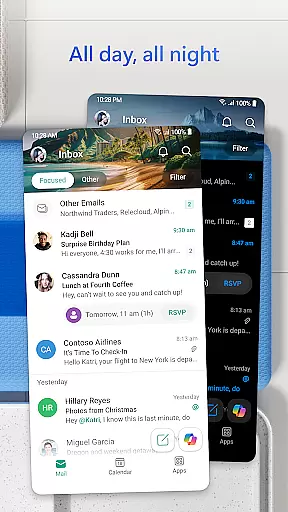


Microsoft Outlook is a comprehensive email and calendar app designed to streamline your busy life. It consolidates your emails, files, and calendar in one secure location, ensuring you stay productive regardless of the source of your messages - be it work, school, or personal accounts. The app intelligently organizes your inbox, filtering emails into Focused and Other categories for easy access to critical communications.
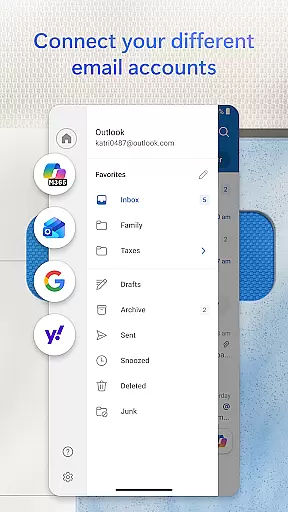
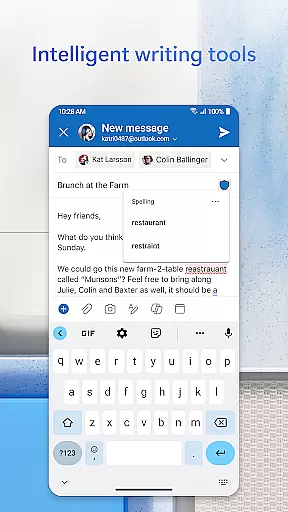
Outlook offers flexibility by supporting multiple account types including Microsoft Exchange, Gmail, Yahoo Mail, and iCloud, making it versatile for personal and professional use. With built-in intelligent editing tools, users can craft polished emails with ease. The app also allows direct interaction with Word, Excel, and PowerPoint documents from your inbox, enhancing productivity on the go.
Microsoft Outlook stands out with its robust feature set tailored for efficiency and organization. The app provides an all-in-one solution by integrating email, contacts, and files, alongside seamless access to cloud services like OneDrive. This ensures that whether you're managing emails from different providers or accessing recent attachments, everything is streamlined within the app.
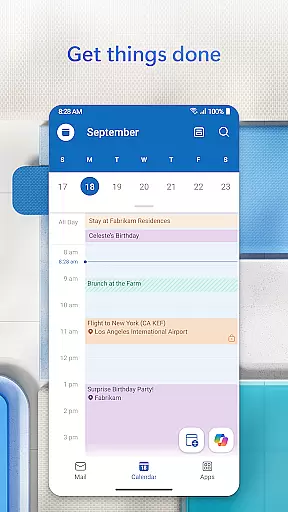
Calendar management is simplified with side-by-side views of various calendars, aiding in better scheduling and time management. Users can create and join online meetings effortlessly using integrated video calling services such as Teams, Zoom, and Skype. Additionally, intelligent features like suggested replies, voice search, and Play My Emails enhance daily workflows, allowing users to manage their tasks hands-free and efficiently.
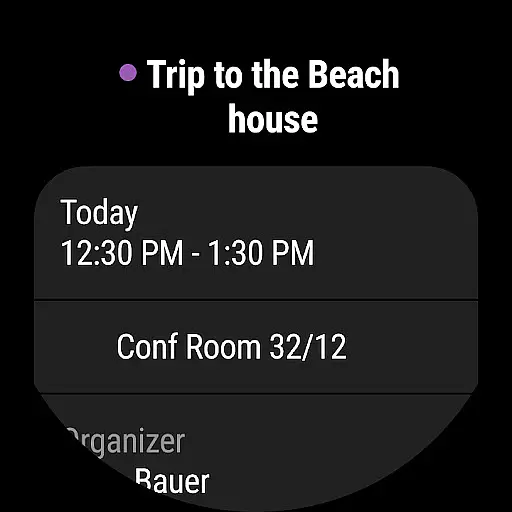
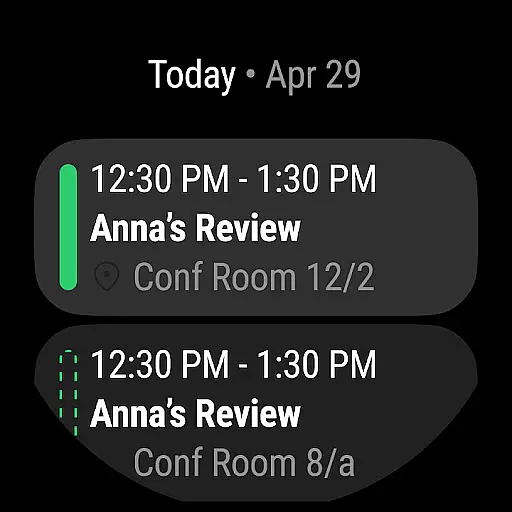
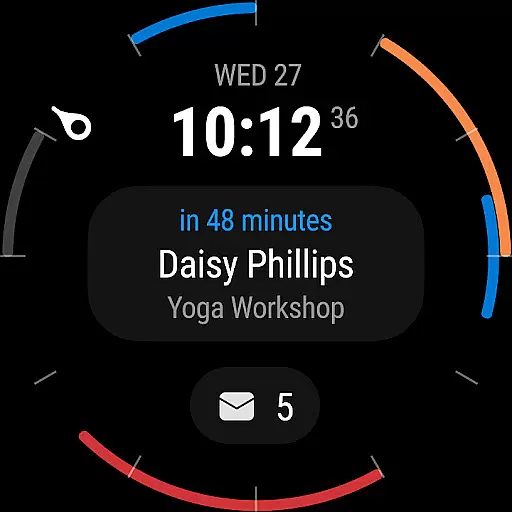
Companion app integration is a crucial feature for users who rely on wearable devices to manage their daily tasks and communications. Microsoft Outlook offers seamless synchronization between its mobile app and Wear OS, ensuring that users can access essential information directly from their smartwatches.
The integration allows users to receive notifications for new emails, calendar events, and reminders without needing to take out their phones. This ensures that busy professionals can stay updated even when they are in meetings or on the move. By providing quick access to these notifications, Outlook enhances productivity and keeps users informed at all times.
Furthermore, the companion app provides glanceable information such as upcoming appointments and email summaries. Users can easily view this data through dedicated complications or tiles on their Wear OS devices. This level of integration simplifies time management and helps prioritize tasks effectively throughout the day.
Overall, Microsoft Outlook's companion app integration with Wear OS exemplifies how modern applications should bridge the gap between mobile and wearable technology, offering an efficient way to manage communications and schedules effortlessly.
Device compatibility is a significant factor when choosing an application for your wearable device. Microsoft Outlook excels in this area by supporting a wide range of platforms including Wear OS, which ensures that users with different devices can benefit from its features.
Outlook's compatibility extends beyond just Wear OS; it also supports various email providers like Microsoft Exchange, Gmail, Yahoo Mail, iCloud, IMAP, and POP3. This broad support means that regardless of the user's preferred email service or operating system, they can rely on Outlook for consistent performance across multiple devices.
In addition to email services, Outlook integrates smoothly with other productivity tools such as Teams, Skype, Zoom, Word, Excel, PowerPoint, and OneNote. These integrations allow users to open documents directly from their inbox or join video calls seamlessly from their smartwatch or phone.
By prioritizing extensive device compatibility and cross-platform functionality, Microsoft Outlook ensures that users have a unified experience whether they are using their smartphone or smartwatch. This flexibility makes it easier than ever to stay connected and productive no matter where you are or what device you're using.
User-friendly interface
Integrated calendar and email
Supports multiple accounts
Advanced security features
Real-time collaboration tools
Limited offline functionality
Some features require subscription
Occasional sync issues
Heavy on storage
Complex setup for beginners

Christmas - Festive - Christmas Village - Winter - Christmas lights
 5.00
5.00
Snowflake Rose Gold Watch Face - Digital, modern, & sleek with GYRO effect.
4.10
Wear Os Watch Face - Animated Snow Effect & Magic Spark - 6 Scenes
4.10
Digital watch face with big numbers and many customization for Wear OS devices
4.40
Fitness interactive virtual pet super fighter boy watch face
4.0
To-Do List: daily schedule planner, task organizer, to do reminder app, calendar
4.60
The Chevron App allows you to pay for fuel from the comfort of your car!
4.80
Track airplanes and follow flights with our real-time flight tracker
4.50
From periods to pregnancy & perimenopause, Flo helps you track it all. Try now.
4.70
Beautiful, colorful and practical watch face. For Wear OS devices.
5.00
Hybrid watch face for Wear OS with customizable complications by Matteo Dini MD
4.70
Retro digital watch face with customizable colors and a unique lighting effect
4.60
Simple, helpful messaging by Google
4.60
Bold, Modern Hybrid Watch Face for Wear OS. 10 Colors, Rich Info Display.
4.30
Find EV charging stations
4.30
Locate your family members by GPS phone location tracker everywhere and anytime
4.30
Calming & relaxing sounds for sleeping and stress relief. Stay focused all day!
4.20
A Wintery Snow Globe on Your Wrist; now celebrating Christmas!
4.1
Simple Analog-Digital Watchface For Wear OS 3.0 and Up Smartwatches
4.2


User Reviews