
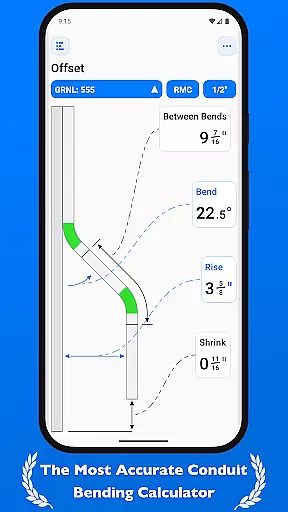
QuickBend is a cutting-edge conduit bending calculator app designed for electricians and professionals working with conduit systems. This productivity tool stands out by offering the most precise measurements through its advanced centerline radius algorithm, accounting for shoe and bender radius, conduit type, and size diameter. The app has been rigorously field-tested to ensure accuracy in every calculation.
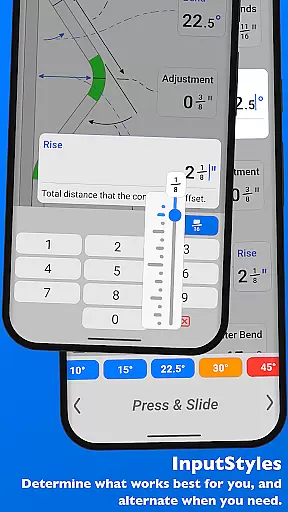
Beyond its core functionality, QuickBend provides an intuitive user interface that allows seamless switching between input styles such as number pads and slider bars. It supports multiple measurement units including inches and centimeters, catering to a global audience. With features like QuickCheck, users receive instant visual feedback on bend feasibility, enhancing both efficiency and precision.
Whether you're a seasoned professional or a DIY enthusiast, QuickBend is built to save time and reduce errors in conduit bending projects. Its comprehensive support for various bends, detailed documentation, and customizable options make it an indispensable tool for anyone in the electrical or construction industry.
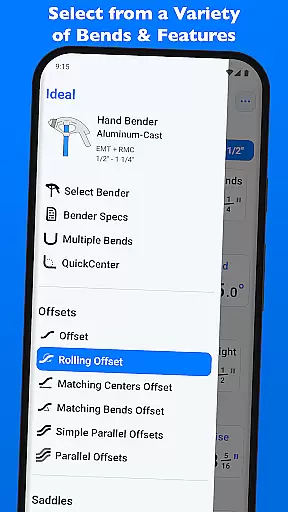
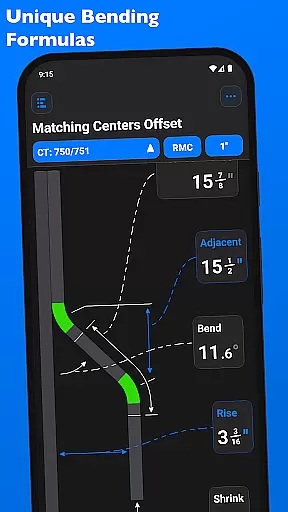
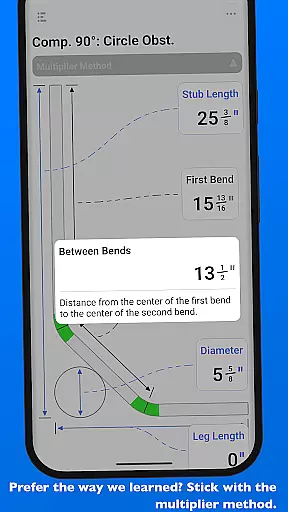
QuickBend offers a robust set of features tailored to streamline conduit bending tasks. One standout feature is its ability to calculate measurements using the centerline radius algorithm, ensuring unparalleled accuracy. The app supports over 15 types of bends, including offsets, rolling offsets, three-point saddles, and compound 90° bends, making it versatile for any project complexity.
The app's input flexibility is another key highlight. Users can toggle between different input methods such as number pads and slider bars (Press & Slide), each offering unique advantages depending on the task. Additionally, QuickBend includes a dynamic feedback system called QuickCheck, which uses color-coded text to indicate whether a bend is feasible or unlikely to work, helping users avoid costly mistakes.
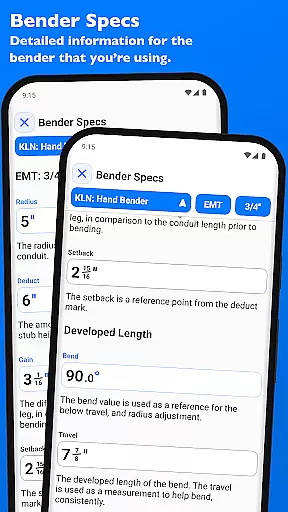
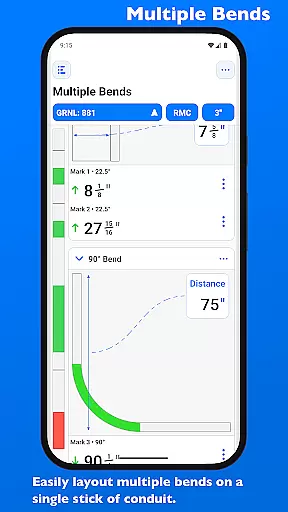
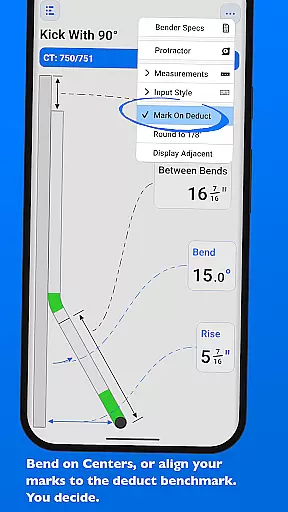
For enhanced productivity, QuickBend allows users to layout multiple bends on a single conduit and adjust individual marks per bend. It also features a pinning system for frequently used benders, enabling quick selection without excessive navigation. Detailed bender specifications, including centerline radius, deduct, gain, and setback, are visually represented and fully editable, empowering users with complete control over their tools and calculations.
QuickBend revolutionizes the way electricians and conduit workers manage their bending tasks through its advanced calculation engine. The app's core functionality lies in its ability to handle complex measurements with precision, taking into account variables such as shoe radius, bender type, and conduit dimensions.
The centerline radius algorithm ensures that every measurement is not only accurate but also rigorously field-tested for reliability. This level of detail allows users to execute bends with confidence, knowing that the calculations have been validated through professional standards.
Users benefit from the app's comprehensive support for various bend types, including offsets, saddles, and compound bends. Each calculation provides detailed documentation, empowering both seasoned professionals and novices to avoid costly mistakes while saving valuable time on the job.
While QuickBend focuses primarily on precise calculations, its design ensures reliable performance across different devices. The app maintains consistent accuracy regardless of the device being used, thanks to its standardized calculation engine and uniform interface design.
Electricians can seamlessly switch between metric and imperial measurements without losing data integrity or processing speed. This flexibility guarantees that whether working in inches or centimeters, the results remain consistently reliable across all platforms.
The application's robust architecture supports quick switching between different bender specifications and conduit types. Users can pin frequently used configurations for instant access, ensuring that their preferred settings are always available regardless of the device they're using.
Highly accurate calculations
User-friendly interface
Supports multiple bends
Real-time feedback system
Customizable bender specs
Premium version required
Steep learning curve
Limited free features
No offline mode
Complex navigation

Planet Free VPN - The best Fast Unlimited and Secure VPN Without Logs
 4.50
4.50
The Pro Version of Android's tiniest Notepad app. Just 0.3MB but feature-packed!
4.60
Font maker keyboard with your own handwriting
4.10
A comprehensive suite of tools designed specifically for Lactation Consultants
4.4
Scientific calculator for Android - looks and operates like the real thing!
4.90
Share files & memories safely. Keep your photos and videos secure.
4.40
Use powerful, industry-leading AI tools to generate visual charts from any data
4.80
Lightweight PDF, Word, Excel reader.
4.60
Set up, print, and get support—in one place
4.20
Protect and view your important info on your phone and tablet with eWallet®
4.80
Direct Chat without saving contacts & Dual WA Account on Single Device
4.70
Scan paperwork into PDF/JPG, generate your own e-signature and send fax or email
4.70
A simple Whisper AI keyboard for reliable speech transcription and rewording
4.60
A lightweight JSON & XML files creator, editor and viewer (Premium Version)
4.40
Cloud storage, automatic phone backup, and more.
4.10
Create and edit presentations with Google Slides, part of Google Workspace.
4.00
Easiest event planning, volunteer signups & parent teacher conference scheduling
2.20
The upgraded version of Name Wheel with AI and the power to add your own wheels.
4.2
IP Camera Viewer - Android TV : RTSP Surveillance camera viewer for Android TV
4.5


User Reviews