
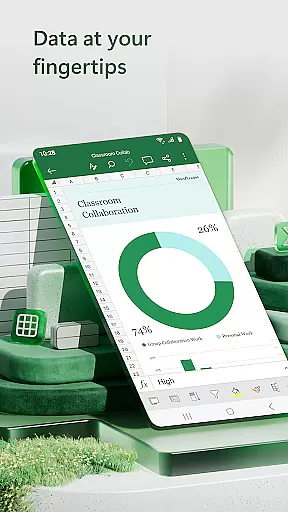

Microsoft Excel is the go-to productivity app for creating, editing, and sharing spreadsheets. It offers a comprehensive suite of tools for budgeting, data analytics, chart creation, and financial management. With its robust features accessible on mobile devices, users can manage their finances, track expenses, and analyze data on-the-go. The app's seamless integration with Excel's desktop version makes it ideal for business professionals who require flexibility in their workflow.
Excel's mobile app provides an intuitive interface that allows users to create charts, budgets, and task lists directly from their phone. Its powerful formatting options and familiar formulas ensure that workbook sheets and charts are easy to read and use on any device. Whether you're tracking personal expenses or performing complex data analysis, Excel delivers a consistent experience across platforms, making it an essential tool for both personal and professional productivity.
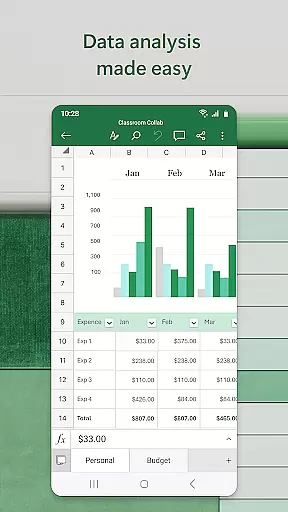
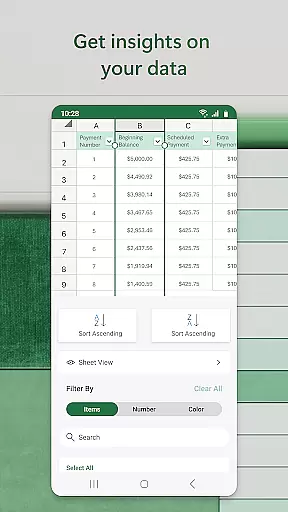
Microsoft Excel stands out with its modern templates and calculation tools. Users can create budgets, perform accounting tasks, and conduct financial analysis using built-in formulas and data analysis tools. The app supports advanced features like pivot tables and chart makers, which help visualize data in easily digestible formats. These tools allow users to annotate, edit, and insert charts that bring data to life, enhancing the overall data analysis process.
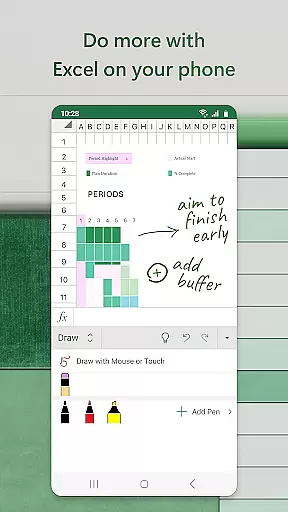
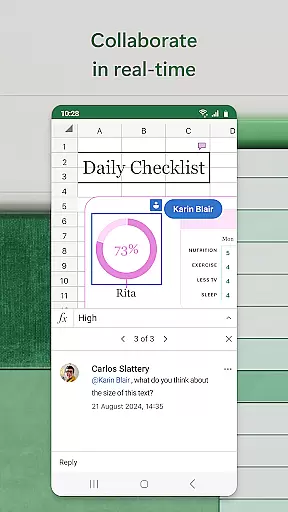
Collaboration is made simple with Excel's sharing capabilities. You can share files and sheets with colleagues in just a few taps, allowing them to edit, view, or leave comments. Additionally, the draw tab on touch-enabled devices lets users annotate charts, highlight parts of worksheets, and write equations. This combination of powerful individual tools and seamless collaboration features ensures that Excel remains a top choice for productivity and business collaboration on mobile devices.
Task management is a cornerstone of productivity applications, and Microsoft Excel excels in this area by offering users the ability to create, organize, and track tasks efficiently. With built-in templates for task lists and project timelines, Excel provides an intuitive platform for managing workloads and deadlines.
The app's familiar interface allows users to apply formulas and data analysis tools to monitor progress and prioritize actions. Conditional formatting and data visualization features further enhance task tracking, enabling users to generate clear charts and graphs that illustrate task status and resource allocation.
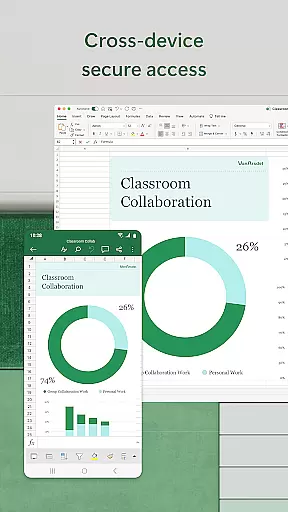
Excel's cross-device functionality ensures that task management remains consistent across different platforms. Whether on mobile or desktop, users can access their task sheets, make real-time updates, and share them with team members. This seamless integration promotes better collaboration and helps maintain productivity flow.
By combining robust calculation capabilities with flexible presentation options, Excel empowers users to transform basic task lists into comprehensive project management tools. This functionality proves particularly valuable for professionals who need to maintain organized workflows while working remotely or collaborating with distributed teams.
In today's mobile work environment, reliable cross-device synchronization is crucial for maintaining productivity. Microsoft Excel addresses this need by providing seamless integration across various devices and platforms. Users can start working on their desktop and continue editing on their mobile device without losing formatting or functionality.
The application employs advanced cloud technology to ensure that changes made on one device are instantly reflected across all other connected devices. This real-time synchronization capability enables teams to collaborate more effectively, as multiple users can work on the same document simultaneously without version conflicts.
Excel's synchronization system maintains data integrity through robust conflict resolution protocols. When multiple edits occur simultaneously, the application intelligently merges changes or provides clear options for resolving discrepancies. This ensures that important work remains accurate and consistent regardless of how many devices are involved in the editing process.
Furthermore, Excel's offline mode allows users to continue working even without internet connection, with automatic syncing once connectivity is restored. This feature combination makes Excel a reliable tool for professionals who need consistent access to their productivity resources across different environments and network conditions.
Comprehensive feature set
User-friendly interface
Seamless cross-device sync
Robust data analysis tools
Wide range of templates
Requires subscription for full features
Limited functionality on small screens
Occasional syncing issues
High learning curve for beginners
Resource-intensive app

QuickBooks Workforce lets teams view pay info and track time in one place.
 4.70
4.70
Seamlessly integrate data and reports to build your presentation to impress
4.80
The long-awaited modern gallery app for your Nextcloud server
4.70
CalenGoo is a very flexible and feature-rich calendar app
4.40
A comprehensive suite of tools designed specifically for Lactation Consultants
4.3
Quickly and easily keep track of your work shifts
4.70
AT&T Internet customers can use this app to personalize their Wi-Fi network.
4.40
QuickEdit is a fast, stable and full featured text and code editor.
4.20
2026 USPS Alpha/Color coded calendar Sunday/Rotating day off schedules
4.1
8 custom complications. Custom Time Fonts. Beautiful color schemes. A++ Design.
5.00
Okta MFA
4.70
Docker, Kubernetes management over Portainer Mobile
4.40
A customizable calendar for your Wear OS watch
4.20
Todo reminder
4.10
Make apps & sites with natural language prompts
4.10
Secure, open-source, SPICE and SSH Remote Desktop for QEMU KVM virtual machines
4.00
Ads Free App! Editor, Hide File, Copy, Move, Delete and Rename.. all facility av
1.70
The upgraded version of Name Wheel with AI and the power to add your own wheels.
4.3
IP Camera Viewer - Android TV : RTSP Surveillance camera viewer for Android TV
4.2


User Reviews