
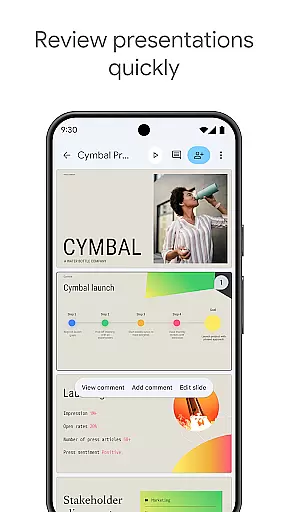
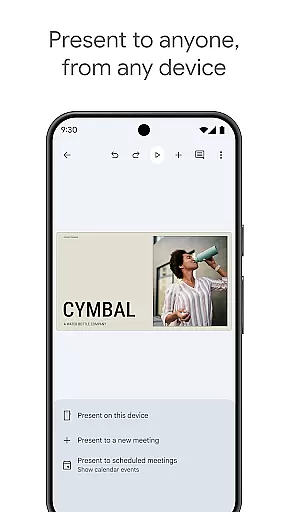
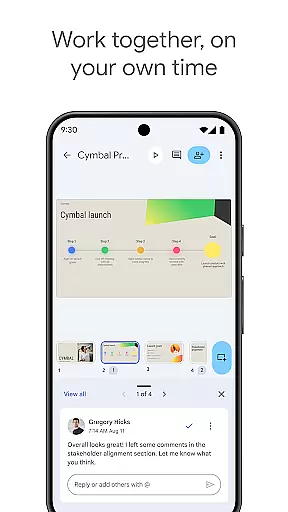
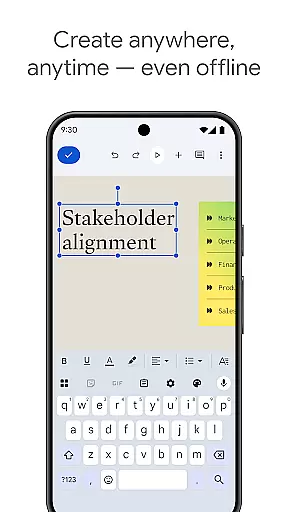
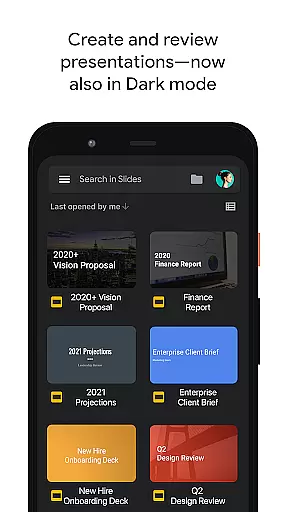
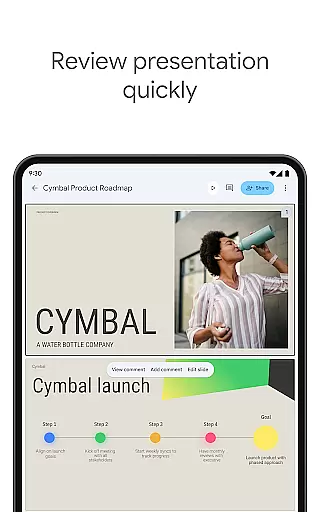
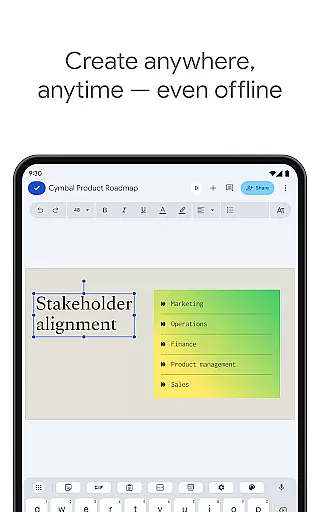
Google Slides is a powerful productivity app that allows users to create, edit, and collaborate on presentations directly from their Android devices. The app offers a comprehensive set of features including real-time collaboration, offline access, and automatic saving. Users can add and respond to comments, format text and shapes, and even present slides directly from their mobile device.
The application stands out with its smart suggestions feature that helps users design beautiful slides instantly. It also integrates seamlessly with Google Workspace, allowing teams to work together efficiently. With the ability to open, edit, and save PowerPoint files, Google Slides ensures compatibility and flexibility for both personal and professional use.
Google Slides provides an impressive array of features designed to enhance productivity and creativity. One of its key strengths is the ability to collaborate in real-time, enabling multiple users to work on the same presentation simultaneously. This feature is particularly beneficial for remote teams or educational settings where participants are geographically dispersed.
In addition to collaboration, the app supports offline editing, ensuring that users can continue working without an internet connection. The integration with Google Workspace brings additional functionalities such as template selection, multimedia embedding, and smooth transitions. These features collectively contribute to creating dynamic and engaging presentations that can be accessed and presented across various devices.
Google Slides excels in core task management by offering a comprehensive suite of tools designed to streamline the creation and editing of presentations. With functionalities that allow users to create new slideshows or modify existing ones, it ensures that productivity is maintained across all devices.
The app supports real-time collaboration, enabling multiple users to work on the same presentation simultaneously. This feature is crucial for teams spread across different locations, ensuring that everyone can contribute effectively without duplicating efforts or causing version conflicts.
Additionally, Google Slides provides seamless integration with other Google Workspace applications, enhancing workflow efficiency. Users can easily add comments, format text and shapes, and rearrange slides, making the process of refining presentations both intuitive and efficient.
By automatically saving every change, the app eliminates the risk of losing valuable work due to unexpected interruptions. This reliability empowers users to focus on their creative process, knowing that their progress is securely stored and readily accessible whenever needed.
Cross-device synchronization is a cornerstone of Google Slides' functionality, ensuring that users can access their presentations from any device at any time. Whether working on an Android phone, tablet, PC, or Mac, the app maintains consistent performance and accessibility.
This reliable synchronization allows users to start a presentation on one device and continue editing it on another without missing a beat. The ability to work offline further enhances this flexibility, providing uninterrupted productivity even in environments lacking internet connectivity.
Google Slides also supports PowerPoint file compatibility, enabling users to open, edit, and save files across different platforms effortlessly. This interoperability is vital for professionals who frequently exchange documents with colleagues using various software solutions.
Moreover, the app's automatic saving feature guarantees that all changes are updated across devices in real-time. This ensures that the latest version of a presentation is always available, regardless of where or how it was last modified, thus fostering a cohesive and efficient collaborative environment.
User-friendly interface
Real-time collaboration
Offline access
Automatic saving
Cross-device compatibility
Limited advanced features
Fewer templates than competitors
Requires Google account
Occasional sync issues
Basic drawing tools

Automates browsing any website and notifies you of important changes or events
 4.30
4.30
Device's storage information in a simple and clear graphical form (infographics)
4.10
Remotely view listen control and record cameras.
3.70
⏰ Finally a timer app which can run multiple timers simultaneously on your watch
3.90
IP Camera Viewer - Android TV : RTSP Surveillance camera viewer for Android TV
4.2
Find and delete junk files & block unwanted notifications & manage files
3.70
Access your phone's notifications, calls, apps, photos & texts on your PC
3.90
Put a lock on your cloud: Take the security of your data into your own hands
3.70
2026 USPS Alpha/Color coded calendar Sunday/Rotating day off schedules
4.2
Best Tool for the professionals Electrician, Electrical contractors, etc.
4.90
Tally and goal counter for Wear OS & mobile
4.50
Send files, sync SMS, notifications & clipboard across devices via local network
4.40
Share files & memories safely. Keep your photos and videos secure.
4.40
All in One PDF Reader: Manage, Read and Edit your Documents
4.20
Font maker keyboard with your own handwriting
4.10
The ultimate file manager for rooted devices. The original and still the best.
4.00
All in one sketching tool. Technical and General drawing. Online Maps support.
3.70
Ads Free App! Editor, Hide File, Copy, Move, Delete and Rename.. all facility av
1.70
AI Video AI Image Private LLM AI Browser Llama Gemma Ollama Connect LLM Studio
4.2


User Reviews