
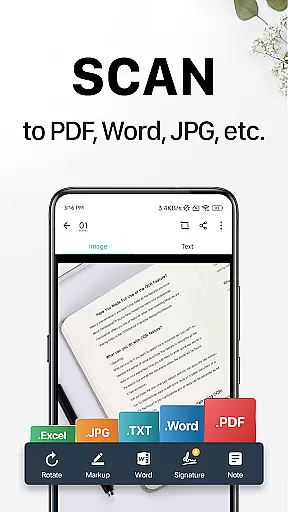
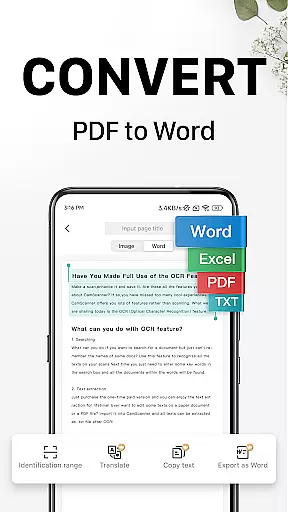
CamScanner is a versatile productivity app that transforms your mobile device into a portable scanner. With advanced OCR technology, it allows users to scan, save, and share documents in various formats including PDF, JPG, Word, and TXT. The app optimizes scan quality through smart cropping and auto-enhancement features, ensuring clear and sharp outputs.
Beyond basic scanning, CamScanner offers text extraction capabilities, wireless printing, remote fax services, and advanced document editing tools. Its quick search functionality and cross-platform syncing make document management seamless. Whether for personal or professional use, CamScanner enhances productivity by digitizing paper documents efficiently.
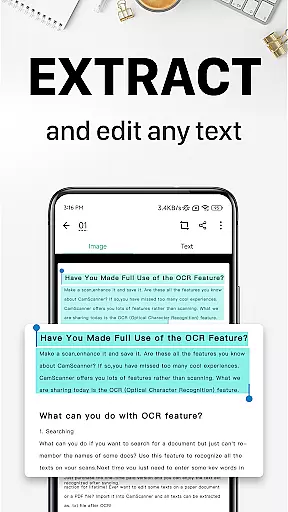
CamScanner stands out with its comprehensive feature set tailored for productivity. The app's quick digitization capability supports scanning of receipts, notes, invoices, and more. Its OCR technology extracts text from images or PDFs, enabling easy searching, editing, and sharing.
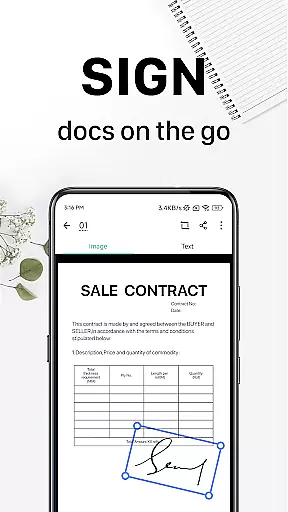
Additional functionalities include wireless printing and remote faxing to over 30 countries. Users can annotate documents, add watermarks, and secure files with passwords. The app also provides quick search options using tags and content-based image searches, ensuring efficient document retrieval across synced devices.
CamScanner excels in core task management by offering a comprehensive suite of tools that streamline document handling. This productivity app allows users to quickly digitize receipts, notes, invoices, and more, transforming them into high-quality scans.
The app's intelligent cropping and auto-enhancement features ensure that every scan is clear and professional-looking. With optical character recognition (OCR), CamScanner extracts text from images or PDFs, making documents searchable and editable.
Sharing documents is effortless with options to send PDF or JPEG files via social media, email attachments, or download links. Additionally, the app supports wireless printing and remote faxing to over 30 countries, enhancing its utility for both personal and professional use.
Advanced editing tools allow users to annotate documents and add customized watermarks, ensuring document security and personalization. These robust features collectively contribute to efficient task management, saving users time and increasing productivity.
Cross-device synchronization is a standout feature of CamScanner, ensuring reliable access to documents across all user devices. By signing up for an account, users can sync their scanned documents on smartphones, tablets, or computers, accessing them anytime and anywhere.
This seamless synchronization enhances workflow continuity, allowing users to start a task on one device and finish it on another without missing a beat. The ability to view, edit, and share documents from any platform ensures that productivity is not hindered by device limitations.
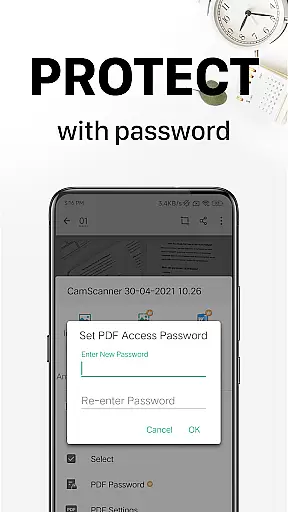
Security is also a priority, with password protection available for viewing confidential content and securing document download links. This guarantees that sensitive information remains protected while being conveniently accessible.
With unlimited access membership, users gain full feature utilization, including OCR, advanced editing, and reliable cross-device syncing. This subscription model underscores CamScanner's commitment to providing a dependable and versatile productivity tool for managing documents efficiently.
Advanced OCR Technology
Multi-format Document Support
Wireless Printing Capability
Cross-platform Syncing
Comprehensive Editing Tools
Premium Features Require Subscription
Occasional Ads in Free Version
Limited Free Scans Per Day
Some Advanced Tools Locked
Subscription Cost May Add Up

When you Focus, so will your Bean in this cozy focus timer
 4.30
4.30
aCalendar+ makes your day, week and month
4.70
All document reader, all in one file viewer read PDF, DOCX, XLS, PPT, TXT files.
4.60
Translate text/voice/photos in 150+ languages. Offline & fast translator app.
4.50
Calendar 2023 widget for Android. Appointment scheduler, planner, and reminder
4.60
Quickly and easily keep track of your work shifts
4.70
Scientific calculator for Android - looks and operates like the real thing!
4.90
Understand anything with a personalized AI research assistant
4.80
Seamlessly read, manage, and organize all your PDF files solution in one place
4.40
Native client for Forgejo and Gitea
5.00
Best Tool for the professionals Electrician, Electrical contractors, etc.
4.90
Secure, fast, open-source, VNC and SSH Remote Desktop for Windows, Linux and Mac
4.70
Absolutely the best CNC machinist speed and feed calculator around. fswizard.com
4.60
Secure, fast, open-source, Remote Desktop Client for Windows and Linux with SSH
4.60
A simple Whisper AI keyboard for reliable speech transcription and rewording
4.60
A Pixel Art watchface inspired by other iconic 90s designs for Wear OS devices!
4.40
This small app MUST BE INSTALLED after purchase, else license won't work
4.40
Create study competitions, track your hours, and stay consistent with friends
4.4
The upgraded version of Name Wheel with AI and the power to add your own wheels.
4.4


User Reviews